
Table of Contents
When navigating Tenzo Modules through the web, you can view your data in both Snapshot or Trends. In Trends, you will notice “Toggle 2nd Axis.”
This refers to the vertical axis on the right hand side of the chart, which displays your YoY (Year on Year) Growth %:
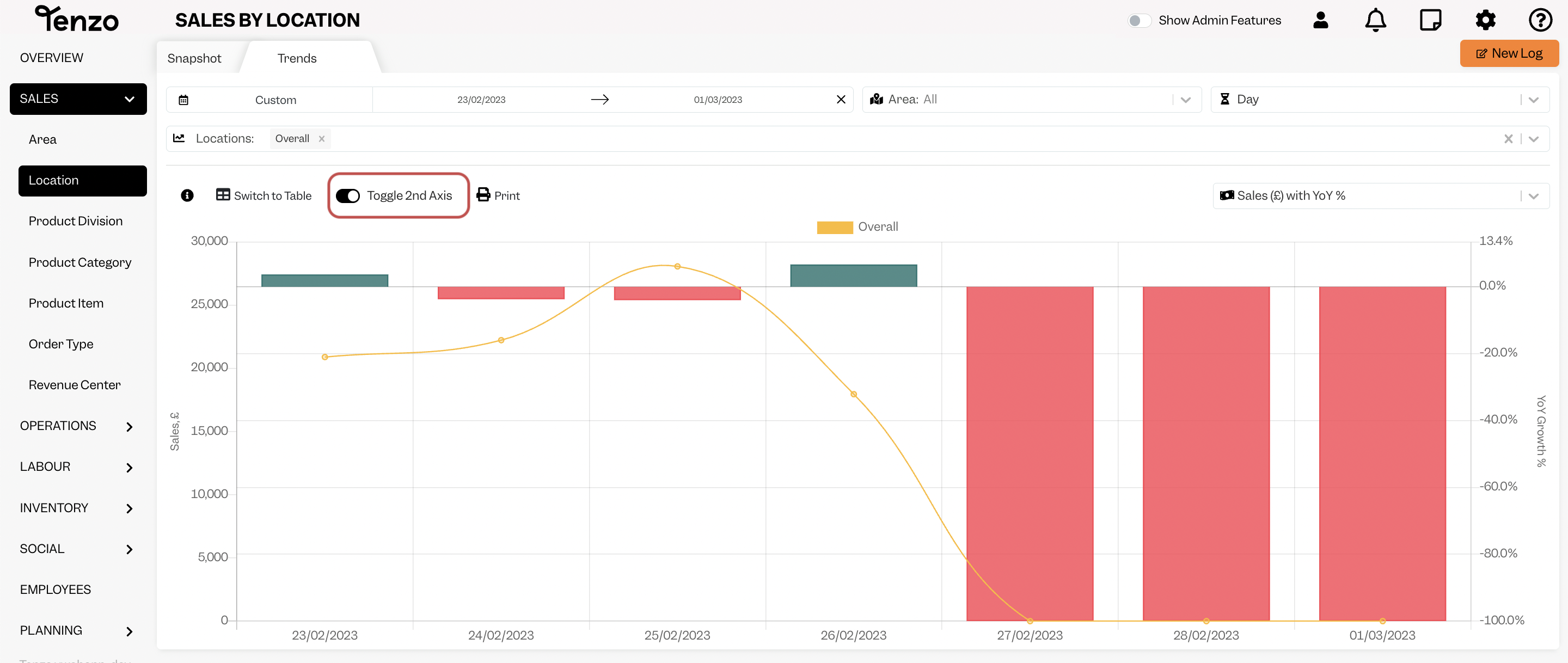
By default, this axis is turned on. You can click on the toggle and your YoY Growth % will be hidden: 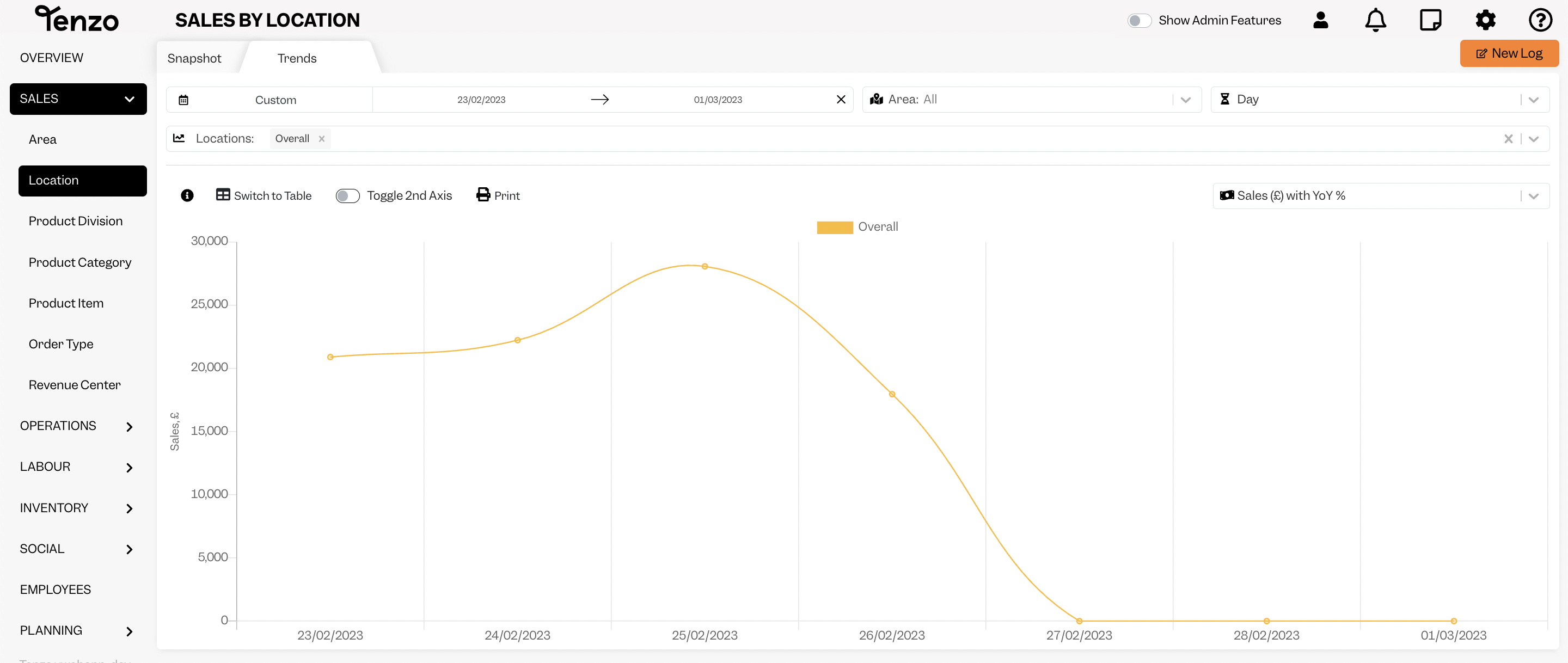
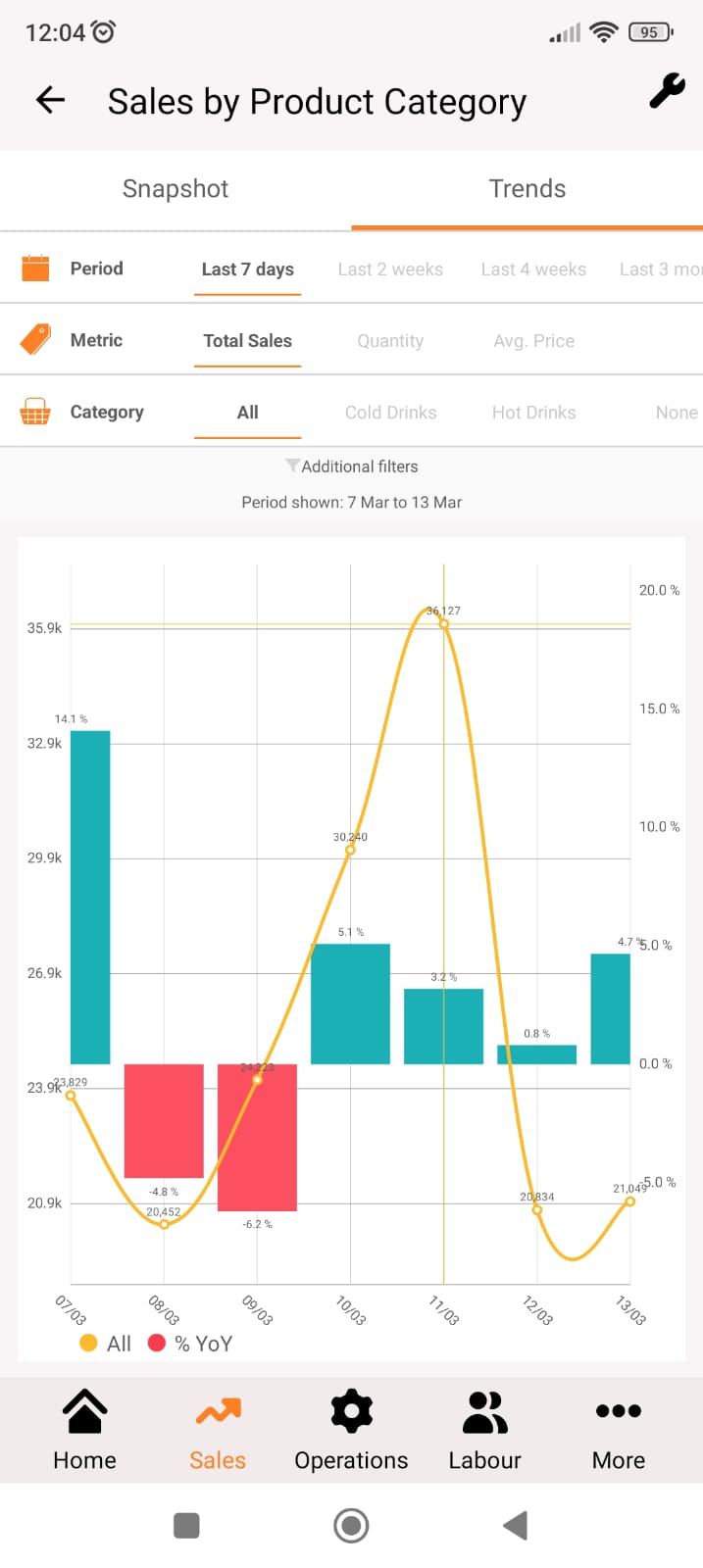
YoY Growth % in Mobile App #
You can view your YoY Growth % in your Mobile App in Trends as well; however, you can only toggle off the 2nd Axis on the Web.
If you have any further questions feel free to take a tour of our Help Centre or contact us at support@gotenzo.com. Happy Tenzoing!
#data


