
In Tenzo, we understand the importance of showing custom information to different groups in your business based on their needs. For example, a General Manager may need to see very focused information about their location’s sales and labour costs, while Head Office Teams may want to have more of a strategic top level performance view focused on the overall profit and loss performance of different areas.
What groups do my users have access to? #
If you want to know what access a user has just head to Admin > User:
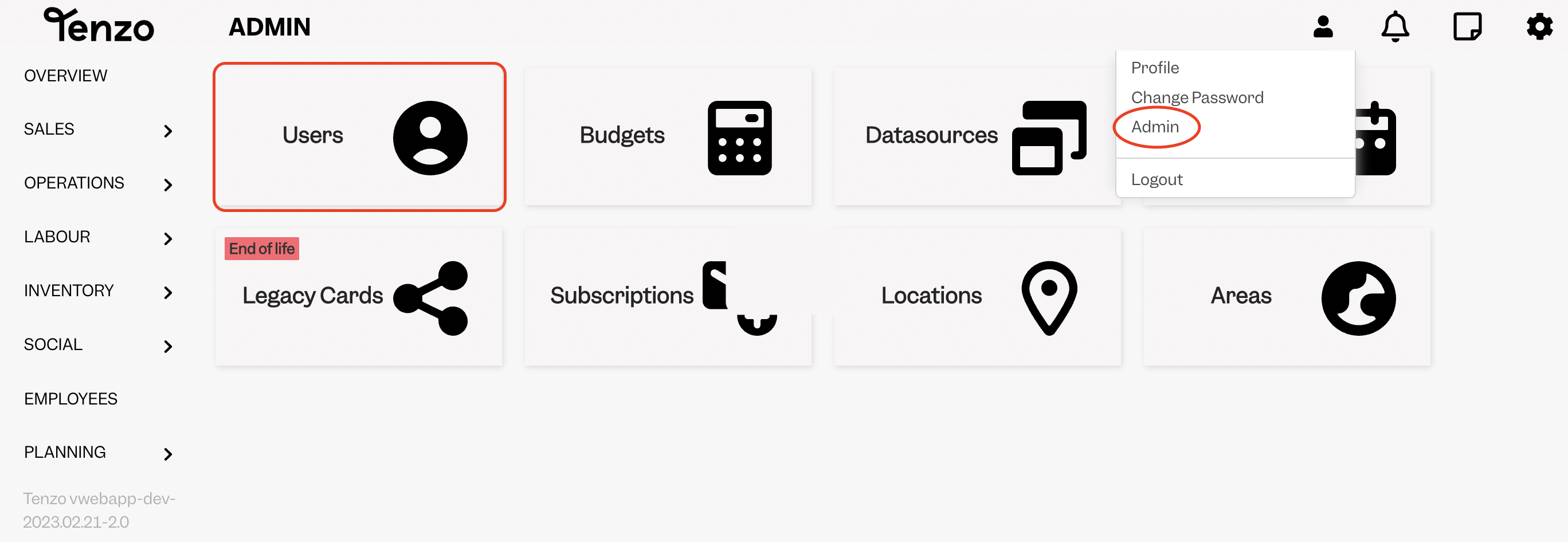
Then search for the user:
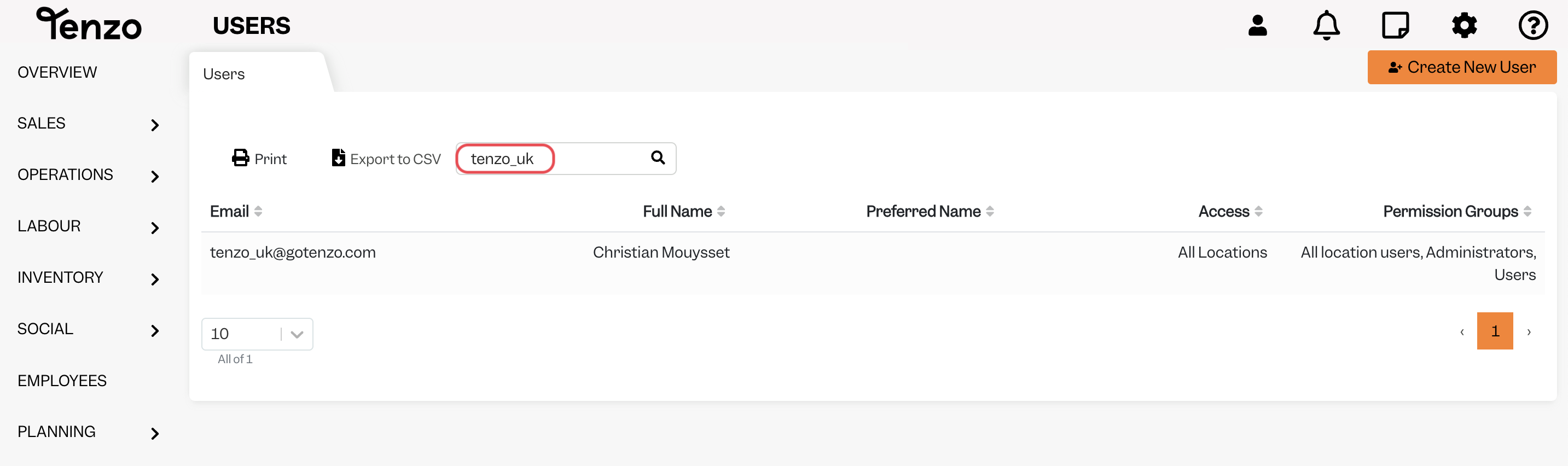
When you click on the user’s email address, a screen like the example below will appear. You can see within the “Permission Groups” what permissions a user has:
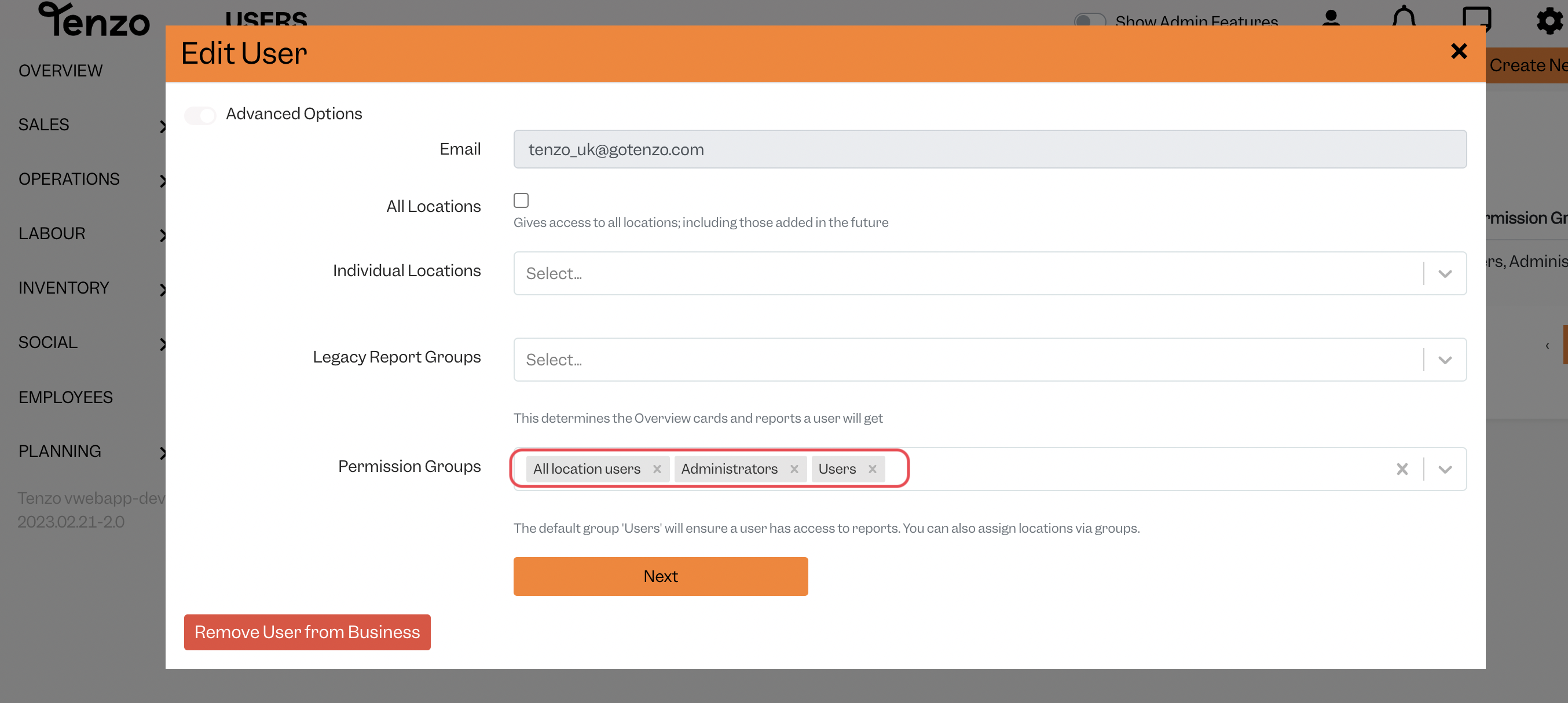
Please note that a user can belong to more than one Permission Group.
How can I add a new Permissions Group? #
If you want to create a new Permission Group, just email your Customer Success Manager explaining:
- What metrics you would like the user to see on their dashboard.
- What modules the user should have access to; and
- What email reports (frequency and what metrics) you would like them to see.
For any other questions please contact support@gotenzo.com
Happy Tenzo’ing!
#user #admin #customisation #customization


