
Being able to see your data from your POS, Staff Scheduler, Inventory and Social Review sites in one place in Tenzo helps you better understand how your business is doing. In Tenzo, you can pick and choose the KPIs you want to see data from your different systems in one place.
Below are two popular KPIs we often get requested – Cost of labour as a % sales and a Flash Profit and Loss view.
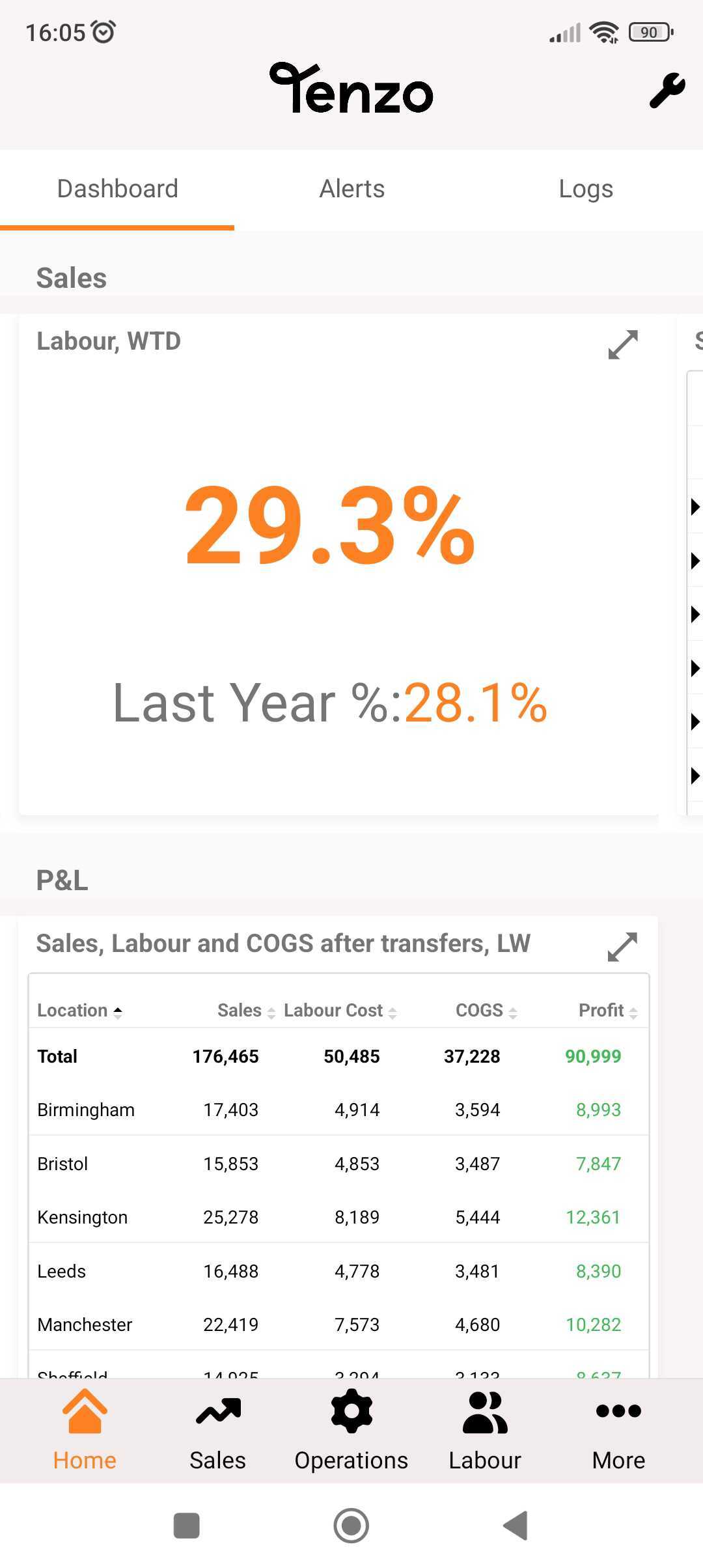
Labour & Sales KPIs: #
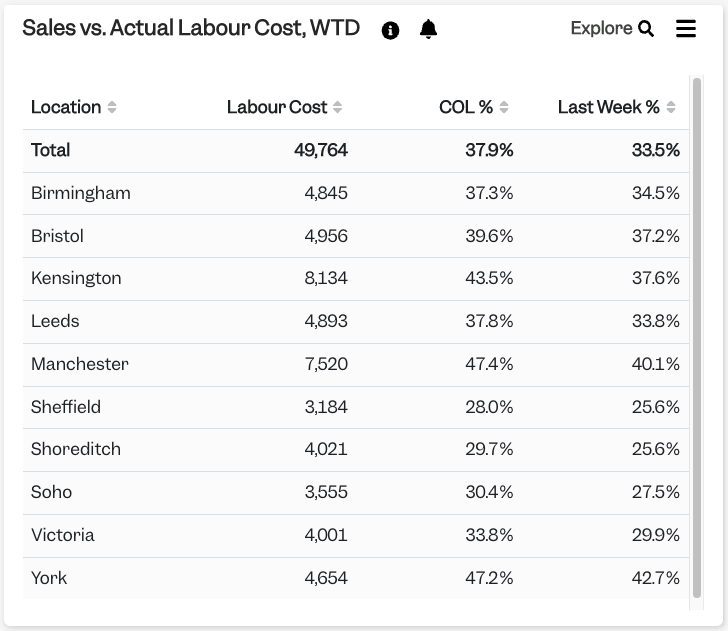
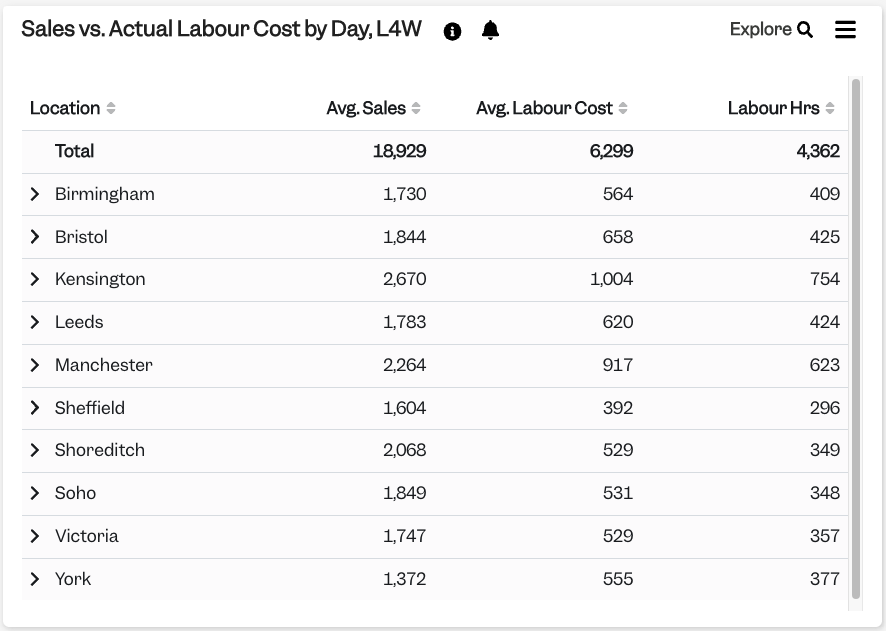
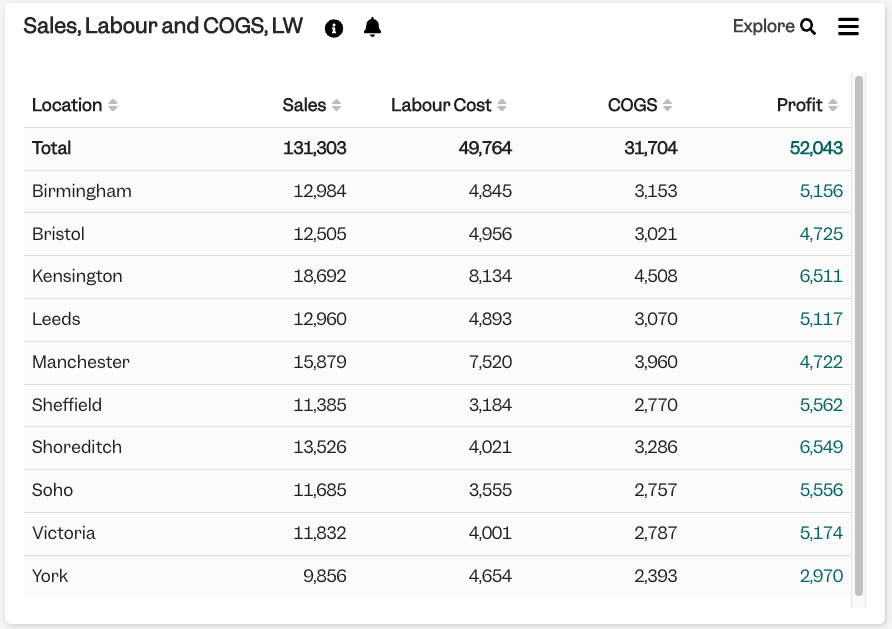
Here are some examples of how we overlay labour and sales into KPI in Tenzo:
Sales Vs Actual Labour Cost, Week To Date (WTD)
Sales Vs Actual Cost by Day, Last Four Week (L4W)
We can even have your Sales, Labour and Inventory viewed for Last Week (LW):
Should you have an example of how you would like to view your Labour & Sales Data, do let your Customer Success Manager (CSM) know or drop us a note at support@gotenzo.com and we will look into seeing if we have the card available.
If you are a new to Tenzo and want to find out more about how we can help you consolidate all your data in one place, drop us a note here now. We cant wait to have you using Tenzo!
#data #sales #labour


