
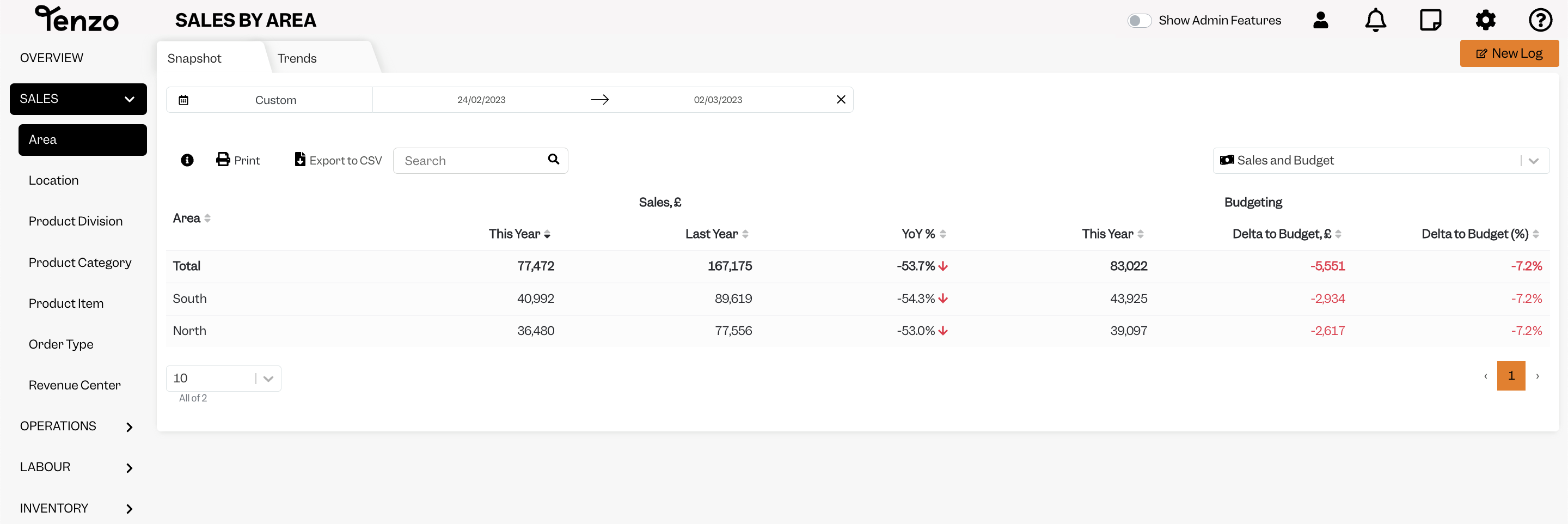
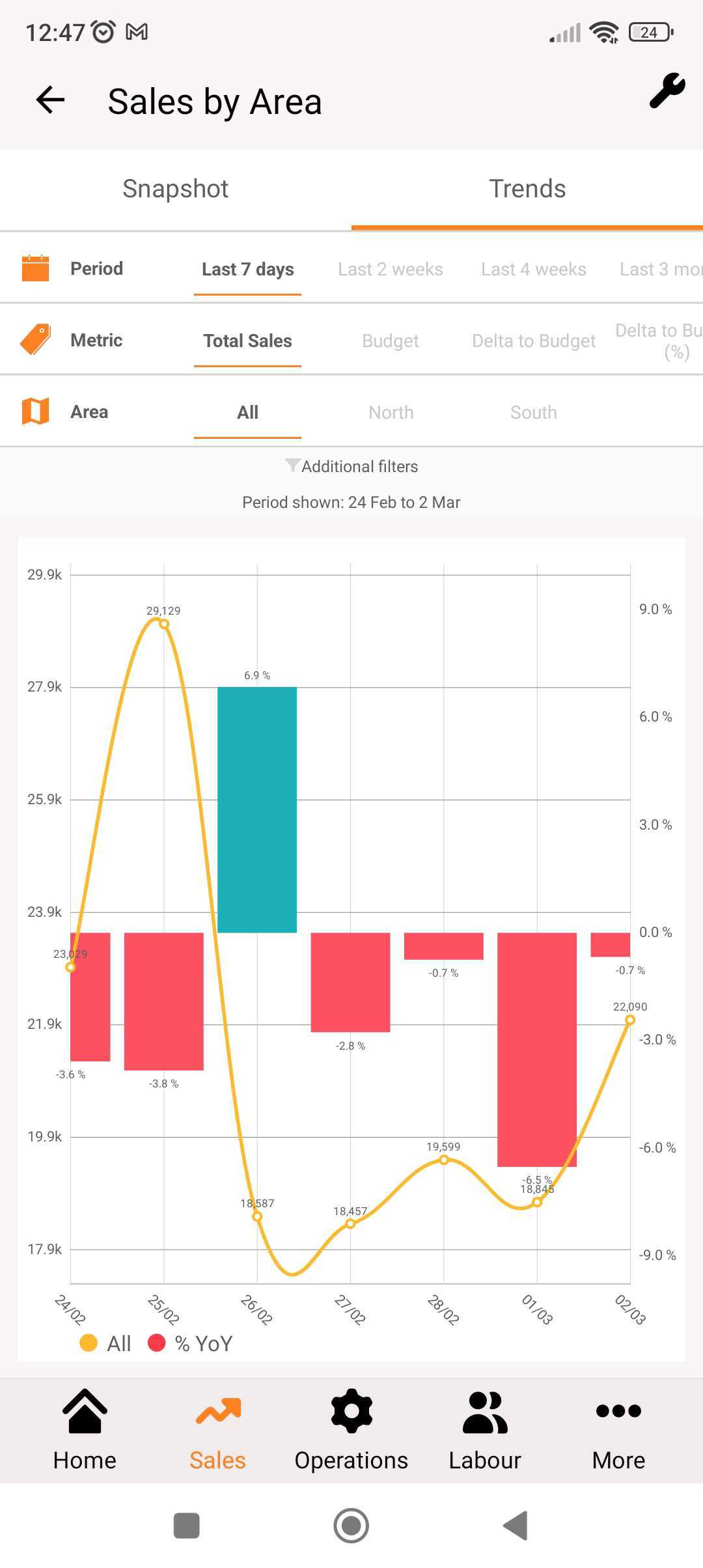
Setting up Areas in your Tenzo account allows you to group locations, so that you are able to see the rolled up performance of these locations across all of the Tenzo modules that you have:
If you have four or more locations and would like to have them grouped into Areas, and you are an Administrator for your businesses Tenzo account please contact support@gotenzo.com.
If you aren’t an Administrator for your businesses Tenzo account, please contact your Administrator to ask them to contact support to set up Areas for your business.
Areas can be viewed in both the Web and Mobile Apps:
When adding a user to your Tenzo account, you can also assign a user to have access to one of multiple Areas:
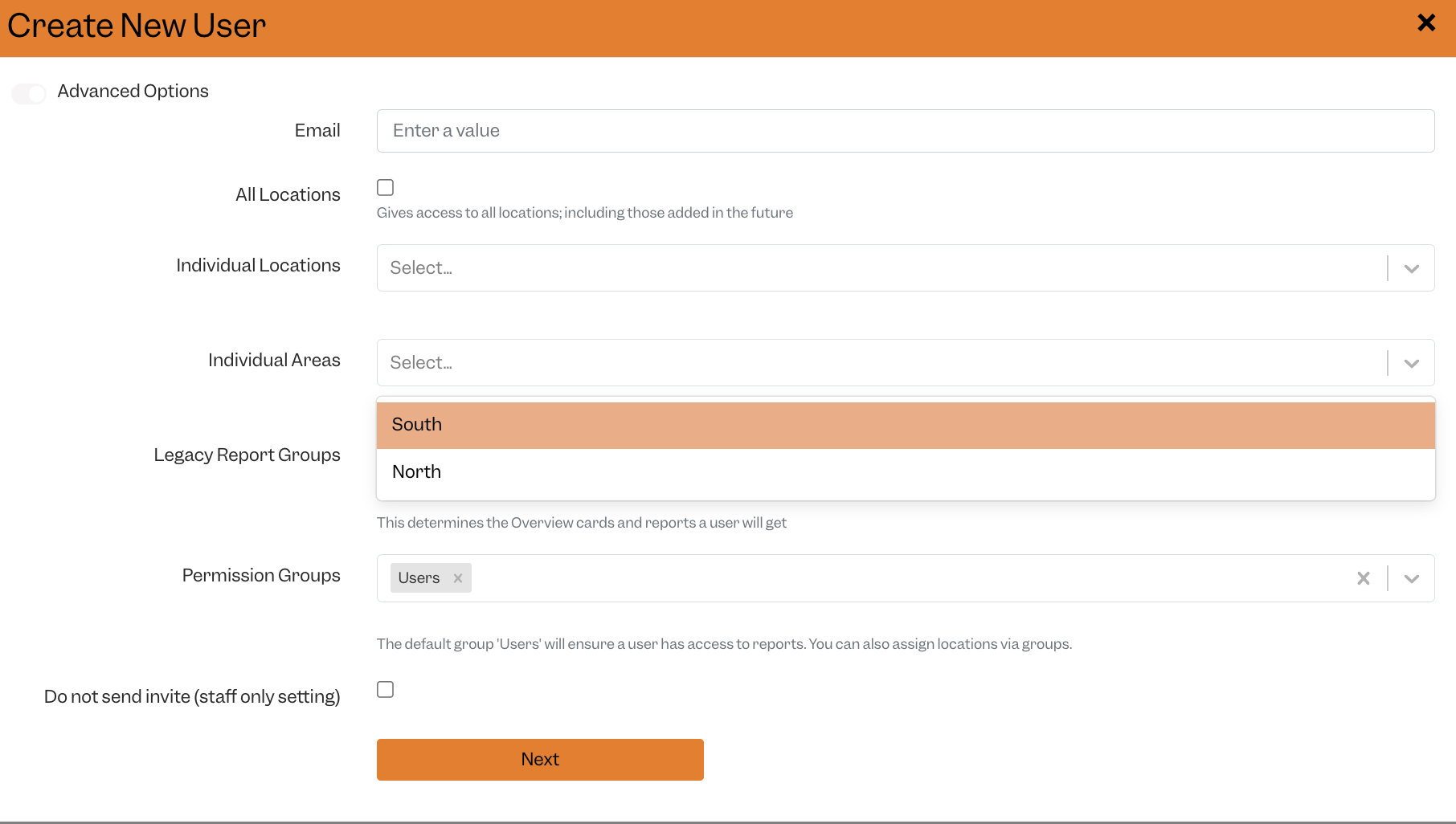
If you would like to know more about adding a user, click here.
Happy Tenzoing!
#business #customisation #customization


