
Table of Contents
In Tenzo, we allow you to upload a Budget for a month, a year or any given period – thanks to this, you can establish clear targets and accurately keep track of how your sites and teams are performing towards them.
To learn more about how to upload Budgets, please have a look at this article.
How do I see how my business is performing compared to budget? #
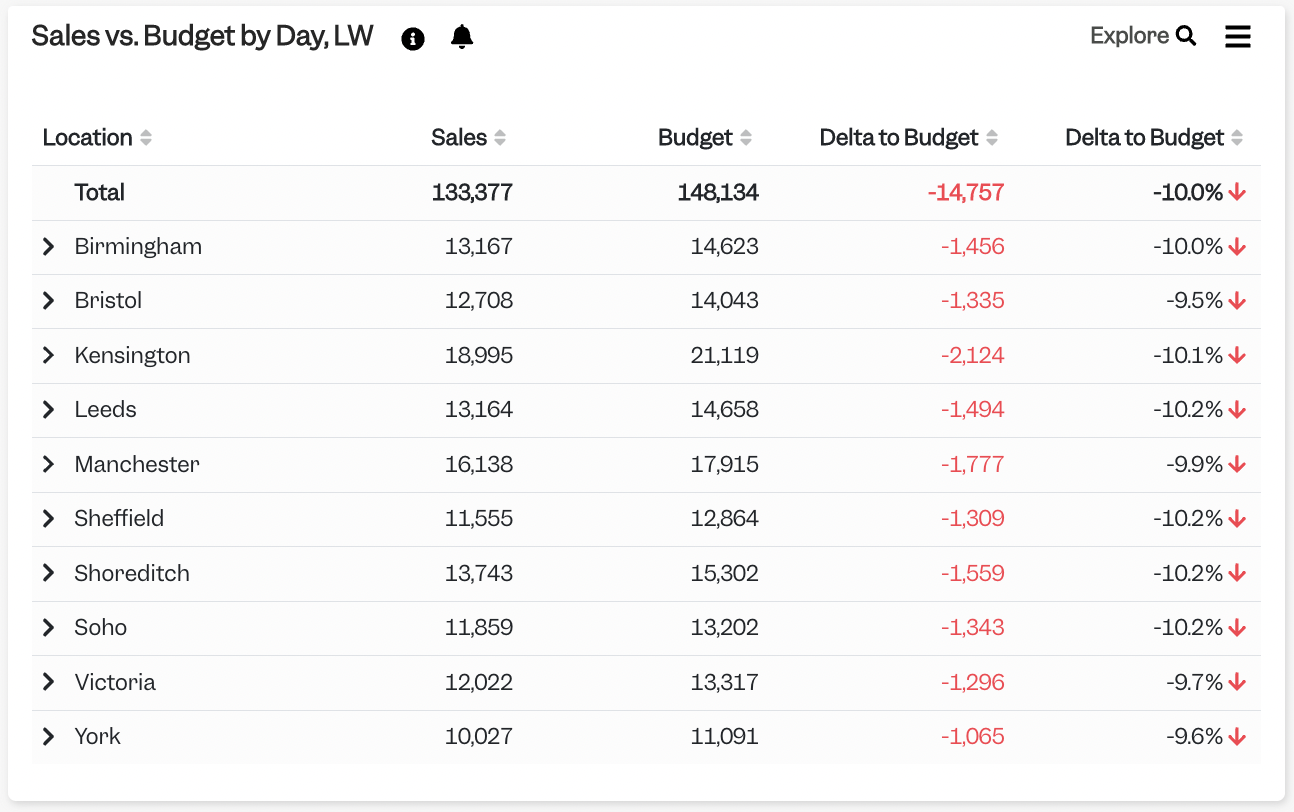
We have many cards that show you a breakdown of your Sales vs. Budget per location, like this one:
Can I see how far I am from my monthly budget at a given day of the month? #
Yes, you can.
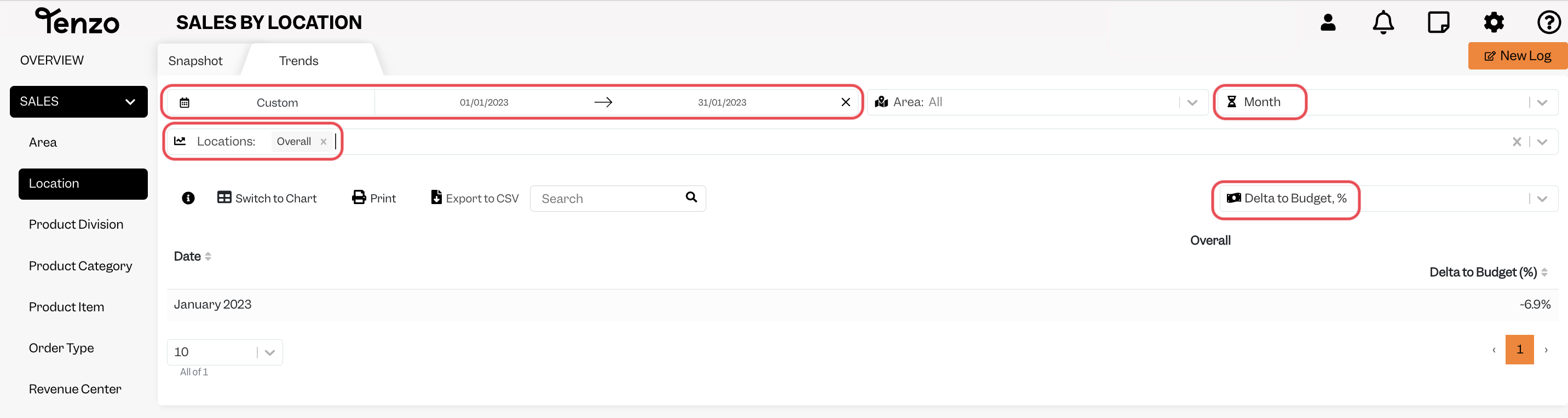
For this, instead of using a card, you should head to Sales > Location > Trends.
- Date: choose the whole current month – even if it has not ended yet, please insert the whole month; e.g. on the 15th of February, choose “01-02-2022 to 28-02-2022”.
- View (top right menu): choose to see it by “Month”
- Metrics: select “Delta to Budget” (Revenue) or “Delta to Budget %” (Percentage)
- Locations: you can select either “Overall” (all locations together):
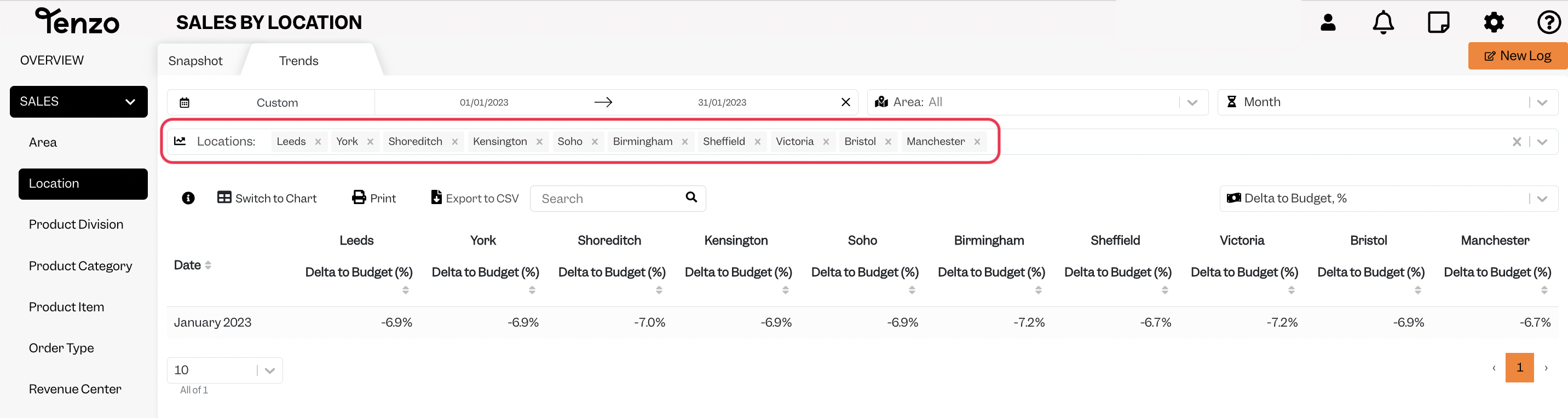
- or click on “Select All” to see each location one by one:
If you have any further questions about budget, have a look at our articles or drop us an email at support@gotenzo.com
#budget #data #sales


