
Note: this feature has been recently launched. If you don’t have access to this on your account yet, please contact your CSM.
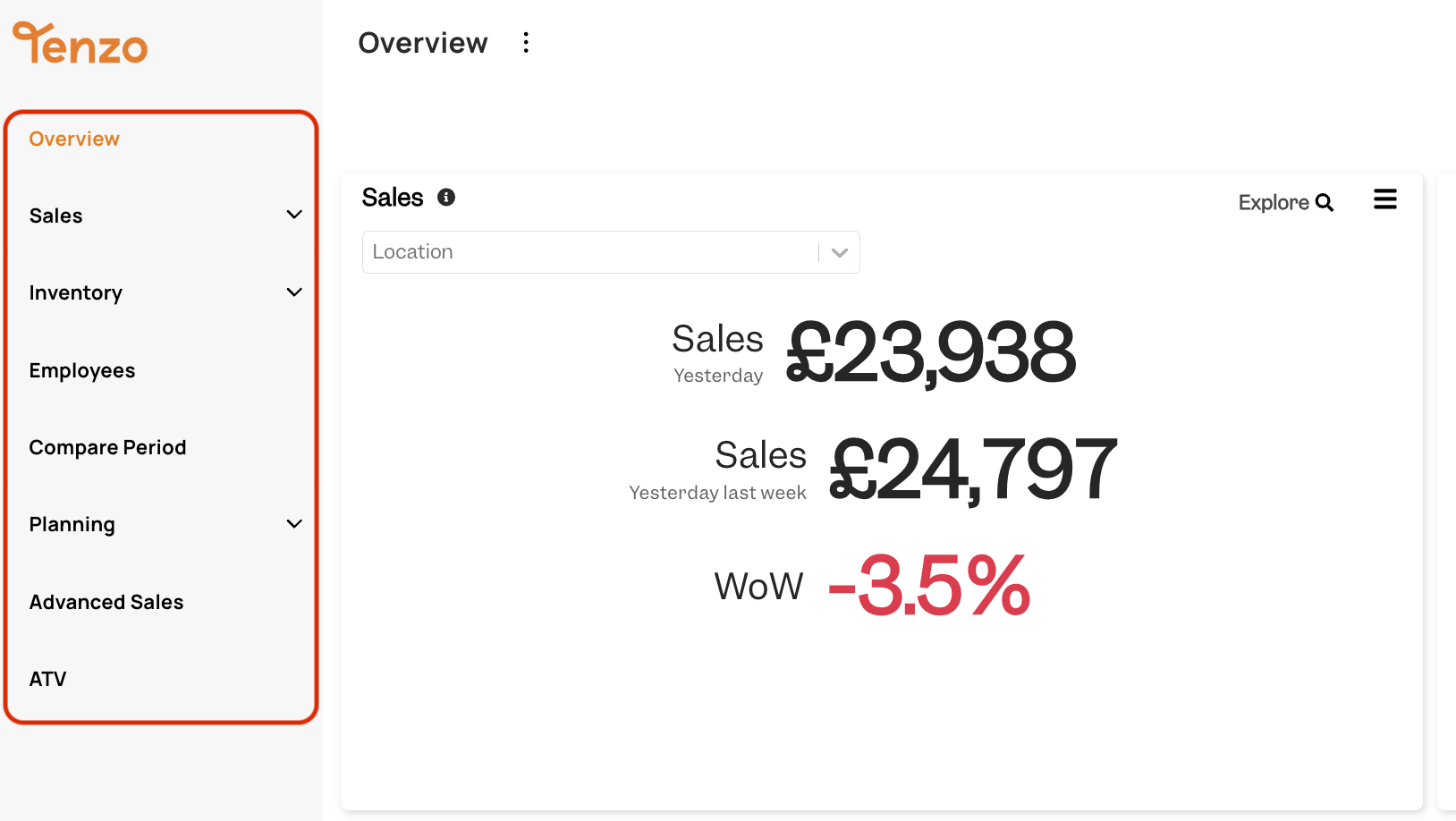
Tenzo now offers the chance to change the Side Menu of your Business so that you see Modules in the order that works best for you and your business:
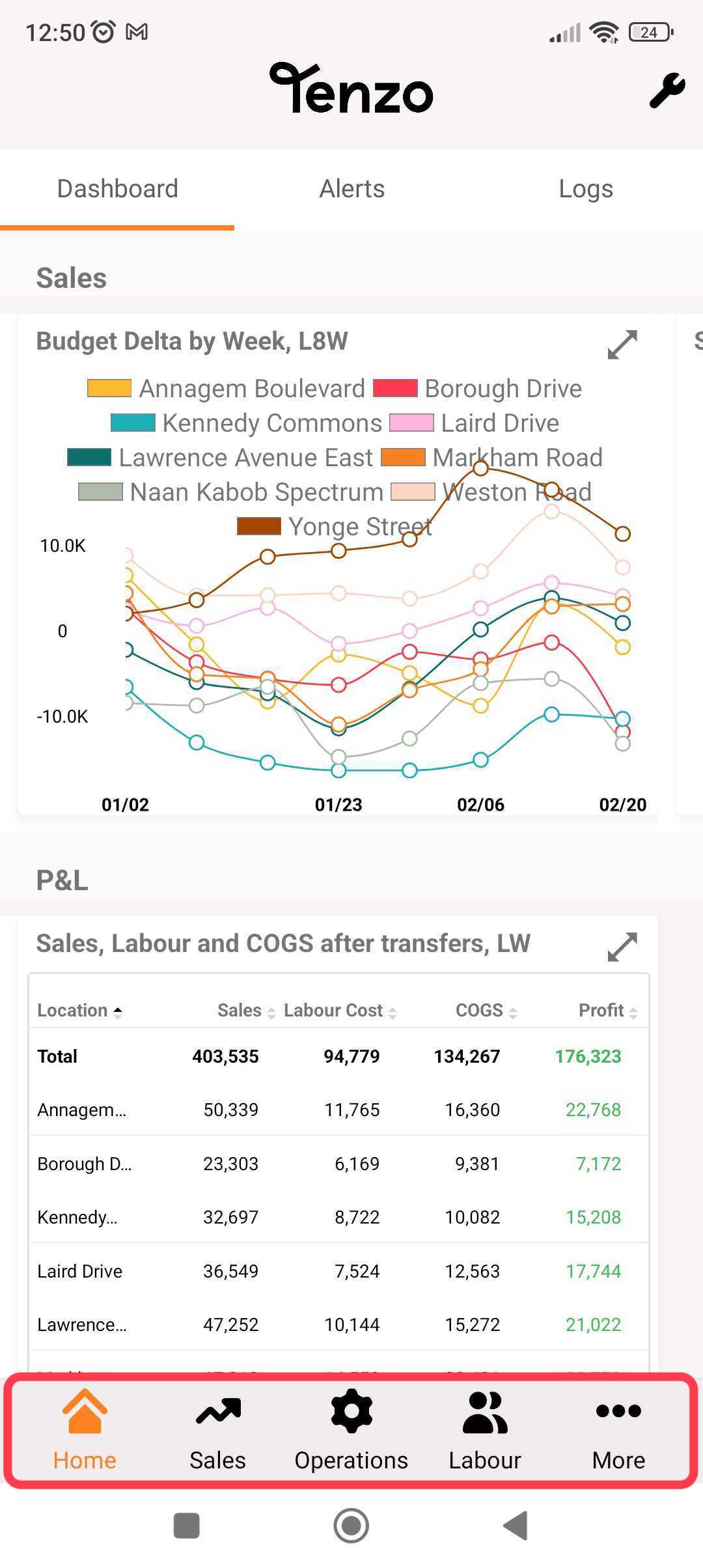
You can also have your Mobile App Menu arranged based on your Business preferences:
How do I customise my Side Menu? #
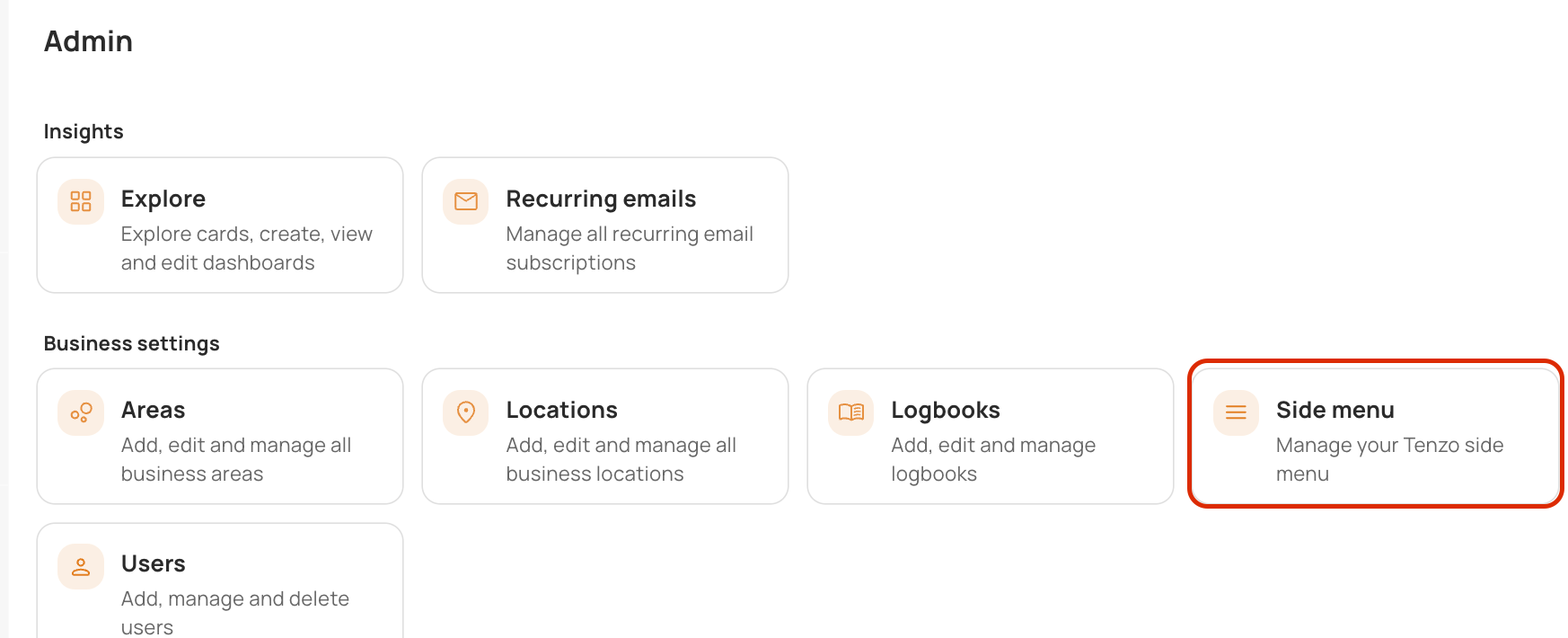
If you are an Administrator of your Tenzo account, you can find this under Admin > Side Menu:
Here you will see both your Modules and your Dashboards:
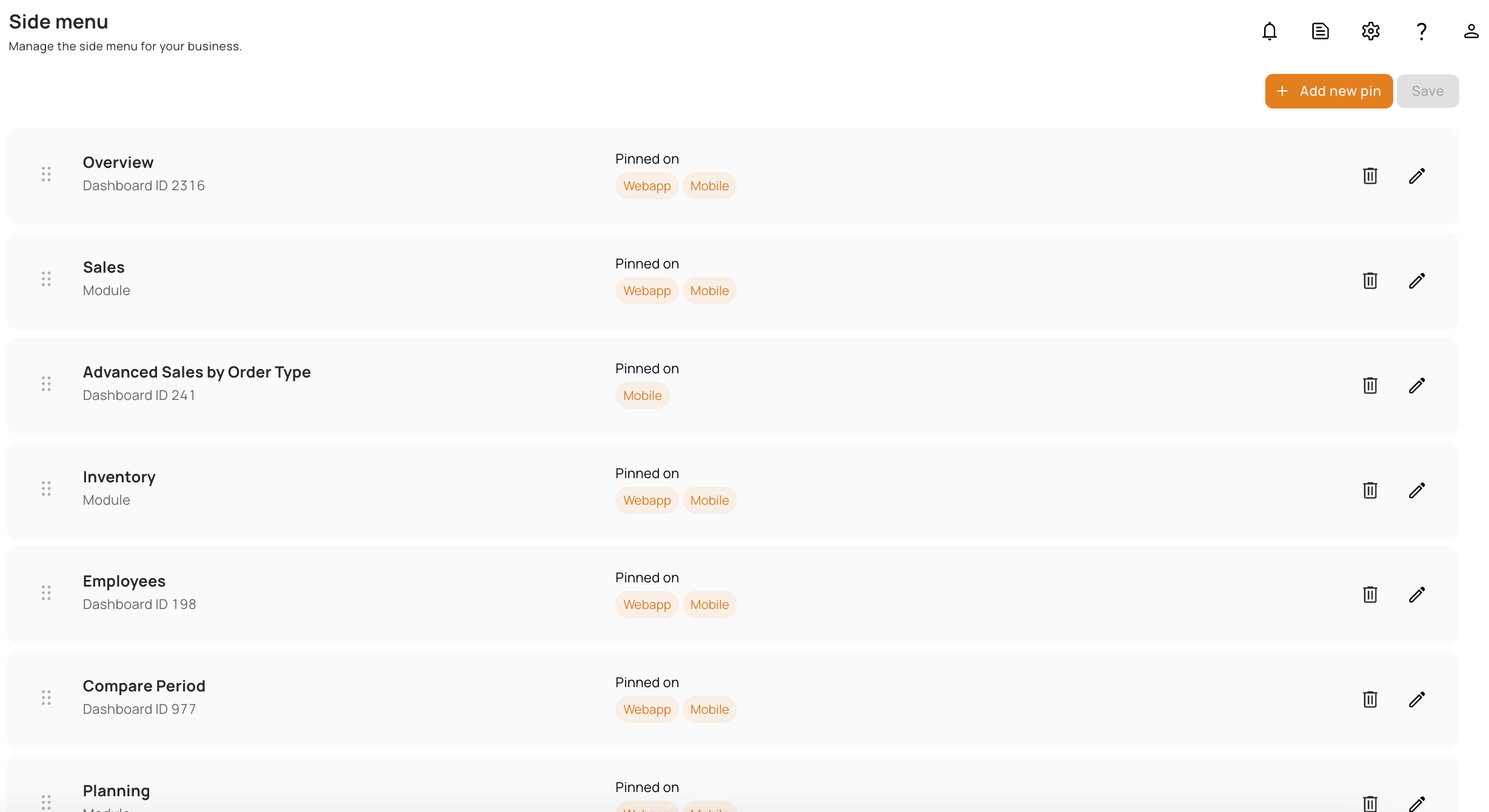
Here you can:
- Drag and drop any elements to change their order;
- Add new elements;
- Remove elements.
How do I add a new Pin to my Side Menu? #
Click “Add a New Pin”, then the following screen will pop up:
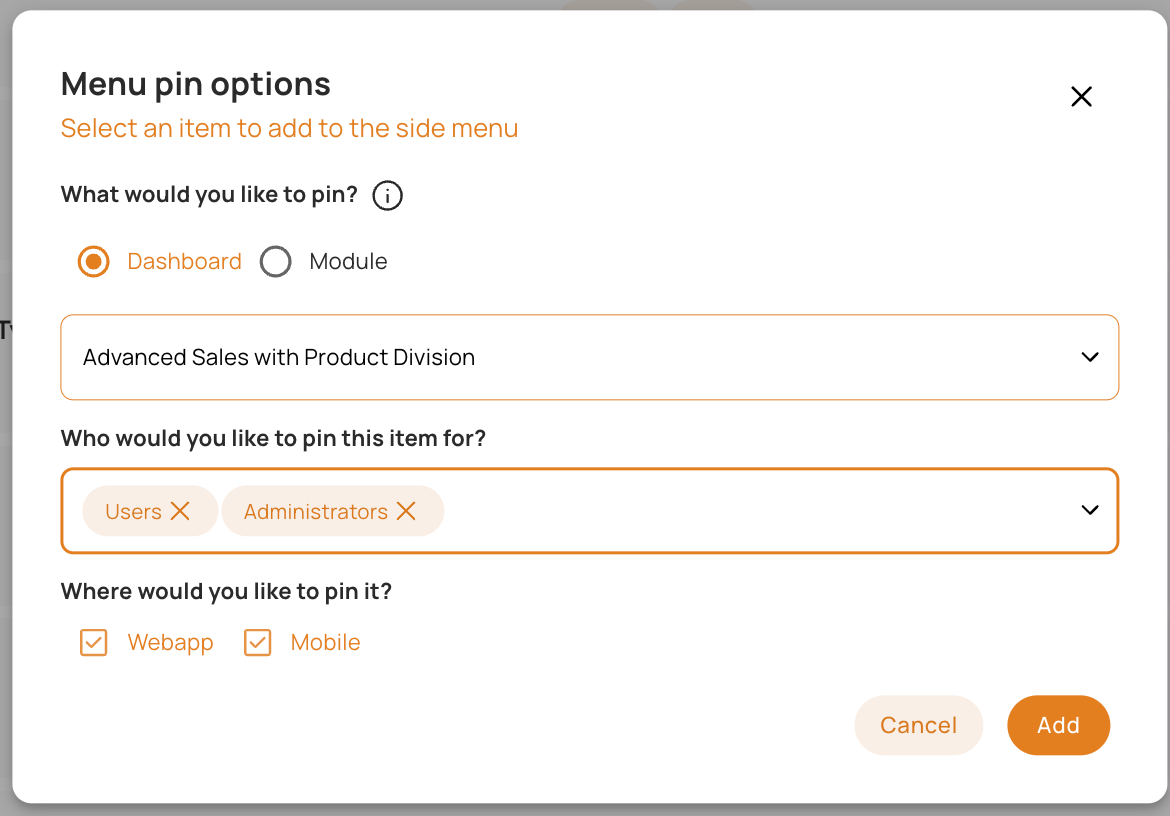
Here you can choose to:
- Pin either a Module or a Dashboard;
- What Module or a Dashboard you want to pin;
- What User Groups you’d like this to be accessible to;
- Whether you want this to be visible in WebApp and/or Mobile.
If you have any questions or feedback about how to edit your Side Menu, feel free to ask your Customer Success Manager or email us at any time at support@gotenzo.com.


