
In Tenzo, you can always change the settings of your account, so that your user interface will be tailored to you and easy to use.
How do I customise my profile? #
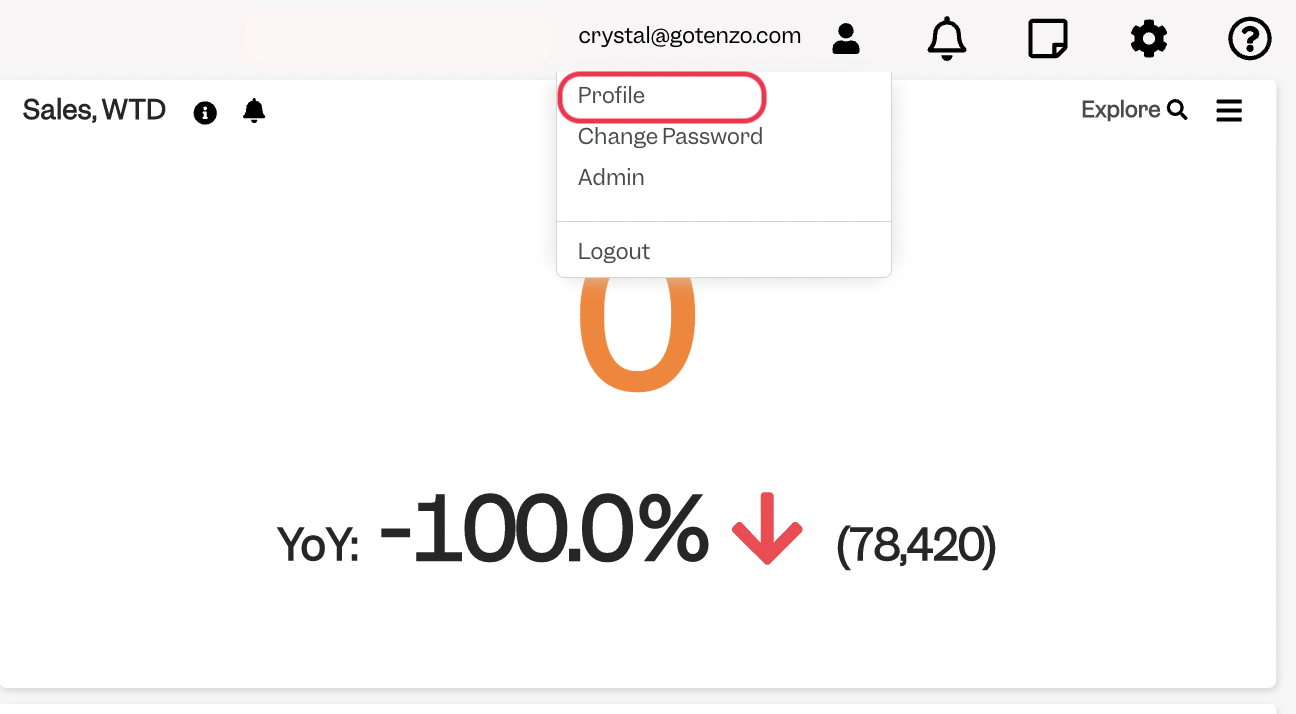
In Tenzo WebApp, head to the Avatar on the top panel and choose “Profile”:
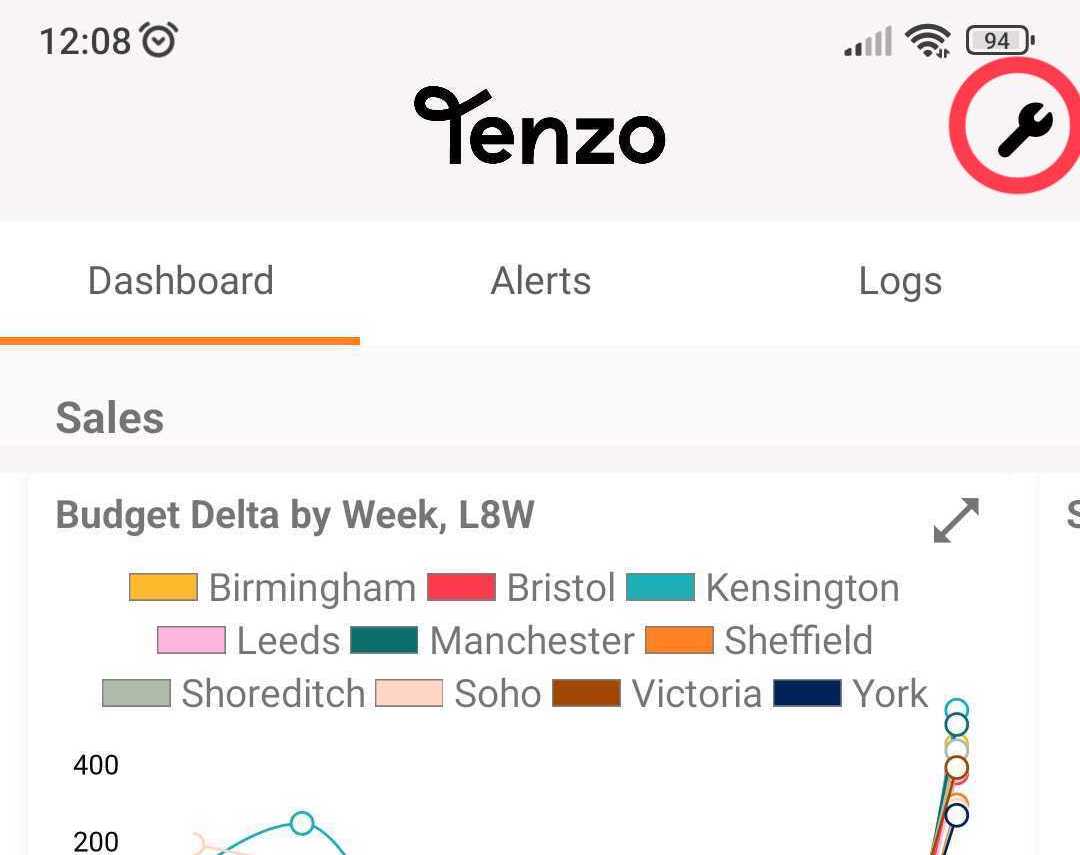
In Mobile, head to the cogs symbol on the top-right corner:
What settings can I change in my Profile? #
The settings you’ll be given the option to change are the following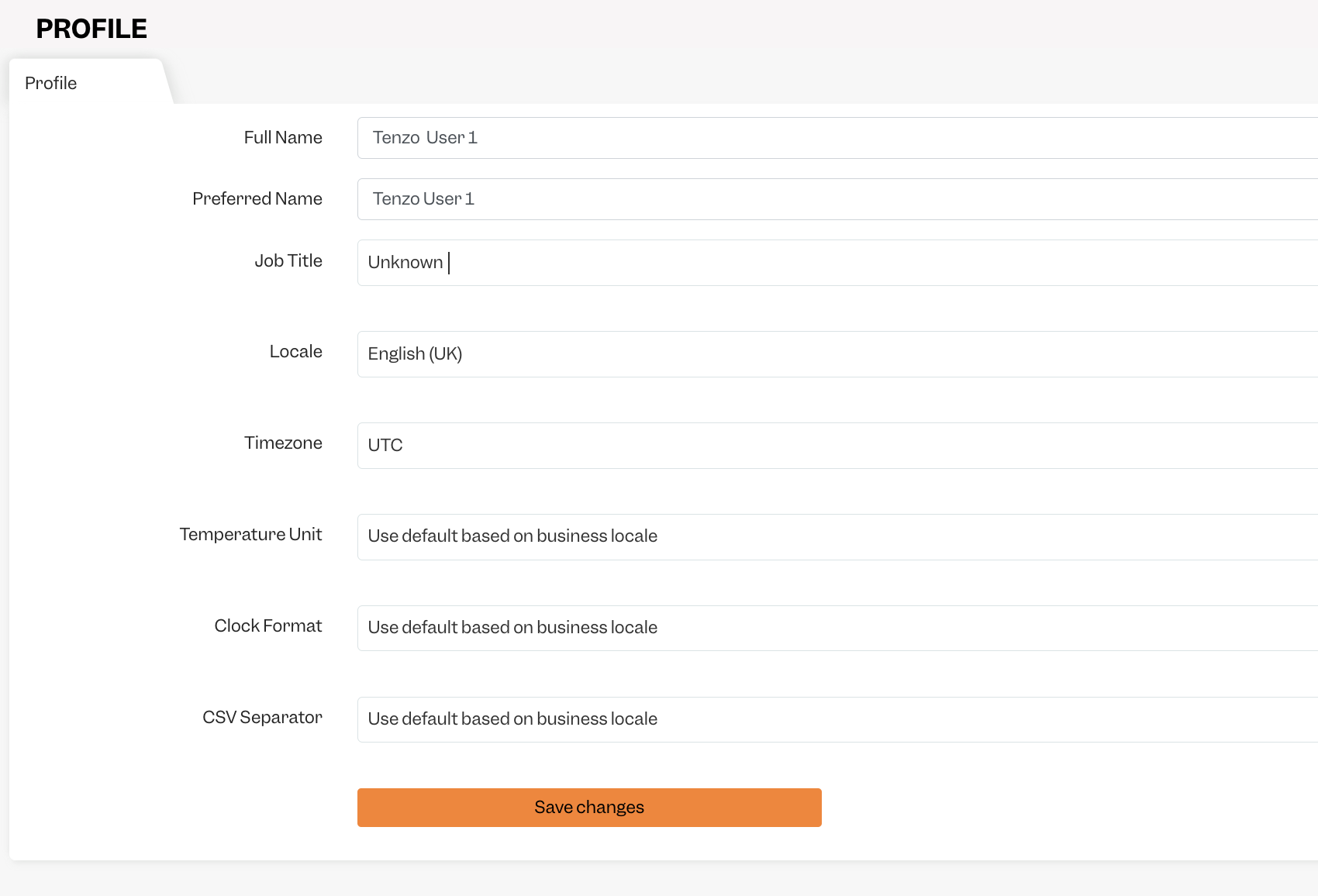
Full Name: your name and surname.
Preferred Name: what name you prefer we use when addressing you.
Job Title: your title at the company.
Locale: the language and date format of Tenzo’s interface – you can read more about it here.
Timezone: especially relevant in terms of email reports – so they will be sent at your local time.
Temperature Unit: can be Celsius or Fahrenheit – especially relevant for forecast of sales.
Clock Format: can be 12 or 24 hours – relevant in the whole Tenzo interface.
CSV Separator: especially relevant for uploading budgets, downloading CSV, uploading historical data.
If you have any questions, please don’t hesitate to contact your CSM or drop us an email at support@gotenzo.com.
Happy Tenzo’ing! 🙂


