
Guide: Centegra
How Do Core Concepts Map to Tenzo?
Key: ✅ Supported 🚸 Work in Progress ❌ Not Supported
 |
|
|---|---|
| Location | ✅ Sites by default, though can be assigned at Location level |
| Order Type | ✅ Price Level |
| Revenue Center | ❌ Not Supported |
| Product Item | ✅ Product |
| Product Category | ✅ Product Groups or Stock Count Groups (chosen at setup time) |
| Product Division | ✅ Super Group or Master Group |
| Tender Type | ✅ Media Name |
| Employee | ✅ Clerk |
| Customer | ❌ Not Supported |
| Discount (Names) | ✅ Sale Item: Discount groups selected at setup |
| TicketItemDiscounts (Amounts) | ✅ Sale Item |
| TicketDiscounts (Amounts) | ❌ Not Supported |
| Guest Count | ✅ Covers |
| Transaction length | ❌ Not Supported |
| KDS Bump Time | ❌ Not Supported |
| Ticket Voids | ✅ Sale Type: selected at setup |
| Ticket Item Voids | ✅ Sale Type: selected at setup |
| Table | ✅ Table Number |
| Service Charge | ✅ |
| Tips | ❌ Not Supported |
| Ticket Item Modifiers | ✅ saleitems |
| Price | ❌ Not Supported |
| Menu Item Visibility | ❌ Not Supported |
| Menu Item Size | ❌ Not Supported |
Data Ingestion
| Real-time optionally available? | ❌ |
| Default polling frequency | Every 1 hour |
| Data retrieved on each poll | Today and yesterday |
| Historical data | All data since you started using your POS |
| Transport | Pull: Tenzo calls the Centegra API every hour |
How Do I Compare Centegra Data to Data in Tenzo?
Within Centegra select Reports & Analysis > Sales > Sales Summary
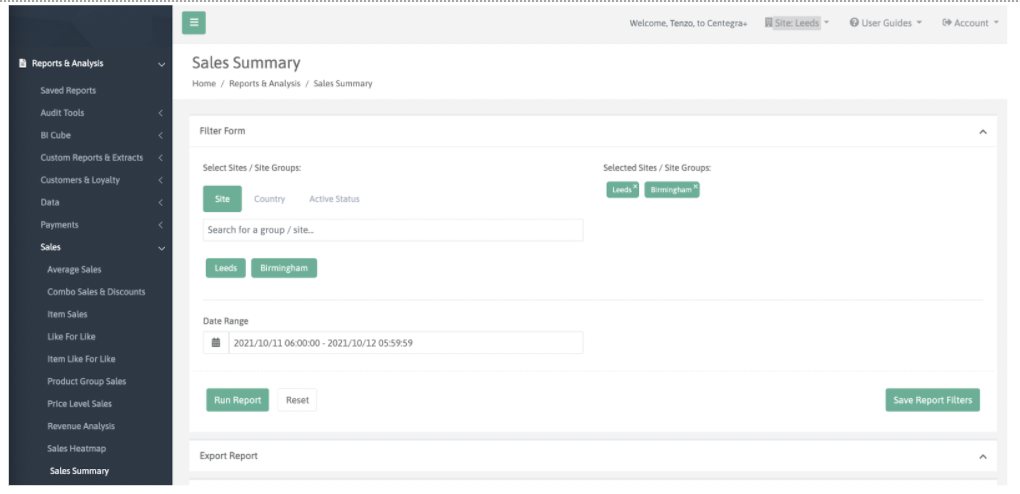
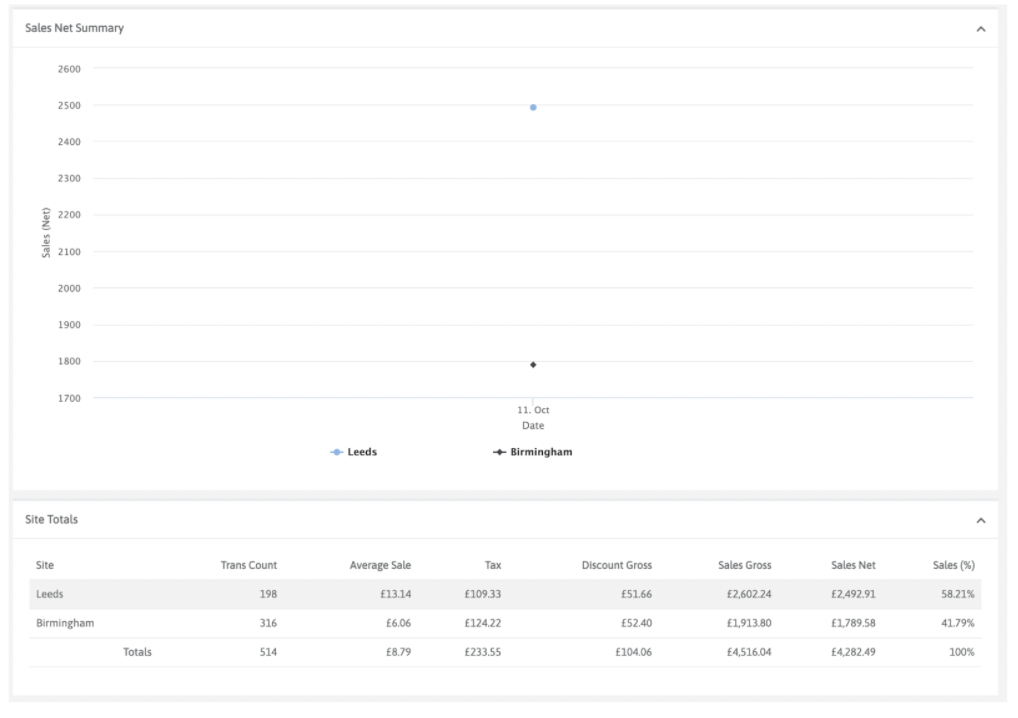
Select the days & locations you wish to compare and click Run Report. Scroll down to Sales Net Summary and Site Totals:
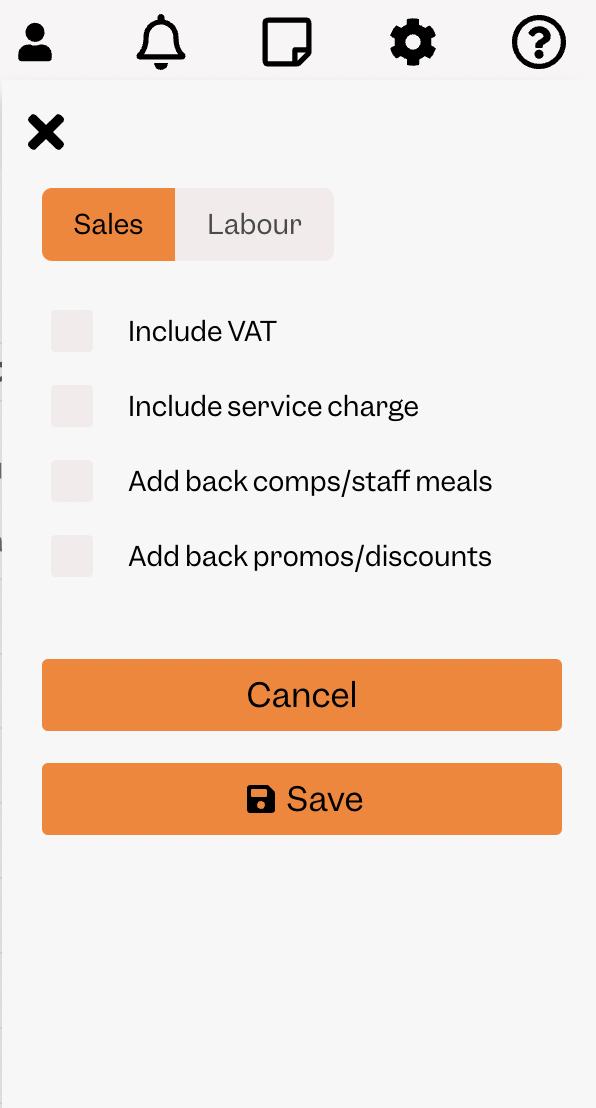
To match Tenzo, you MUST have your settings set to EXCLUDE tax and service charge. Tenzo settings can be viewed by clicking the top right cogs icon.
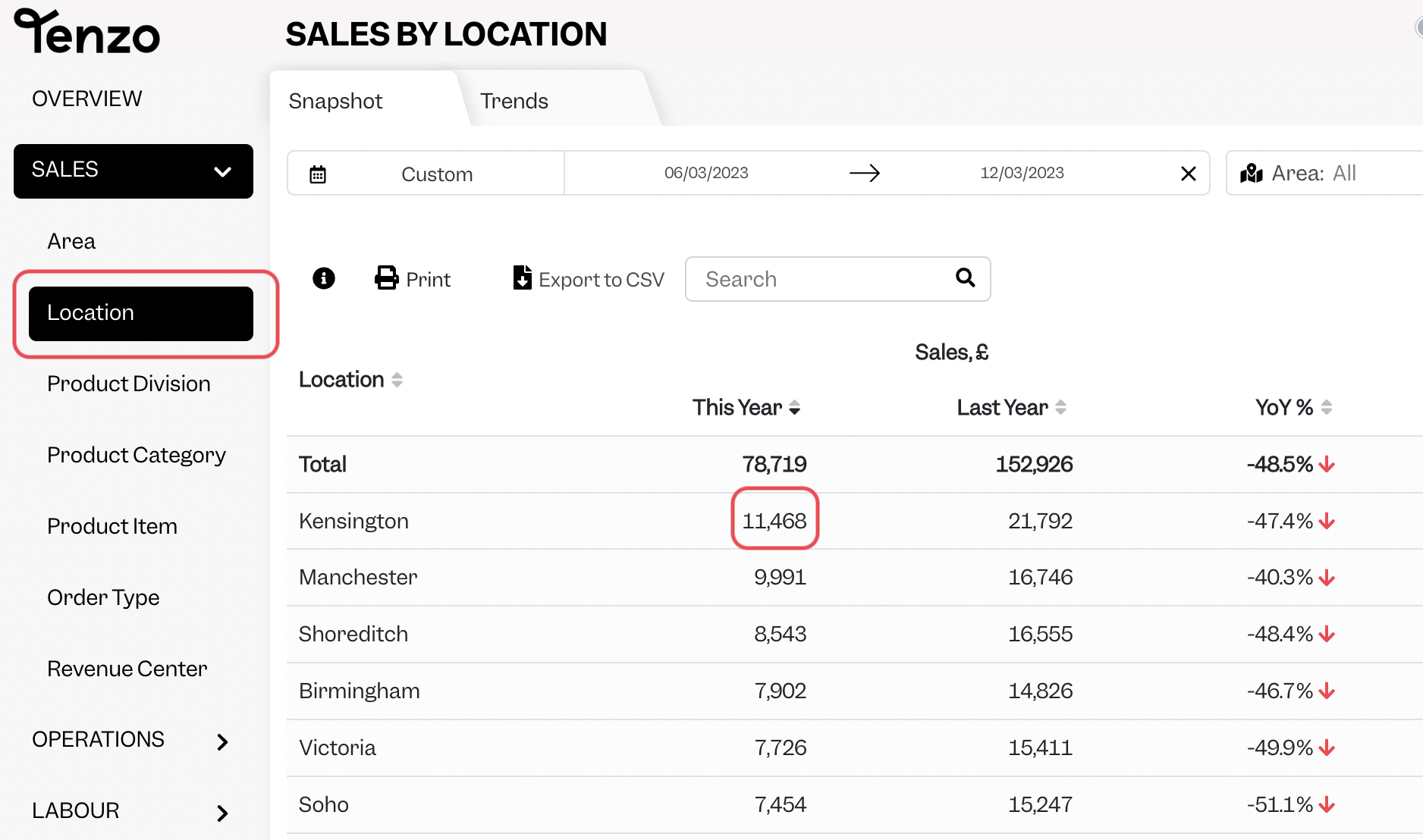
You will then be able to see the same number by selecting one day within Tenzo’s “Sales by Location” view.
Exceptions
- Modifiers cannot always be correctly attributed to the relevant items, in particular, there is a known issue with tickets coming from Deliveroo. In these cases, modifiers may be stored as Ticket Items. This may affect Product Division, Category and Item distributions.
- The opposite is also true, where Centegra front-end may show modifiers in Product Item, Groups (Category) or Master Groups (Division) lists but Tenzo does not show these as they have been correctly attributed to the relevant items within Tenzo.