

Guide: Sevenrooms Reservations and Reviews (API)
How Do Core Concepts Map to Tenzo?
Key: ✅ Supported 🚸 Work in Progress ❌ Not Supported
 |
|
|---|---|
| Reservation | ✅ Reservation or Booking |
| Number of Guests | ✅ Covers |
| No Show | ✅ No Show |
| Customer | ✅ User |
| Revenue Center | ✅ Seating Area |
| Status | ✅ Canceled / No Show / No Entry / Incomplete / Complete |
| Reservation Paid | ❌ Not Supported |
| Sub Ratings | ❌ Not Supported |
| Source | ✅ Booked By |
| Special Requests / Tags | ✅ Tags |
Data Ingestion
| Location | ✅ Location |
| Review | ✅ Review |
Data Ingestion
|
Real-time optionally available? |
❌ |
|
Default polling frequency |
Hourly |
|
Data retrieved on each poll |
Reservations: yesterday, today and the next two weeks (so future bookings are kept up to date). Reviews: today and yesterday. |
|
Historical data |
Available since the customer started using Sevenrooms. |
Requirements
This integration requires the 'Reviews Pro' package in Tenzo.
How Do I Compare Sevenrooms Data to Data in Tenzo?
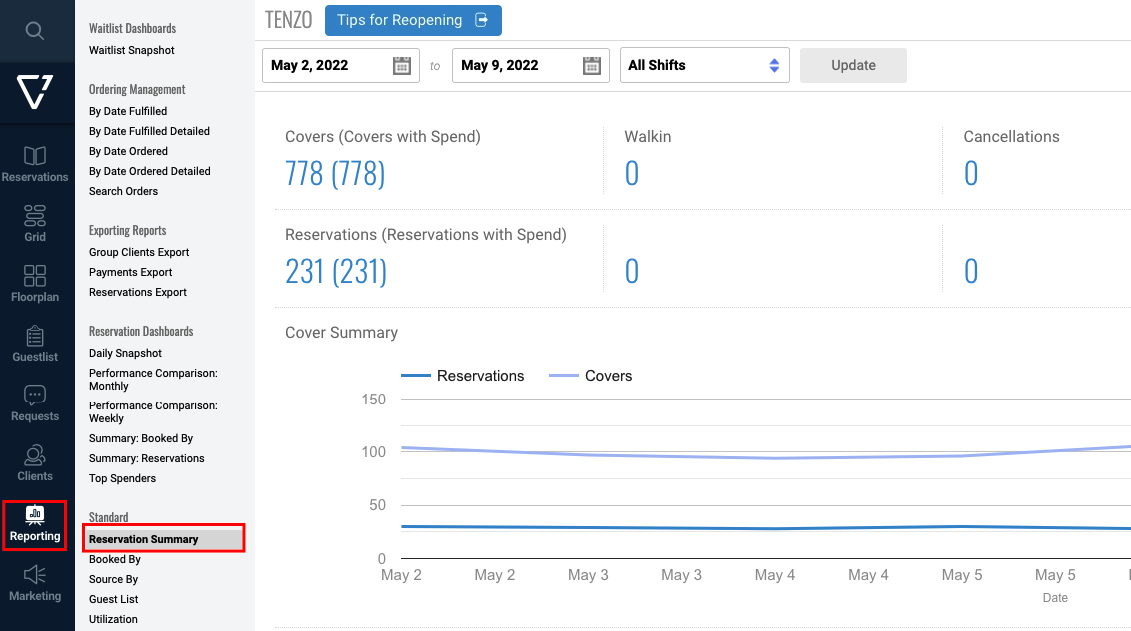
You can compare reservations in the Reporting → Reservation Summary within Sevenrooms:
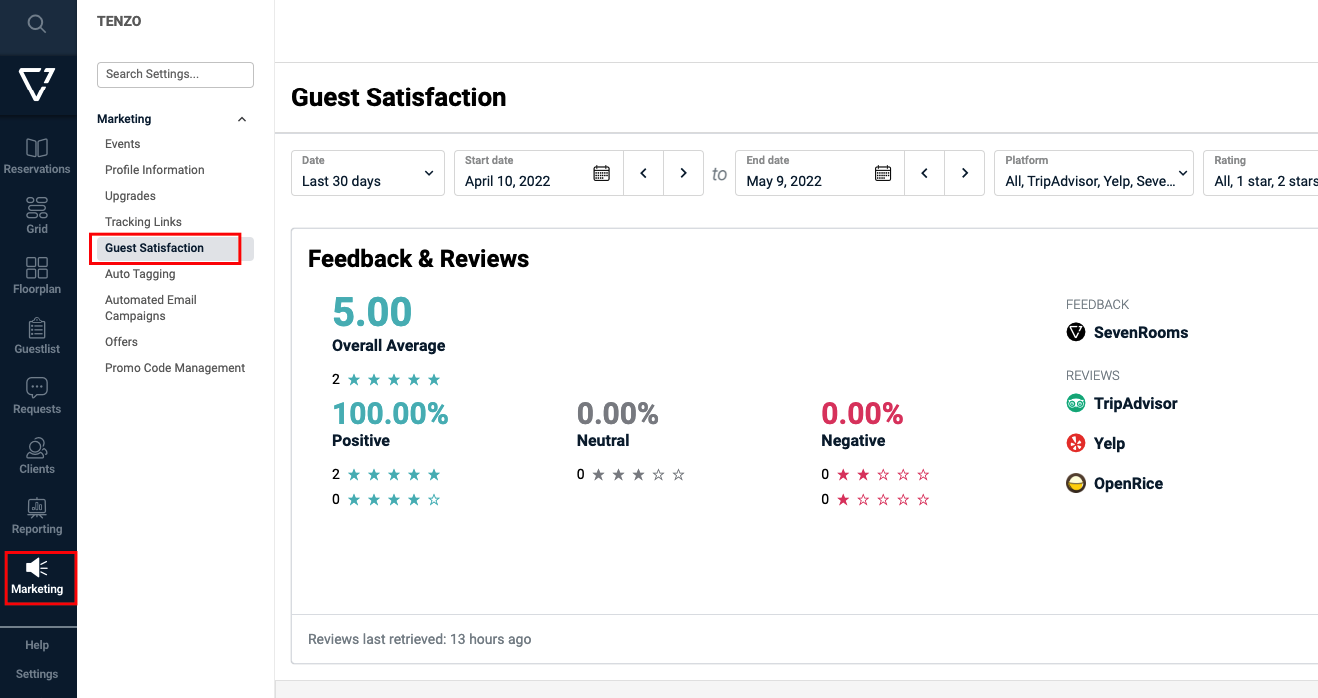
If you are subscribed to the Social Module in Tenzo you can compare reviews from the Marketing → Guest Satisfaction section within Sevenrooms:
Reservations and reviews can be viewed on the Sevenrooms dashboard in Tenzo.
Exceptions
Reviews are shown based off the date they are created, not the date of the reservation.