
Guide: Revel
How Do Core Concepts Map to Tenzo?
Key: ✅ Supported 🚸 Work in Progress ❌ Not Supported
 |
|
|---|---|
| Location | ✅ Establishment |
| Order Type | ✅ Dining Options |
| Revenue Center | ✅ Pos stations |
| Product Item | ✅ Products |
| Product Category | ✅ Subcategory |
| Product Division | ✅ Category or Product Class |
| Tender Type | ✅ Payment Type |
| Employee | ✅ Employee |
| Customer | ❌ Not Supported |
| Discount | ✅ Discount |
| TicketItemDiscounts | ✅ Item Discount |
| TicketDiscounts | ✅ Order discount |
| TicketItemModifiers | ✅ Modifier |
| Guest Count | ✅ Total Guests |
| Transaction length | ✅ Last Closed - First Opened |
| Delivery Timings | ✅ |
| KDS Bump Time | ❌ Not Supported |
| Ticket Voids | ❌ Not Supported |
| Ticket Item Voids | ✅ Voided Order Items |
| Table | ❌ Not Supported |
| Service Charge | ✅ Order Service Fee + Pass Through Fees |
| Tips | ✅ Tips |
| Price | ✅ |
| Menu Item Visibility | ✅ |
| Menu Item Size | ❌ Not Supported |
Data Ingestion
| Real-time optionally available? | ✅ |
| Default polling frequency | Every 4 hours |
| Data retrieved on each poll | Today and yesterday (sales); categorical data daily since last run |
| Historical data | All data since you started using your POS |
How Do I Compare Data to Data in Tenzo?
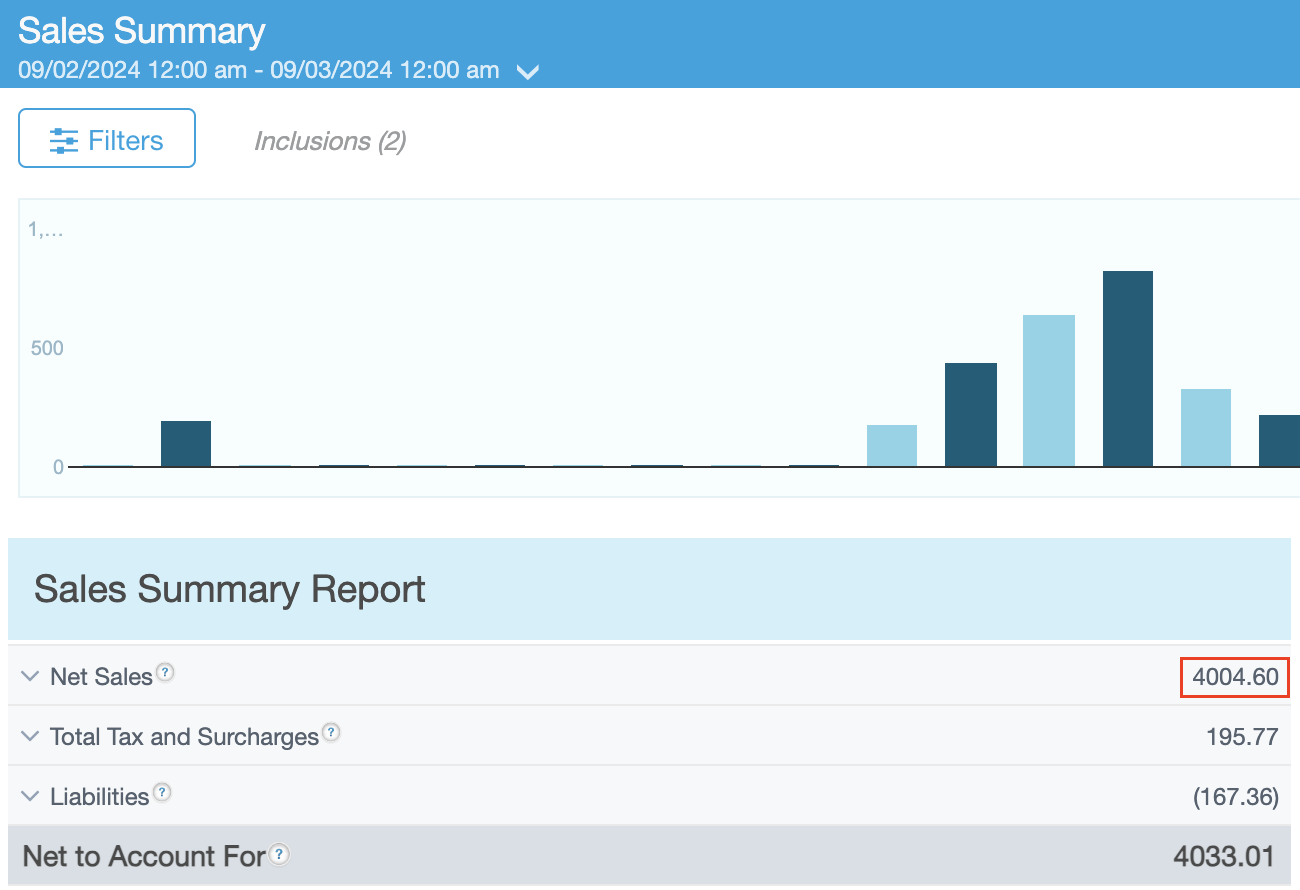
Within Revel you can see a "Revenue" number in the "Reports → Sales Summary" screen:
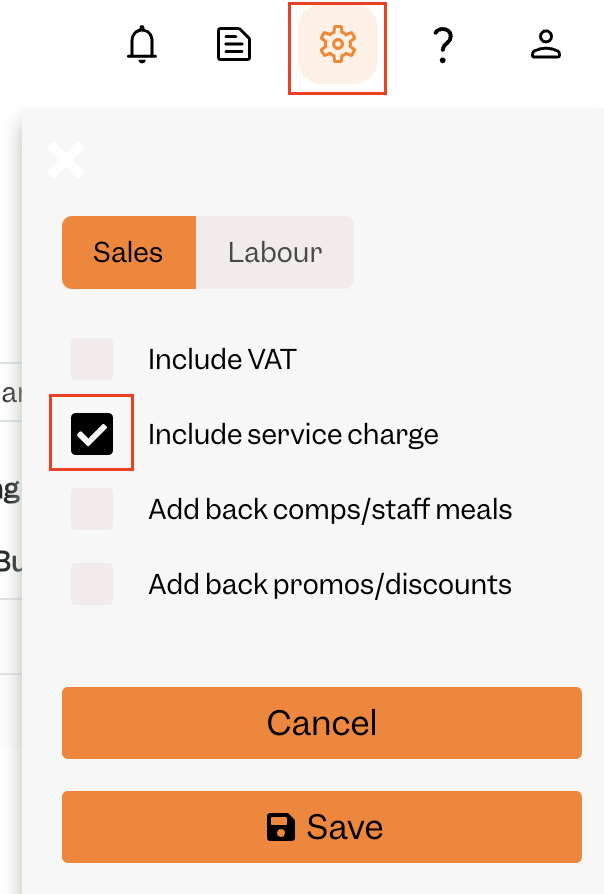
To match Tenzo, you must have your settings set to include Service Charge:
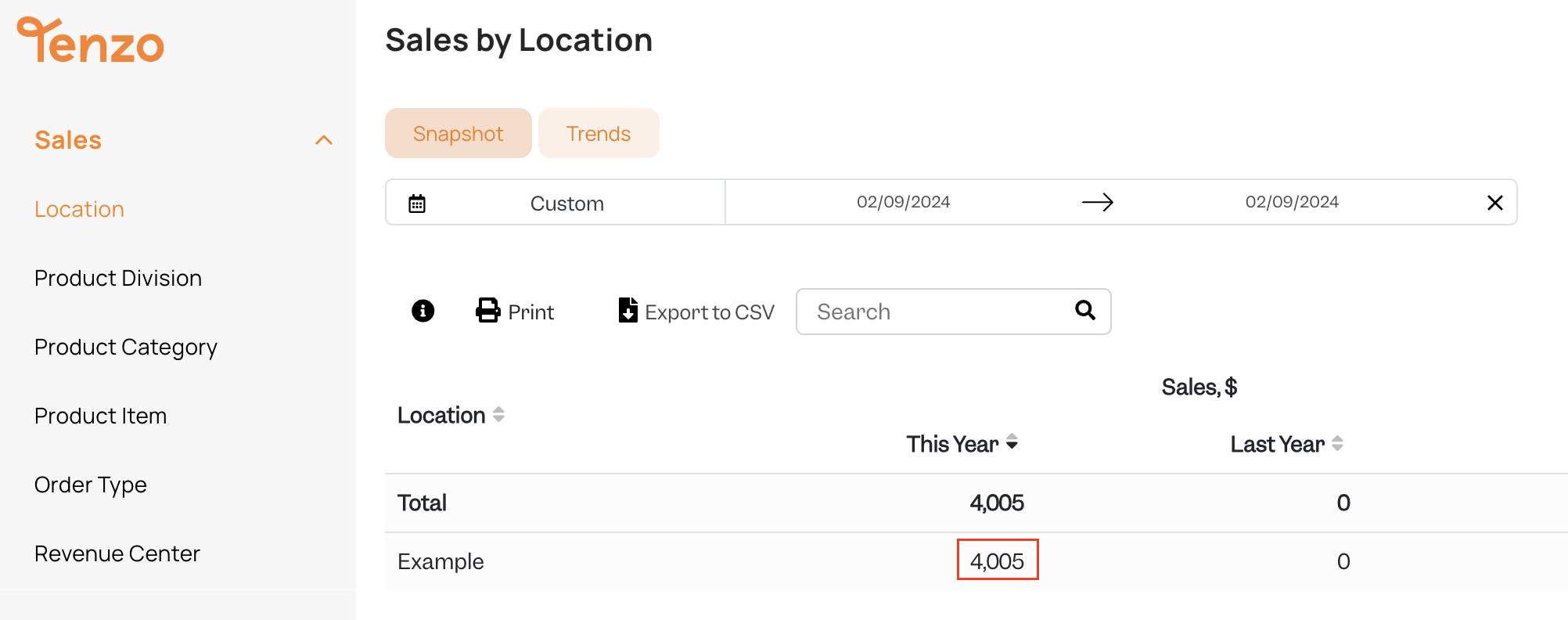
You will then be able to see the same number by selecting one day within Tenzo's "Sales by Location" view:
Exceptions
Currently liabilities are not supported by this integration (e.g. Gift Cards, Deposits).