

Guide: MarketMan Write - sending Tenzo forecasts into MarketMan
How Do Core Concepts Map to Tenzo?
Key: ✅ Supported 🚸 Work in Progress ❌ Not Supported
 |
|
|---|---|
| Sales | ❌ NOT SUPPORTED - MarketMan support this on their side. |
| Forecasts | ✅ Daily Forecasts |
Data Ingestion
| Real-time optionally available? | ❌ |
| Default polling frequency | Every 6 hours |
| Data written on each poll | Next two weeks of forecasts |
| Historical data | You set the start date when setting up the integration. Tenzo sends forecasts from that date, where forecasts exist in Tenzo |
Requirements
The requirements for the MarketMan Write integration are:
- MarketMan customers need to have the ultimate tier of their pricing
How Do I Compare MarketMan Write Data to Data in Tenzo?
Within the Tenzo Planning module, go to 'Sales by Location' and adjust your sales forecast.
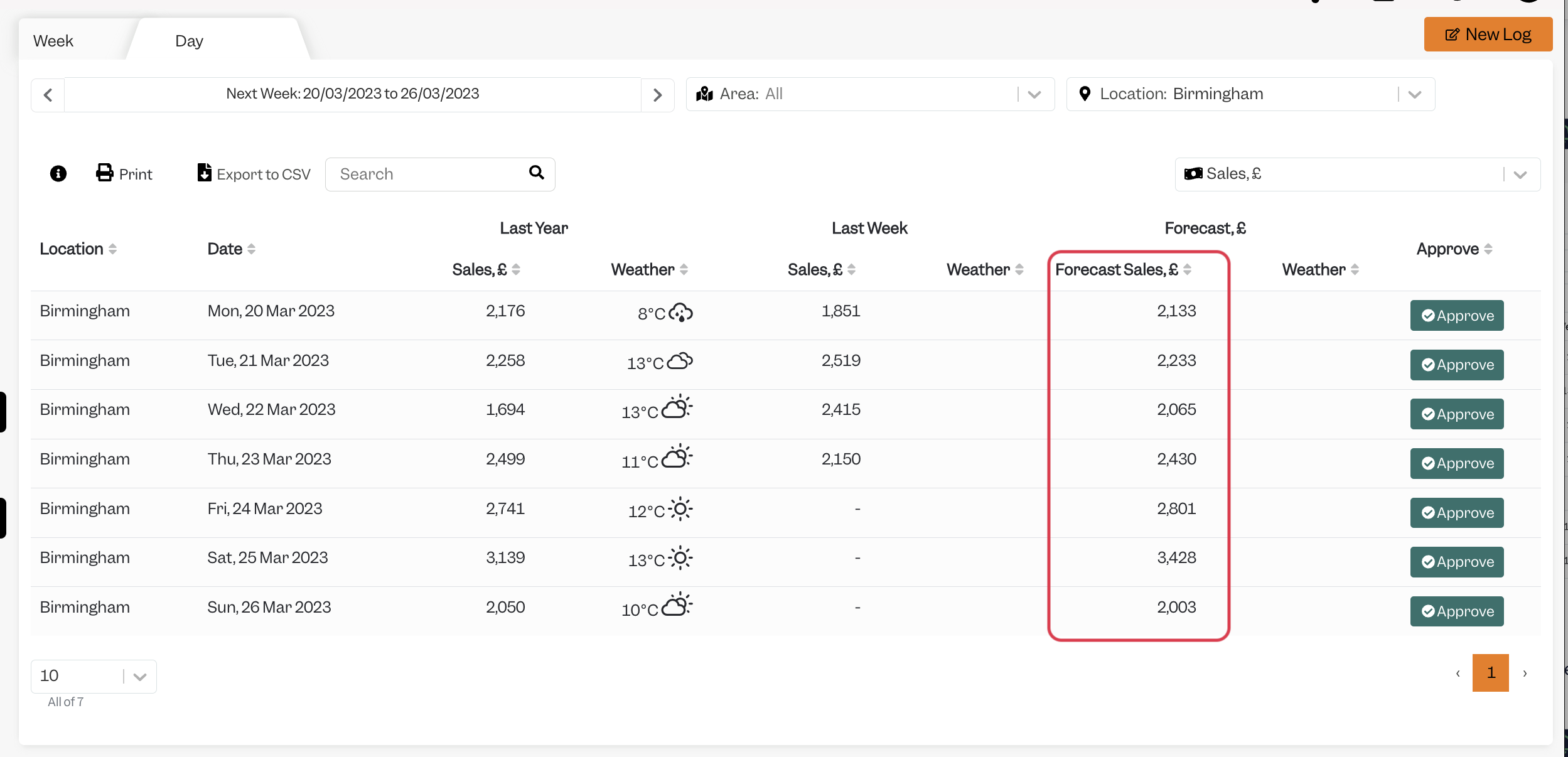
Settings
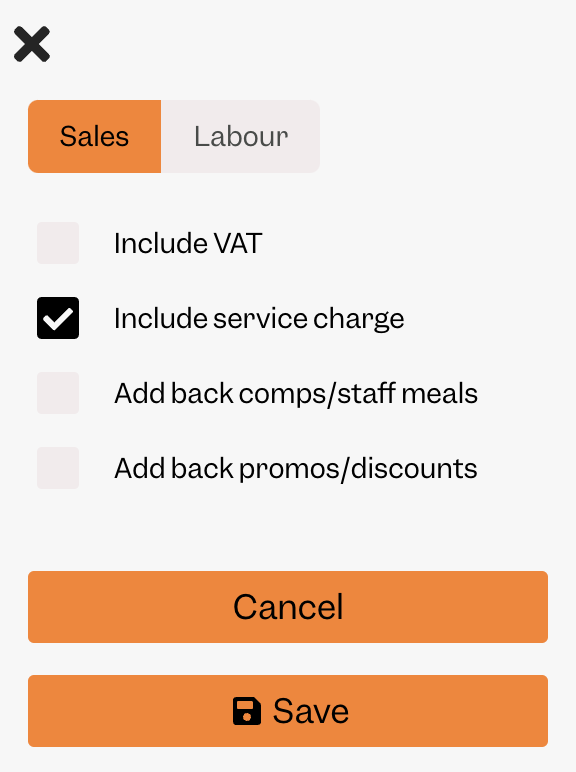
The Forecasted Sales number that is pushed into MarketMan is without Tax but with Service Charge by default - but this can be configured by your CSM. These are the settings required in Tenzo to match the defaults:
Where in MarketMan Do You See Your Forecasts?
Within MarketMan - you need to be logged in for a specific location, and then on this URL: https://buyer.marketman.com/Views/Inventory/DynamicPars/DynamicParsConfigurations
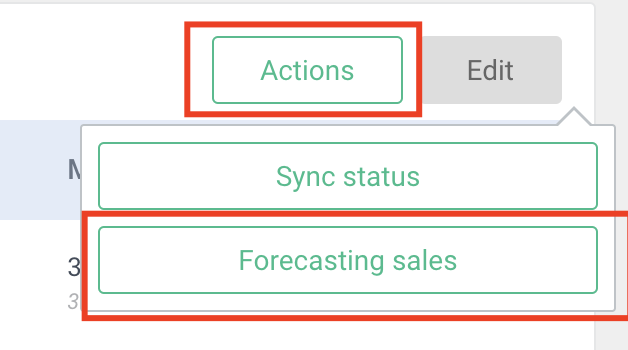
You can click "Actions" and "Forecasting sales":
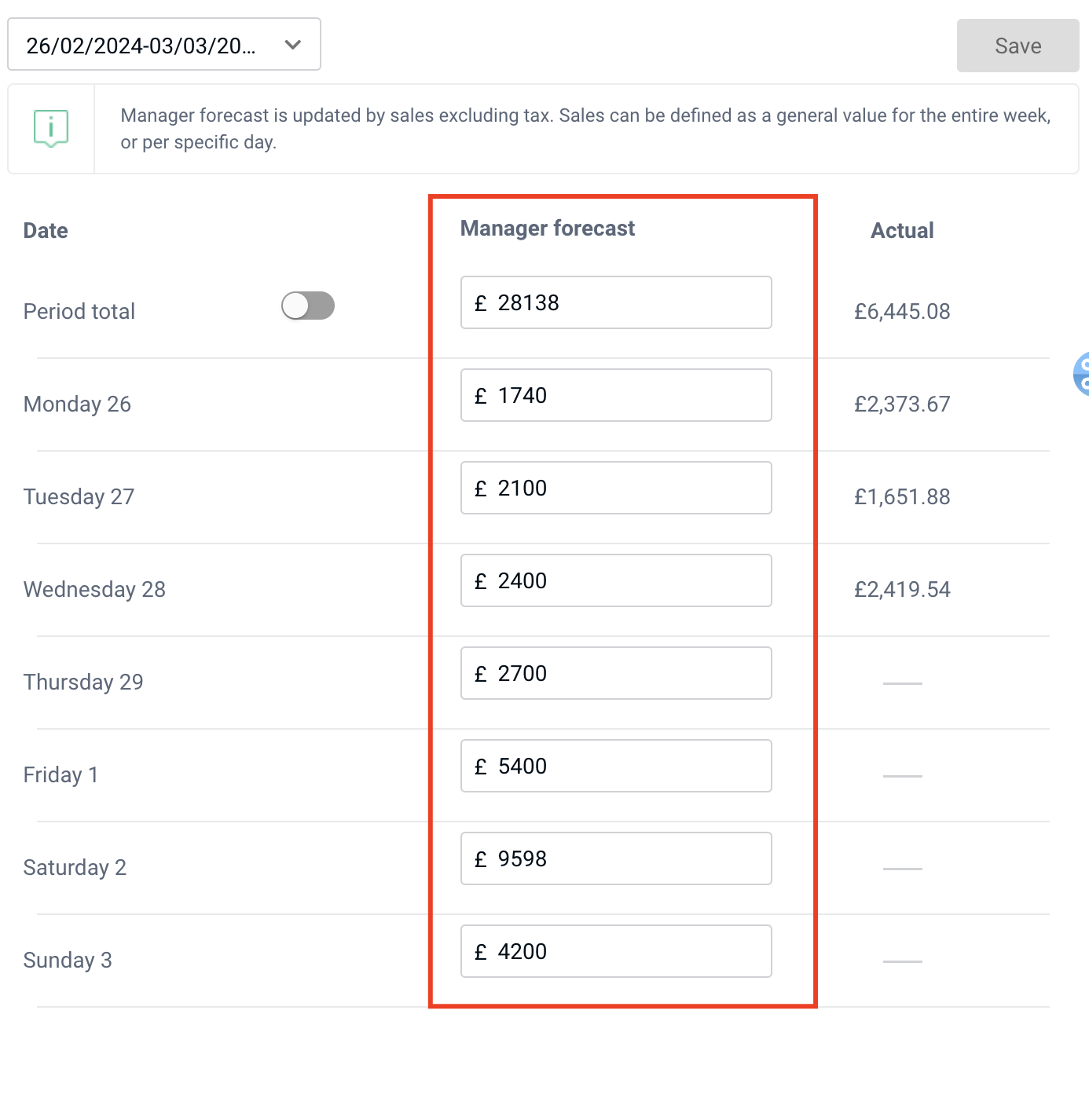
Then you'll be able to see the forecasting values that have been pushed in:
Exceptions
None.