

Guide: Bepoz
How Do Core Concepts Map to Tenzo?
Key: ✅ Supported 🚸 Work in Progress ❌ Not Supported
 |
|
|---|---|
| Location | ✅ Venue |
| Order Type | ✅ Table Group |
| Revenue Center | ✅ Workstation |
| Product Item | ✅ Product |
| Product Category | ✅ Product Category (first level up) |
| Product Division | ✅ Product Category (second level up) |
| Tender Type | ✅ Payment Type |
| Employee | ✅ Operator |
| Customer | ✅ Account ID |
| Discount (Names) | ✅ ProdPromo |
| TicketItemDiscounts (Amounts) | ✅ Discounts (on transaction lines) |
| TicketDiscounts (Amounts) | ✅ |
| TicketItemModifiers | ✅ Items sizes |
| Guest Count | ✅ Covers |
| Transaction length | ✅ Closing Date - Creation Date |
| KDS Bump Time | ✅ Last item bump time |
| Ticket Voids | ✅ |
| Ticket Item Voids | ✅ |
| Table | ❌ Not Supported |
| Service Charge | ✅ Service Charges |
| Tips | ✅ Tips |
| Menu Item Size | ❌ Not Supported |
| Price | ❌ Not Supported |
| Menu Item Visibility | ❌ Not Supported |
Data Ingestion
| Real-time optionally available? | ❌ Bepoz sends files daily |
| Default polling frequency | Every 20 mins |
| Data retrieved on each poll | The business days covered by the uploaded files: a daily file, plus a 7-day file that refreshes the past week |
| Historical data | All data since you started using your POS |
| Transport | Push: Bepoz exports CSV files to a Tenzo SFTP account; Tenzo checks for new files every 20 minutes |
How Do I Compare Bepoz Data to Data in Tenzo?
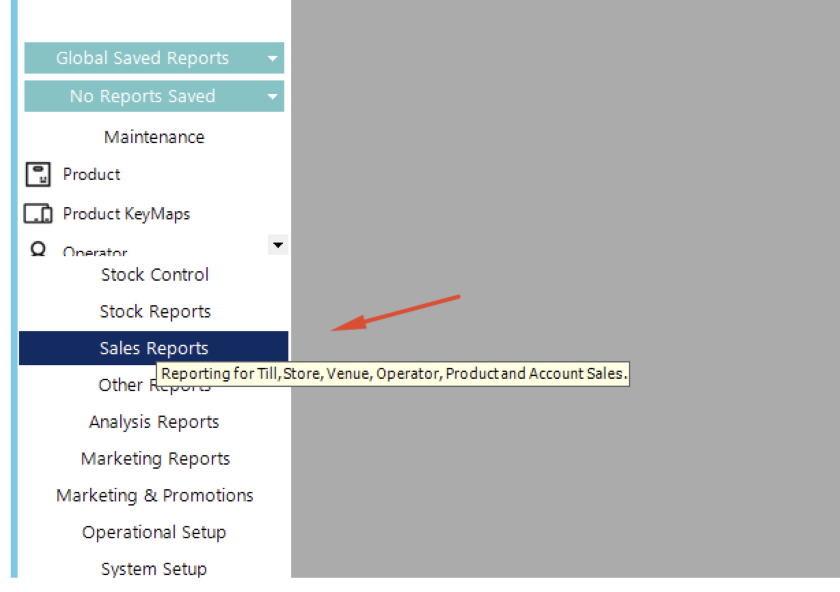
Within Bepoz back office (normally accessed through a remote desktop connection). Run the sales reports
Select these below values:
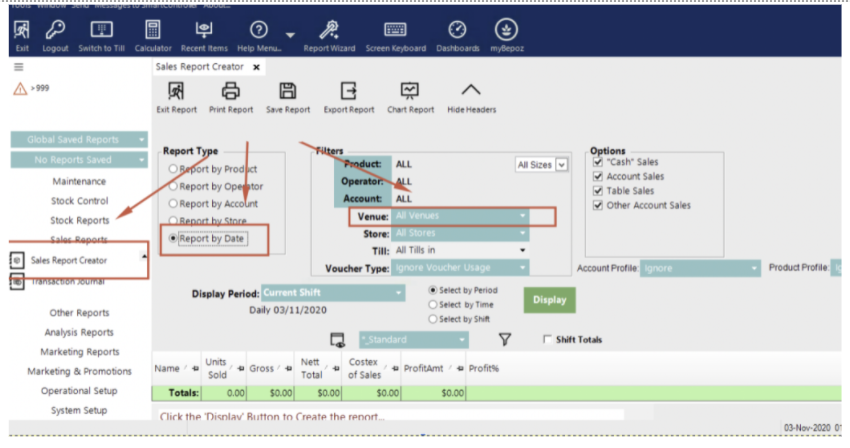
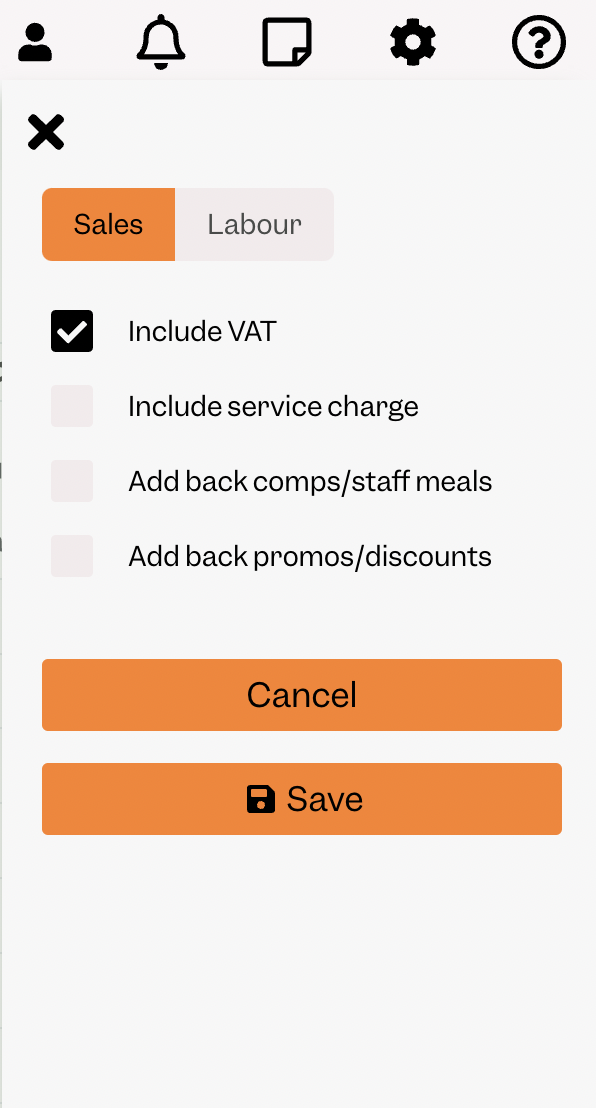
You can compare the view in Tenzo with tax to the “Nett total” in Bepoz.
Exceptions
- If data is changed within Bepoz, Tenzo will update overnight to reflect data that has changed within the last 7 days.