

Guide: Sunday
How Do Core Concepts Map to Tenzo?
Key: ✅ Supported 🚸 Work in Progress ❌ Not Supported
 |
|
|---|---|
| Location | ✅ Location |
| Review | ✅ Review (Sunday + Google reviews) |
| Sub Ratings | ✅ Sub Ratings |
Sunday sends Google reviews as well as its own. Google reviews delivered by Sunday appear in Tenzo under the "Google My Business" source. If a separate Google Reviews integration is also connected, the same reviews will be duplicated — ask your Tenzo CSM to disconnect the Google data stream when setting up Sunday.
Data Ingestion
| Real-time optionally available? | ❌ |
| Default polling frequency | Sunday pushes a daily file to Tenzo via SFTP; Tenzo checks for new files every 20 minutes |
| Data retrieved on each poll | Each daily file contains the previous day's reviews |
| Historical data | All data |
| Transport | Push: Sunday uploads a daily reviews CSV to a Tenzo SFTP account |
Requirements
This integration requires the 'Reviews Pro' package in Tenzo.
How Do I Compare Data to Data in Tenzo?
On Sunday navigate to the Feedback page. You can filter reviews by date range, location, and platform.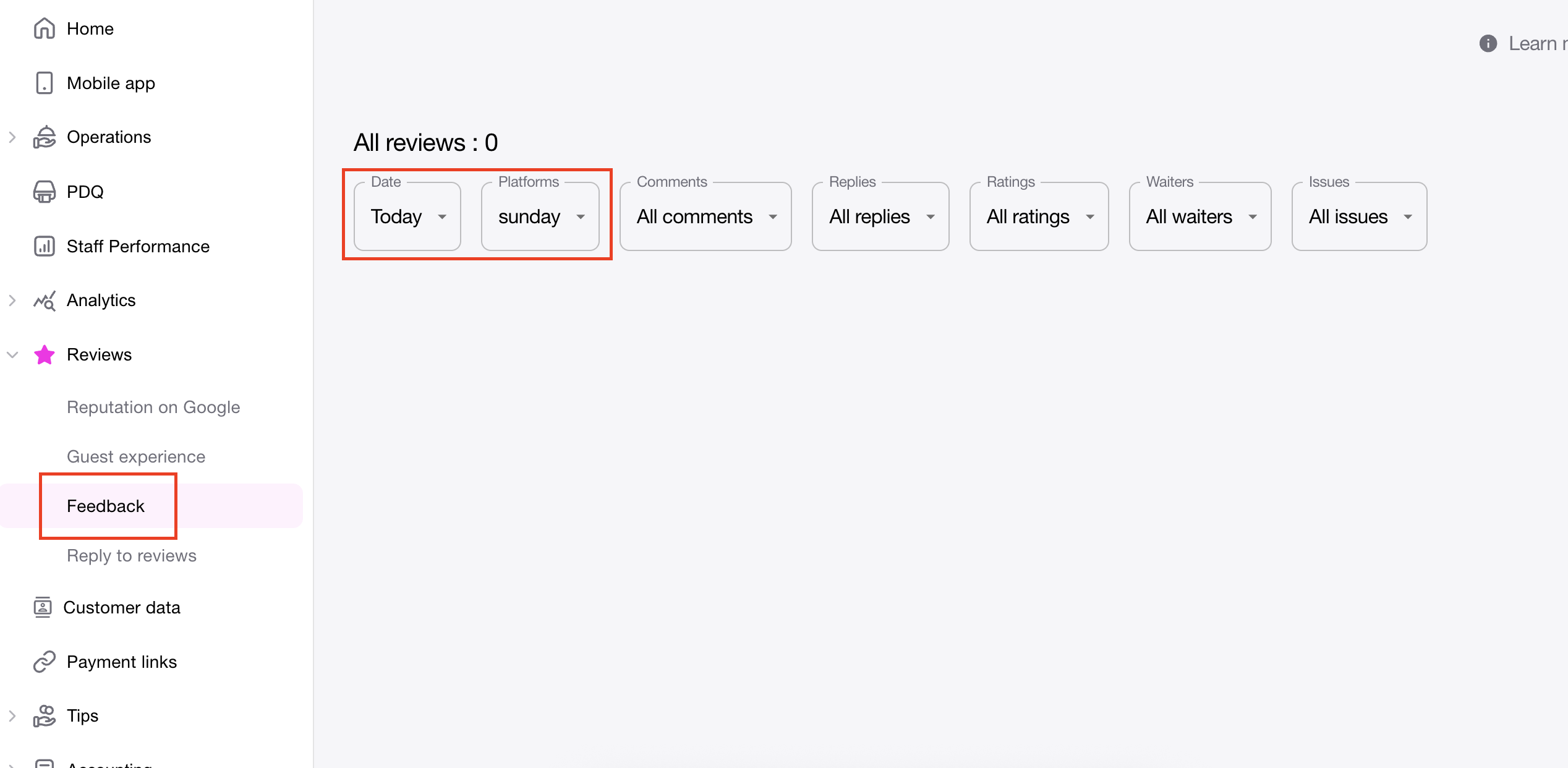
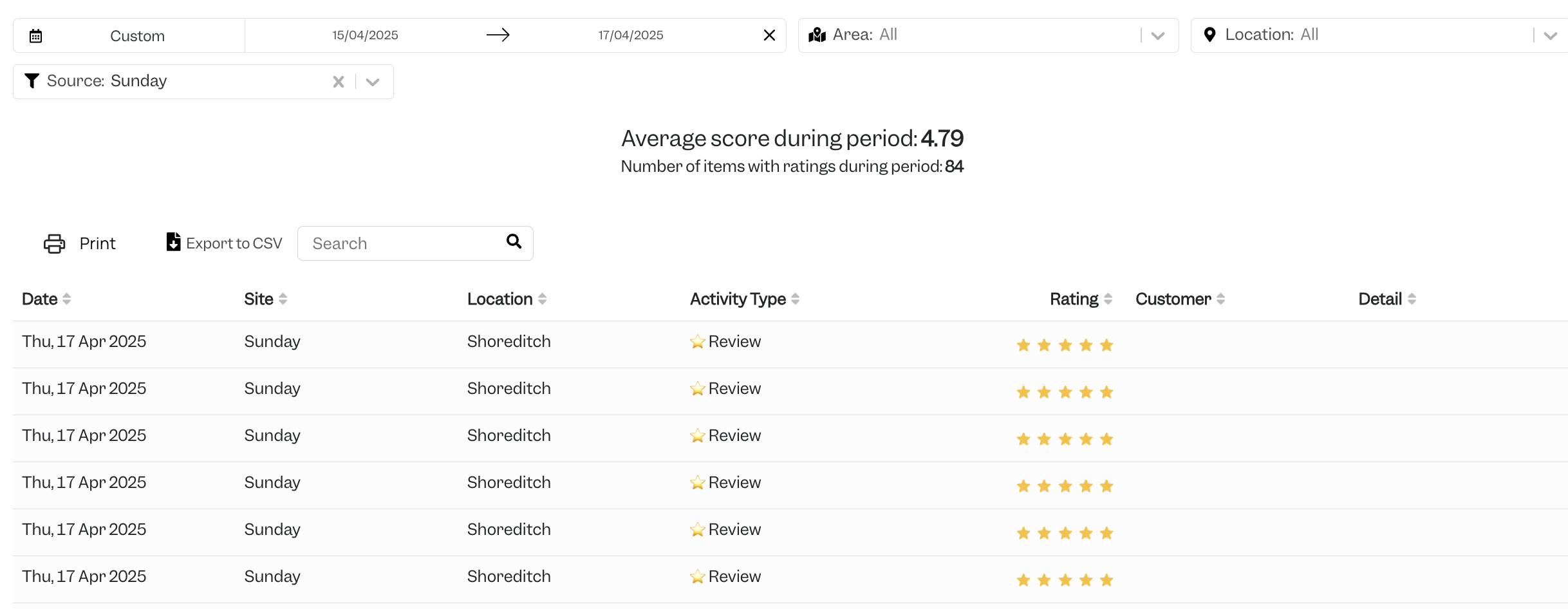
In Tenzo Navigate to Social > Activity and apply a Sunday filter to see all the Sunday reviews for the selected date range.
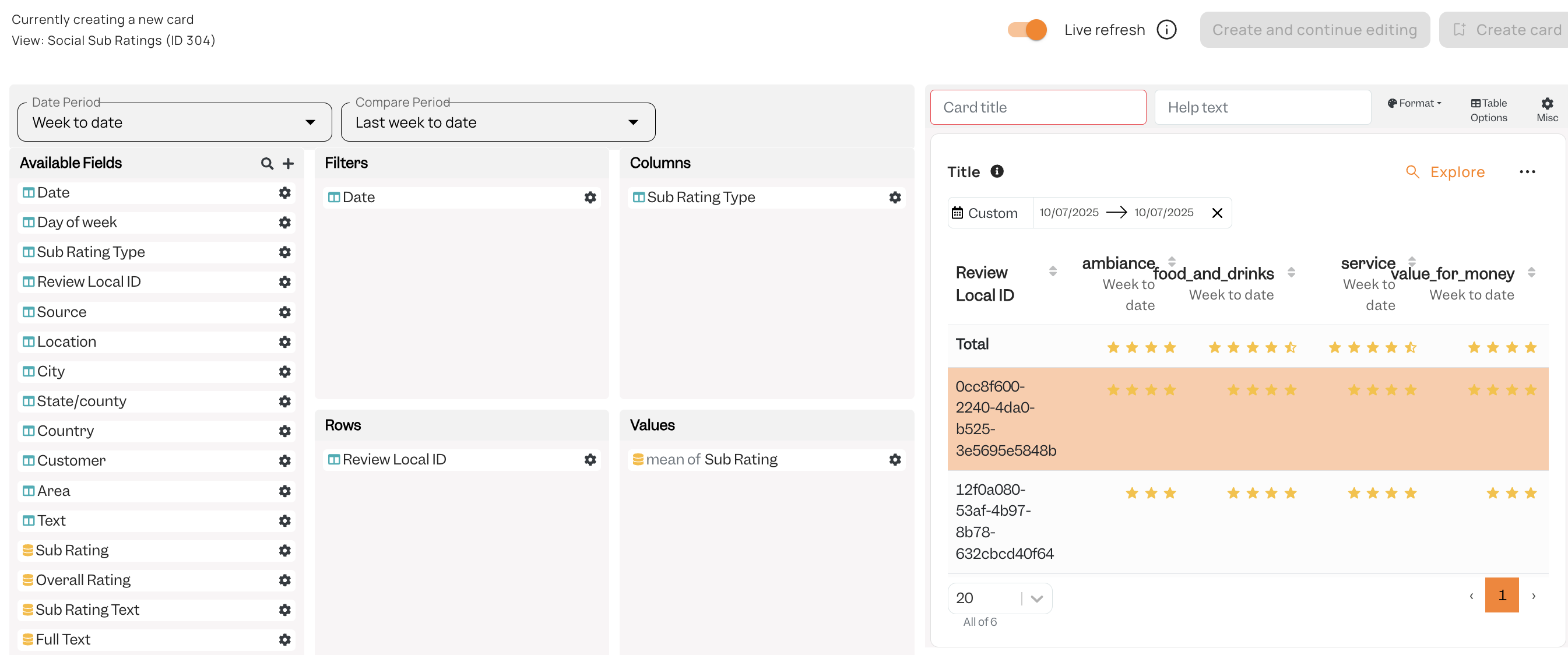
To view Sub Ratings in Tenzo you can create a card in view: Social Sub Ratings (ID304)
Exceptions
Sunday ingests Google reviews into Tenzo alongside its own — see the note under the mapping table above. If you think reviews are being duplicated, ask your Tenzo CSM to check for a separately connected Google data stream.