
Guide: Tevalis API
How Do Core Concepts Map to Tenzo?
Key: ✅ Supported 🚸 Work in Progress ❌ Not Supported
 | |
|---|---|
| Location | ✅ Sites |
| Order Type | ✅ PriceGroups |
| Revenue Center | ✅ SalesArea |
| Product Item | ✅ ProductCatalogue |
| Product Category | ✅ ProductTypes |
| Product Division | ✅ ProductGroups |
| Tender Type | ✅ TenderTypes |
| Employee | ✅ Employees |
| Customer | ❌ NOT SUPPORTED |
| Discount | ✅ Discounts |
| Ticket Item Discounts | ✅ TransactionItems (extracted from endpoint by using exptotalgross - totalgross, exptotalnet - totalnet) |
| Ticket Discounts | ❌ NOT SUPPORTED |
| Ticket Item Modifiers | ❌ Not Supported (modifiers come in as items) |
| Menu Item Size | ❌ NOT SUPPORTED |
| Guest Count | ✅ Covers |
| Transaction length | ✅ Closing Date - Opening Date |
| Price | ✅ NetPrice |
| Menu Item Visibility | ❌ NOT SUPPORTED |
| KDS Bump Time | ❌ NOT SUPPORTED |
| Ticket Voids | 🚸 Voided transactions with no matching returned ticket are captured; returned tickets aren't flagged |
| Ticket Item Voids | 🚸 Void items pulled from the Tevalis voids endpoint; no tax split on the total value |
| Table | ✅ TableNo |
| Service Charge | ✅ Payments |
| Tips | ✅ Gratuity |
Data Ingestion
| Real-time optionally available? | ✅ |
| Default polling frequency | Hourly |
| Data retrieved on each poll | Today and Yesterday |
| Historical data | All data since you started using your POS - specify in 'Start Date' form field when first setting up integration. |
| Data received per day or continuous | Per day |
How Do I Compare Tevalis API Data to Data in Tenzo?
To compare Sales, please login to https://tevalis.com/TevalisPortal/Areas/Apps/ and follow the Business Analytics > Sales Reports. In here, select 'Daily Flash Sales' as the report. Select a site and date of business. When 'Net' is selected and the report is generated: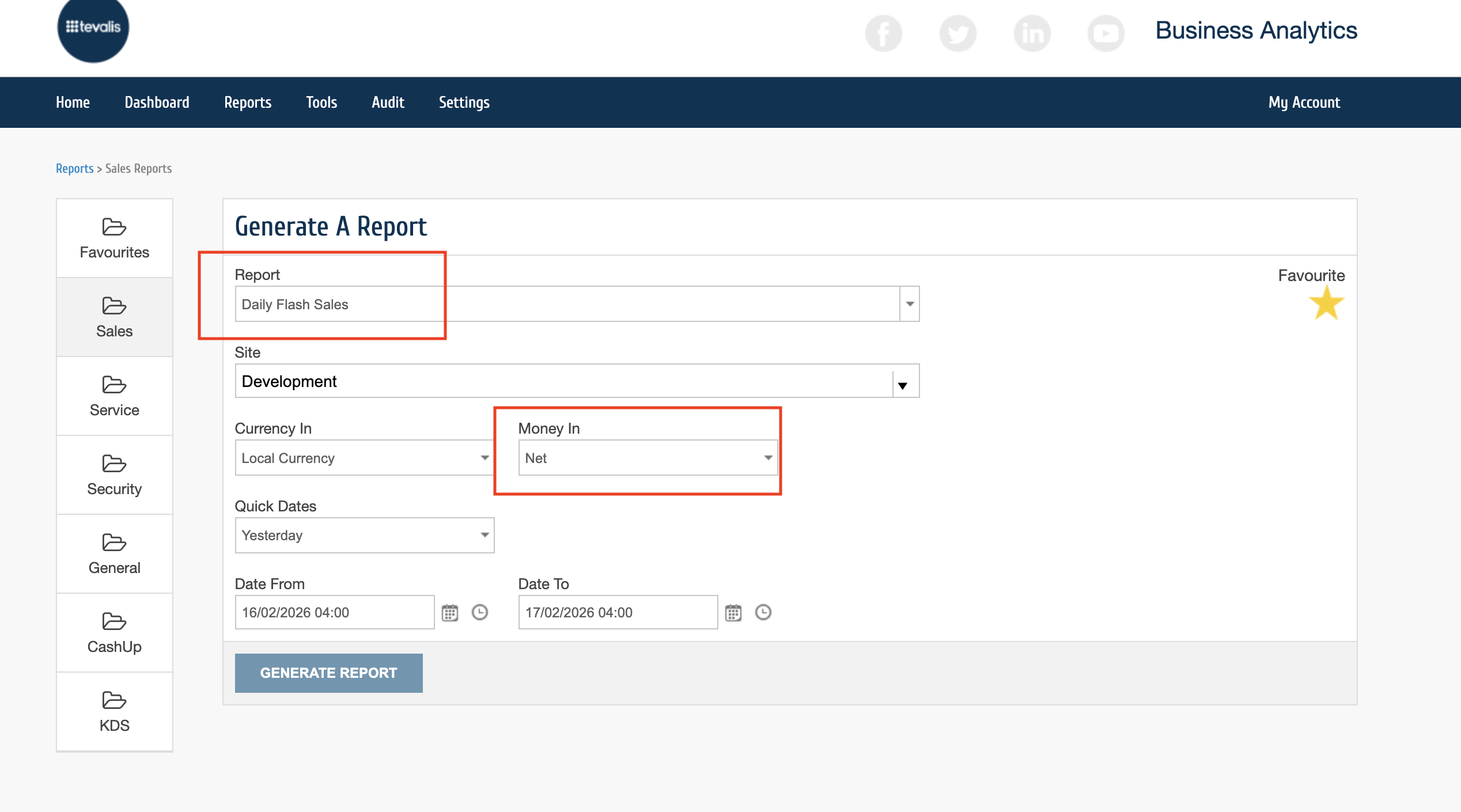
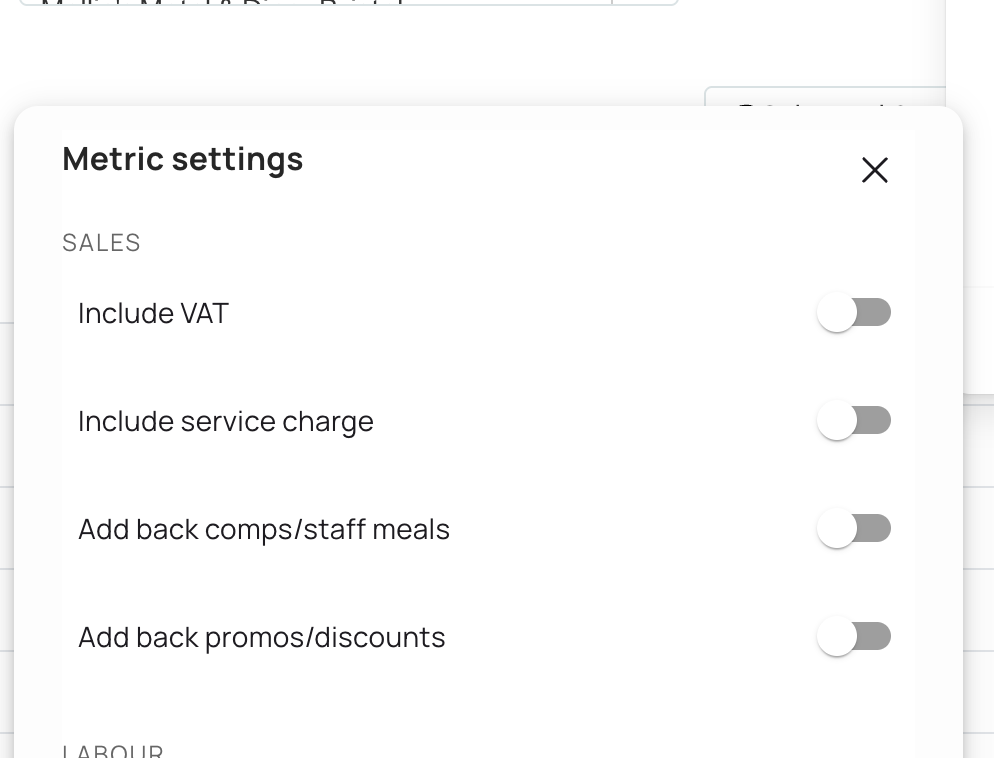
The total should match the same site and date of business in Tenzo with all of these filtered off (not including tax or service, and with discounts applied):
#integrations