

Guide: TISSL Horizon
How Do Core Concepts Map to Tenzo?
Key: ✅ Supported 🚸 Work in Progress ❌ Not Supported
 |
|
|---|---|
| Location | ✅ Location |
| Order Type | ✅ Order Type |
| Revenue Center | ✅ Revenue Center |
| Product Item | ✅ Sales Item |
| Product Category | ✅ Family Group |
| Product Division | ✅ Major Group |
| Tender Type | ✅ Tender Type |
| Employee | ✅ User/Tab Owner |
| Customer | ❌ Not Supported |
| Discount | ✅ Discounts |
| TicketItemDiscounts | ✅ Item Discounts |
| TicketDiscounts | ❌ Not Supported |
| TicketItemModifiers | ✅ Modifiers |
| Guest Count | ✅ Guests/Covers |
| Transaction length | ✅ Tab Open - Tab Close |
| KDS Bump Time | ❌ Not Supported |
| Ticket Voids | ✅ Cancelled Sales |
| Ticket Item Voids | ✅ Cancelled Items |
| Table | ✅ Table |
| Service Charge | ✅ Service Charge |
| Tips | ✅ Tips |
| Price | ❌ Not Supported |
| Menu Item Visibility | ❌ Not Supported |
| Menu Item Size | ❌ Not Supported |
Data Ingestion
| Real-time optionally available? | ✅ |
| Default polling frequency | Every 20 minutes |
| Data retrieved on each poll | Today and yesterday |
| Historical data | All data (specified at setup) |
| Business date cutoff time is determined by the POS or Tenzo | by the POS |
How Do I Compare Tissl Data to Data in Tenzo?
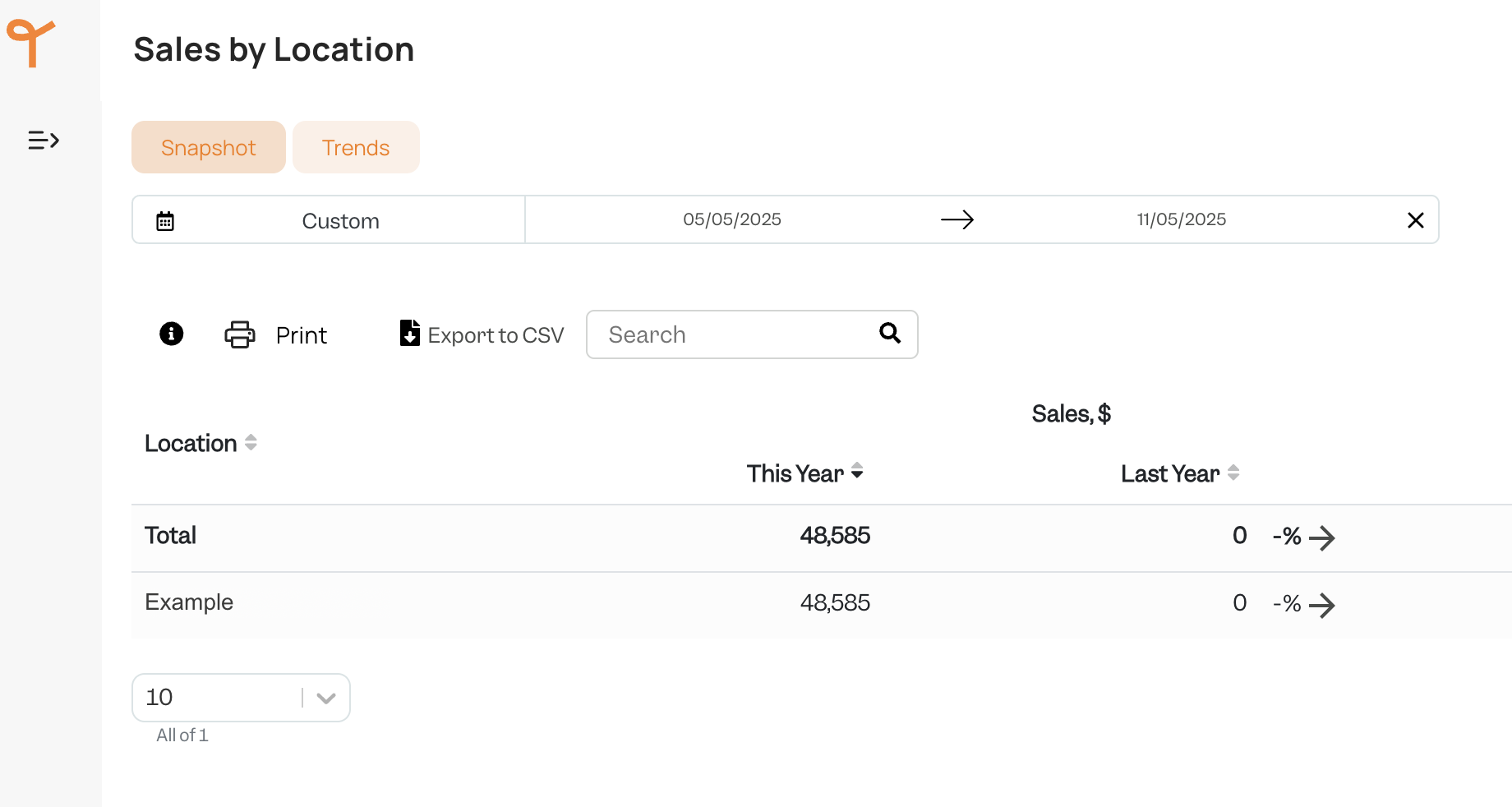
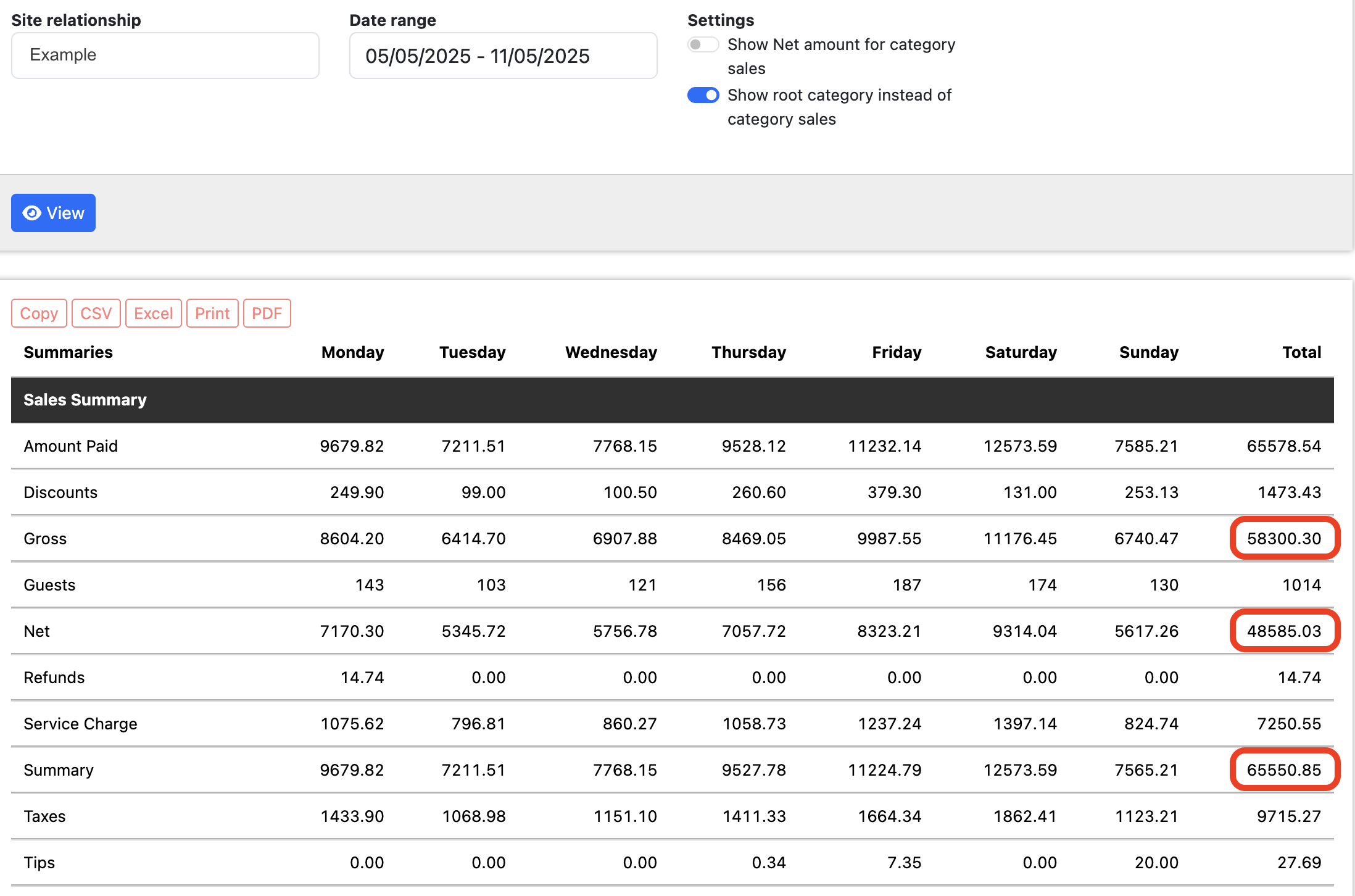
Log into https://hub.tissl.com/login and click on Reports → Weekly Sales.
In Weekly Sales there will be a table with a date picker dropdown allowing you to see aggregations for Net, Service Charge, Tax and other values to compare for matching.
These are highlighted below:
Exceptions
- Tissl includes both items and modifiers in the quantities shown in their Sales Mix report, whereas Tenzo counts only sales items. As a result, the top-level quantities do not match. An alternative would be to treat modifiers as regular items, but the current behaviour offers more flexibility for modifier reporting.