
Guide: Tevalis Stock
How Do Core Concepts Map to Tenzo?
Key: ✅ Supported 🚸 Work in Progress ❌ Not Supported
 |
|
|---|---|
| Location | ✅ Location |
| Vendor | ✅ Vendor (from Purchases) |
| Category | ❌ Not Supported |
| Item | ✅ Items (from Purchases) |
| Purchases | ✅ Purchases (Ordered Date) — Purchase Orders |
| Actual Usage | ❌ Not Supported |
| Theoretical Usage | ❌ Not Supported |
| Recorded Wastage | ❌ Not Supported |
| Transfers | ❌ Not Supported |
| Menu Items | ❌ Not Supported |
| Menu Item Costs | ❌ Not Supported |
Data Ingestion
| Real-time optionally available? | ❌ |
| Default polling frequency | Every 20 minutes (Tenzo checks for new Purchase Orders report emails). How often data arrives depends on the report schedule in Tevalis, usually daily |
| Data retrieved on each poll | Whatever period the emailed Purchase Orders report covers, dated by purchase order date |
| Historical data | ❌ Not Supported |
How Do I Compare Data to Data in Tenzo?
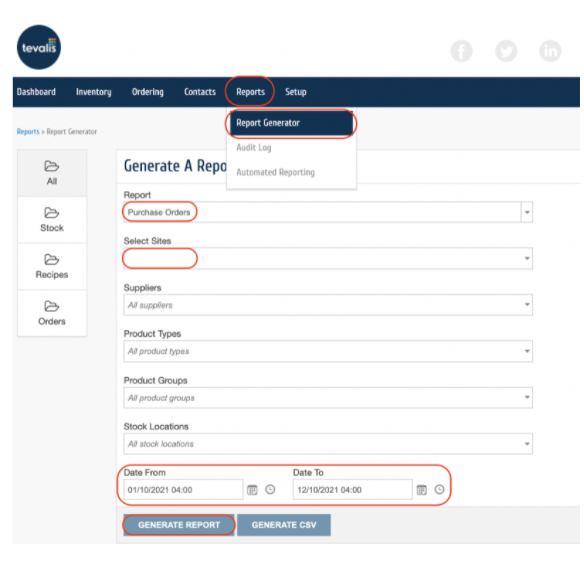
Go to Stock Management > Reports > Report Generator.
Choose “Purchase Orders” as the report, select the location under “Select Sites” and the date range.
Click “Generate Report”.
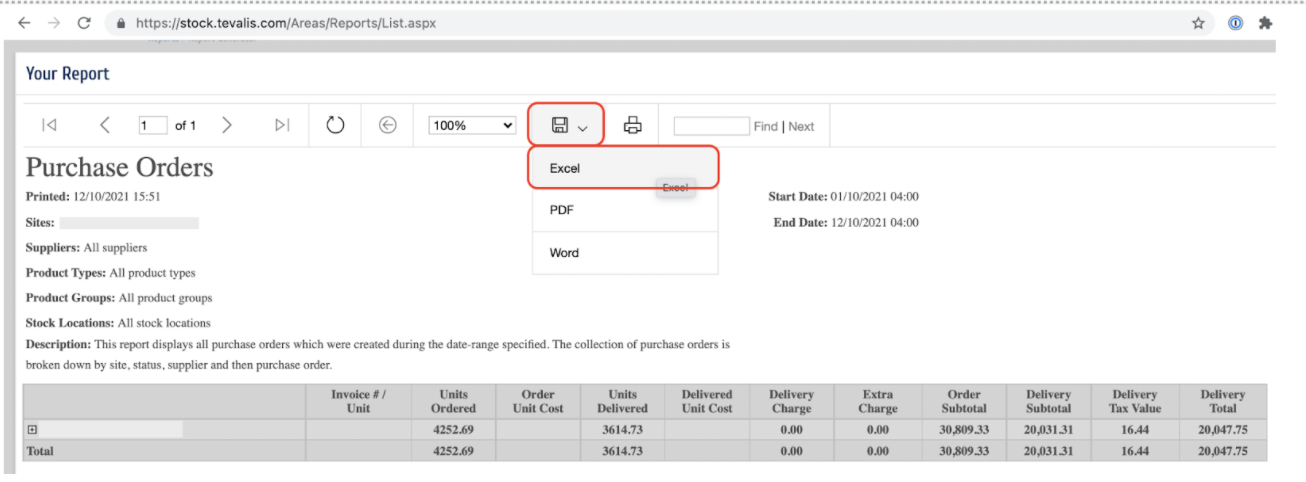
Right-click on the Save button > Excel
Follow the table below to match Tevalis data with Tenzo
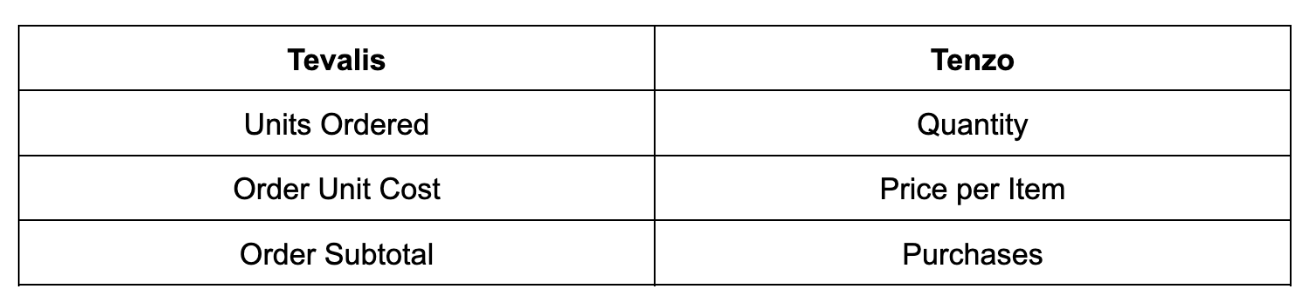
You will then be able to see the same number by selecting one day within Tenzo’s “Purchases by Location” view.
Exceptions
- Occasionally data is not received from Tevalis - there is no apparent bug but it is being monitored.