

Guide: Tenzo Data Importer (Excel: Labour)
How Do Core Concepts Map to Tenzo?
Key: ✅ Supported 🚸 Work in Progress ❌ Not Supported
 |
|
|---|---|
| Location | ✅ Location |
| Shift (actual) | ✅ Shift Start Time, Shift End Time |
| Shift (planned) | ✅ Labor Planned tab, Shift Start Time, Shift End Time |
| Salaried workers | ✅ Pay Rate Type |
| Hours | ✅ Minutes |
| Employee | ✅ Employee Name |
| Role | ✅ Role |
| House Part | ✅ House Part |
| Actual Cost | ✅ Base Amount |
| Overheads | ✅ Fully Loaded Amount |
| Holiday | ❌ Not Supported |
| Breaks | ❌ Not Supported |
| Overtime | ✅ |
| Exception costs / one-off costs | ❌ Not Supported |
| Borrowed / loaned employees | ❌ Not Supported |
Data Ingestion
| Real-time optionally available? | ❌ |
| Default polling frequency | Once a day, overnight (between 12am and 4am) for the Labor and Labor Planned tabs; every 4 hours for the Sales and Daily Forecasts tabs |
| Data retrieved on each poll | All data in the workbook |
| Historical data | All data in the workbook |
How Do I Populate the Template?
Your workbook should be an Excel version of this template — the tab names and column headers need to match.
You can delete the columns that are not relevant for what you are uploading (e.g. house part, role, etc.) and just leave the ones you will be filling.
Format the Date column as a date, or as text in YYYY-MM-DD form (e.g. 2024-08-01). A Date column formatted as plain text in a regional format such as 01/08/2024 is rejected, because 01/08 is ambiguous between day-first and month-first.
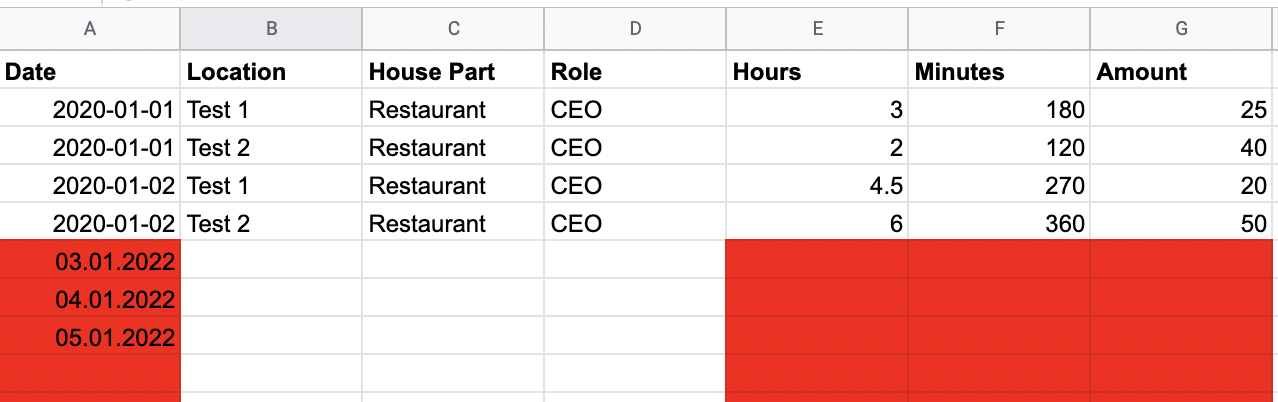
Formulas are fine — Tenzo reads the calculated value, not the formula. Save the workbook after editing so the calculated values are stored.
How Do I Compare Workbook Data to Data in Tenzo?
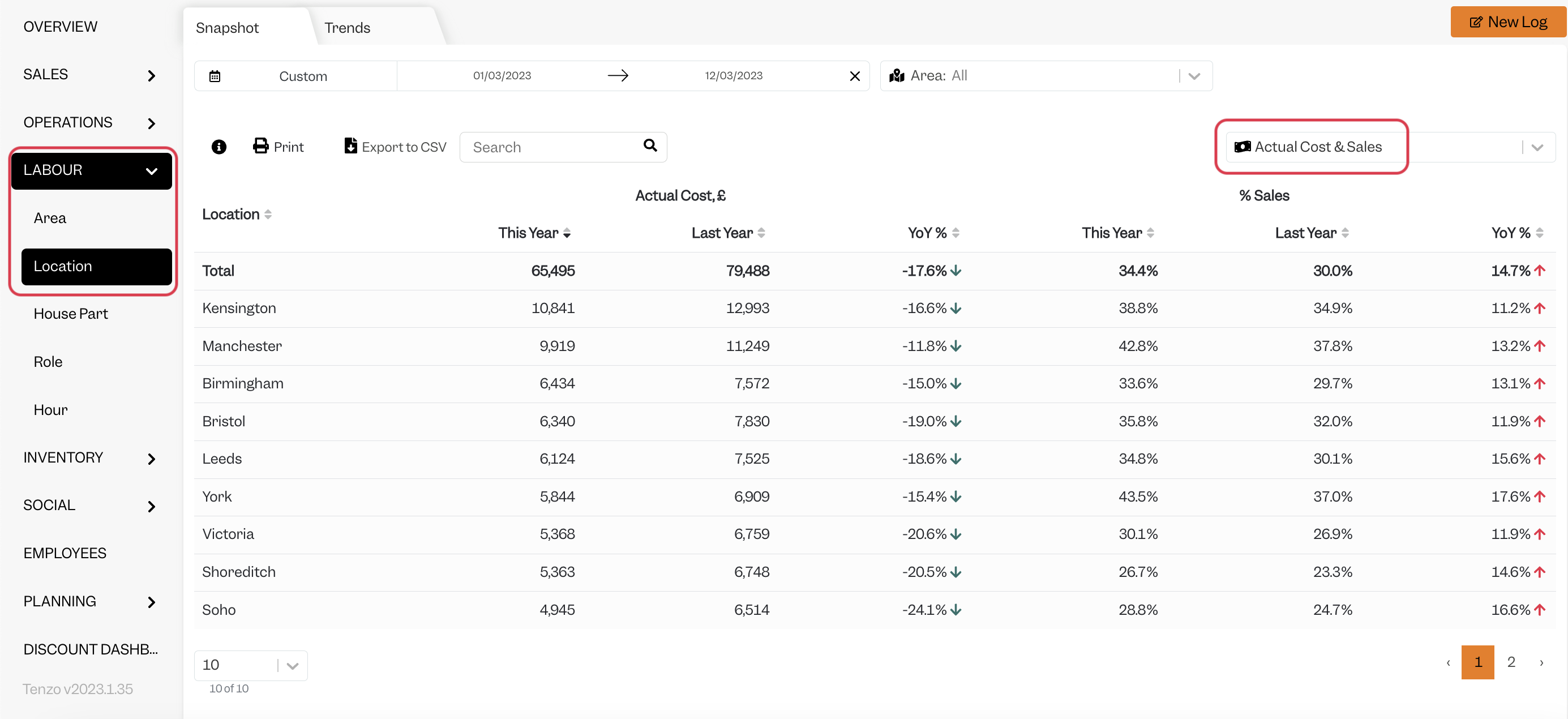
Open the workbook and compare the daily total by line.
You will then be able to see the same number by selecting one day within Tenzo’s “Labour by Location” view.
Exceptions
The workbook must live in OneDrive or SharePoint. A file kept only on a local drive cannot be reached by Tenzo.
Other Ways to Send This Data to Tenzo
As well as an Excel workbook, Tenzo can receive data in the Tenzo Data Importer format by Email or as CSV files over SFTP. Talk to your Customer Success Manager if you would like to send your data one of these ways.