

Guide: FoodByUs
How Do Core Concepts Map to Tenzo?
Key: ✅ Supported 🚸 Work in Progress ❌ Not Supported
 |
|
|---|---|
| Location | ✅ Venue |
| Vendor | ✅ Supplier |
| Category | ✅ Product Category |
| Item | ✅ Product |
| Purchases | ✅ Purchases (Delivered Date) — Order |
| Actual Usage | ❌ Not Supported |
| Theoretical Usage | ❌ Not Supported |
| Recorded Wastage | ❌ Not Supported |
| Menu Item Costs | ❌ Not Supported |
| Transfers | ❌ Not Supported |
| Menu Items | ❌ Not Supported |
Data Ingestion
| Real-time optionally available? | ❌ |
| Default polling frequency | Once a day, overnight (between 12am and 4am) |
| Data retrieved on each poll | Last 3 days of orders |
| Historical data | ✅ Requested at setup |
How Do I Compare FoodByUs Data to Data in Tenzo?
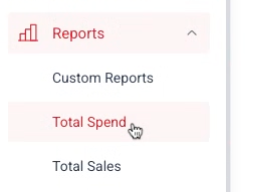
Navigate to the "Total Spend" report
You can then compare individual days spend here to the Purchases number shown in Tenzo
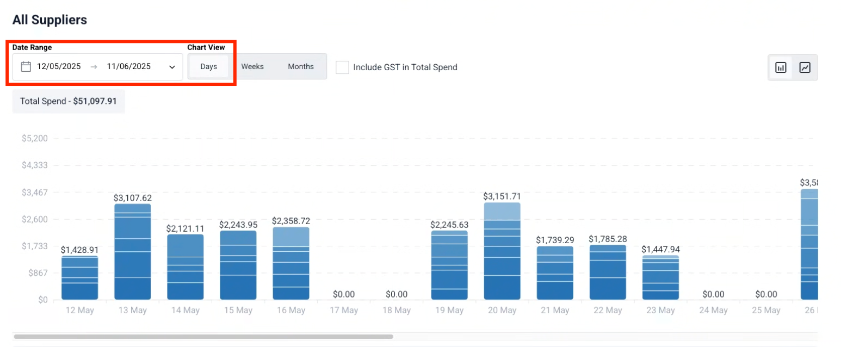
When you set the date range, make sure the FoodByUs report is filtered by delivery date. Tenzo records every FoodByUs purchase against the order's delivery date, so a report run on order date or invoice date will not line up with the Purchases figure in Tenzo.
Exceptions
Note that both the above report and Tenzo exclude rejected orders.