

Guide: Square
How Do Core Concepts Map to Tenzo?
Key: ✅ Supported 🚸 Work in Progress ❌ Not Supported
 |
|
|---|---|
| Location | ✅ Location |
| Order Type | ✅ Source |
| Revenue Center | ✅ Device Name |
| Product Item | ✅ Menu Item |
| Product Category | ✅ Category |
| Product Division | ✅ Parent Category |
| Tender Type | ✅ Tenders |
| Employee | ✅ Employee |
| Customer | ❌ Not Supported |
| Discount (Names) | ✅ Discount |
| TicketItemDiscounts (Amounts) | ✅ Line Item Discount |
| TicketDiscounts (Amounts) | ✅ Split over Items |
| TicketItemModifiers | ✅ Line Item Modifier |
| Guest Count | ✅ Covers |
| Transaction length | ✅ Closing Date - Creation Date |
| KDS Bump Time | ❌ Not Supported |
| Ticket Voids | 🚸 Refunds (see Exceptions) |
| Ticket Item Voids | 🚸 Return Line Item (see Exceptions) |
| Table | ❌ Not Supported |
| Service Charge | ✅ Service Charge |
| Tips | ✅ Total Tip |
| Menu Item Size | ✅ Variation Name |
| Price | ❌ Not Supported |
| Menu Item Visibility | ❌ Not Supported |
Data Ingestion
| Real-time optionally available? | ✅ |
| Default polling frequency | Every 20 minutes |
| Data retrieved on each poll | Today and yesterday |
| Historical data | All data since you started using your POS |
| Data received per day or continuous | Continuous |
How Do I Compare Square Data to Data in Tenzo?
In Square go to Reports → Sales Summary.
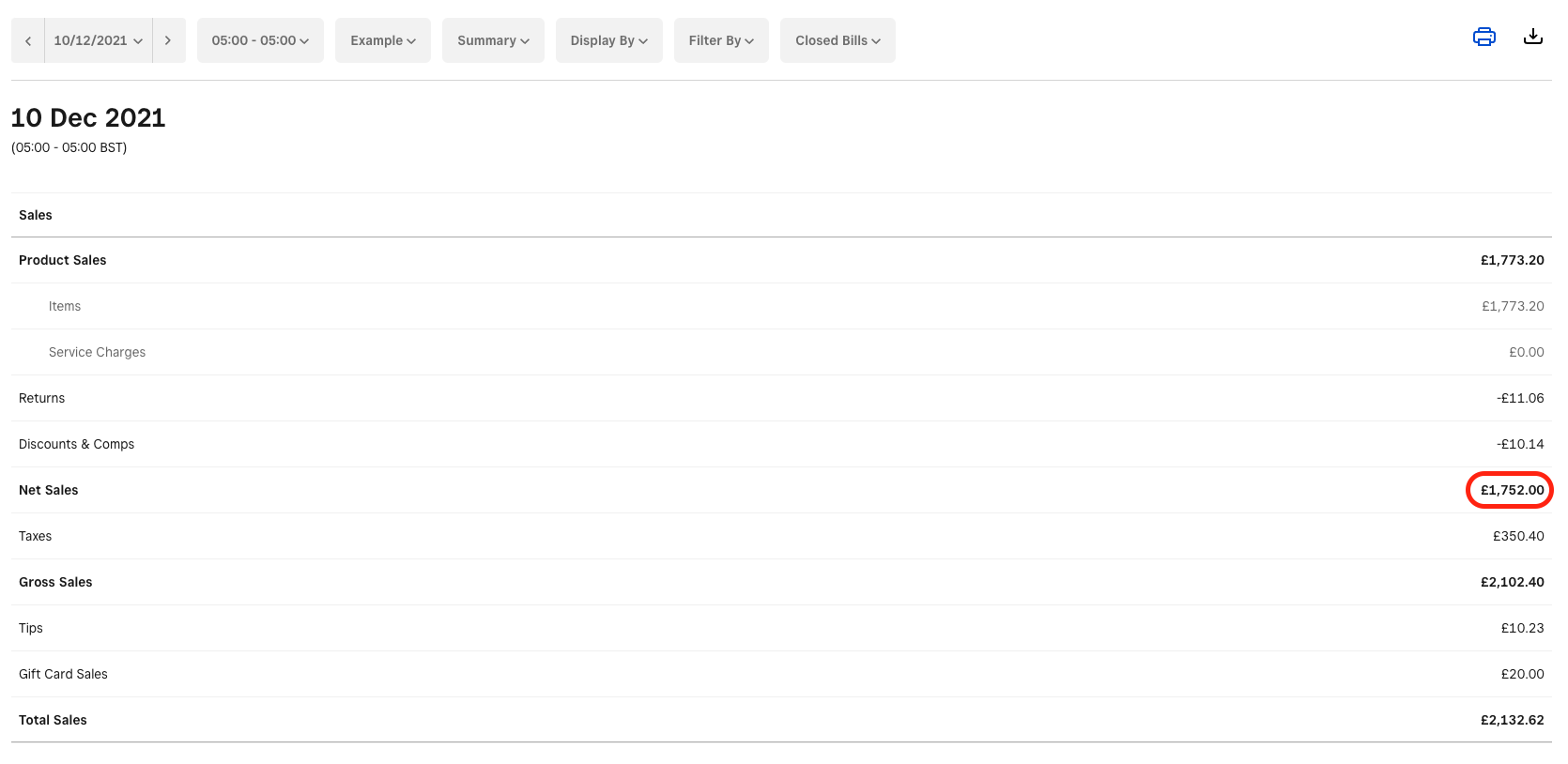
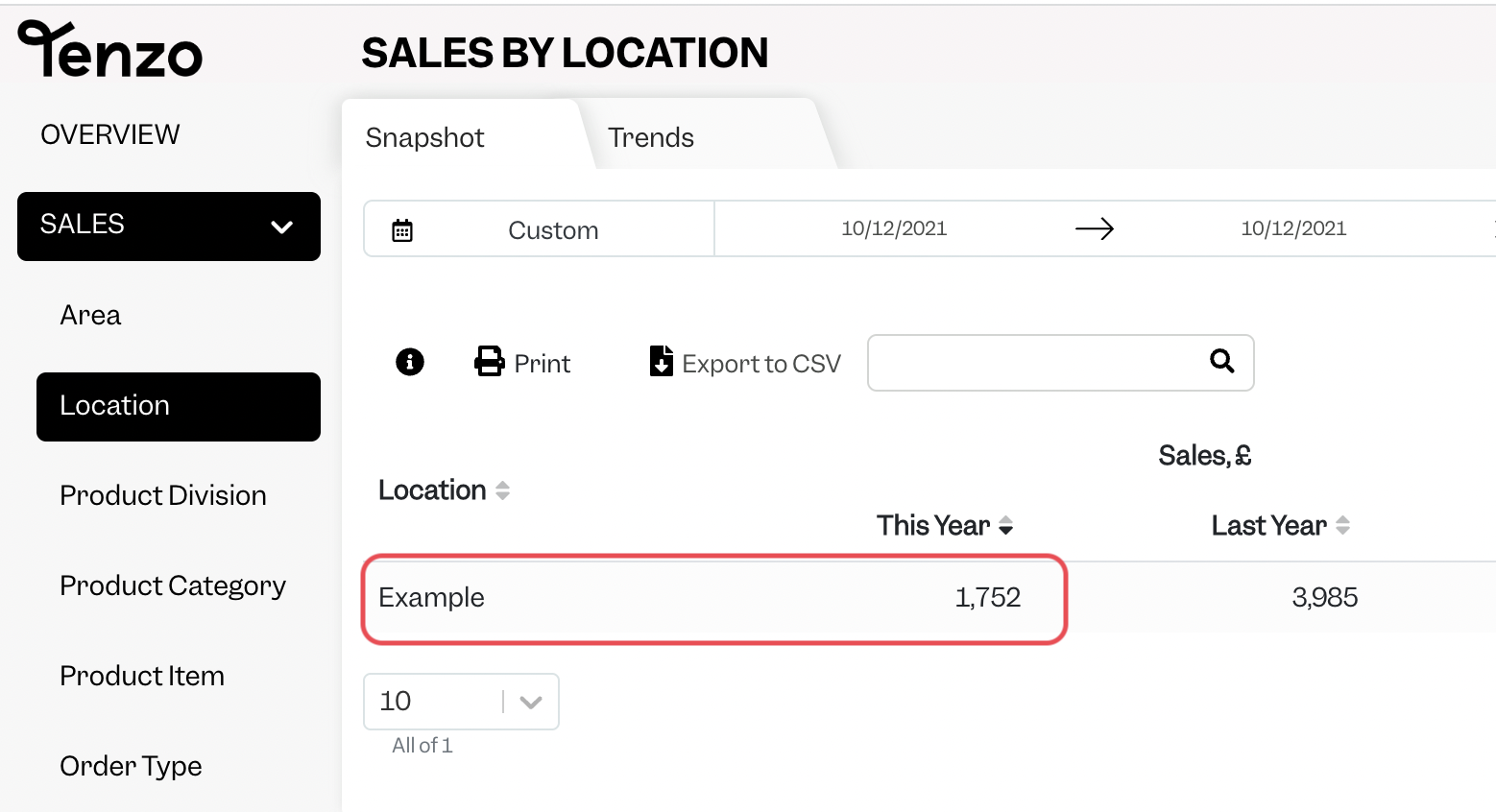
The 'Net Sales' number can be matched to Tenzo, by going to Sales → Location, when excluding Tax but including Service Charge.
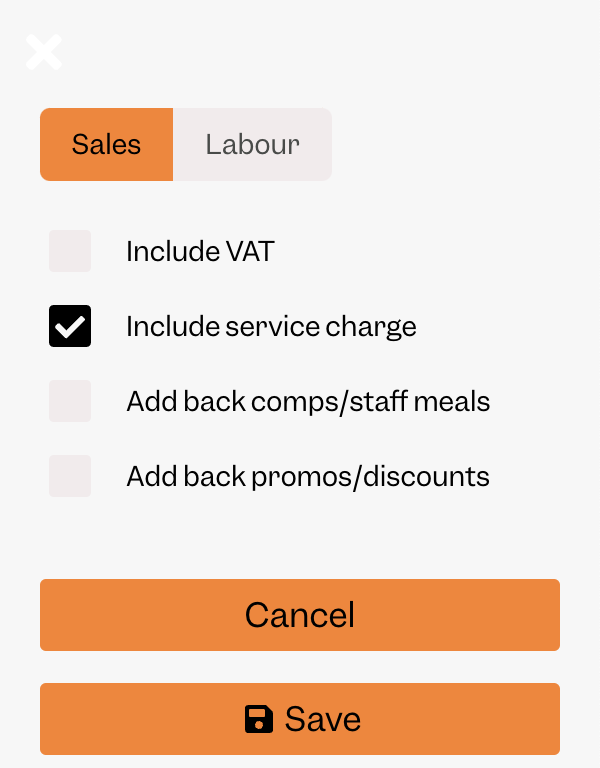
Note:
The time range that is set in Square needs to match your day cutoff in Tenzo. For example if your day cutoff in Tenzo is 5am, then this needs to be set in Square via this drop down:
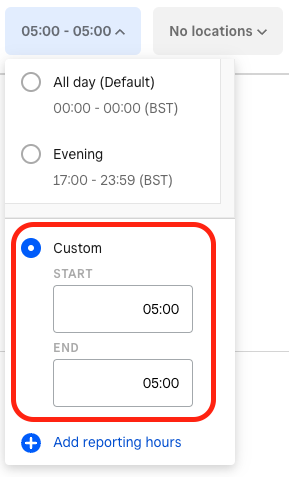
This is accessible in the top menu bar on the Sales Summary report.
Exceptions
Voids
Square submits a new ticket for each item or ticket refund/void. Therefore the ticket or item that is being voided is not voided on the original ticket but is accounted for in a new ticket. This means Tenzo cannot report on voids because we do not void the original ticket to match the behaviour shown in Square.