

Guide: Resy Beta
How Do Core Concepts Map to Tenzo?
Key: ✅ Supported 🚸 Work in Progress ❌ Not Supported
 |
|
|---|---|
| Reservation | ✅ Reservation |
| Number of Guests | ✅ Party Size |
| No Show | ✅ No show |
| Customer | ✅ Guest |
| Revenue Center | ✅ Table Type |
| Status | ✅ |
| Reservation Paid | ❌ Not Supported |
Data Ingestion
| Real-time optionally available? | ❌ |
| Default polling frequency | Resy emails a scheduled report, typically once a day. Tenzo checks for new reports every 20 minutes. |
| Data retrieved on each poll | The date range covered by the scheduled Resy report (we recommend the 'Cover/Res Source 2 Weeks' report) |
| Historical data | Only what is in the emailed reports. To load history, email a one-off historical export to the same address. |
How Do I Compare Resy Data to Data in Tenzo?
In Tenzo, navigate to the Reservations dashboard.
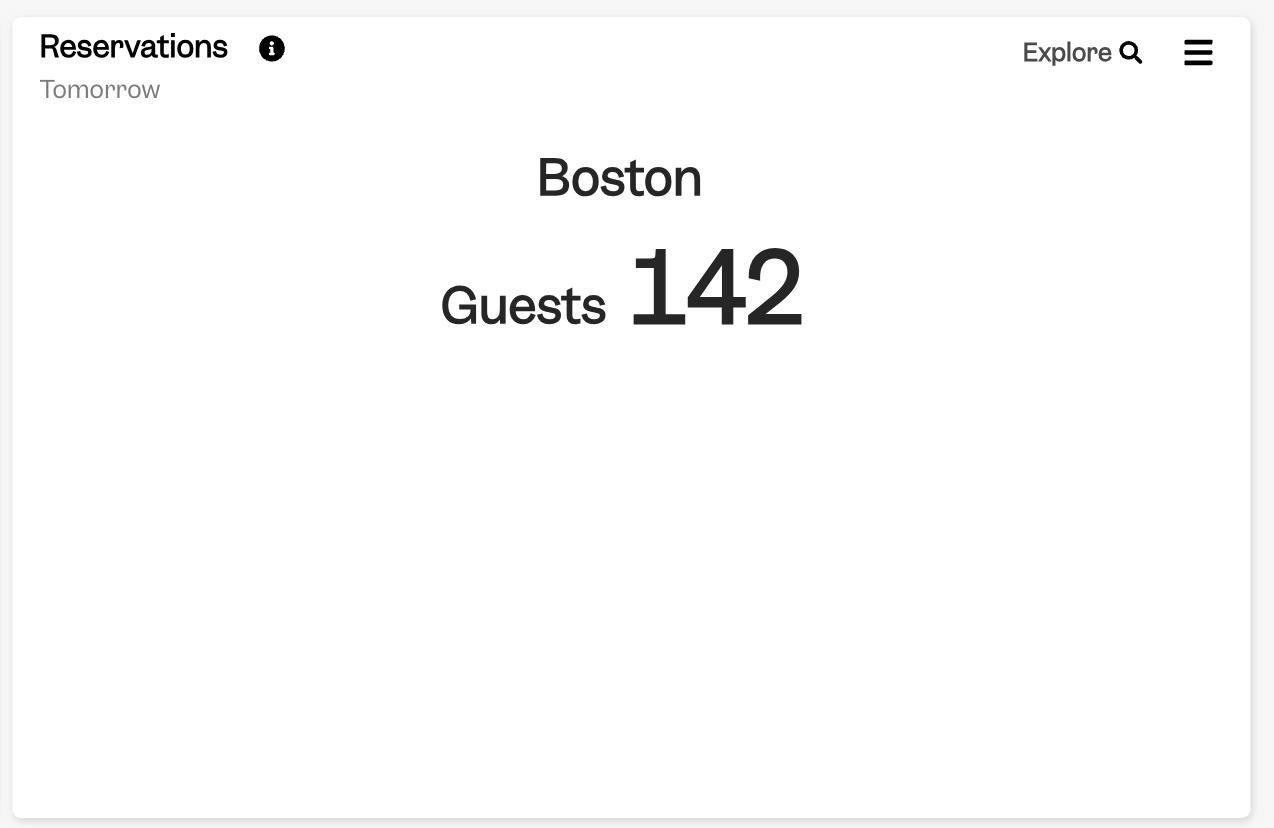
From here, all cards should match Resy, according to the relevant date, and sometimes status, selected on the card.
For example, Reservations card:
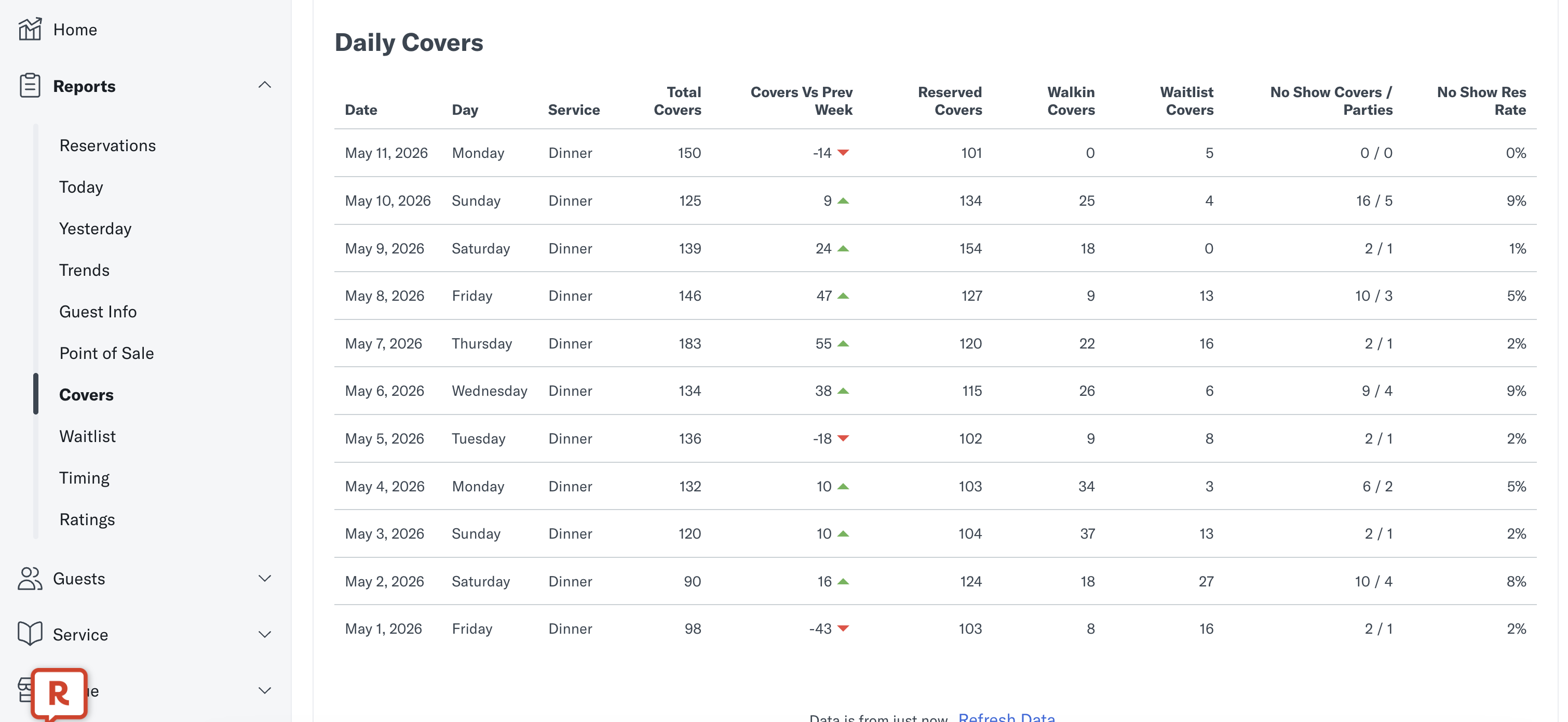
In Resy, we match to the Daily Covers reporting. This can be found by selecting 'Reports' > 'Covers' in the Side Menu:
Exceptions
Both 'Waitlist Covers' and 'Walkin Covers' are mapped to Walkin Covers in Tenzo.