

Guide: Tenzo Data Importer (Google Sheets: Social)
How Do Core Concepts Map to Tenzo?
Key: ✅ Supported 🚸 Work in Progress ❌ Not Supported
 |
|
|---|---|
| Location | ✅ Location |
| Review | ✅ Review |
| Source | ✅ Source |
| Rating | ✅ Rating |
| Sub Ratings | ✅ |
Data Ingestion
| Real-time optionally available? | ❌ |
| Default polling frequency | Twice daily |
| Data retrieved on each poll | Reviews dated in the last 7 days |
| Historical data | All data you input into the sheet |
| Transport | Push: you fill in the spreadsheet and Tenzo reads it on a schedule |
How Do I Populate the Template?
Use this template.
Please head to the last tab in the sheet, called "Social". Here you can add Source of the Review, Comment, Rating.
Please note that for the template to work, dates need to be in the same formatting you find at the top of the template, YYYY-MM-DD:
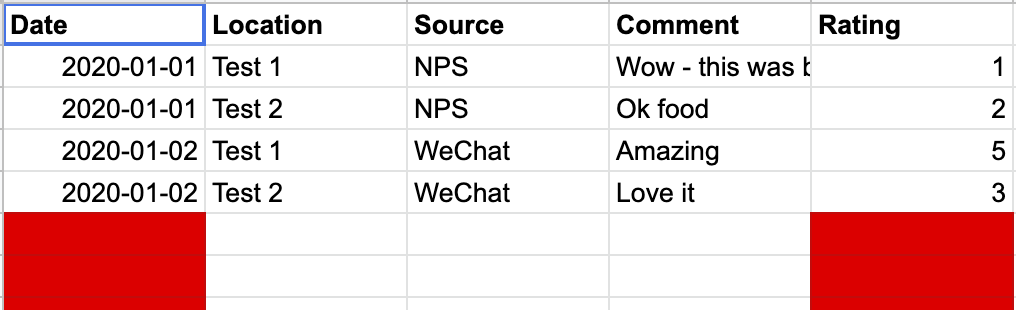
You should delete all other tabs in the sheet that are not needed.
How Do I Compare Google Sheets Data to Data in Tenzo?
In Tenzo, Navigate to Social > Activity:
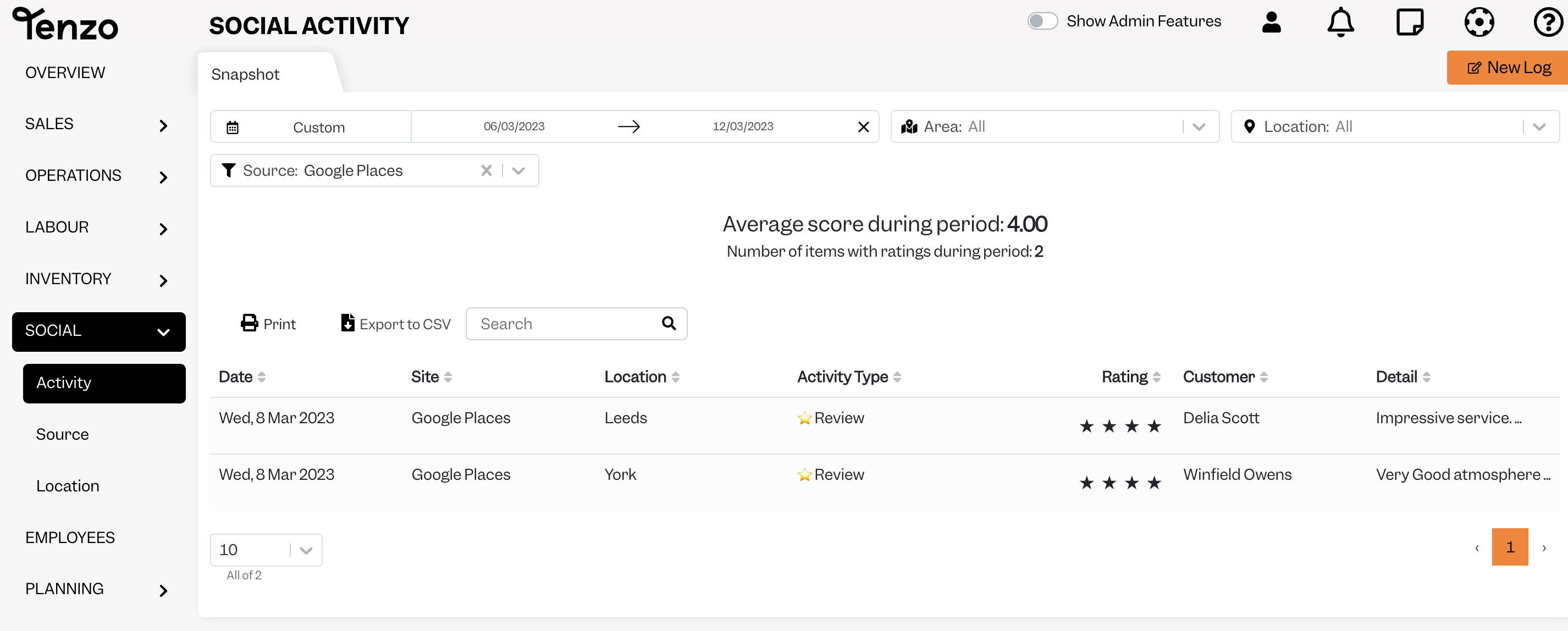
Compare the reviews you find here with the ones in your Google Sheet. You can use Tenzo's search bar if you want to find a specific review.
These reviews will not appear in the dropdown, nor will they be visible when breaking down by "Source", but can be seen in Social Cards (for example this) alongside all other reviews.
Exceptions
None
Other Ways to Send This Data to Tenzo
As well as a Google Sheet, Tenzo can receive data in the Tenzo Data Importer format by Email or as CSV files over SFTP. Talk to your Customer Success Manager if you would like to send your data one of these ways.