

Guide: Hops
How Do Core Concepts Map to Tenzo?
Key: ✅ Supported 🚸 Work in Progress ❌ Not Supported
 |
|
|---|---|
| Location | ✅ Department |
| Vendor | ✅ Suppliers |
| Category | ✅ Category |
| Item | ✅ Inventory Item |
| Purchases | ✅ Purchases (Delivered Date) — Orders |
| Actual Usage | ✅ Total value of Cost of Sales |
| Theoretical Usage | ✅ Total value of stock sold |
| Recorded Wastage | ✅ Waste |
| Menu Item Costs | ✅ Menu Item Net Cost |
| Menu Items | ✅ |
| Transfers | ❌ Not Supported |
Data Ingestion
| Real-time optionally available? | ❌ |
| Default polling frequency | Daily at 4am |
| Data retrieved on each poll | Last 30 days |
| Historical data | From the day the integration is connected. Ask your CSM if you need an earlier start date |
How Do I Compare Opsimize Data to Data in Tenzo?
Matching Purchases
-
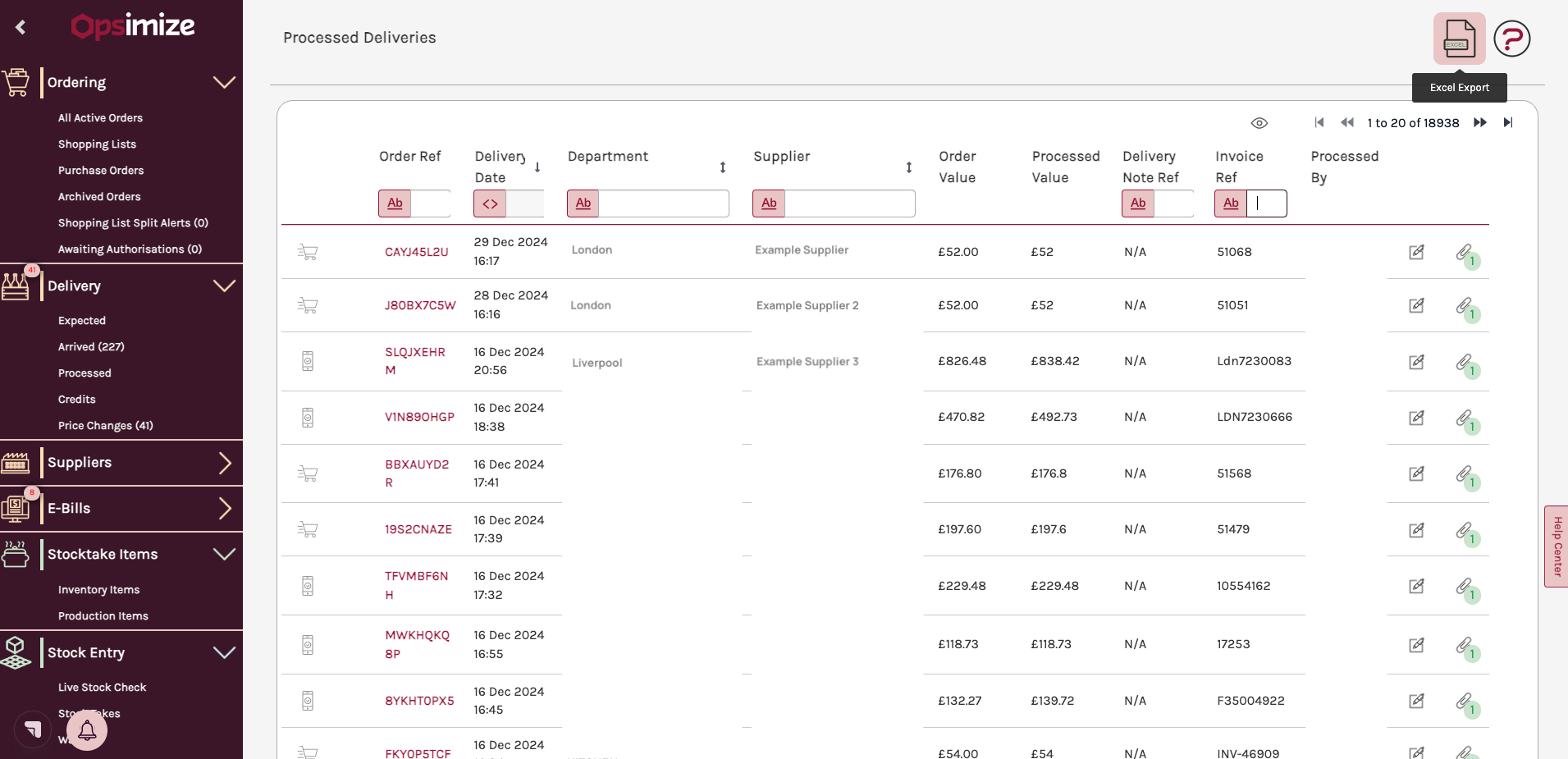
- Navigate to Delivery > Processed > Excel report (top right).
- Apply the required filters (e.g. date, location/departments).
- Click the Excel report button again.
- Compare the totals of the Excel report to Tenzo's Inventory reporting.
Matching Usage & Waste
-
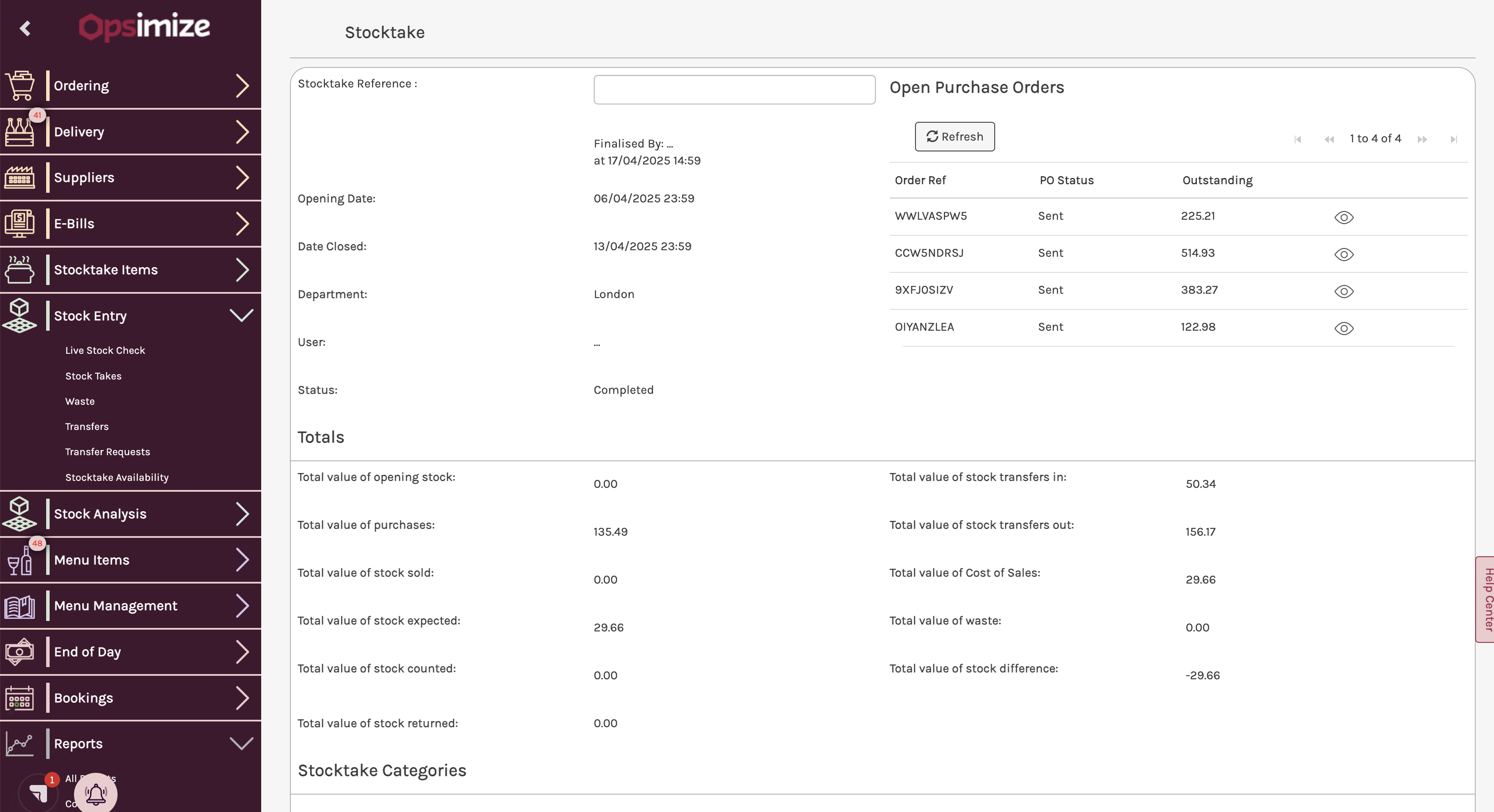
- Navigate to Stock Entry > Stock Takes.
- Select the location and date range you are interested in. The closing date can be selected by clicking the magnifying glass icon.

- Ensure the stocktake status is complete, otherwise it will not be included in the API response when querying stock take data. As a result it will not be visible in Tenzo.
 Usage mapping:
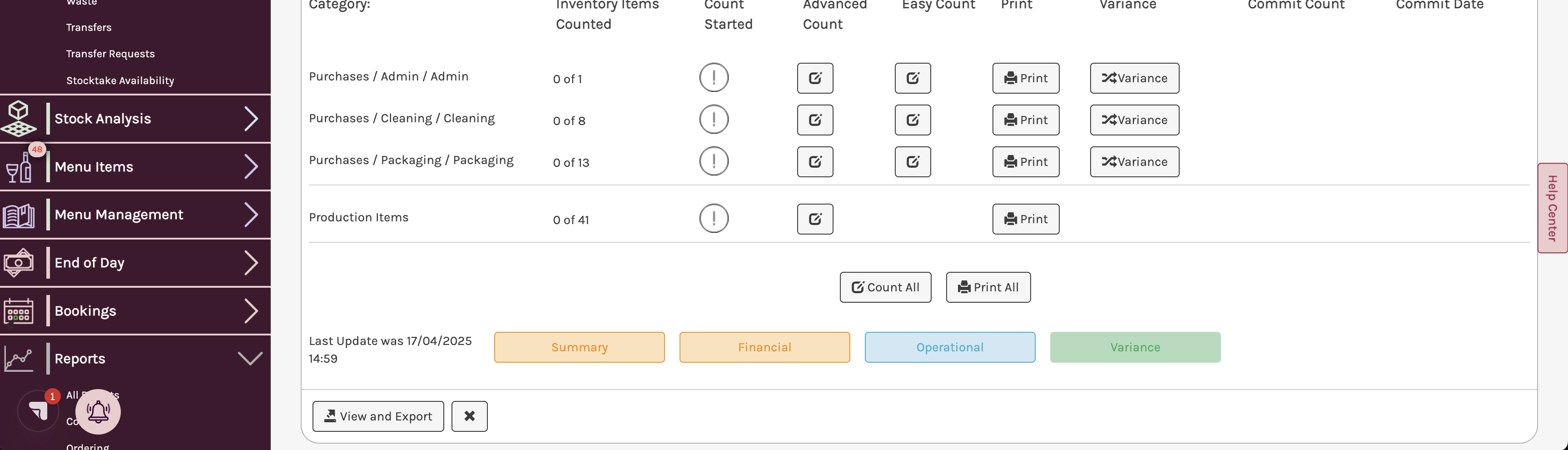
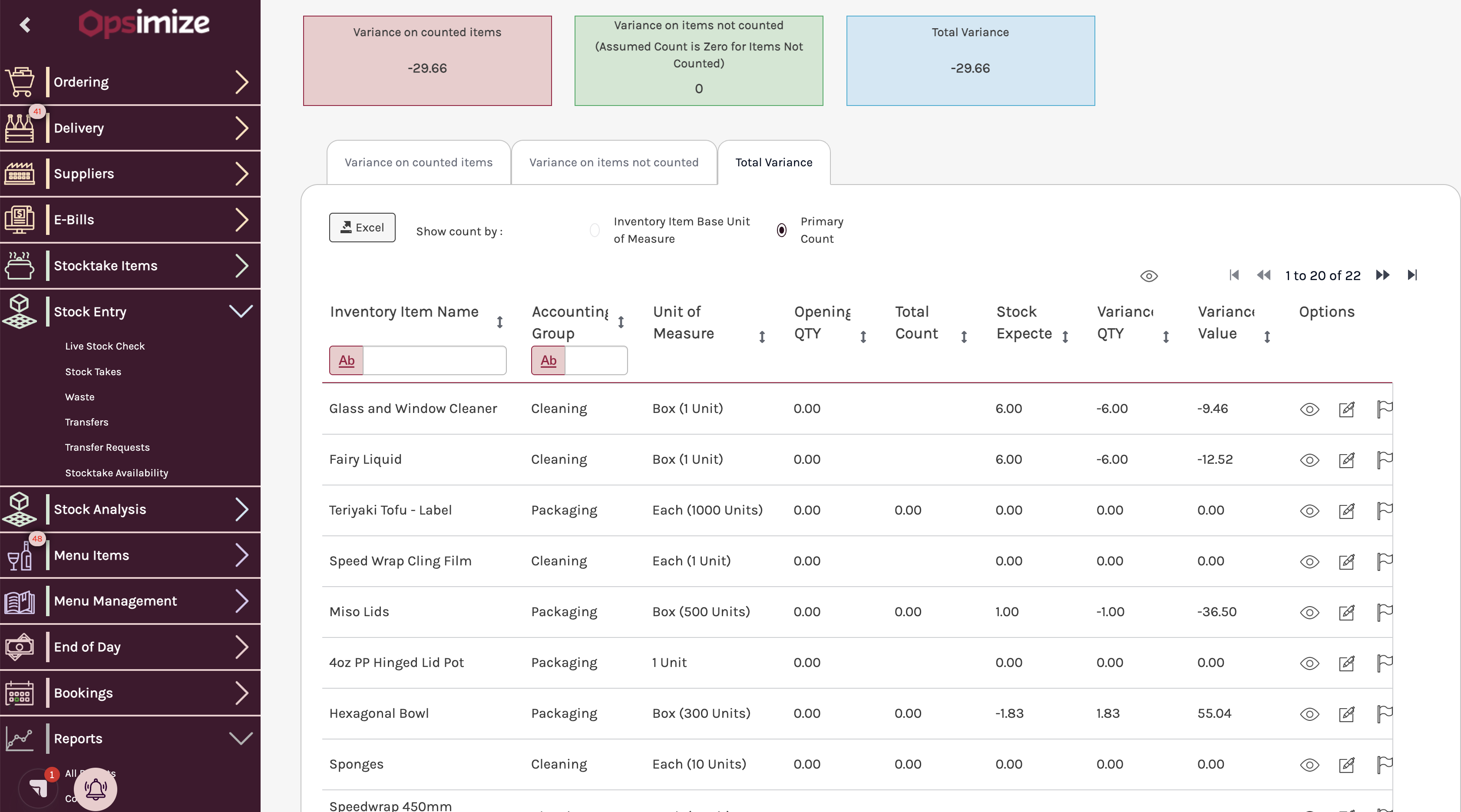
Tenzo Opsimize Actual Usage Total value of Cost of Sales Theoretical Usage Total value of stock sold Waste Total value of waste - If you want to see more granular usage data, you can click the Variance button at the bottom of the page.
Exceptions
- Certain records are not displaying in the API:
- Purchases: Will not show until status is Processed.
- Waste: Will not appear until their status is Complete. Additionally, waste is often grouped within a stocktake and attributed to the last day of the stocktake, not the actual date of the wastage.
- Stocktakes(Actual Usage): Will not show unless they are marked as Complete.
- If no start date is specified, the default start date is the current date.
- If a Vendor is named ‘Unknown Vendor - <id>’ the vendor needs their name to be set in Hops.