

Guide: Fourth
How Do Core Concepts Map to Tenzo?
Key: ✅ Supported 🚸 Work in Progress ❌ Not Supported
 |
|
|---|---|
| Location | ✅ Location |
| Shift (actual) | ✅ Shifts |
| Shift (planned) | ✅ Shifts |
| Hours | ✅ Hours |
| Salaried workers | ✅ Shifts |
| Employee | ✅ Employee |
| Role | ✅ Job |
| House Part | ✅ Department |
| Overheads | ✅ Exact match from Fourth |
| Holiday | ✅ Holidays |
| Breaks | ✅ Unpaid breaks |
| Overtime | ❌ Not Supported |
| Agency staff | ✅ Rota hours × pay rate, for configured agency job titles |
| Exception costs / one-off costs | ❌ Not Supported |
| Borrowed / loaned employees | ❌ Not Supported |
Data Ingestion
| Real-time optionally available? | ❌ |
| Default polling frequency | Every 8 hours |
| Data retrieved on each poll | Back 4 weeks and forward 2 weeks |
| Historical data | From the 'Data start date' entered at setup |
How Do I Compare Fourth Data to Data in Tenzo?
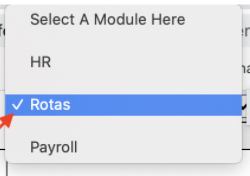
To compare figures with Tenzo use Rotas
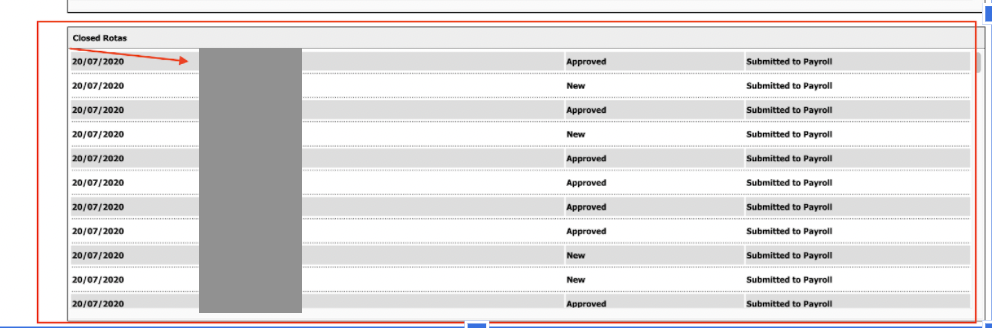
Select a rota approved for the selected location
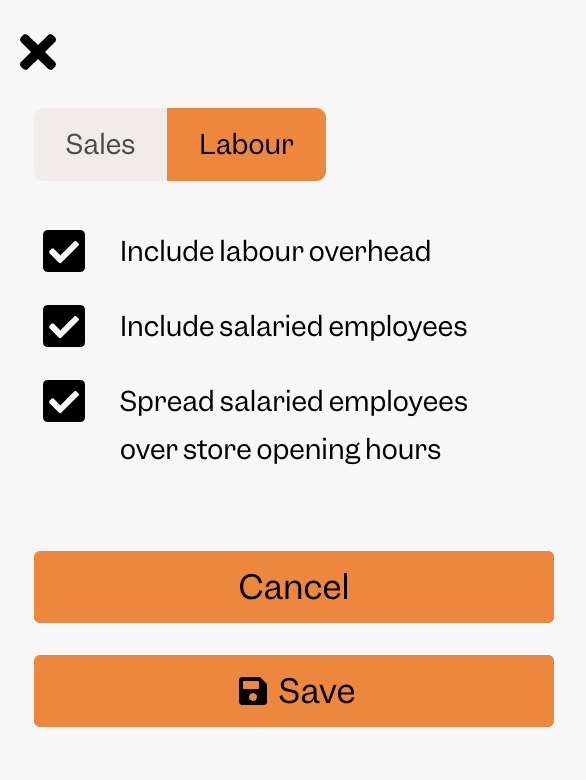
In Tenzo settings, click Labour and check the following:
Exceptions
- Planned cost data in the past will be equal to Actual cost data.
- Sometimes Fourth’s Total Wage Cost do not equal the Sum of Employee Wage Cost on a rota and this can cause a mismatch. This is because some job title's costs are being excluded from the rota. This can be seen in Rota → Admin → Configure Locations in Fourth. Tenzo will only pull through the costs from the job titles that are being included in the rota.
- Tenzo requires nicknames to be unique.
- Tenzo does not support custom location costs.
- Tenzo will map 1 employee to 1 division per day.
- Fourth doesn’t cost agency staff on the rota, so Tenzo costs them at their rota hours × pay rate from Fourth, with no employer NI or pension. This applies to the agency job titles set up for your account, so ask your Customer Success Manager to add the job titles your agency staff use in Fourth. Tenzo’s labour cost will be higher than the rota’s wage cost in Fourth by this amount.