

Guide: Rotaready Write - sending Tenzo forecasts into Rotaready
How Do Core Concepts Map to Tenzo?
Key: ✅ Supported 🚸 Work in Progress ❌ Not Supported
 |
|
|---|---|
| Location | ✅ Locations (entities) |
| Sales Forecast | ✅ Cost Control Sales (Future) |
| Actual Sales | ✅ Cost Control Sales (Past) |
Data Ingestion
| Real-time optionally available? | ❌ |
| Default polling frequency | Forecasts: every 6 hours. Actual sales: twice a day |
| Data retrieved on each poll | Forecasts: the next two weeks. Actual sales: the last 7 days |
| Historical data | We can set the date from when you want your sales forecast to be sent through to Rotaready. This can be from a historical date. |
How Do I Compare Rotaready Data to Data in Tenzo?
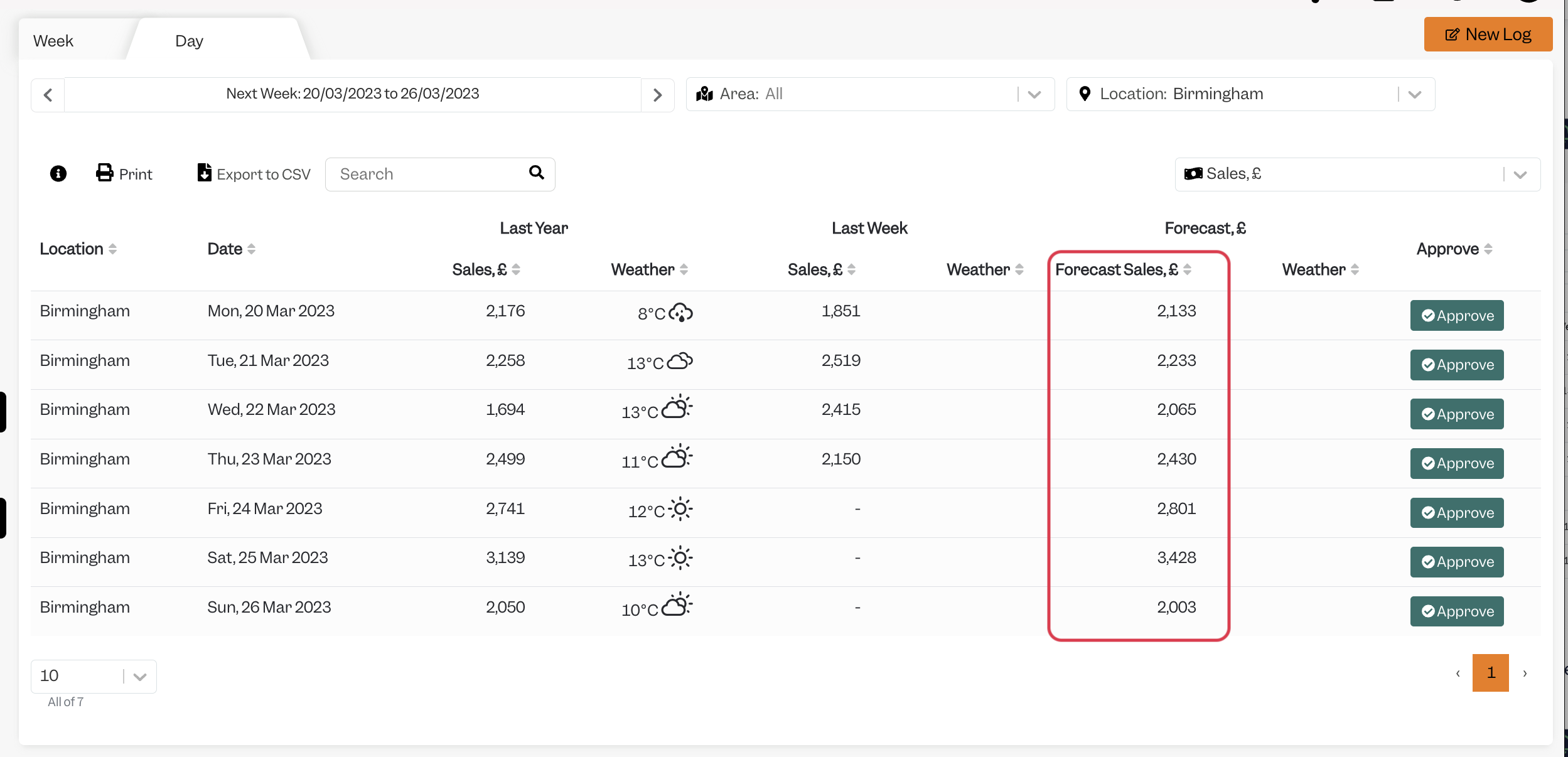
In Planning > Sales by Location you will see your approved forecasts:
These are fed through into Rotaready and are written into the rota cost control sheet into the Food & Drink Forecasted sales row:
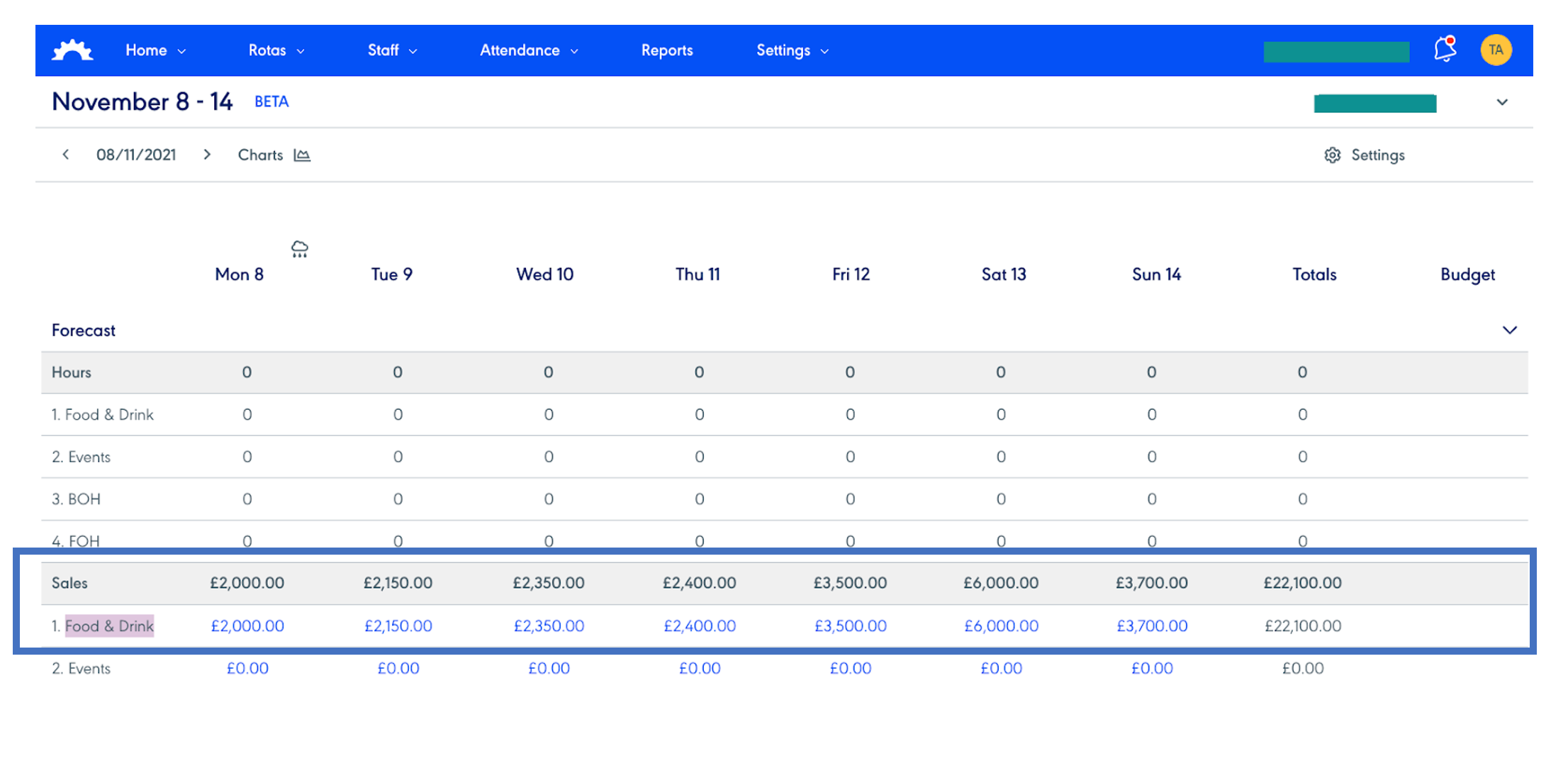
When the Tenzo to Rotaready integration has been set up it is not possible in Rota Ready to manually adjust or alter the sales forecast in Rotaready.
Exceptions
None