

Guide: VitaMojo
How Do Core Concepts Map to Tenzo?
Key: ✅ Supported 🚸 Work in Progress ❌ Not Supported
 |
|
|---|---|
| Location | ✅ Store |
| Order Type | ✅ Order Type |
| Revenue Center | ✅ Channel |
| Product Item | ✅ Catalog item |
| Product Category | ✅ external category |
| Product Division | ✅ |
| Tender Type | ✅ Payment Mode |
| Employee | ✅ Supported on payments |
| Customer | ✅ customer ID |
| Discount | ✅ Promotion |
| TicketItemDiscounts | ✅ Item Discount |
| TicketDiscounts | ❌ Not Supported |
| TicketItemModifiers | ✅ Modifiers |
| Guest Count | ✅ Guest Count |
| Transaction length | ✅ Transaction length |
| KDS Bump Time | ✅ KDS Bump Time |
| Ticket Voids | ✅ Ticket Voids |
| Ticket Item Voids | ✅ Ticket Item Voids |
| Table | ✅ |
| Service Charge | ✅ Service Charge |
| Tips | ❌ Not Supported |
| Menu Item Size | ✅ |
| Price | ❌ Not Supported |
| Menu Item Visibility | ❌ Not Supported |
Data Ingestion
| Real-time optionally available? | ✅ |
| Default polling frequency | Every hour |
| Data retrieved on each poll | Today and yesterday |
| Historical data | All data since you started using your POS |
| Business date cutoff time is determined by the POS or Tenzo | Tenzo: orders are grouped by the calendar day they were created (midnight to midnight) |
How Do I Compare VitaMojo Data to Data in Tenzo?
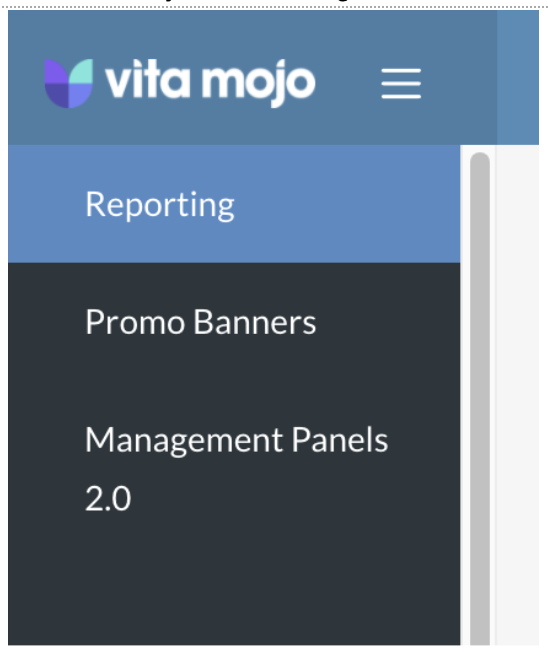
In VitaMojo click the menu and then Reporting:
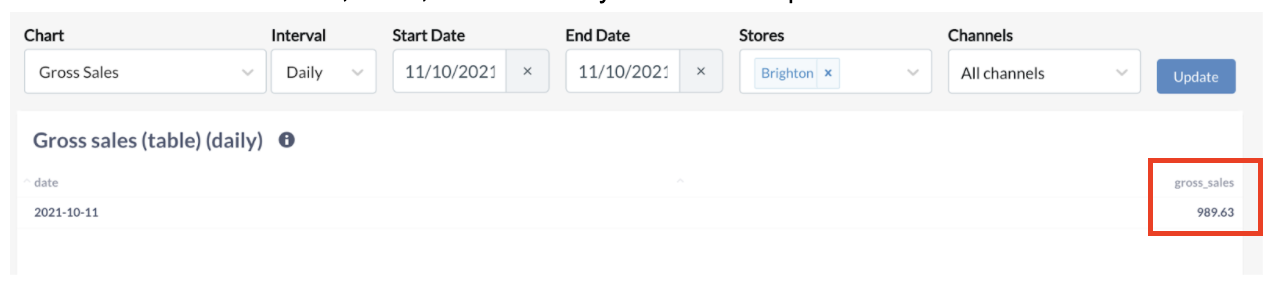
Select the Gross Sales chart, dates, and locations you wish to compare:
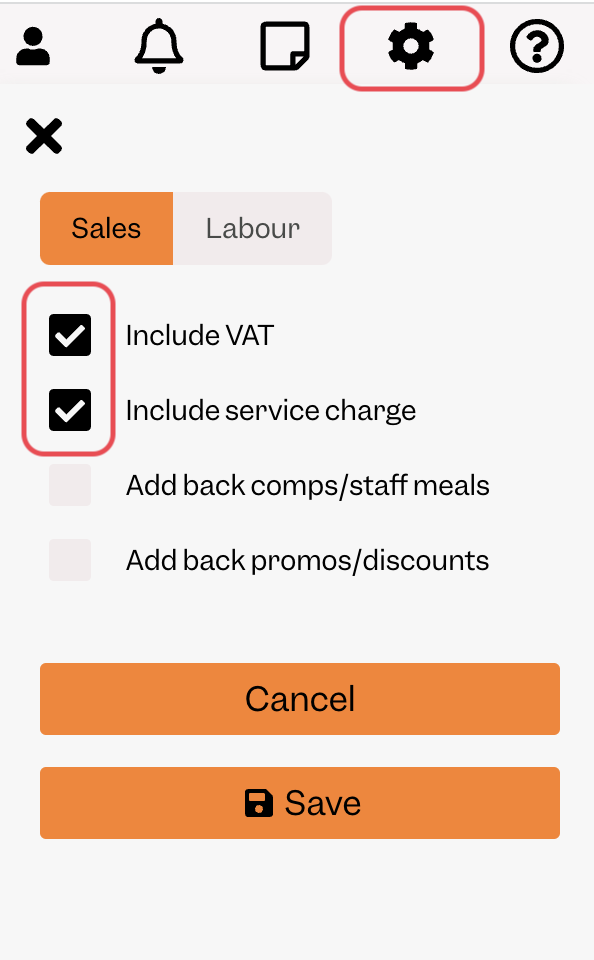
In Tenzo settings, include tax and service charges.
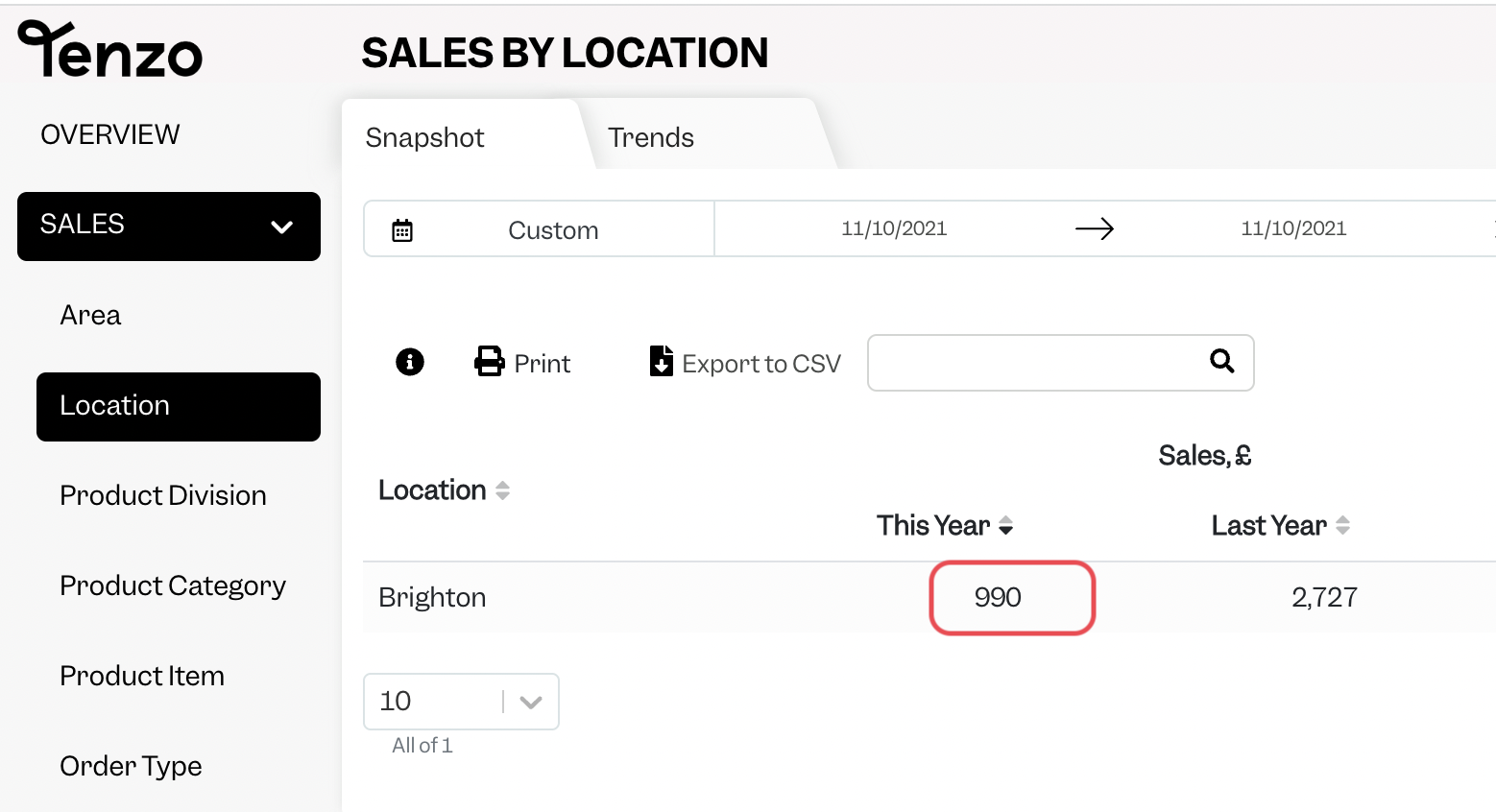
You will then be able to see the same number by selecting one day within Tenzo’s “Sales by Location” view.
Exceptions
None