

Guide: Workforce/Tanda Write - sending Tenzo forecasts into Workforce
How Do Core Concepts Map to Tenzo?
Key: ✅ Supported 🚸 Work in Progress ❌ Not Supported
 |
|
|---|---|
| Sales | ✅ Sales |
| 15-Minute Forecasts | ✅ 15-Minute Forecasts |
Data Ingestion
| Real-time optionally available? | ❌ |
| Default polling frequency | Forecasts every 6 hours Sales twice a day |
| Data written on each poll | Forecasts: today and the next 13 days. Sales: the last 7 days |
| Historical data | You specify the date to start from when setting up the integration. This will push in forecasts from this point assuming there are forecasts in Tenzo. |
How Do I Compare Workforce Data to Data in Tenzo?
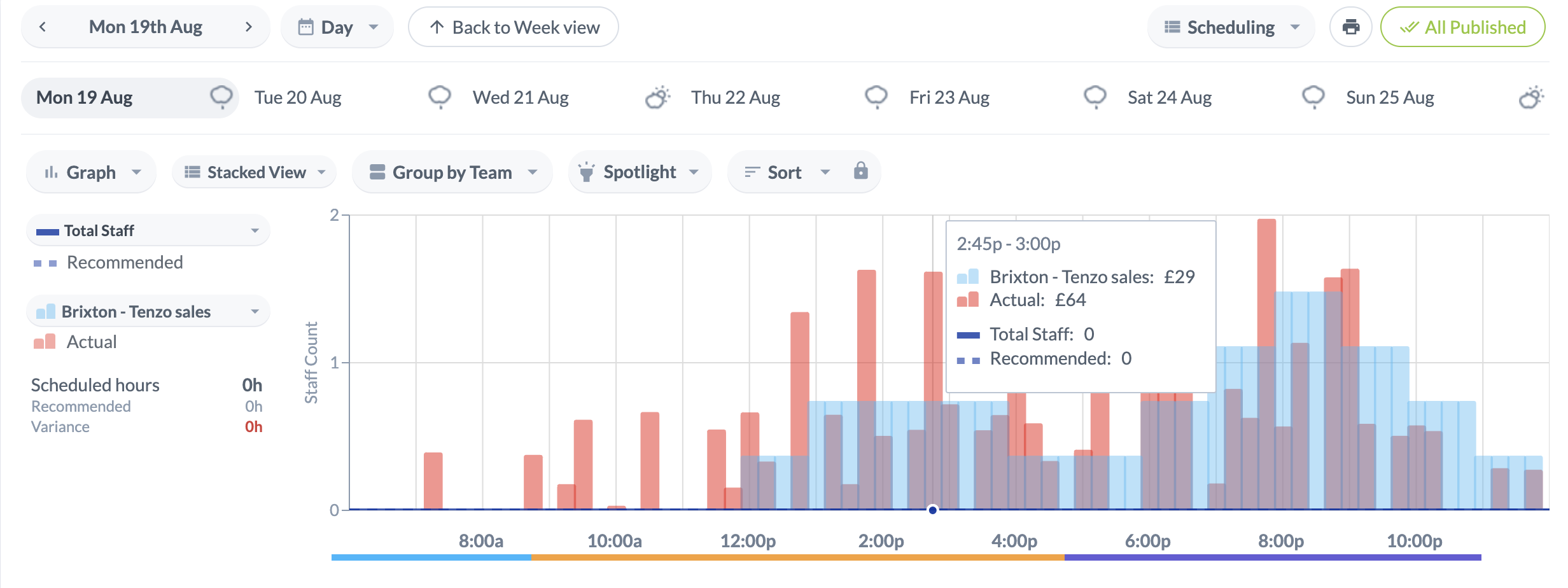
Tenzo's 15-minute Forecasts and Actual Sales are available in Time&Attendance > Rotas:
Additionally, there is a Weekly Planner widget in Time&Attendance > Dashboard:
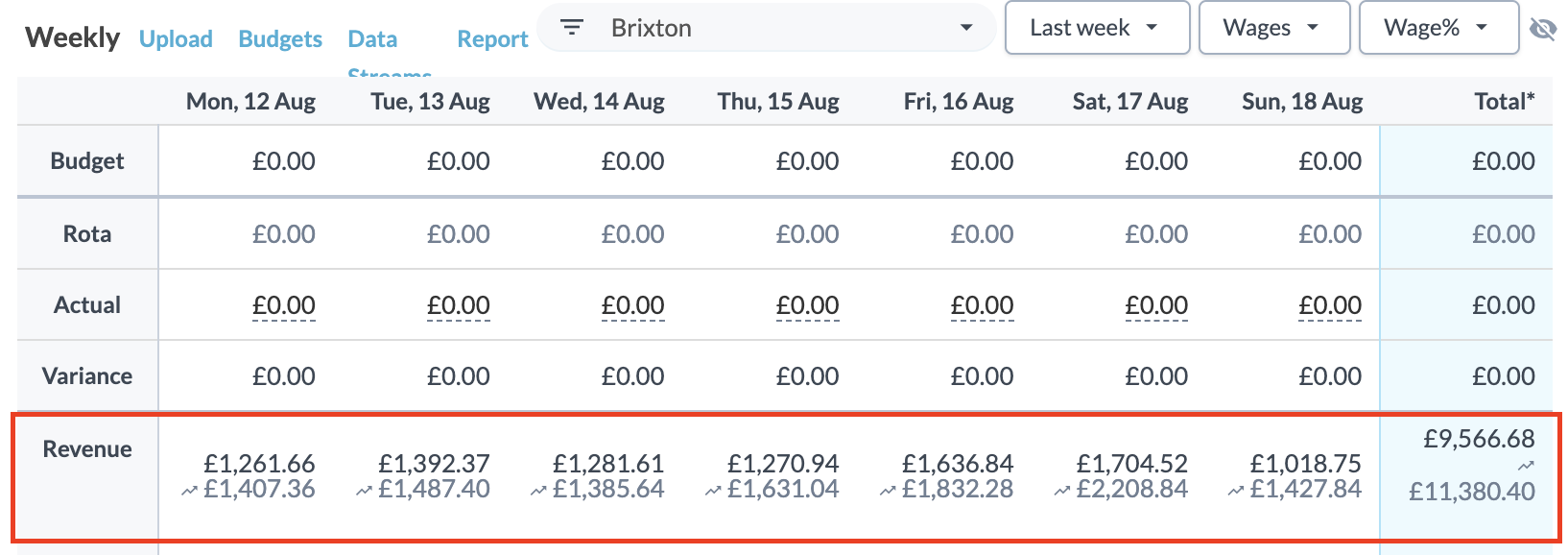
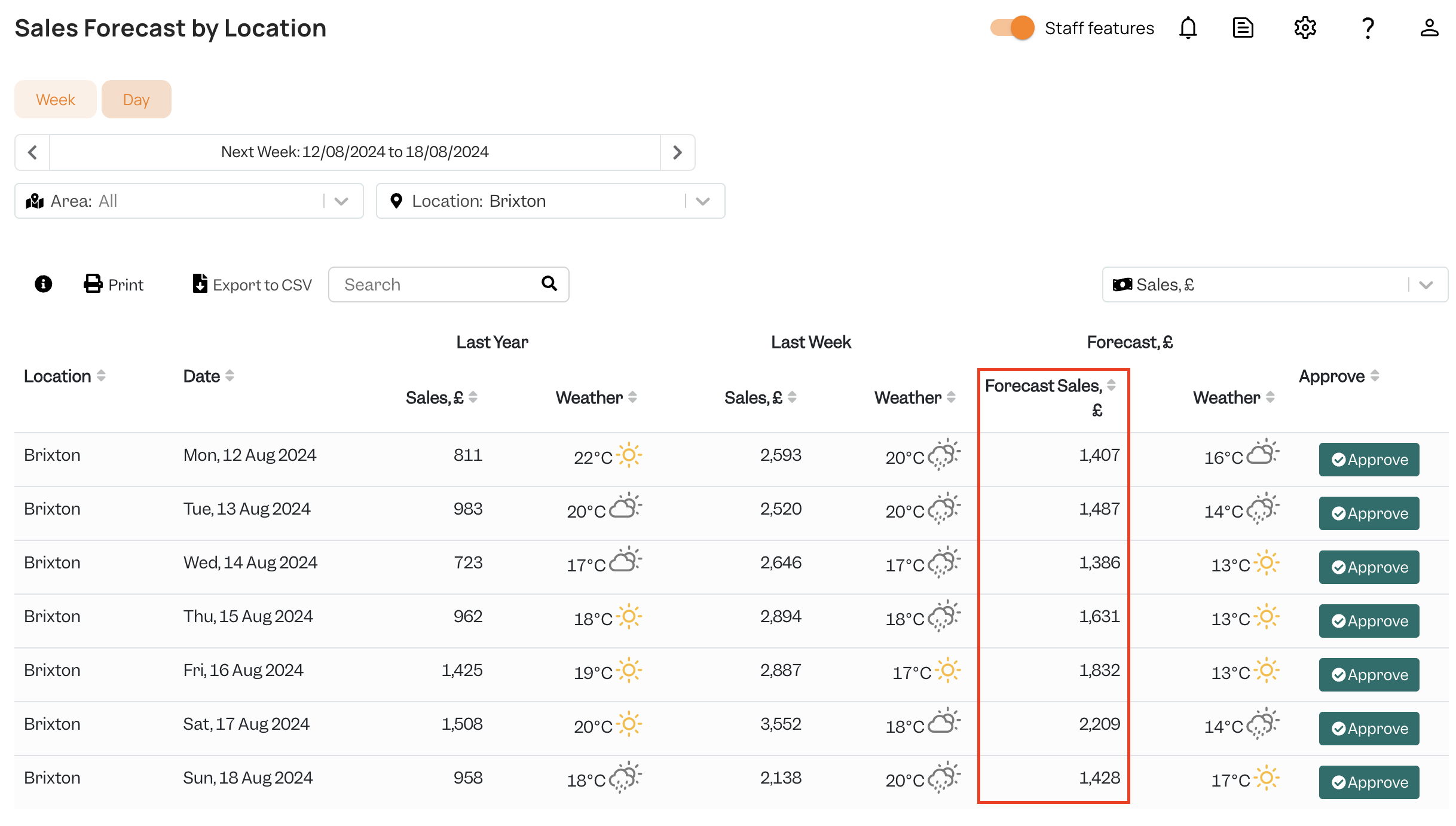
The top line of Revenue corresponds to the sales data imported from Tenzo, and the second line is the corresponding forecast. This sales forecast can be found in the Tenzo Planning module, in the Sales by Location section:
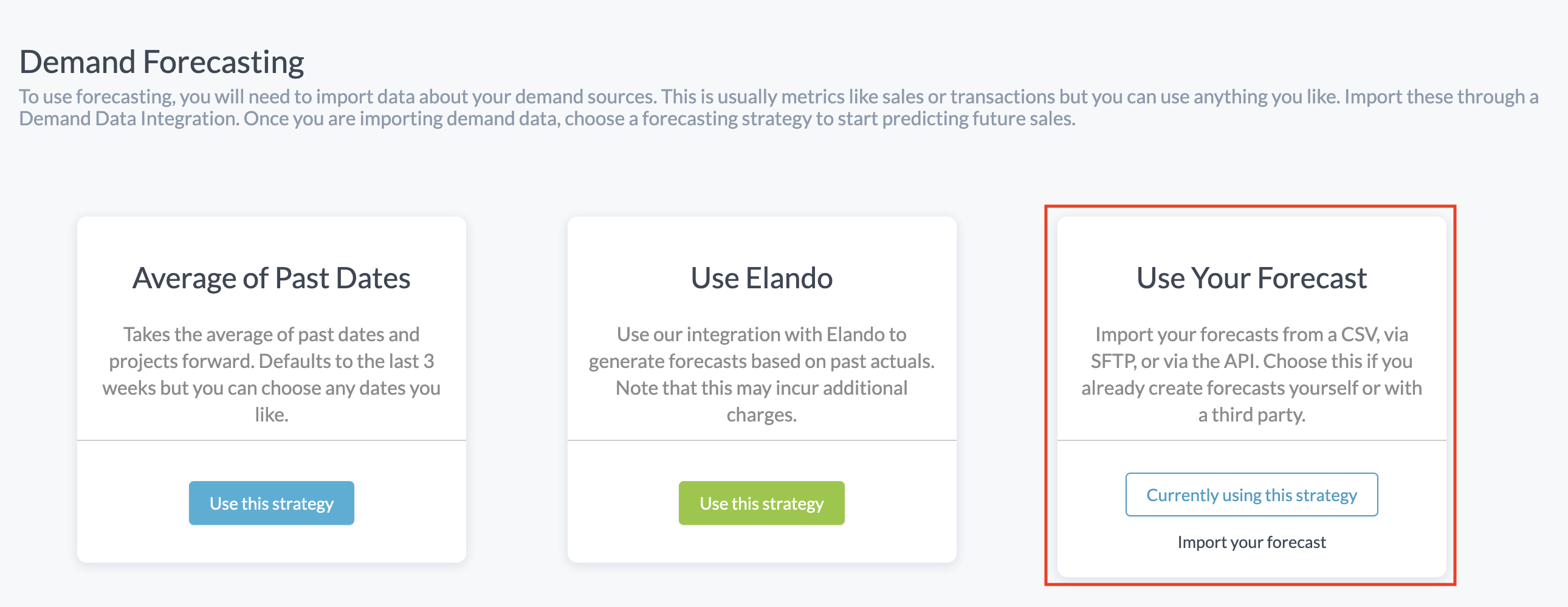
Several sources of forecast data are available in Workforce. If you want Tenzo forecasts to be used in the Dashboard and Rotas, make sure the 'Use Your Forecast' option is selected in Settings > Integrations > Demand Forecasting:
Exceptions
None.