
Guide: Apicbase

How Do Core Concepts Map to Tenzo?
Key: ✅ Supported 🚸 Work in Progress ❌ Not supported

|
Location |
✅ Outlets |
|
Vendor |
✅ Company |
|
Category |
✅ Ingredients category (or the accounting category, when an ingredient has no category) |
|
Item |
✅ Some information from ingredients, some information from stock items |
|
Purchases |
✅ Purchases (Delivered Date) — Packages from delivered Purchase Orders |
|
Actual Usage |
✅ Actual Cost of Goods Sold |
|
Theoretical Usage |
❌ NOT SUPPORTED |
|
Waste |
✅ Waste |
|
Menu Item Costs |
✅ Recipe Costs |
|
Menu Items |
✅ |
|
Transfers |
❌ Not Supported |
Data Ingestion
|
Real-time optionally available? |
❌ |
|
Default polling frequency |
Every 4 hours |
|
Data retrieved on each poll |
Everything changed in Apicbase since the last poll |
|
Historical data |
From the start date entered at setup (the first day there is data in Apicbase) |
How Do I Compare Apicbase Data to Data in Tenzo?
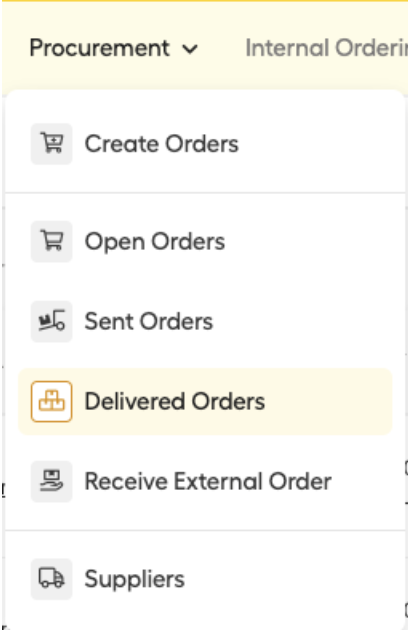
Navigate to the Delivered Orders within Procurement:
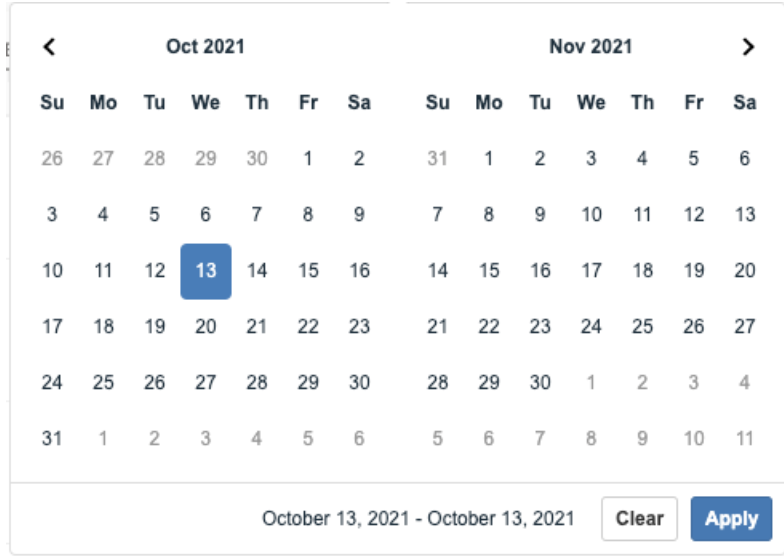
Choose business and the selected date:
Compare billed total in Apicbase to purchases in Tenzo:
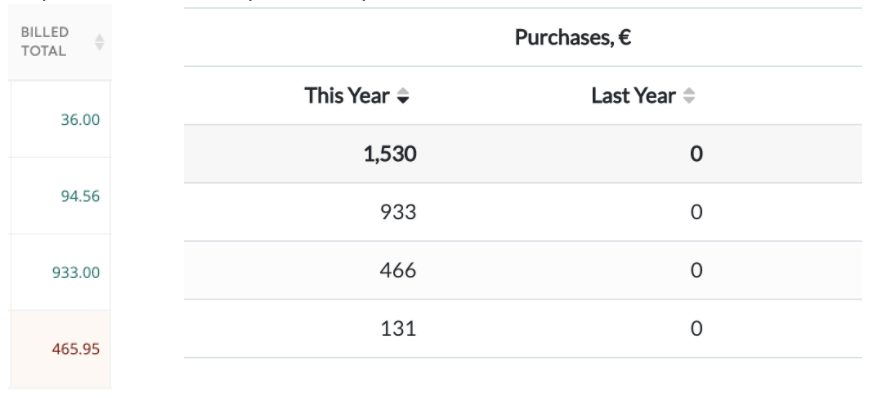
The totals are in Apicbase (left) and in Tenzo (right).
Note:
- If there are multiple orders from the same business, add them together on Apicbase to find the same number on Tenzo. E.g. 36+94.56=130.56 (rounded to 131).
- On the 'Delivered Orders' page in Apicbase, orders will be shown if they have been ordered or delivered on any day within the date range. Tenzo shows orders delivered within the date range. Therefore the orders in Apicbase need to be filtered for only orders delivered within that date range before comparing to Tenzo.
#integrations #inventory