

Guide: Cooking the Books
How Do Core Concepts Map to Tenzo?
Key: ✅ Supported 🚸 Work in Progress ❌ Not Supported
 |
|
|---|---|
| Location | ✅ Outlet |
| Vendor | ✅ Supplier |
| Category | ✅ Category |
| Item | ✅ Stock Item |
| Purchases | ✅ Purchases (Invoice Date) |
| Actual Usage | ✅ Actual Usage |
| Theoretical Usage | ✅ Theoretical Usage |
| Recorded Wastage | ✅ Wastage |
| Transfers | ❌ Not Supported |
| Menu Items | ❌ Not Supported |
| Menu Item Costs | ❌ Not Supported |
Data Ingestion
| Real-time optionally available? | ❌ |
| Default polling frequency | Every 20 minutes (Tenzo checks the SFTP folder for new files). CTB sends files daily, plus monthly files for Purchases and Actual Usage |
| Data retrieved on each poll | Last 2 weeks of Purchases and Wastage, plus Actual and Theoretical Usage, as sent by CTB. Each day in a file replaces what Tenzo already holds for that outlet and day. Actual Usage is recorded on the day before the usage date in the file |
| Historical data | The last 2 weeks from the date the integration is set up. For older history, ask CTB to send historical files |
How Do I Compare Cooking the Books Data to Data in Tenzo?
Purchases
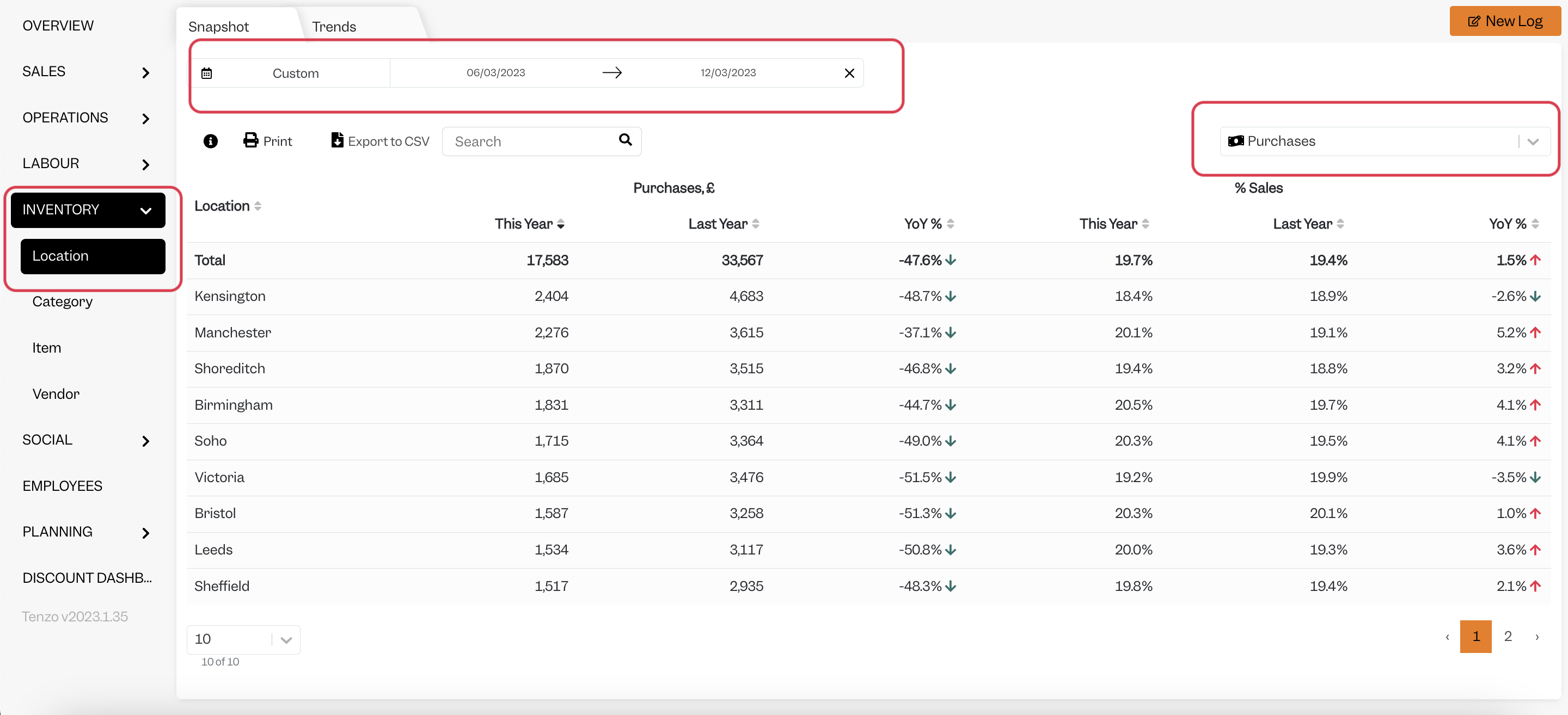
Purchases in Tenzo can be viewed by going to the Inventory module then choosing 'Purchases' from the drop down:
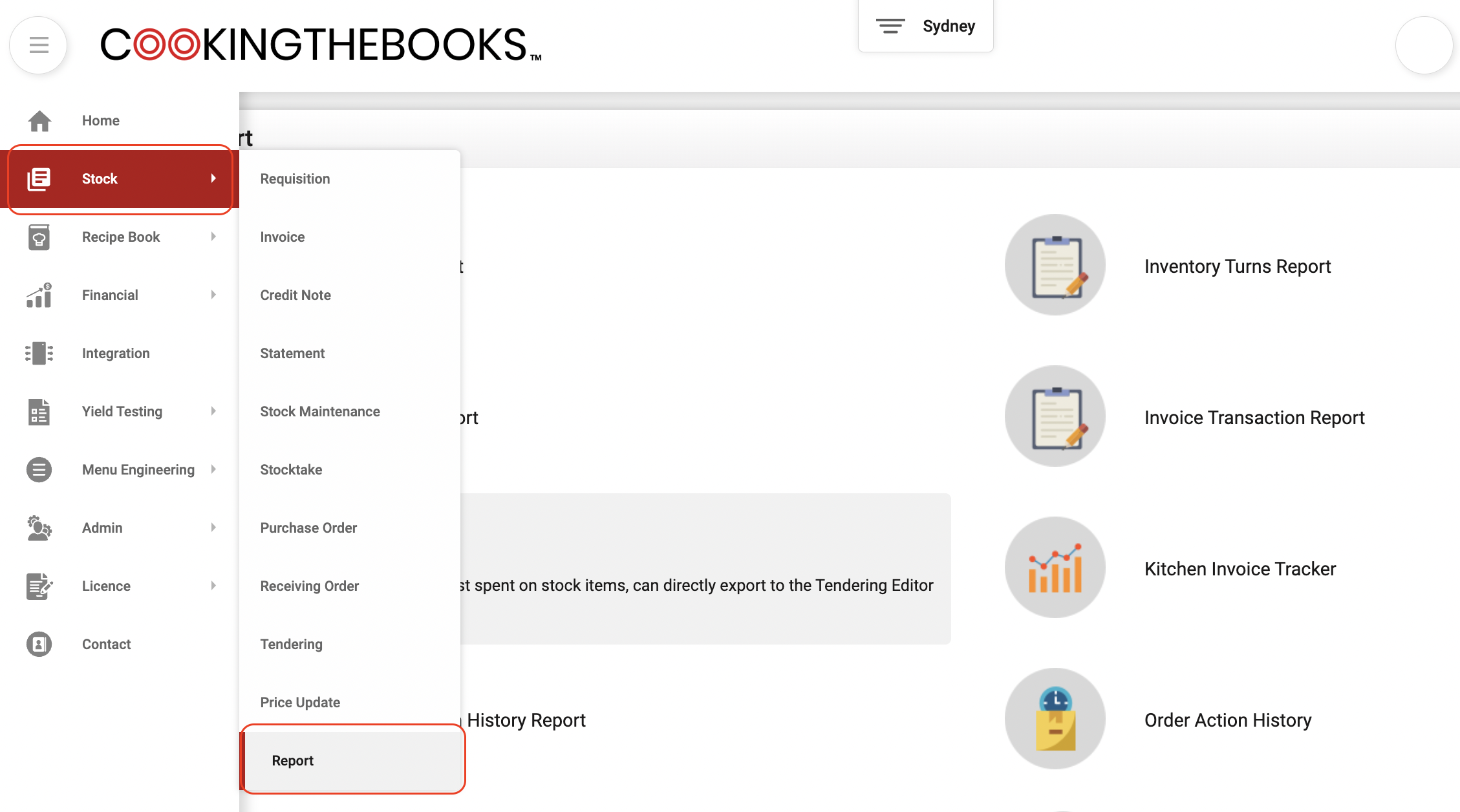
In Cooking the Books, this data can be viewed in the Item Spent Report, usually found under Stock -> Report.
Actual Usage
Actual Usage can be found in Tenzo in the Inventory module by choosing 'Actual Usage' from the drop down (see Purchases above).
In Cooking the Books, this data can be viewed in the Stock Used Report, also under Stock -> Report (see above).
Theoretical Usage
Theoretical Usage can be found in Tenzo in the Inventory module by choosing 'Theoretical Usage' from the drop down (see Purchases above).
In Cooking the Books, this data can be viewed in the Theoretical Usage Report, under Financial -> Report.
Wastage Usage
Wastage can be found in Tenzo in the Inventory module by choosing 'Waste and Unrecorded Usage' from the drop down (see Purchases above).
In Cooking the Books, this data can be viewed in the Wastage Report, under Financial -> Wastage Records.
Exceptions
- Actual Usage can be slightly mismatching. This is because the cost of the items at the time of viewing the Stock Used Report can be different to the cost of the items when the data was exported from Cooking the Books.