
Guide: NCR Aloha Sales
How Do Core Concepts Map to Tenzo?
Key: ✅ Supported 🚸 Work in Progress ❌ Not Supported
 |
|
|---|---|
| Location | ✅ Agent |
| Order Type | ✅ Order Type |
| Revenue Center | ✅ Revenue Center |
| Product Item | ✅ Item |
| Product Category | ✅ Category |
| Product Division | ✅ Division |
| Tender Type | ✅ Tender Type |
| Employee | ✅ Employee |
| Customer | ❌ Not Supported |
| Discount (Names) | ✅ Discount |
| TicketItemDiscounts (Amounts) | ✅ Item Discounts |
| Ticket Item Modifiers | ✅ Modifiers |
| TicketDiscounts | ❌ Not Supported |
| Guest Count | ✅ |
| Transaction length | ✅ Open date - Close date |
| KDS Bump Time | ❌ Not Supported |
| Ticket Voids | ❌ Not Supported |
| Ticket Item Voids | ✅ |
| Table | 🚸 Table |
| Service Charge | ✅ Service Charge |
| Tips | ✅ Tips |
| Price | ✅ Price from sales items |
| Menu Item Visibility | ❌ Not Supported |
| Menu Item Size | ❌ Not Supported |
Data Ingestion
| Real-time optionally available? | ✅ |
| Default polling frequency | Every 20 minutes (Tenzo processes the files uploaded by the NCR Aloha agent) |
| Data retrieved on each poll | Whatever the agent has uploaded since the last run |
| Historical data | All data since you started using your POS |
| Data received per day or continuous | Per Day |
How Do I Compare NCR Aloha Data to Data in Tenzo?
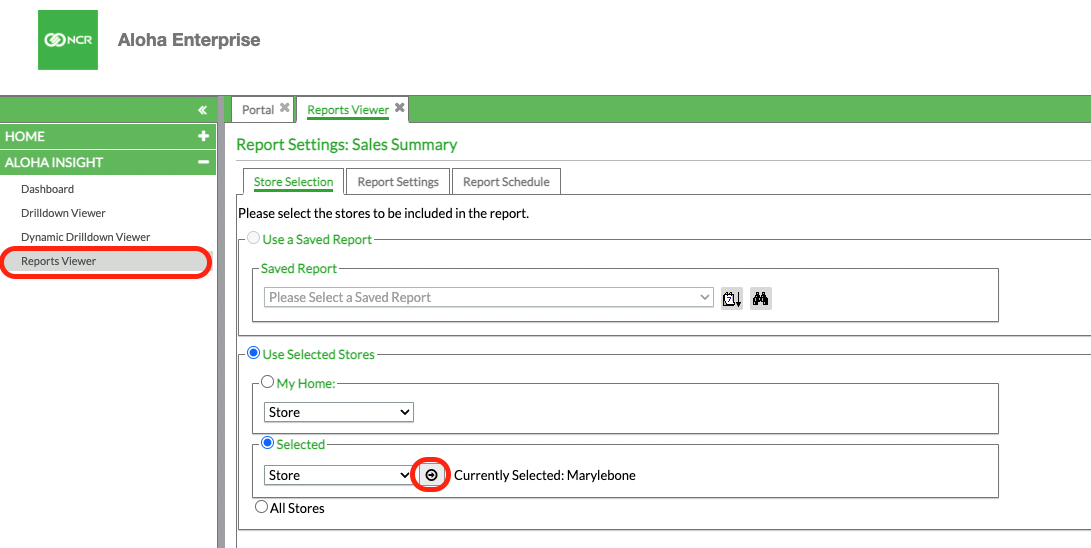
In Aloha Enterprise, navigate to Aloha Insight -> Reports Viewer.
From here you can choose a store on the Store Selection tab. Click on the arrow in a circle button (highlighted below) to choose a store.
Then you can choose a date range in 'Report Settings':
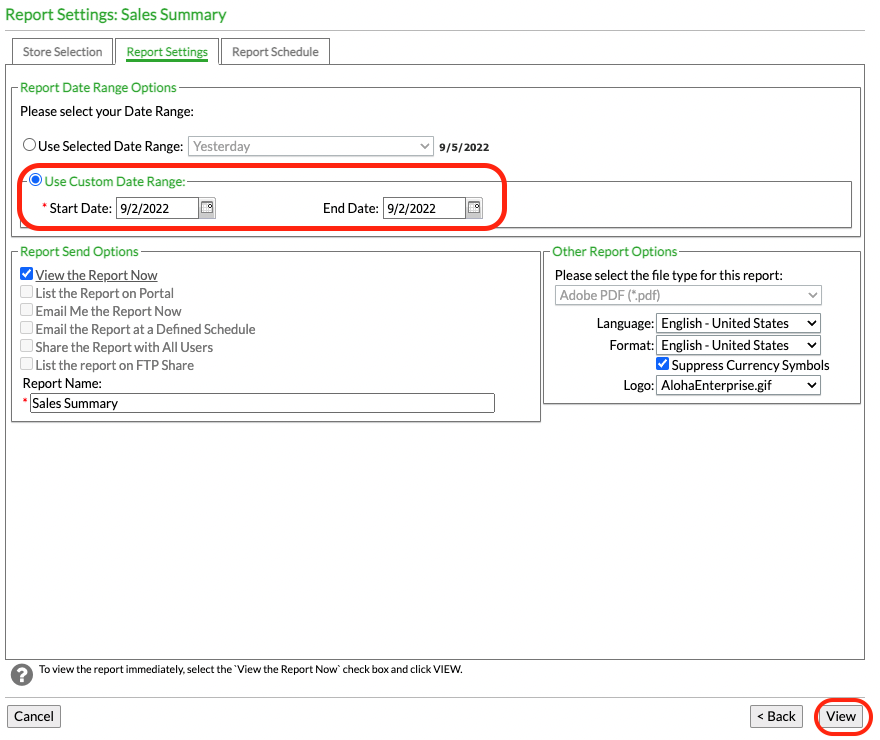
Clicking 'View' will download the report in a PDF and it will look similar to this:
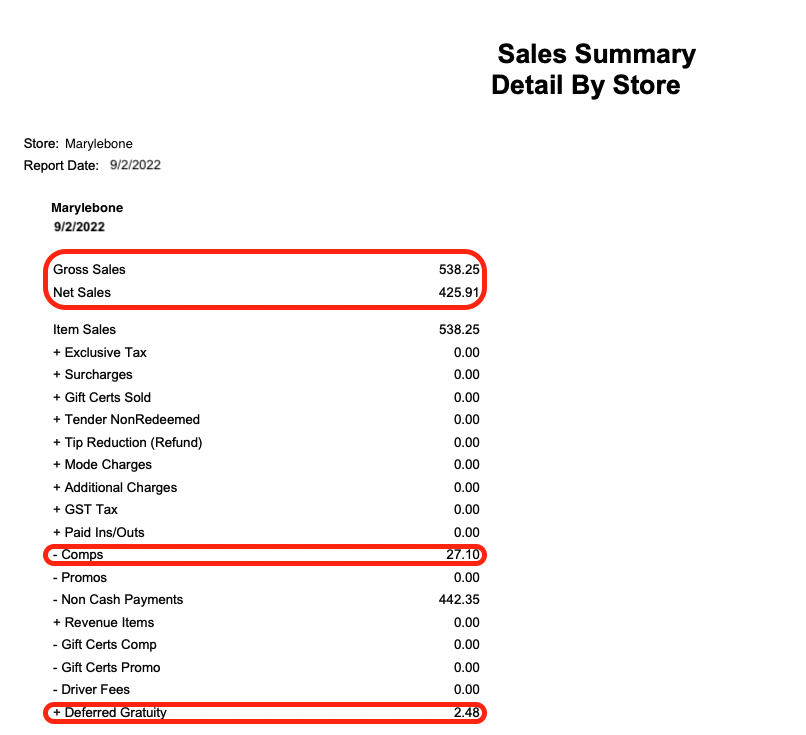
In Tenzo, these figures can be compared to those in the Sales module.
For example in Sales -> Location:
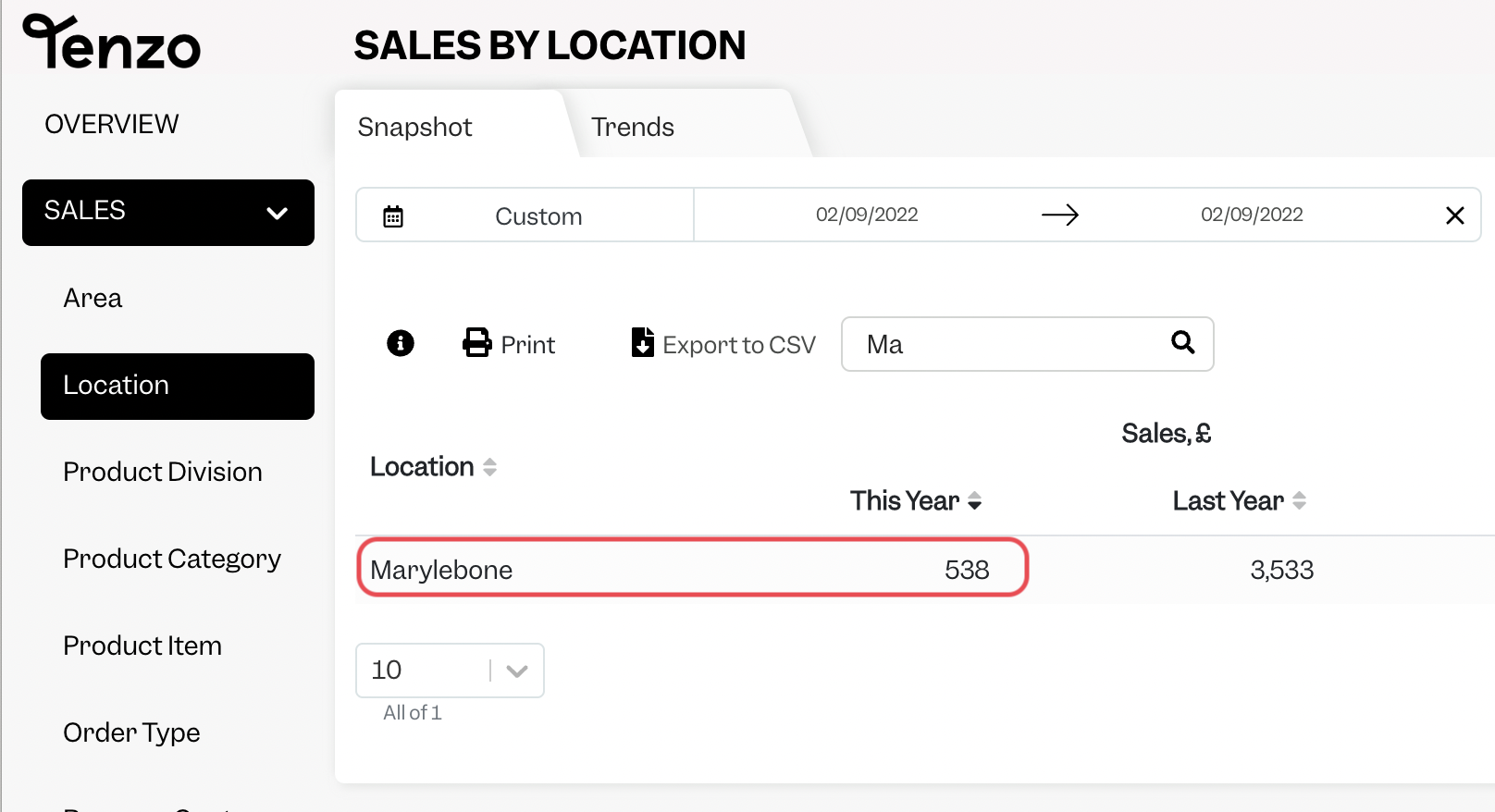
Gross Sales matches when VAT and Comps settings are checked:
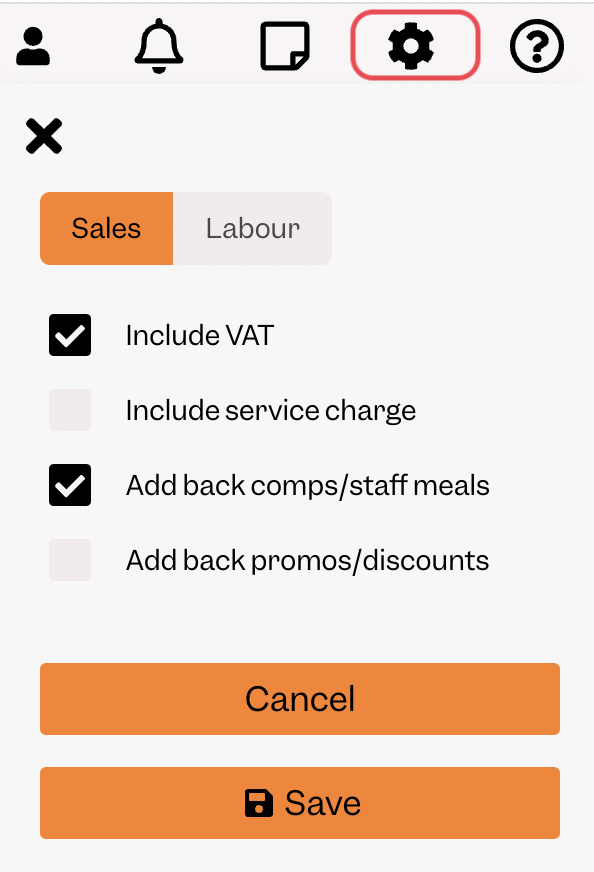
Net matches when no Sales settings are checked. Tenzo's Service Charge is the Deferred Gratuity plus any surcharges added to checks in Aloha.
Exceptions
None