

Guide: Zonal
How Do Core Concepts Map to Tenzo?
Key: ✅ Supported 🚸 Work in Progress ❌ Not Supported
 |
|
|---|---|
| Location | ✅ Location |
| Order Type | ✅ Order Destination |
| Revenue Center | ✅ EPOS device / terminal |
| Product Item | ✅ Product |
| Product Category | ✅ Category |
| Product Division | ✅ Category Type |
| Tender Type | ✅ Payment Type |
| Employee | ✅ Employee |
| Customer | ❌ Not Supported |
| Discount (Names) | ✅ Discount |
| TicketItemDiscounts (Amounts) | ✅ Discounts (both item and ticket) |
| TicketDiscounts (Amounts) | ❌ Spread over items |
| Guest Count | ✅ Number of customers |
| Transaction length | ✅ Closing Date - Creation Date |
| KDS Bump Time | ❌ Not Supported |
| Ticket Voids | ❌ Not Supported |
| Ticket Item Voids | ❌ Not Supported |
| Table | ❌ Not Supported |
| Service Charge | ✅ Service Charge |
| Tips | ✅ Tips |
| Price | ✅ Price from sales items |
| Menu Item Visibility | ✅ |
| Menu Item Size | ✅ |
| Ticket Item Modifiers | ✅ |
Data Ingestion
| Real-time optionally available? | ✅ |
| Default polling frequency | Data is pushed by the Tenzo agent installed on the Zonal server; Tenzo processes new categorical files every 20 minutes and sales files as they arrive |
| Data retrieved on each poll | Whatever the agent sends (one file per business day); how often it sends is set on the agent |
| Historical data | All data since you started using your POS |
| Data received per day or continuous | Set by your Tenzo CS rep at the individual POS server level |
| Business date cutoff time is determined by the POS or Tenzo | Tenzo: the day cutoff is set on the Tenzo agent installed on your Zonal server |
How Do I Compare Zonal Data to Data in Tenzo?
Tenzo matches the 7 day statement of trade in Zonal via the below:
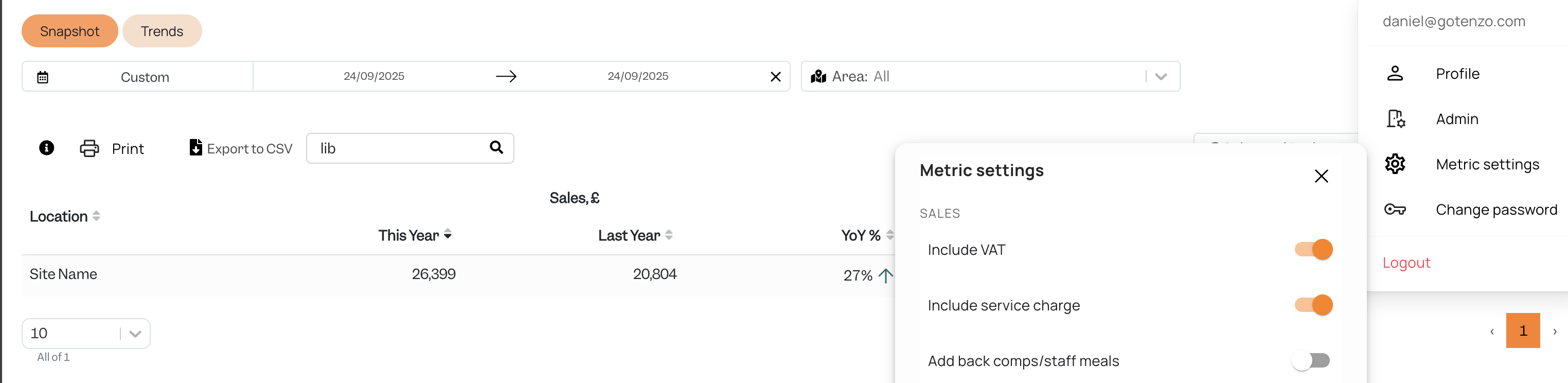
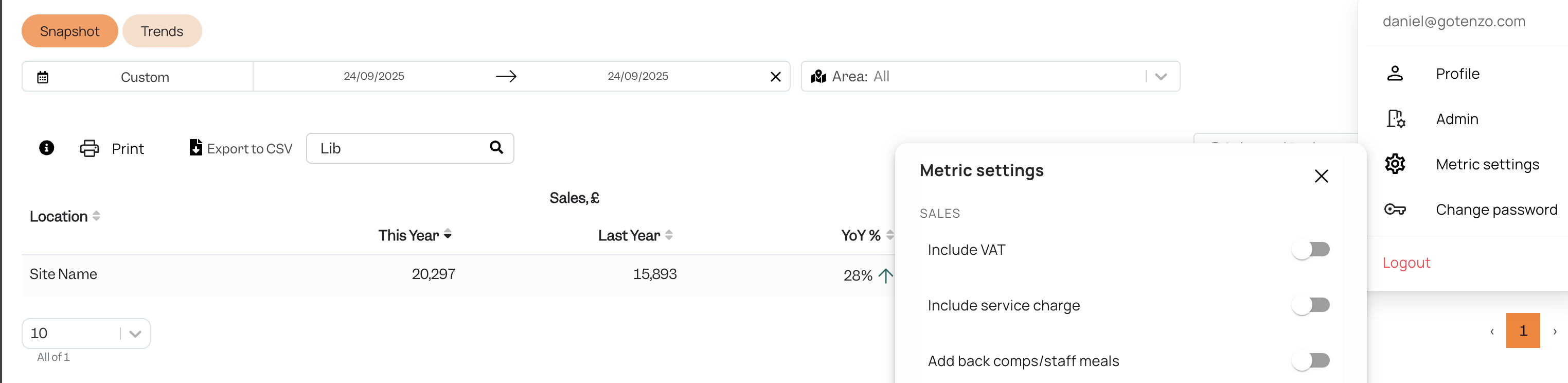
- Total Sales after Promo and Discount = Metric Settings Sales with both VAT and Service charge off in Admin
- Total Net Sales = Metric Settings Sale with both turned on
Exceptions
Note: Zonal has 'Promotions' and 'Discounts' as two separate concepts. In Tenzo both of these concepts are combined and represented under the name 'Discounts'.