

Guide: Lightspeed K Series
How Do Core Concepts Map to Tenzo?
Key: ✅ Supported 🚸 Work in Progress ❌ Not Supported
 |
|
|---|---|
| Location | ✅ Locations |
| Order Type | ✅ Account profile code |
| Revenue Center | ✅ Configurations |
| Product Item | ✅ Product |
| Product Division | ✅ Accounting Group |
| Product Category | ✅ Statistical Group |
| Tender Type | ✅ Payment code |
| Employee | ✅ Staff |
| Customer | ❌ Not Supported |
| Discount (Names) | ✅ Item discounts |
| TicketItemDiscounts (Amounts) | ✅ Item discounts |
| TicketDiscounts (Amounts) | ❌ Not Supported |
| Guest Count | ✅ Covers |
| Transaction length | ✅ Closing Date - Opening Date |
| KDS Bump Time | ❌ Not Supported |
| Ticket Voids | ❌ Not Supported |
| Ticket Item Voids | ✅ |
| Table | ✅ |
| Service Charge | ✅ Service Charge |
| Tips | ✅ Tip (named Gratuity in some regions) |
| Price | ❌ Not Supported |
| Ticket Item Modifiers | ❌ Not Supported |
| Menu Item Visibility | ❌ Not Supported |
| Menu Item Size | ❌ Not Supported |
Data Ingestion
| Real-time optionally available? | ✅ |
| Default polling frequency | Every 20 minutes |
| Data retrieved on each poll | Today and yesterday |
| Historical data | Back to the 'Data start date' entered at setup |
| Data received per day or continuous | Per day |
How Do I Compare Data to Data in Tenzo?
Note: the Standard QA Method has a temporary issue. Whilst this is being fixed, please compare to the Fiscal Summary in Lightspeed (Reports -> Fiscal Summary).
This matches Tenzo when Tax and Service Charge are enabled:
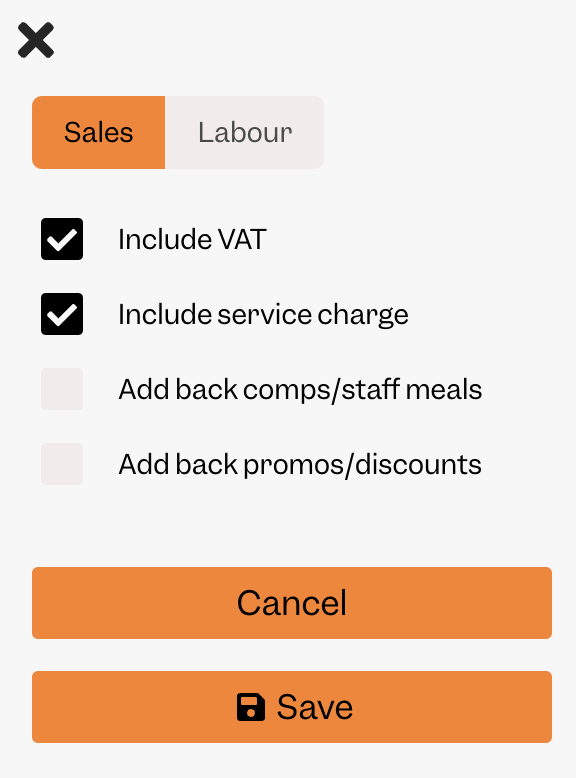
Standard QA Method
Login to Lightspeed K Series and go to the Fiscal Summary (Reports -> All reports -> Fiscal Summary)
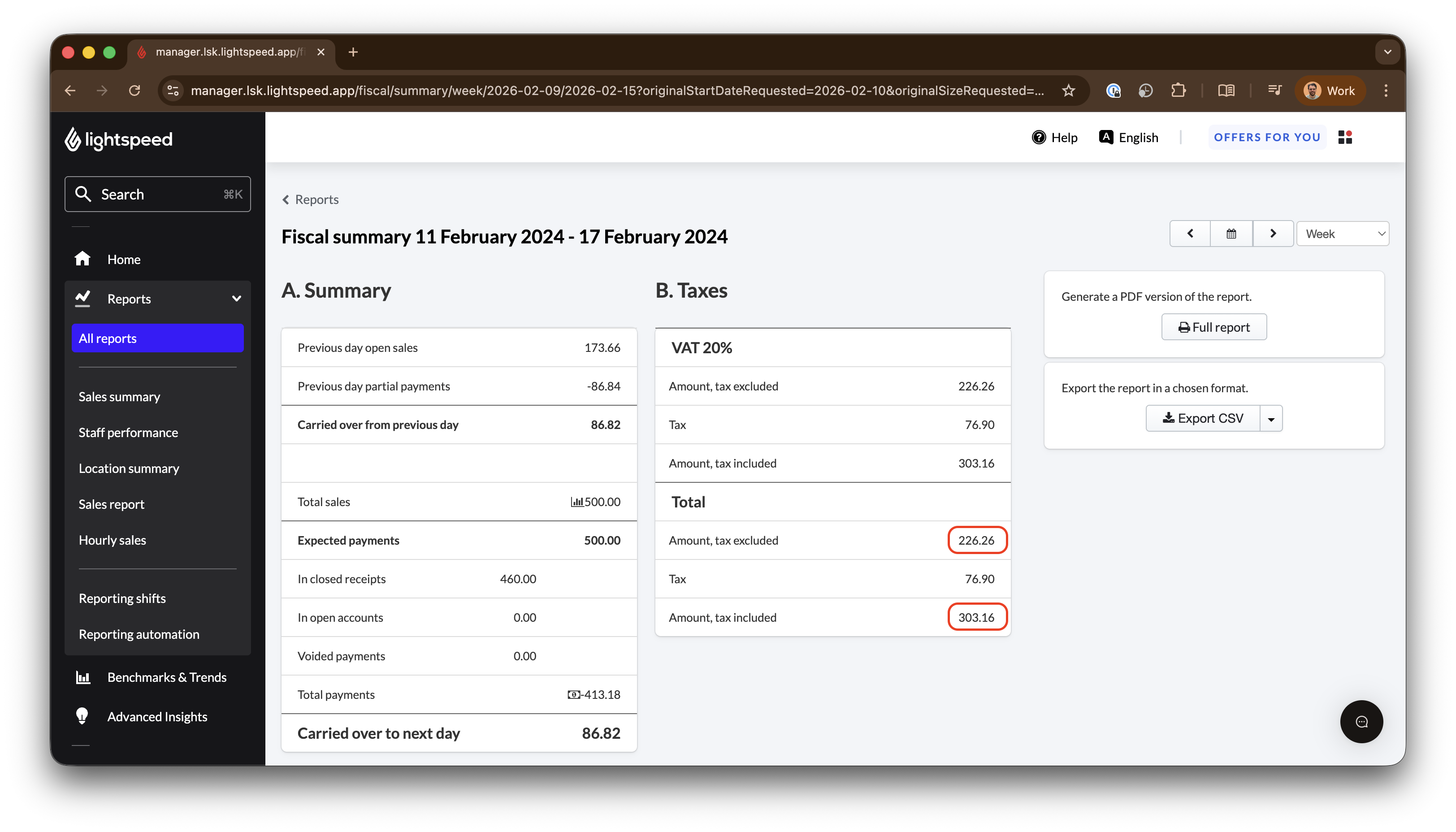
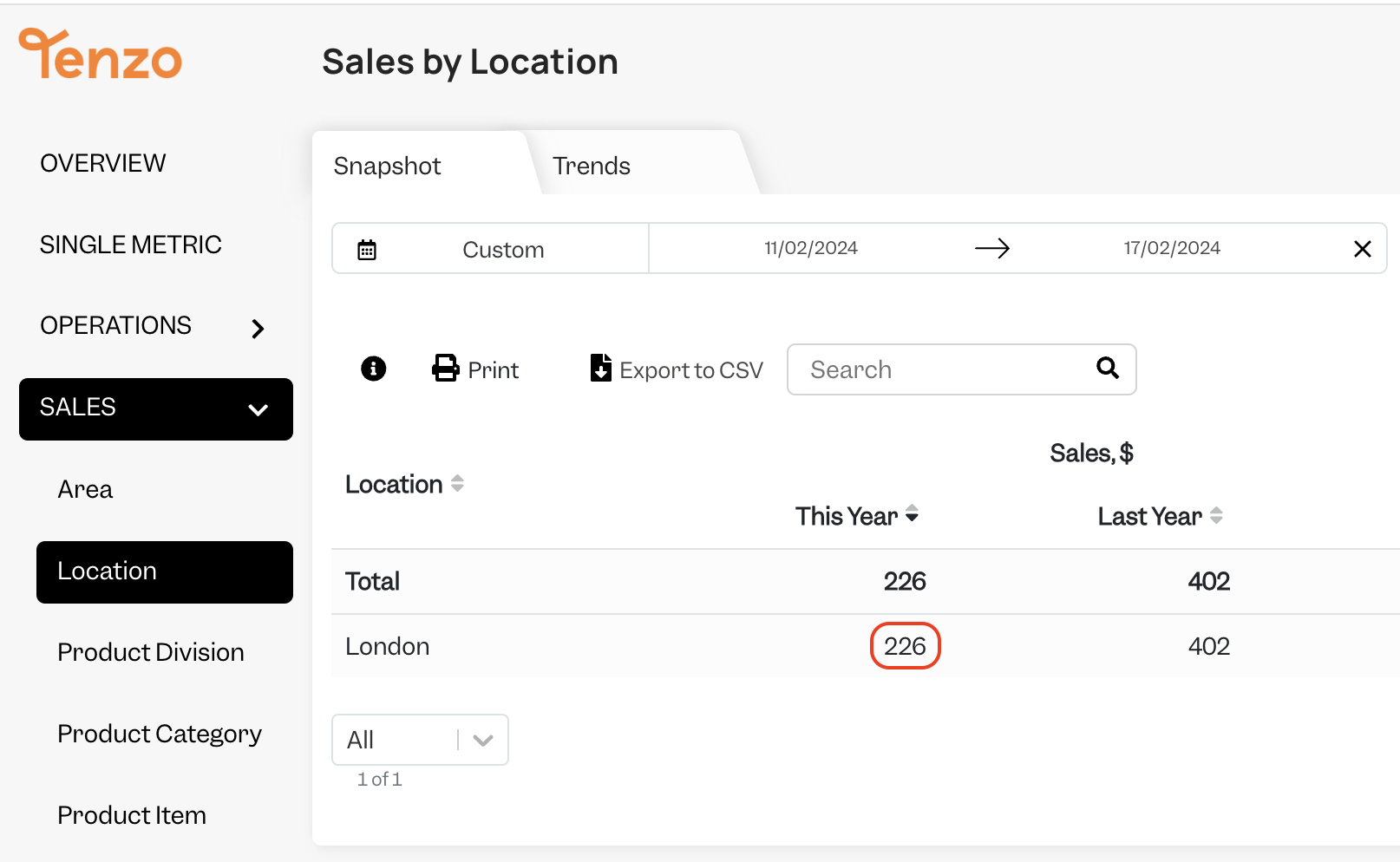
The 'Amount, tax excluded' matches to Tenzo without any service charge or tax:
Required Tenzo settings:
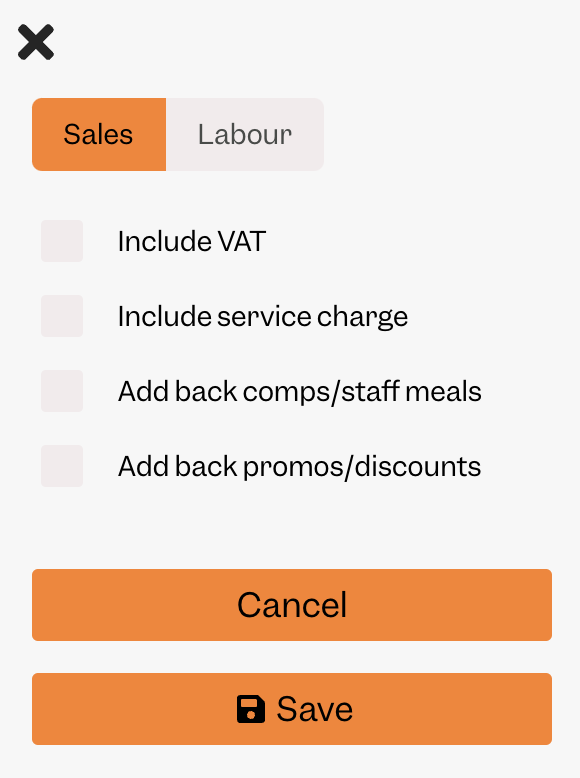
Sometimes 'Include Service Charge' needs to be checked. This depends on your Lightspeed configuration.
The 'Amount, tax included' matches to Tenzo with tax and sometimes with service charge - this is specific to each business.
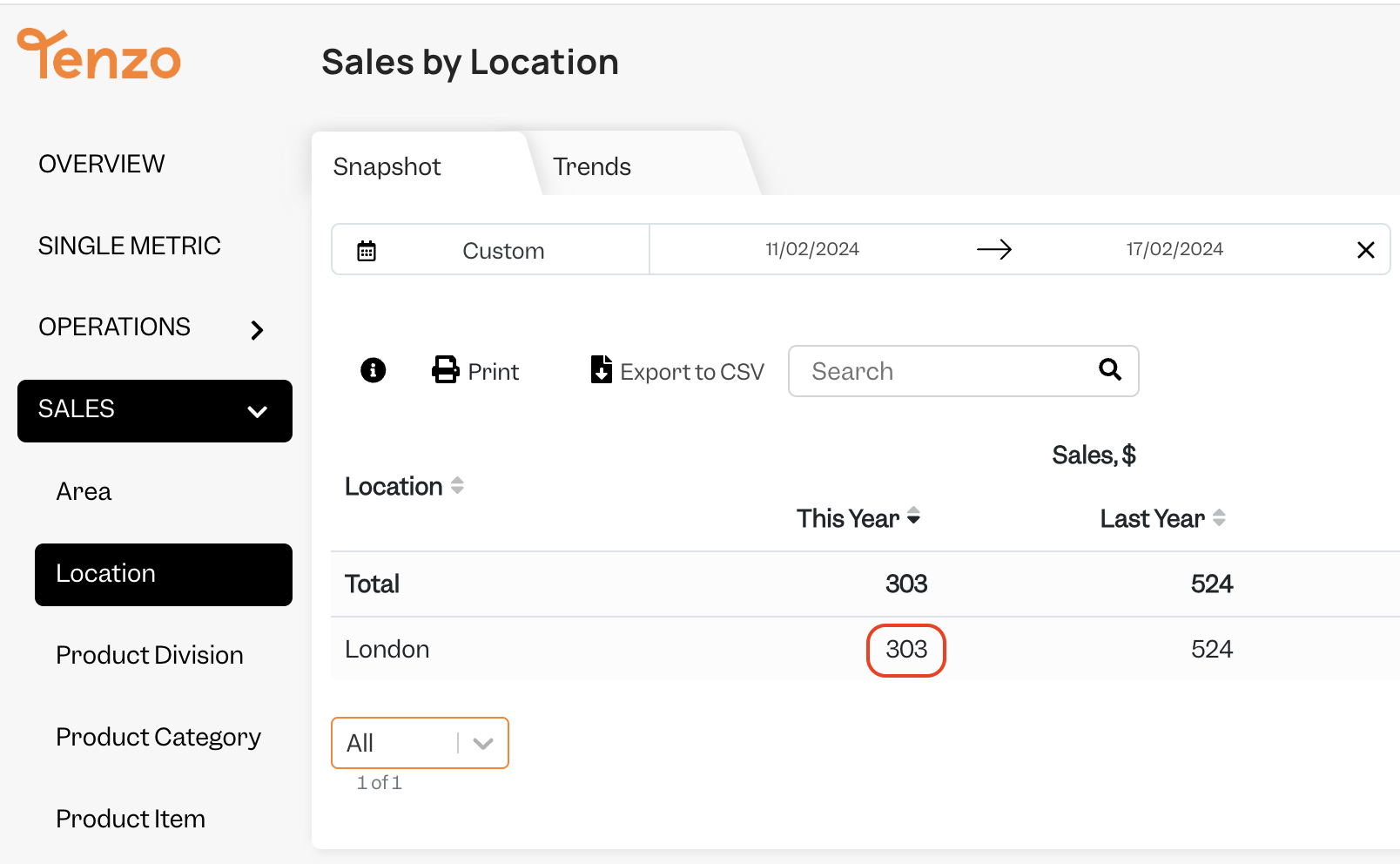
Tenzo settings:
For some businesses the 'Include service charge' will need to be unchecked.
Revenue Center
Revenue Center within Tenzo matches the 'Device Report' within K Series.
Exceptions
- Cannot import data out of chronological order and guarantee item data will be up to date. For example we take item, category and division data from the transactions themselves so those item transactions in Lightspeed need to be linked to the correct Accounting and Statistical Groups. Tenzo will always match the Lightspeed data.
- Transitory accounts are the result of open accounts being closed and then reopened again at the start of the next day. They are included in K series reporting numbers and so we include them in Tenzo reporting data also.
- Tenzo does not include guest count/covers from voided or £0/$0 tickets. Therefore there may be a small mismatch in guest count/covers between Tenzo and Lightspeed.
- Tenzo does not include transactions in the transaction count numbers from voided or £0/$0 tickets.
- Item names, category names and division names are reported in Tenzo as they were at the time of sale. These cannot be updated historically.
- Ticket Voids and Ticket Item Voids will match some days but not others. This is because voids come through from Lightspeed as two tickets, with a positive and negative ticket value. This means the tickets cancel each other out to 0.
- When a ticket is voided on a different day than it was created, Tenzo voids it using the original creation date. This can cause daily mismatches, but totals match when looking across both days.