

Guide: Deputy
How Do Core Concepts Map to Tenzo?
Key: ✅ Supported 🚸 Work in Progress ❌ Not Supported
 |
|
|---|---|
| Location | ✅ Operational Units |
| Shift (actual) | ✅ Employee Costings |
| Shift (planned) | ✅ Rosters & Costings |
| Hours | ✅ Hours |
| Salaried workers | ✅ Employee Costings |
| Employee | ✅ Employees |
| Role | ✅ Employee Roles |
| House Part | ✅ Operational Units |
| Overheads | ✅ From rosters & timesheets |
| Holiday | ❌ Not Supported |
| Breaks | ✅ Unpaid Breaks |
| Overtime | ❌ Not Supported |
| Exception costs / one-off costs | ❌ Not Supported |
| Borrowed/loaned employees | ❌ Not Supported |
Data Ingestion
| Real-time optionally available? | ✅ |
| Default polling frequency | Every 8 hours |
| Data retrieved on each poll | Back two weeks and forward two weeks; today only, every 20 minutes, when real-time is on |
| Historical data | All data since your first timesheet in Deputy |
Pulling Deputy Forecasts into Tenzo
As well as labour data, Tenzo can pull the guest forecasts you hold in Deputy into Tenzo as a separate connection (Deputy Forecast). Forecasts are refreshed hourly, covering yesterday and the next two weeks, and are loaded as guest forecasts by location and time of day. It is connected the same way as the main Deputy integration — by signing in with your Deputy account inside the Tenzo app and choosing the locations to include. If you would instead like to send Tenzo's own forecasts into Deputy, see the guide "Deputy Write - sending Tenzo forecasts into Deputy".
How Do I Compare Data to Data in Tenzo?
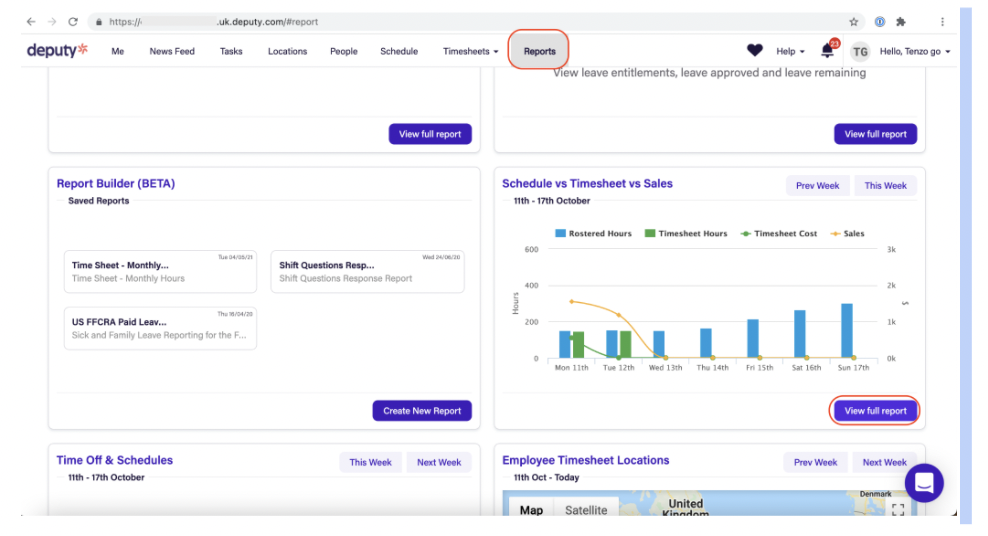
Click on Reports in the top menu bar, then scroll down to find the Schedule vs Timesheet vs Sales Report. Click View Full Report.
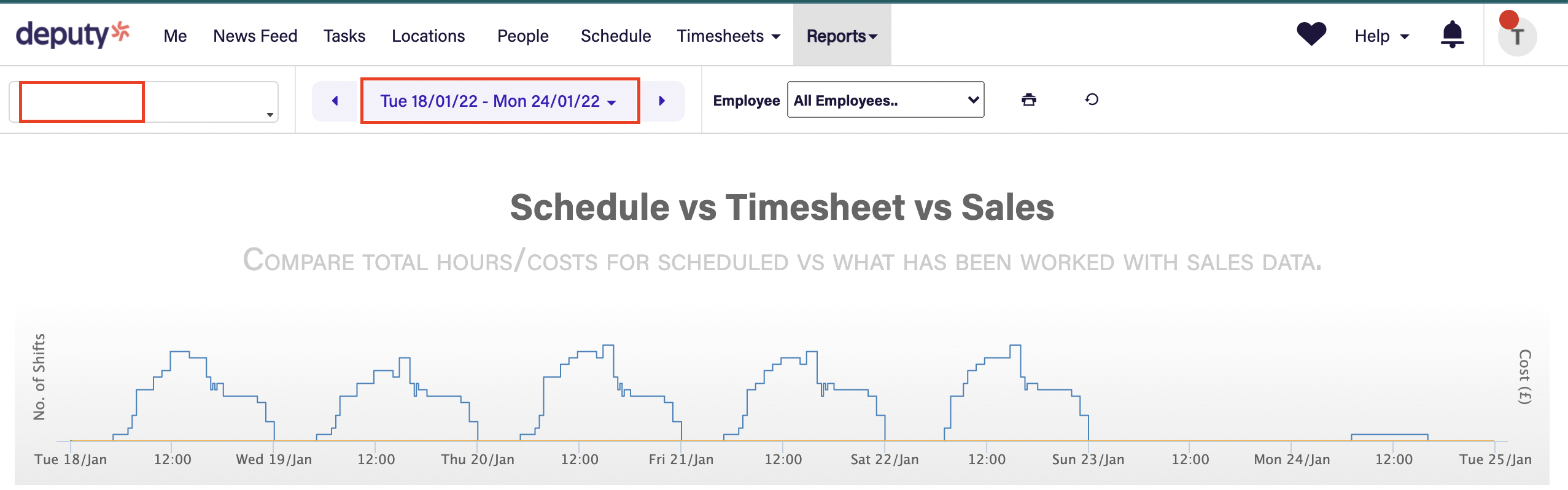
Select your location and date range.
Scroll to the bottom and look at the Grand Total for the Salary Cost and Timesheet Wages.
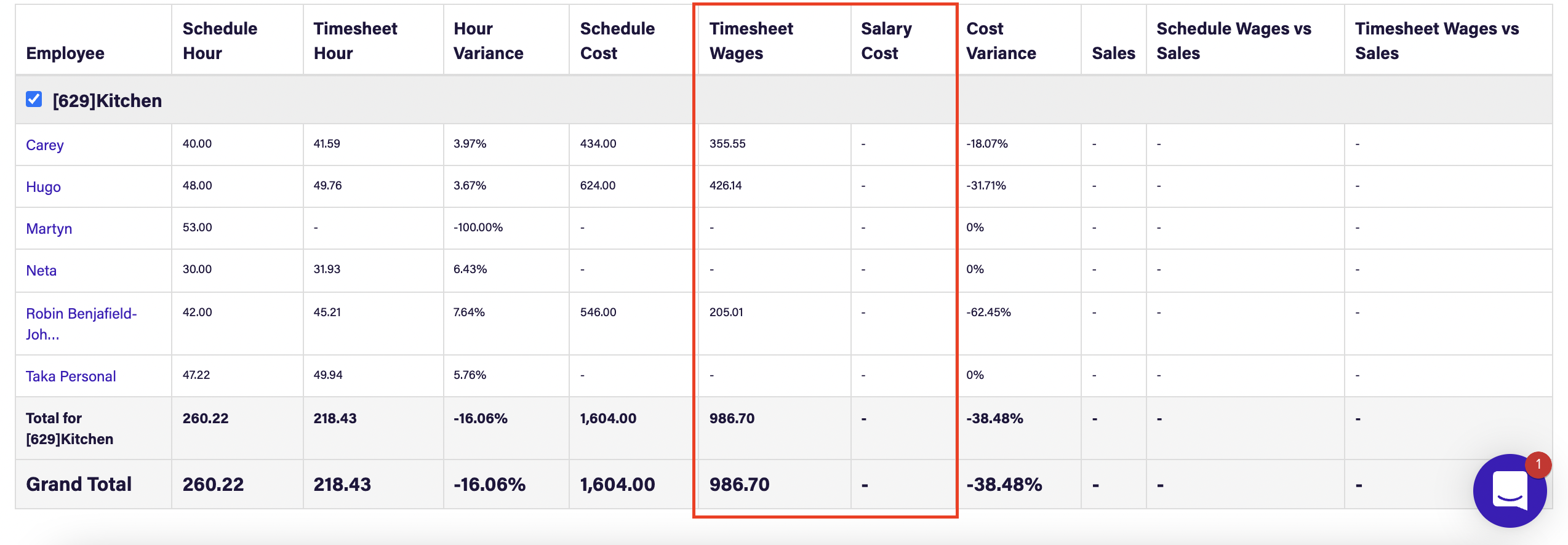
If you have employees on holiday over the period selected you will have another section here marked Annual Leave, to match the numbers in Tenzo you need to not include this section as part of the calculations so un-tick the check box next to it:

Note - Please ensure Holiday Pay is deselected when comparing costs, as these inflate on Deputy
Refer to your labour module in Tenzo to view the match to Deputy:
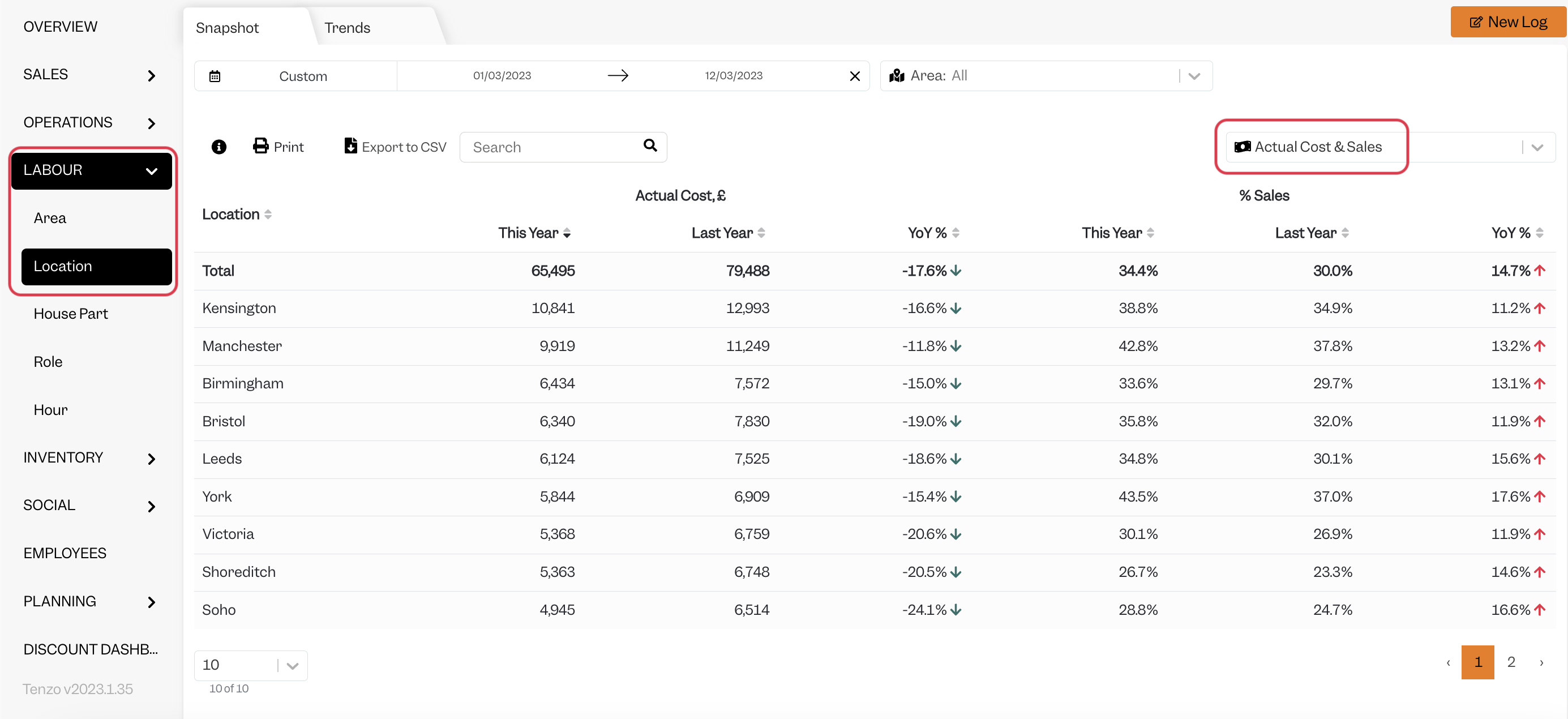
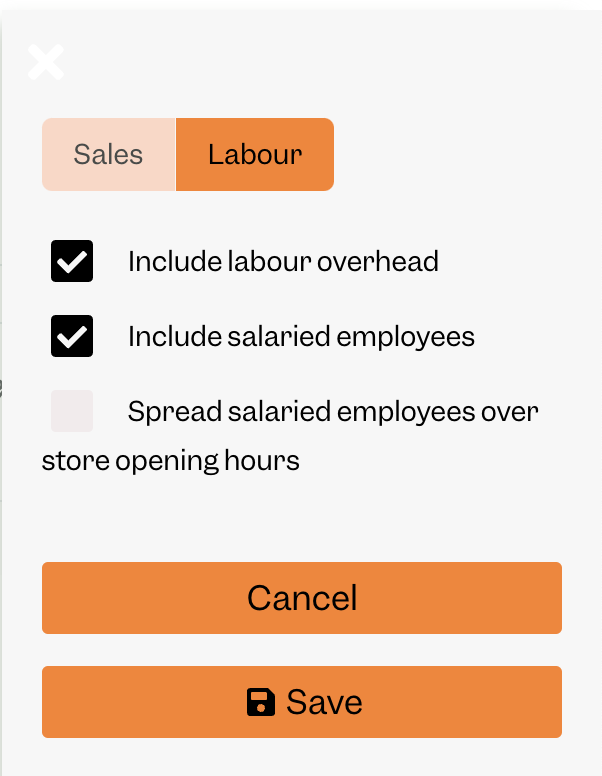
In Tenzo settings, click Labour and check the following to include Salaried employee/cost. If you have overheads, you would need to have the overheads settings turned on as per below in order to match Tenzo:
Exceptions
- Tenzo cannot bring in data for Annual Leave costs in scheduled data (in the future). This is because the data is not available in Deputy's API.