

Guide: Pixelpoint
How Do Core Concepts Map to Tenzo?
Key: ✅ Supported 🚸 Work in Progress ❌ Not Supported
 |
|
|---|---|
| Location | ✅ Location |
| Order Type | ✅ Sales Type |
| Revenue Center | ✅ revcenter |
| Product Item | ✅ Product |
| Product Category | ✅ Report Cat |
| Product Division | ✅ Summary Group |
| Tender Type | ✅ Method Pay |
| Employee | ✅ Employee |
| Customer | ❌ Not Supported |
| Discount (Names) | ✅ Promo |
| TicketItemDiscounts (Amounts) | ✅ CouponDetail |
| TicketDiscounts (Amounts) | ❌ Spread over items |
| TicketItemModifiers | ❌ Not Supported |
| Guest Count | ✅ Num Cust |
| Transaction Length | ✅ Closed At - Opened At |
| Delivery Timings | ✅ |
| Ticket Voids | ❌ Not Supported |
| Ticket Item Voids | ✅ Item Filtered -> ProdType 101 |
| Table | ✅ Table Num |
| Service Charge | ❌ Not Supported |
| Tips | ✅ Gratuity |
| Price | ✅ |
| Menu Item Visibility | ❌ Not Supported |
| Menu Item Size | ❌ Not Supported |
| KDS Bump Time | ❌ Not Supported |
Data Ingestion
| Real-time optionally available? | ❌ |
| Default polling frequency | Every 20 minutes |
| Data retrieved on each poll | All new data |
| Historical data | All data since you started using your POS |
| Data received per day or continuous | Set by your Tenzo CS rep at the individual POS server level |
How Do I Compare Pixelpoint Data to Data in Tenzo?
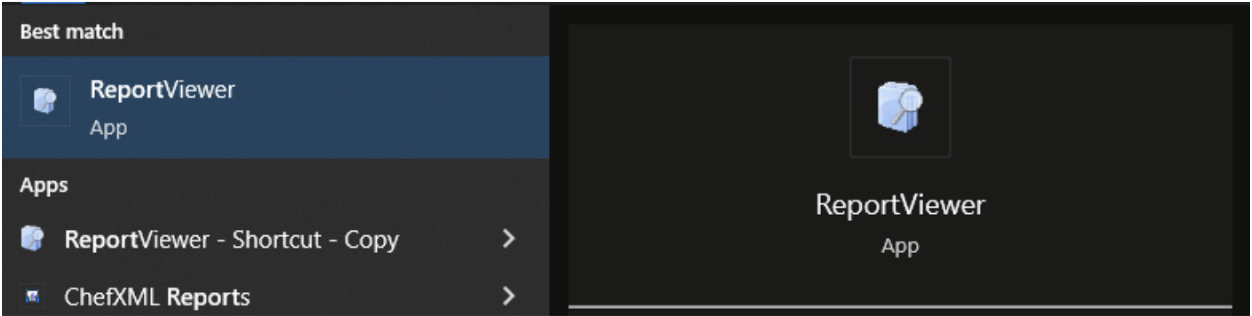
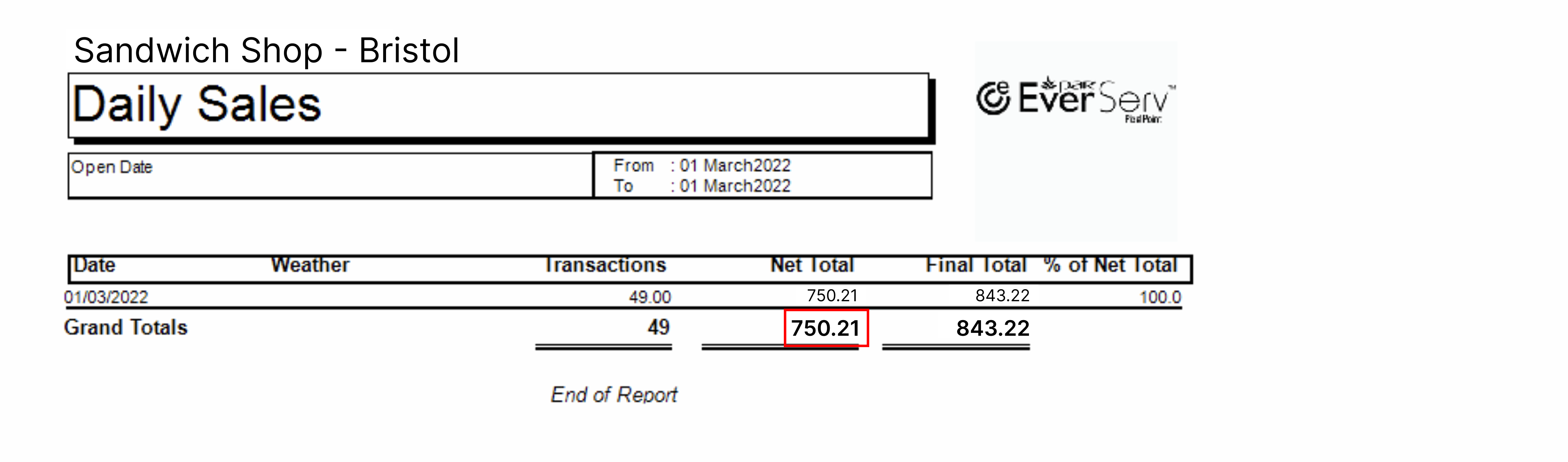
On PixelPoint navigate to ReportViewer, then log in when prompted.
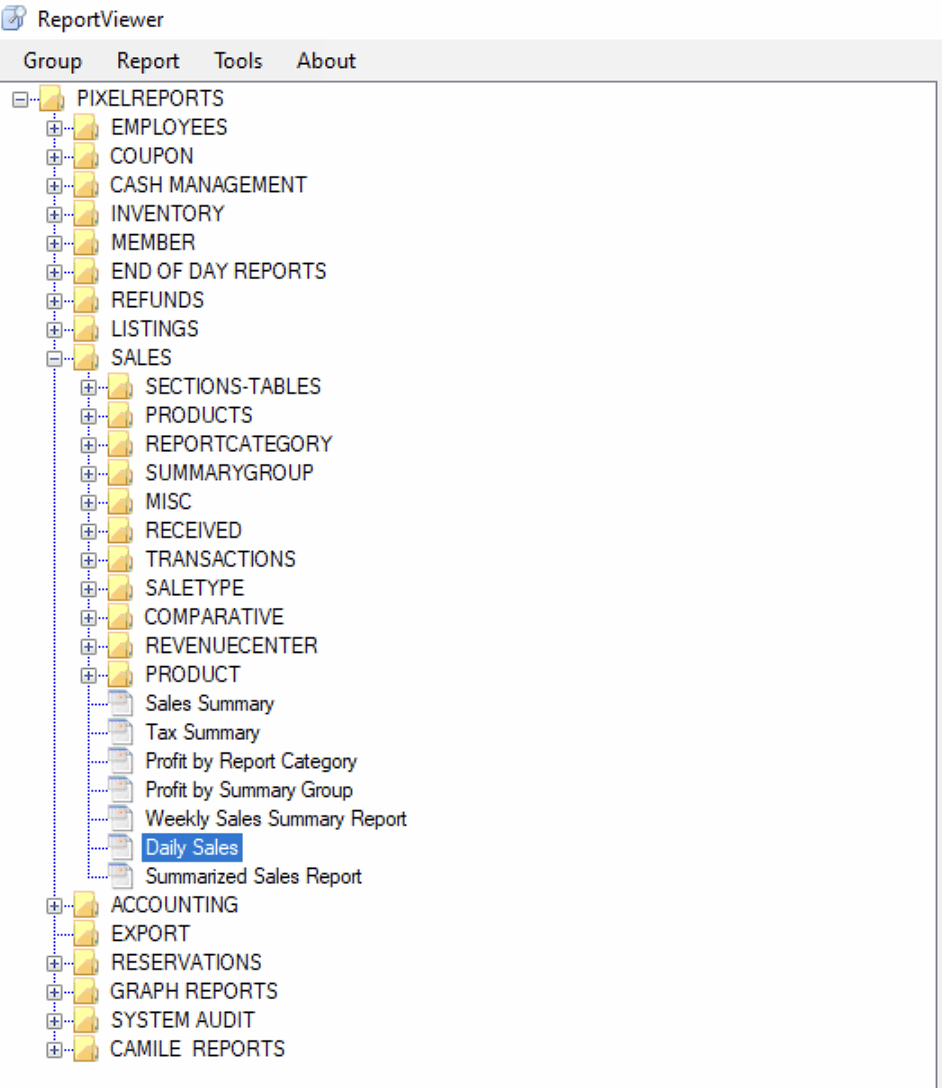
Open the ‘Daily Sales’ report within ReportViewer and select the date(s) you’re interested in comparing.
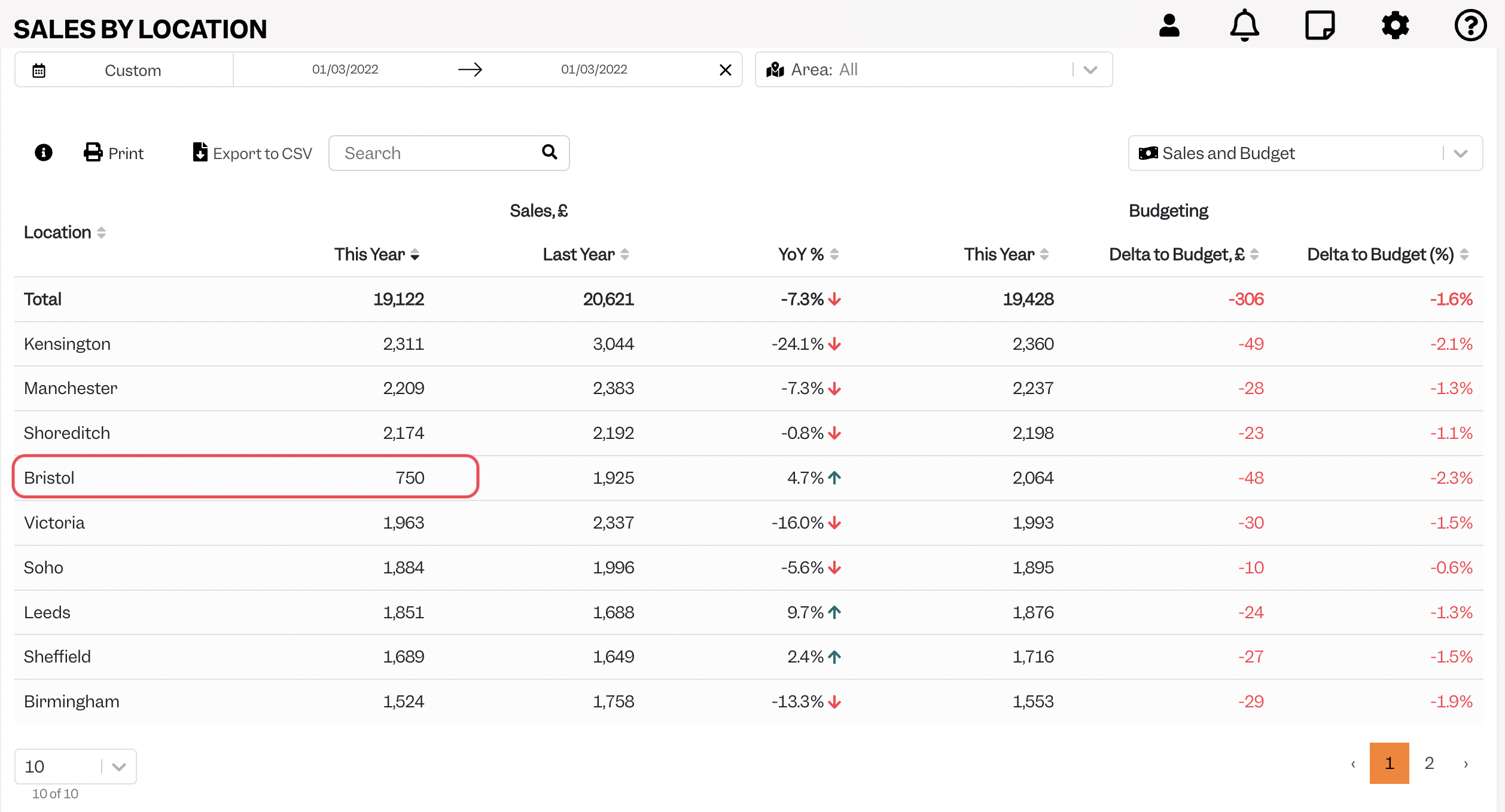
On Tenzo navigate to Sales -> Location.
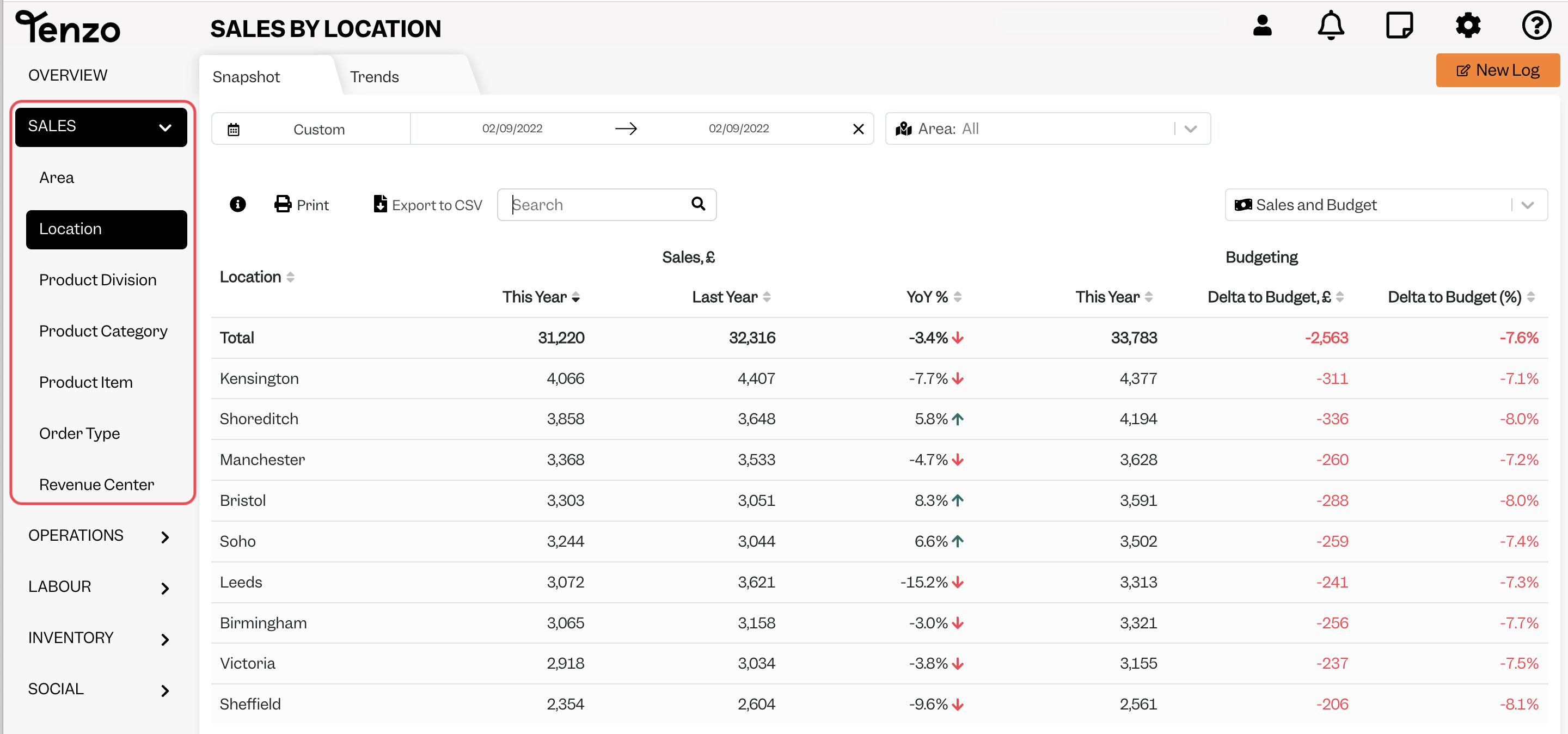
Select the dates so that they match those which you chose for your Daily Sales report in PixelPoint.
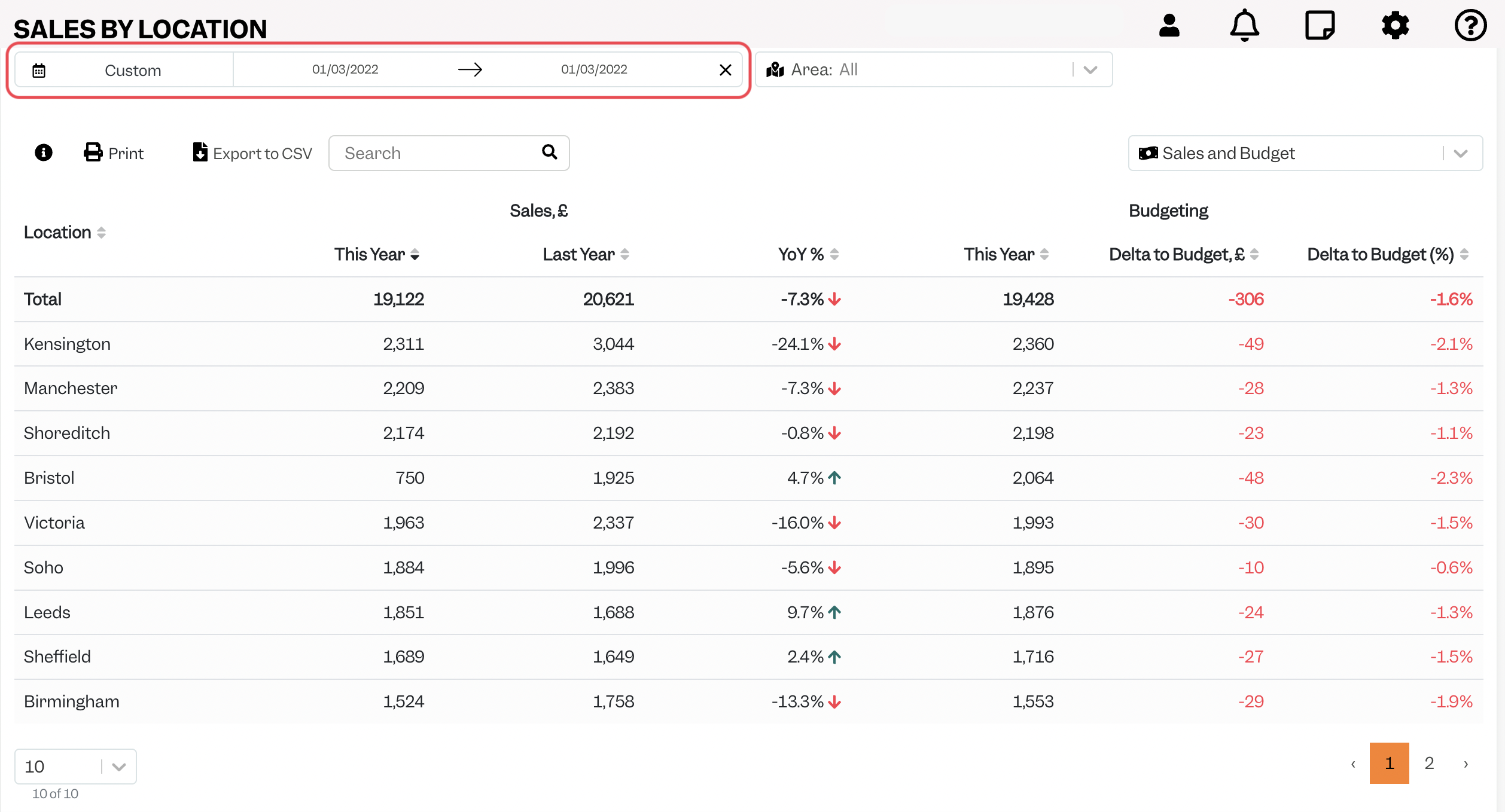
Then find the location that you are looking at on PixelPoint on the list. The total in the ‘This Year’ column for that location on Tenzo should match (aside from some difference in rounding) the ‘Net Total’ on the ‘Daily Sales’ report on PixelPoint:
Exceptions
- PixelPoint round some numbers in their reports, so there may be slight variations between totals you see in Tenzo and totals on some of the reports (e.g. on the Summarized Sales report). This report does provide a ‘Round Difference’ number, which should equal the difference between the total in Tenzo and the total on the PixelPoint report. This is why we recommend using the ‘Daily Sales’ report to compare with Tenzo.