

Guide: Sevenrooms Reviews (Email)
How Do Core Concepts Map to Tenzo?
Key: ✅ Supported 🚸 Work in Progress ❌ Not Supported
 |
|
|---|---|
| Location | ✅ Location |
| Review | ✅ Review |
| Sub Ratings | ✅ Sub Ratings |
| Link to Content | ❌ Not Supported |
Data Ingestion
| Real-time optionally available? | ❌ |
| Default polling frequency | SevenRooms sends the 'Daily Guest Satisfaction Summary' email once a day. Tenzo checks for new data every hour. |
| Data retrieved on each poll | All reviews left in the past 24 hours |
| Historical data | Historical reviews are loaded from a SevenRooms bulk export (CSV with a 'Platform' column) uploaded to the SFTP folder created at setup; day-to-day reviews come from the daily email. Reviews from non-SevenRooms platforms (Google, Facebook, Tripadvisor, ...) are excluded. |
Requirements
This integration requires the 'Reviews Pro' package in Tenzo.
How Do I Compare Data to Data in Tenzo?
Head to the SevenRooms admin
Navigate to Marketing > Guest Satisfaction.
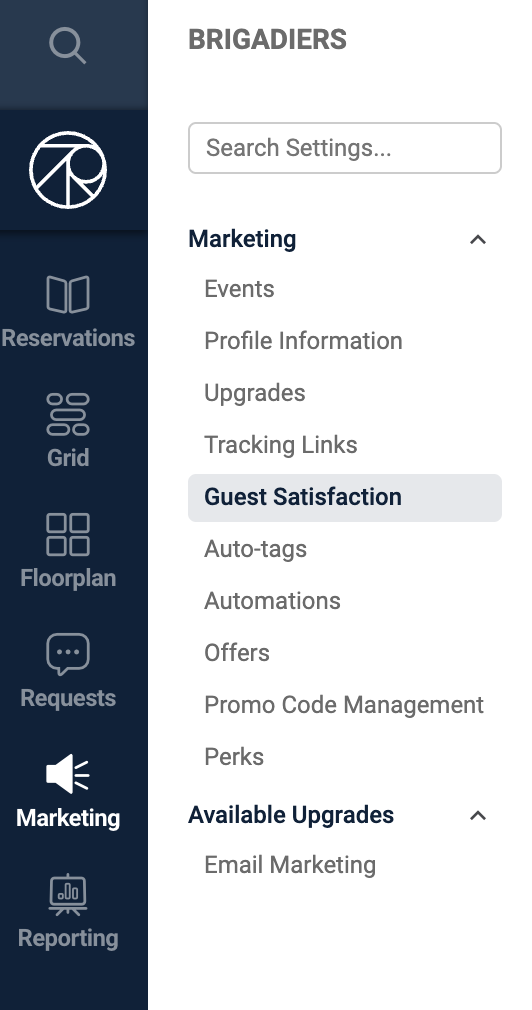
From here you can filter all SevenRooms reviews