

Guide: HotSchedules
How Do Core Concepts Map to Tenzo?
Key: ✅ Supported 🚸 Work in Progress ❌ Not Supported
 |
|
|---|---|
| Location | ✅ Store Names |
| Shift (actual) | ✅ Actual Shifts |
| Shift (planned) | ✅ Scheduled Shifts |
| Hours | ✅ Hours |
| Salaried workers | ❌ Not Supported |
| Employee | ✅ Employees |
| Role | ✅ Jobs |
| House Part | ❌ Not Supported |
| Overheads | ✅ One fixed overhead rate |
| Holiday | ❌ Not Supported |
| Breaks | ✅ Breaks |
| Overtime | ✅ Overtime |
| Exception costs / one-off costs | ❌ Not Supported |
| Borrowed / loaned employees | ❌ Not Supported |
| Pension | ❌ Not Supported |
| Employer Taxes | ❌ Not Supported |
Data Ingestion
| Real-time optionally available? | ❌ |
| Default polling frequency | Every 8 Hours |
| Data retrieved on each poll | Last 2 weeks and forward 2 weeks |
| Historical data | ✅ From the date the first employee was created. |
How Do I Compare HotSchedules Data to Data in Tenzo?
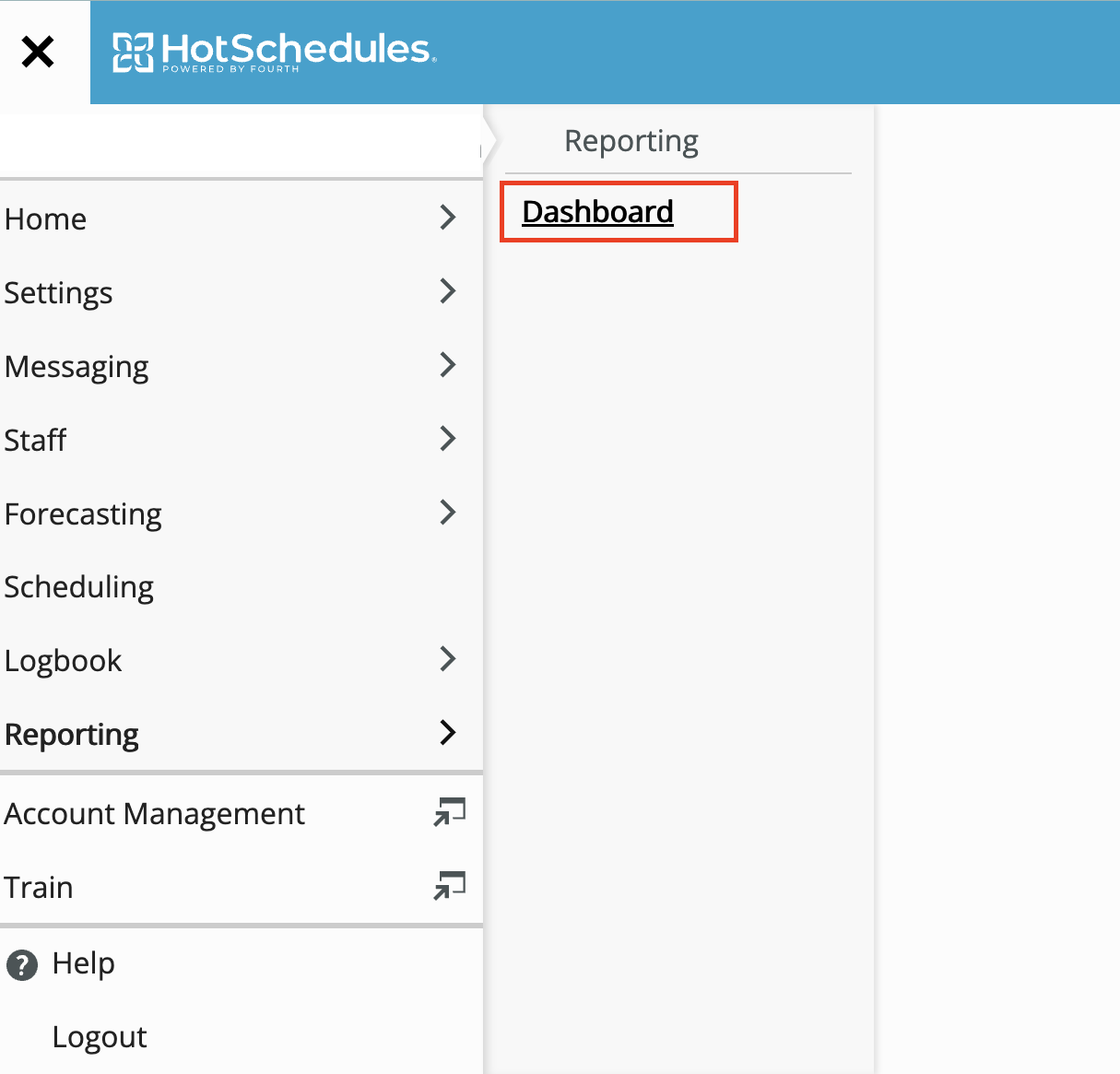
First you will need to navigate to the reporting dashboard within HotSchedules:
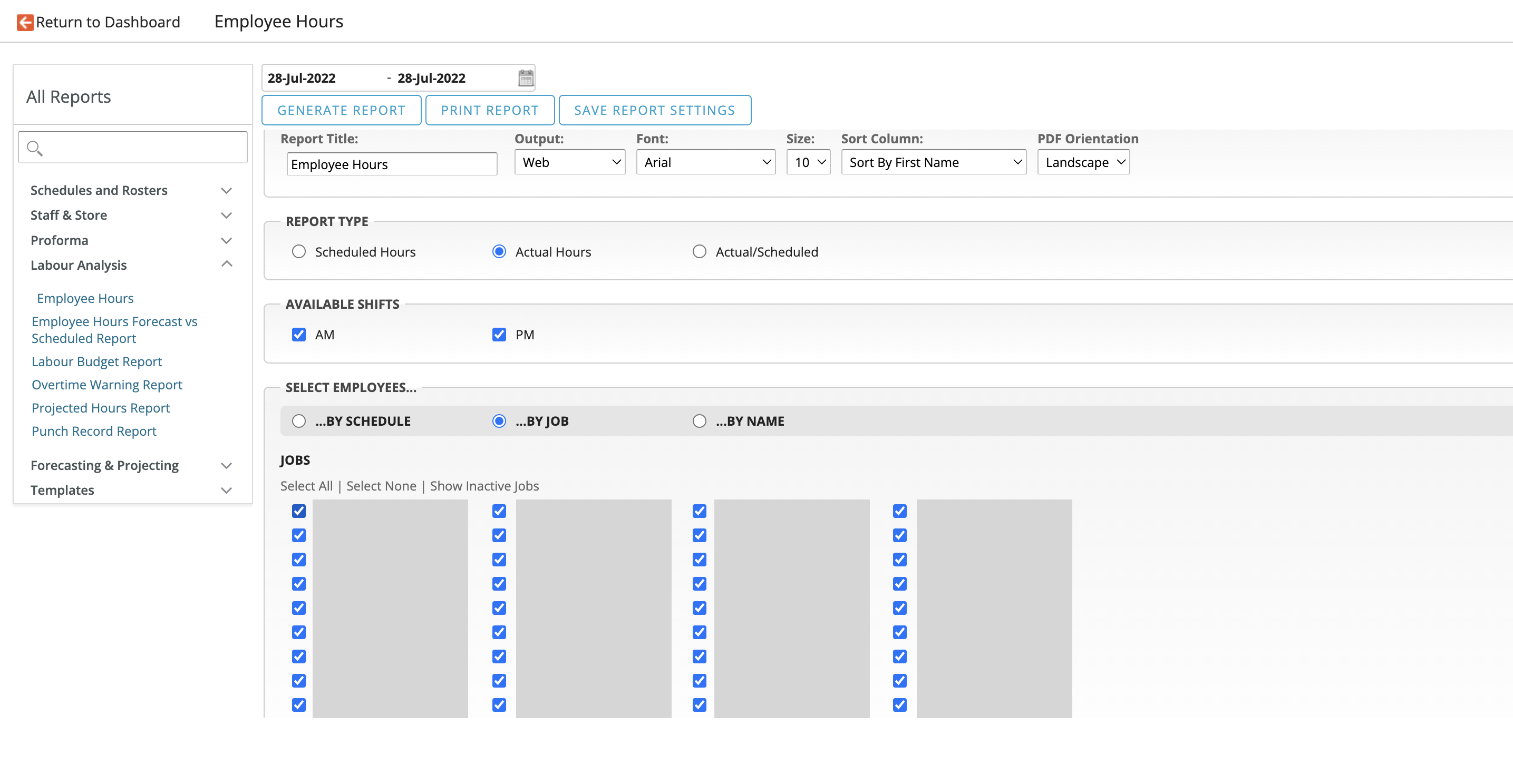
Then create an Employee Hours report by selecting these options: (If inspecting Scheduled rather than Actual hours / costs change the settings accordingly). Most importantly ensure that all Jobs are selected.
The generated report will have a section at the bottom containing the totals, summing these values will match with Tenzo (red figures):
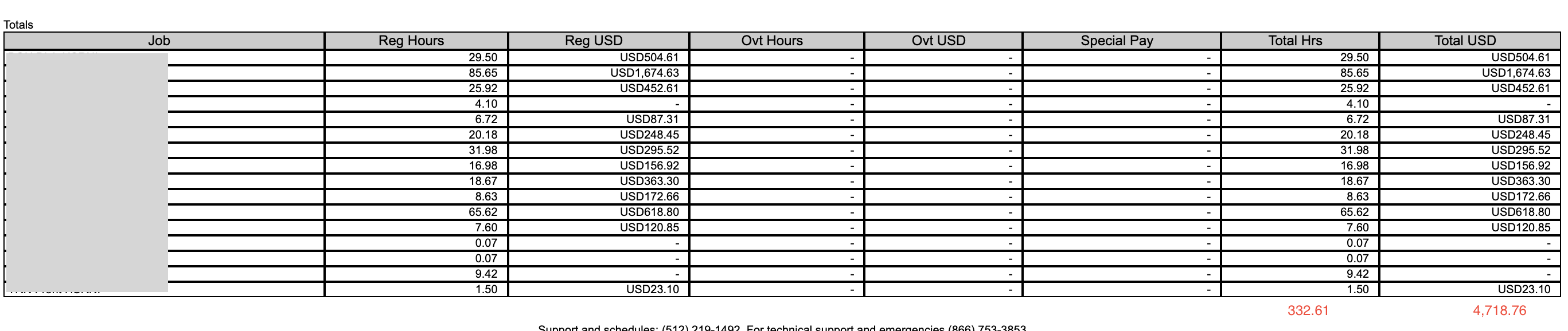
Matching Hours
Navigate to Tenzo's Labour by Location page and select the corresponding date range and the Actual Hours & Costs per Hour on the drop down on the right hand side.
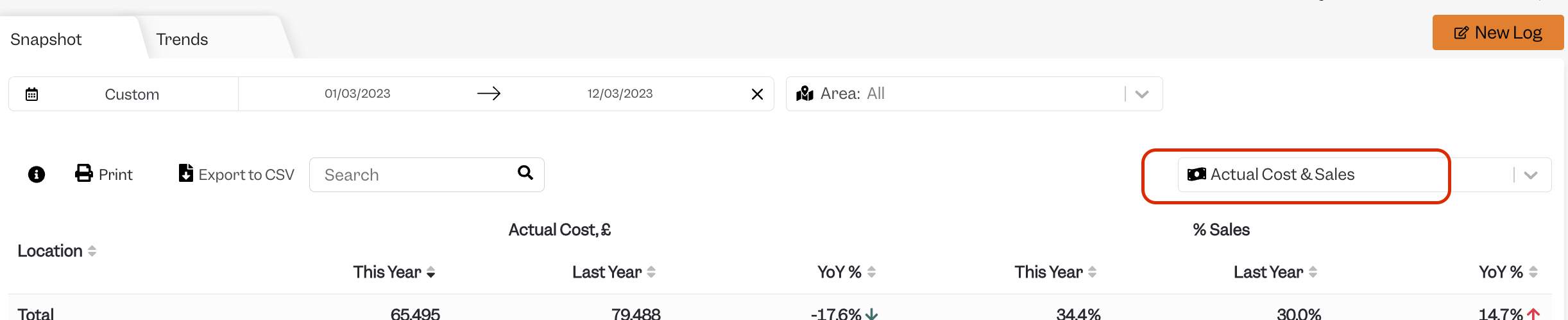
Matching Costs
Navigate to Tenzo's Labour by Location page and select the corresponding date range and the Actual Costs & Sales on the drop down on the right hand side.
