

Guide: Sona
How Do Core Concepts Map to Tenzo?
Key: ✅ Supported 🚸 Work in Progress ❌ Not Supported
 |
|
|---|---|
| Location | ✅ Shift Parent Org Unit |
| Shift (actual) | ✅ Actual Shifts |
| Shift (planned) | ✅ Scheduled Shifts |
| Hours | ✅ Shift End Time - Shift Start Time |
| Salaried workers | ✅ Salaried (Wage Cost Config) |
| Employee | ✅ First and Last Name |
| Role | ✅ Shift Type(Hourly), Job Name (Salaried) |
| House Part | ✅ Shift Org Unit |
| Overheads | ✅ NI + Pension |
| Holiday | ✅ Holiday Accrual |
| Breaks | ✅ Included in Hours |
| Overtime | ✅ Included in Hours & Cost. |
| Fixed Costs | ❌ Not Supported |
| Borrowed / loaned employees | ✅ Shift Location |
Data Ingestion
| Real-time optionally available? | ❌ |
| Default polling frequency | Once a day |
| Data retrieved on each poll | 4 Weeks Back 4 Weeks Forward |
| Historical data | ✅ 1 year |
How Do I Compare Sona Data to Data in Tenzo?
Matching Hours & Cost
Hours and costs can be found in Sona in the 'Weekly Overview' report. (Insights > Dashboards from the side menu).
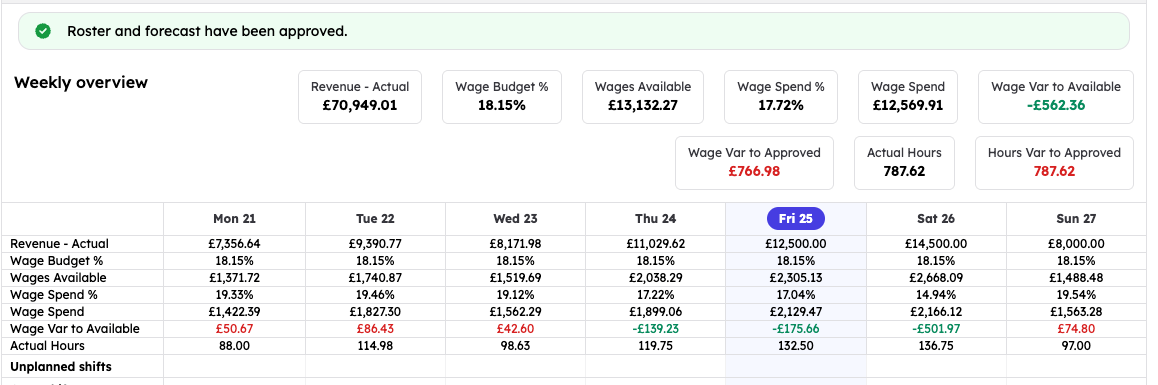
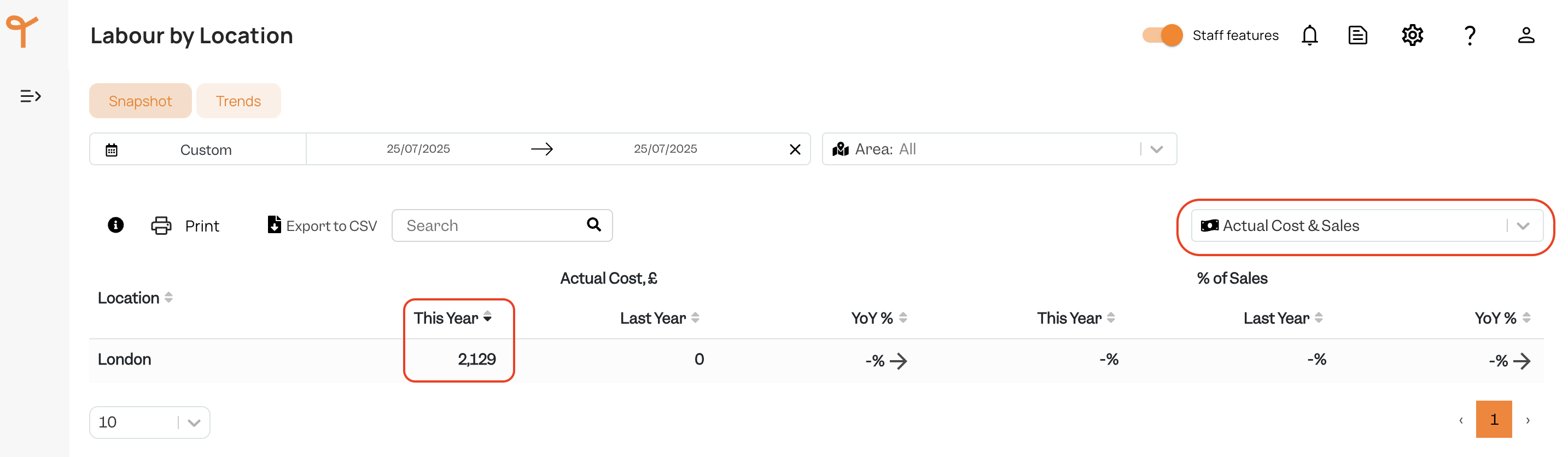
'Wage Spend' will match to Tenzo's 'Actual Cost':
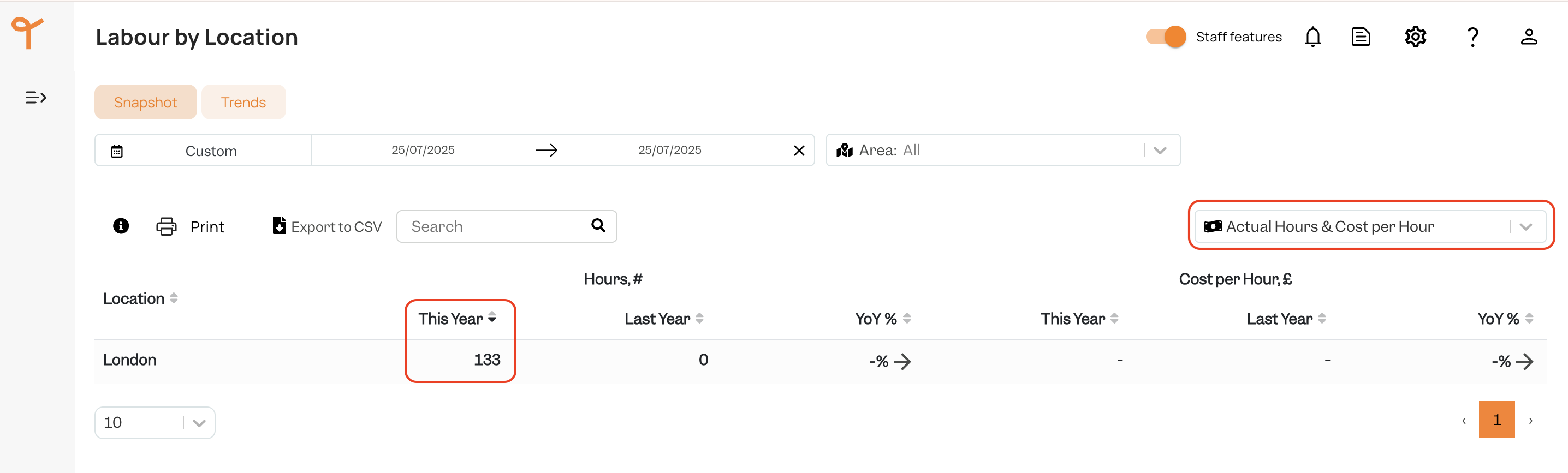
'Actual Hours' in Sona will match to Tenzo's 'Actual Hours':
Exceptions
None.