
Guide: Shopify

How Do Core Concepts Map to Tenzo?
Key: ✅ Supported 🚸 Work in Progress ❌ Not supported

| Location | ❌ N/A (Shopify is seen as it's own separate location) |
| Order Type | ❌ N/A |
| Revenue Center | ❌ N/A |
| Product Item | ✅ Product |
| Product Category | ✅ Product Type |
| Product Division | ❌ N/A |
| Tender Type | ✅ Payments |
| Employee | ❌ N/A |
| Customer | ❌ Not supported |
| Discount | ✅ Discount |
| TicketItemDiscounts | ✅ Line Item Discount |
| TicketDiscounts | ✅ Discount |
| TicketItemModifiers | ✅ Variant |
| Guest Count | ❌ N/A |
| Transaction length | ❌ N/A |
| KDS Bump Time | ❌ N/A |
| Ticket Voids | ❌ N/A |
| Ticket Item Voids | ❌ N/A |
| Table | ❌ N/A |
| Service Charge | ❌ N/A |
| Tips | ✅ Tip line items |
| Menu Item Visibility | ❌ Not Supported |
| Menu Item Size | ❌ Not Supported |
| Price | ✅ Price from menu items |
Data Ingestion
| Real-time optionally available? | ✅ |
| Default polling frequency | Every 4 hours |
| Data retrieved on each poll | Today and yesterday |
| Historical data | All data since you started using your POS |
How Do I Compare Shopify Data to Data in Tenzo?
TOP LEVEL SALES
Within Shopify there is a Sales number in the "Analytics > Reports > Total Sales over Time"
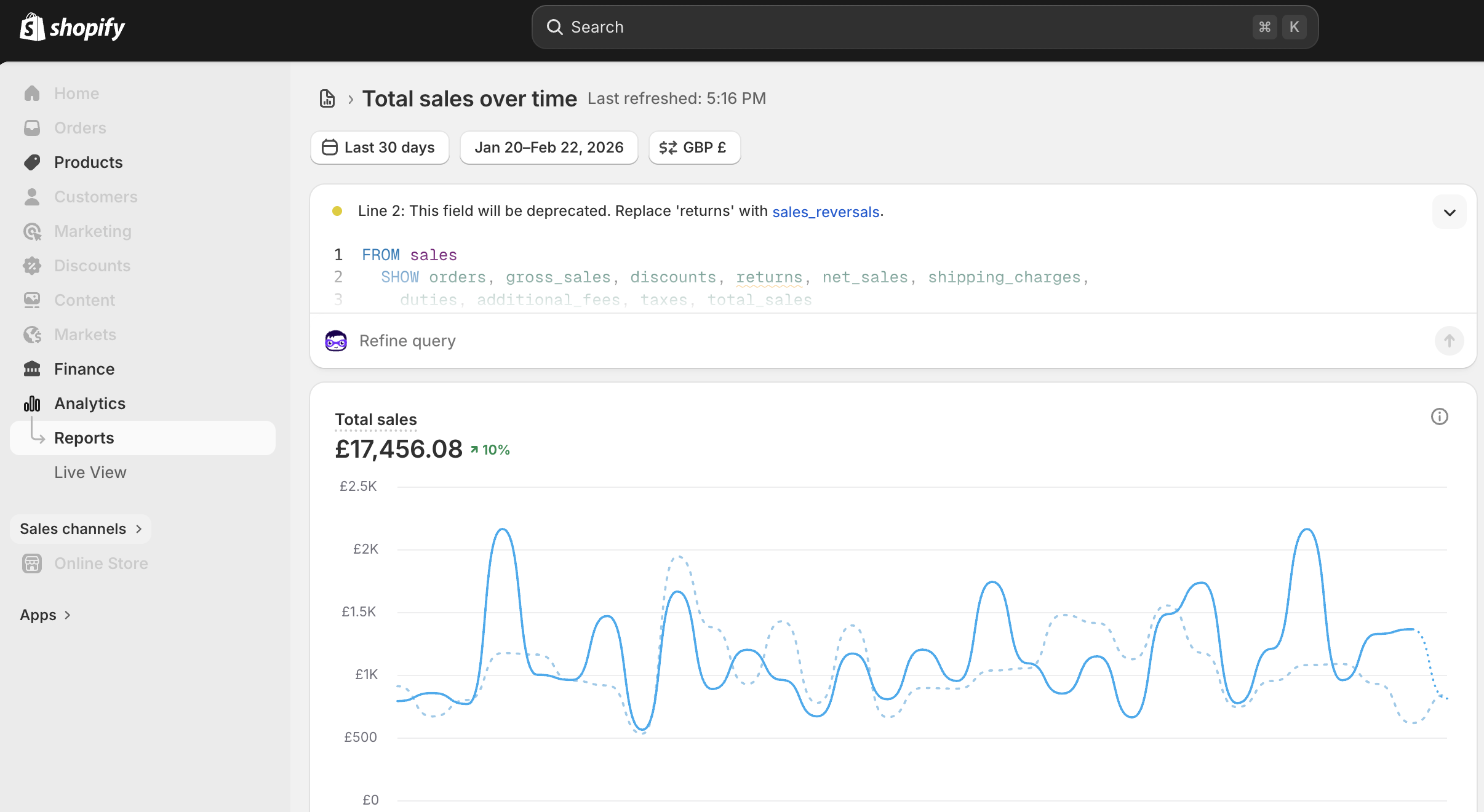
This should match the sales in Tenzo with and without Tax (Gross and Net sales).
If your Tenzo sales come in lower than Total sales by roughly your delivery takings, shipping is being excluded on your connection — compare against the Net sales column instead. See “Excluding shipping from sales” below.
SERVICE CHARGE VALUES
Within Shopify, you can see a “Revenue” number in the "Analytics > Reports > Shipping by Order"
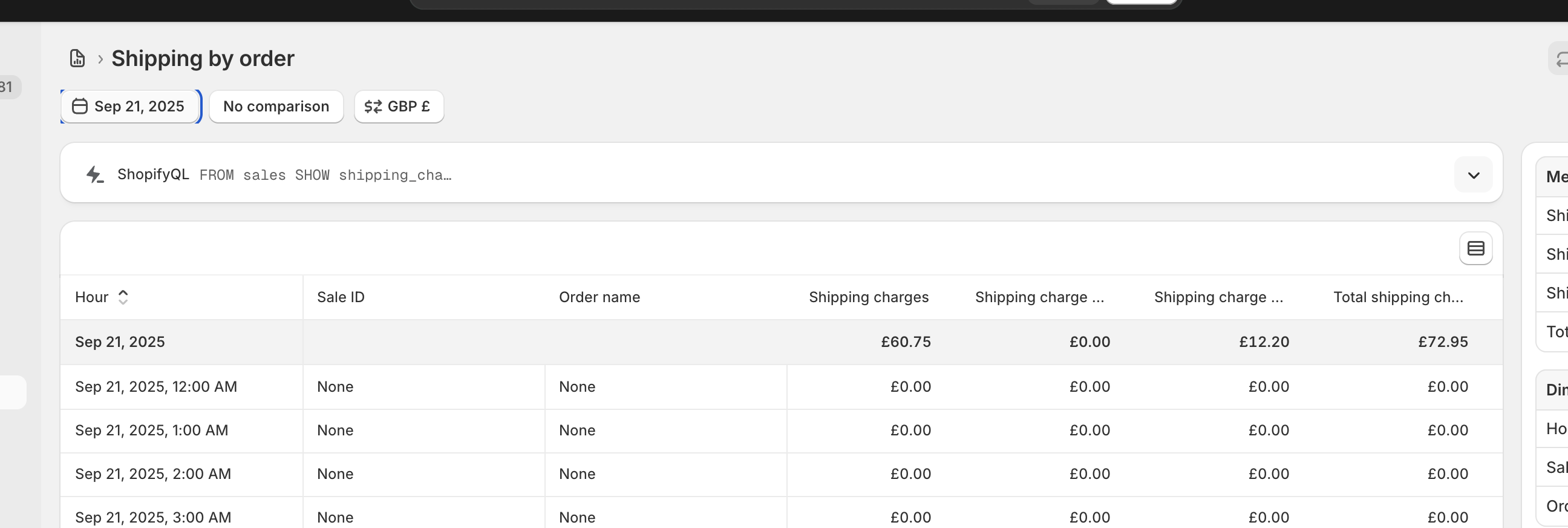
To match Tenzo, you MUST have your settings set to INCLUDE tax only.
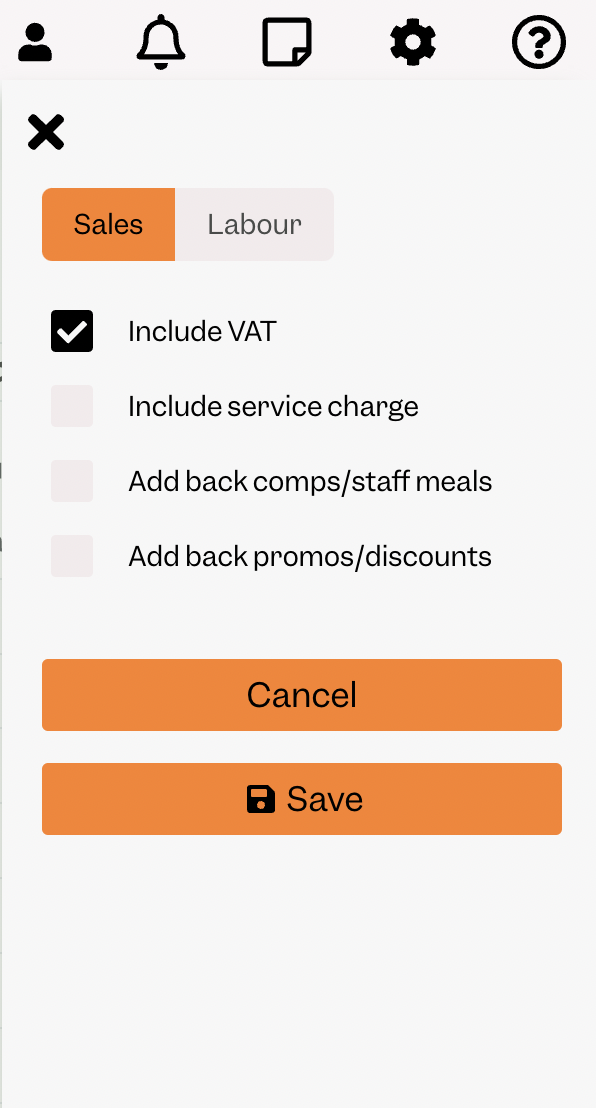
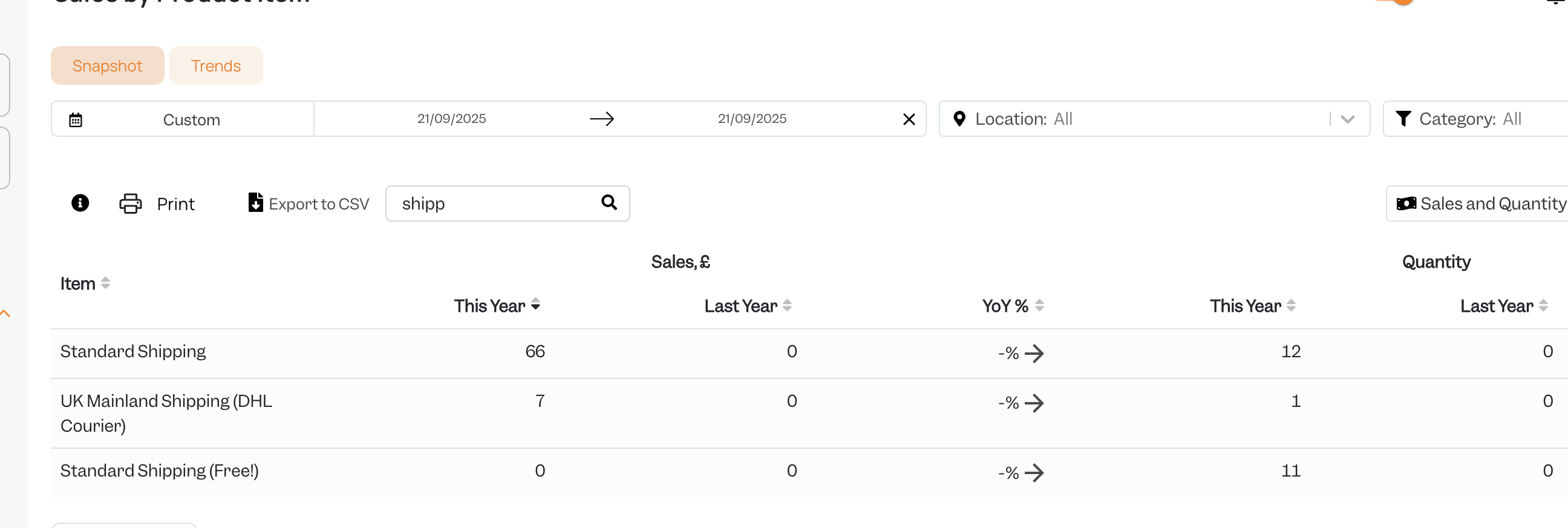
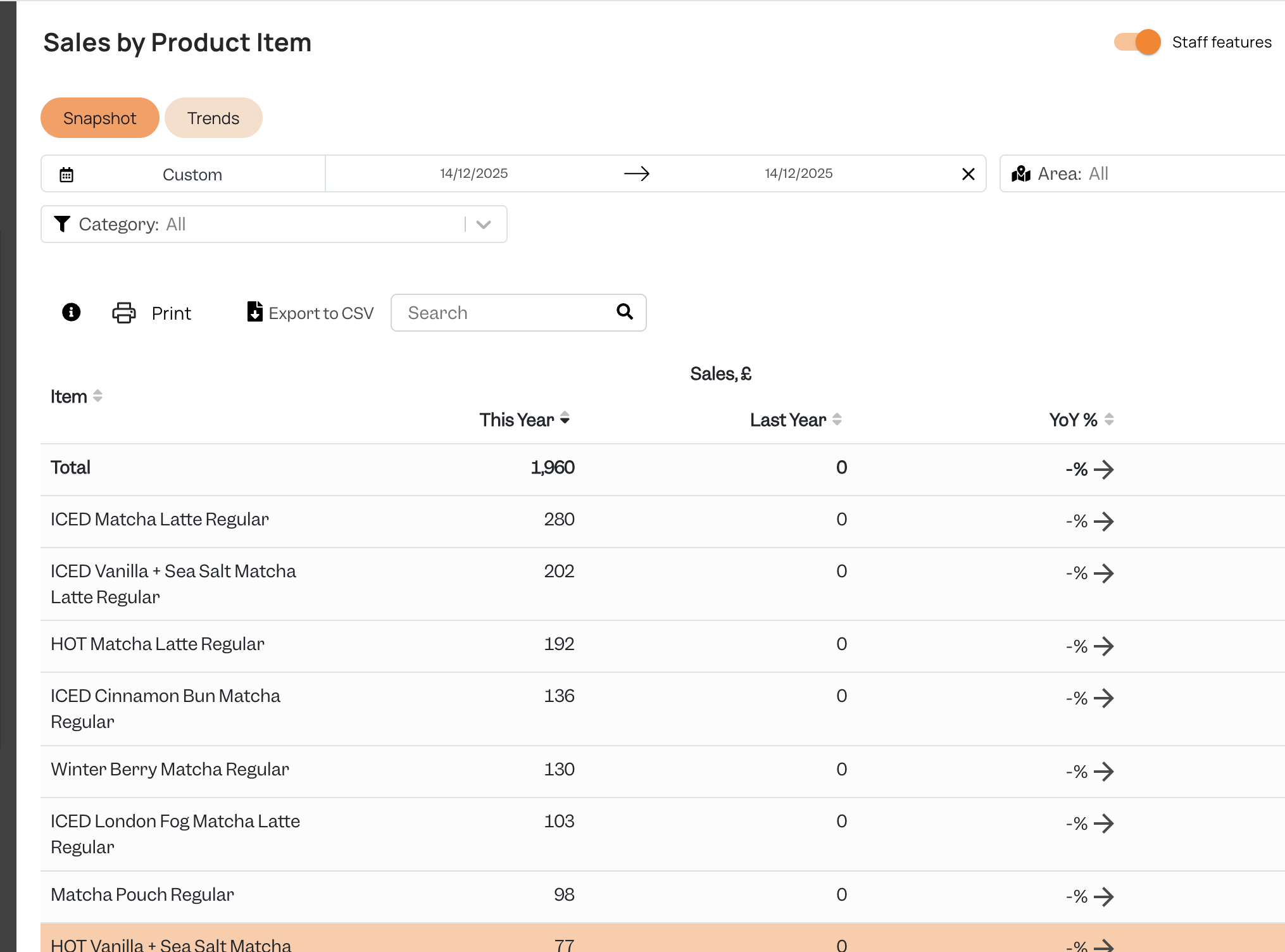
You will then be able to see the same number by selecting one day within Tenzo’s “Sales by Item” view.
PRODUCTS
Within Shopify, you can see a “Revenue” number in the "Analytics > Reports > Gross Sales By Order"
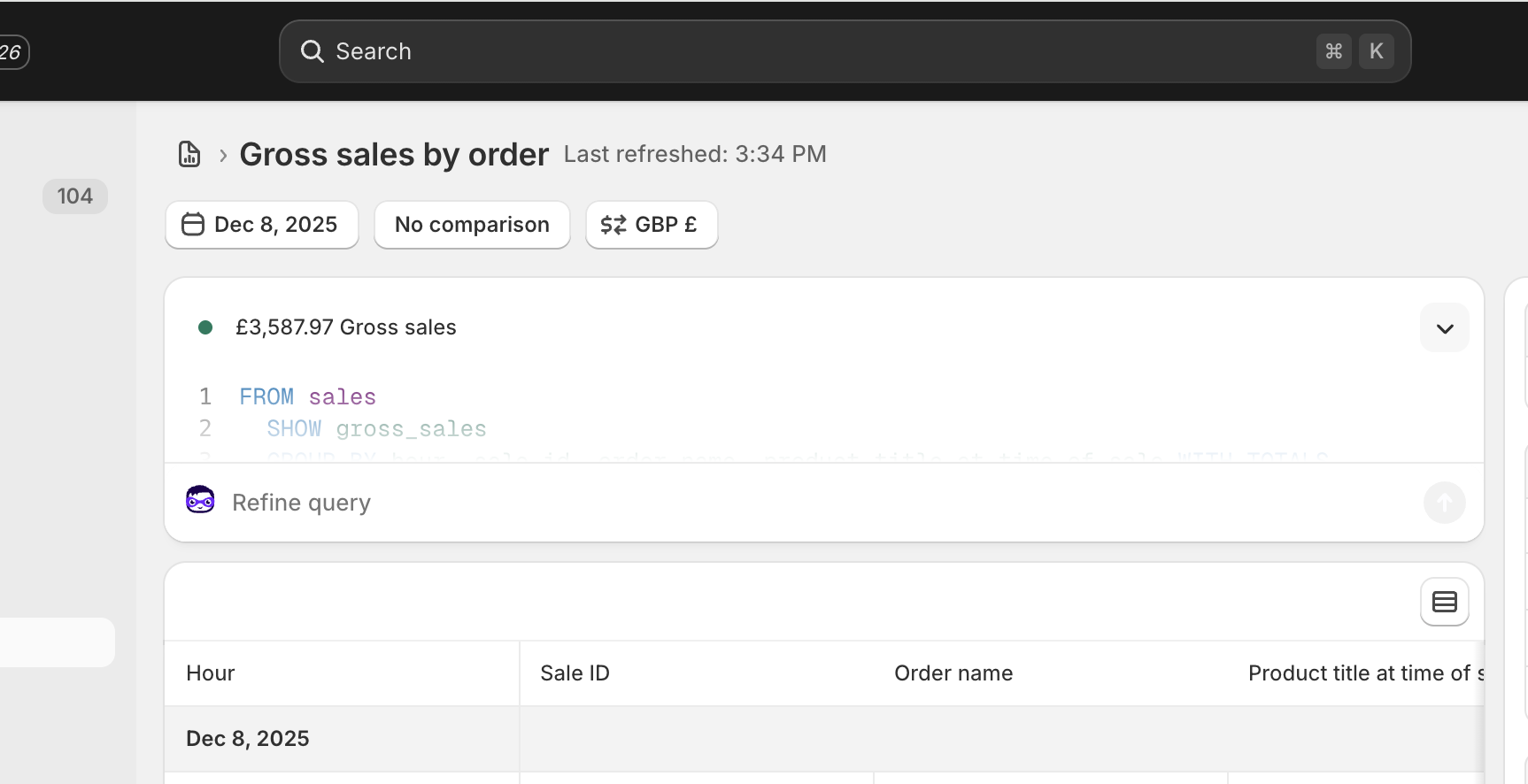
To match Tenzo, you MUST have your settings set to INCLUDE tax only.
You will then be able to see the same number by selecting one day within Tenzo’s “Sales by Item” view.
EXCLUDING SHIPPING FROM SALES
Shopify treats a delivery charge as part of the order total, so by default Tenzo brings it in as a sales item and your Tenzo sales line up with Shopify’s Total sales. Shipping can instead be left out, so that Tenzo reports on product sales alone.
This is set per connection by your Tenzo contact, so there is nothing in Tenzo for you to check. To work out which way yours is set, compare a single day against Shopify: sales matching Total sales means shipping is included, sales matching Net sales means it is excluded.
Where shipping is excluded:
- Delivery charges, any discount applied to delivery, and refunds of delivery are all left out of your sales.
- Reconcile against the Net sales column of "Analytics > Reports > Total Sales over Time" rather than Total sales.
- The "Shipping by Order" comparison described above no longer applies — there is no delivery revenue in Tenzo to match it against.
Speak to your Tenzo contact to change which way your connection is set. A change applies to the days Tenzo processes from then on, so ask them to reprocess the dates you care about if you want your history to move too.
Exceptions
Shipping may be excluded from your sales. If Tenzo sales come in short by the delivery total, shipping is excluded on your connection — compare against Shopify’s Net sales column instead of Total sales, and check with your Tenzo contact.
#integrations #sales