

Guide: Zettle
How Do Core Concepts Map to Tenzo?
Key: ✅ Supported 🚸 Work in Progress ❌ Not Supported
 |
|
|---|---|
| Location | ✅ Location |
| Order Type | ❌ Not Supported |
| Revenue Center | ❌ Not Supported |
| Product Item | ✅ Via mapping from purchase uuid |
| Product Category | ✅ category |
| Product Division | ❌ Not Supported |
| Tender Type | ✅ Payments.Type |
| Employee | ✅ userDisplayName |
| Customer | ✅ customer_local_id |
| Discount (Names) | ✅ via Purchases_Discounts |
| TicketItemDiscounts (Amounts) | ❌ Not Supported |
| TicketDiscounts (Amounts) | ✅ via Purchases_Discounts |
| Guest Count | ❌ Not Supported |
| Transaction Length | ❌ Not Supported |
| KDS Bump Time | ❌ Not Supported |
| Ticket Voids | ❌ Not Supported |
| Ticket Item Voids | ❌ Not Supported |
| Table | ❌ Not Supported |
| Service Charge | ❌ Not Supported |
| Tips | ❌ Not Supported |
| Price | ❌ Not Supported |
| Menu Item Visibility | ❌ Not Supported |
| Menu Item Size | ❌ Not Supported |
| Ticket Item Modifiers | ❌ Not Supported |
Data Ingestion
| Real-time optionally available? | ✅ |
| Default polling frequency | Every 4 hours |
| Data retrieved on each poll | Today and yesterday |
| Historical data | From the start date entered at setup |
| Data received per day or continuous | per Day |
| Business date cutoff time is determined by the POS or Tenzo | Tenzo: the day cutoff is set on the integration in Tenzo |
How Do I Compare Zettle Data to Data in Tenzo?
Log into the Zettle portal.
Go to Reports > Overview. You will see gross revenue.
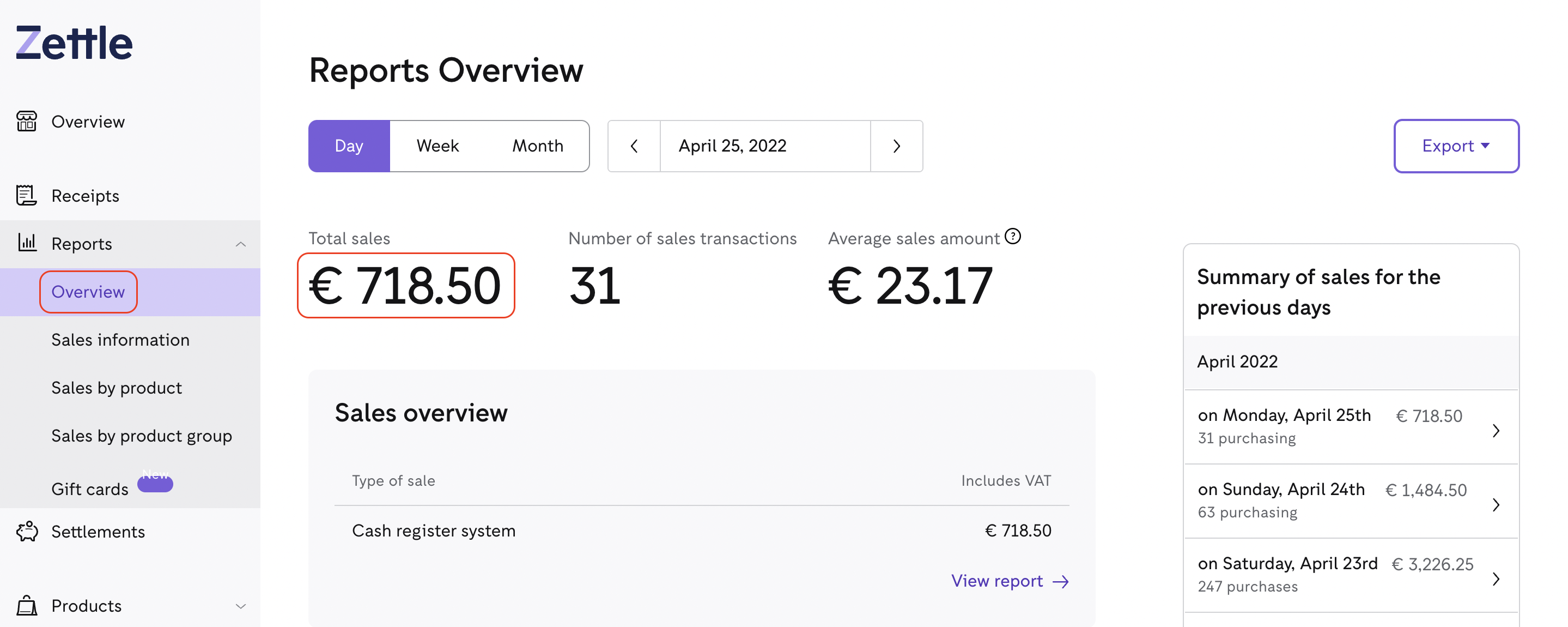
Comparing with Tenzo
Go to Sales -> Location. The VAT filter settings will need to be checked to compare with Zettle.
Exceptions
None