

Guide: Supy
How Do Core Concepts Map to Tenzo?
Key: ✅ Supported 🚸 Work in Progress ❌ Not Supported
 |
|
|---|---|
| Location | ✅ Locations |
| Vendor | ✅ Suppliers |
| Category | ✅ Category |
| Item | ✅ Items |
| Purchases | ✅ Purchases (Invoice Date) |
| Transfers | ✅ Transfers |
| Actual Usage | ✅ Actual Cost |
| Theoretical Usage | ✅ Theoretical Cost |
| Waste | ✅ Wastage Analytics |
| Menu Items | ✅ Menu Items |
| Menu Item Costs (for Menu Profitability) | ✅ Recipe Cost |
Data Ingestion
| Real-time optionally available? | ❌ |
| Default polling frequency | Every 24 hours |
| Data retrieved on each poll | Last 30 days and today |
| Historical data | All data available on Supy |
How Do I Compare Supy Data to Data in Tenzo?
Usage:
On Supy, go to Dashboard > Actual Cost:
- Choose location(s).
- Choose a date range. Note: to match Supy, in Tenzo you will need to choose a date range where the start date is a day after the start date in Supy. For example:
- To compare multiple days, i.e., 18/11/2025 to 20/11/2025 on the "Actual Cost" dashboard in Supy, the date range on Tenzo should be 19/11/2025 to 20/11/2025.
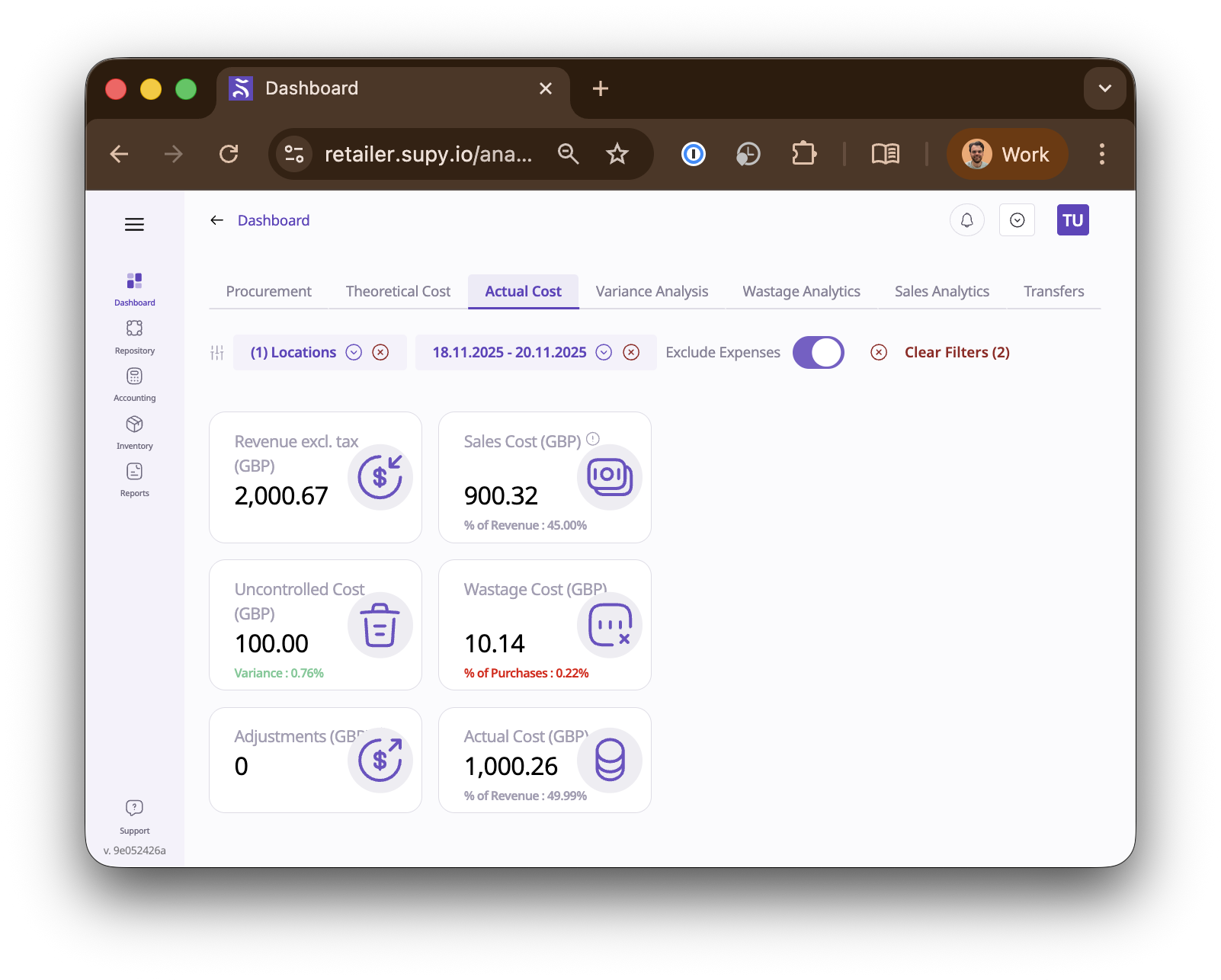
This can then be matched to Tenzo:
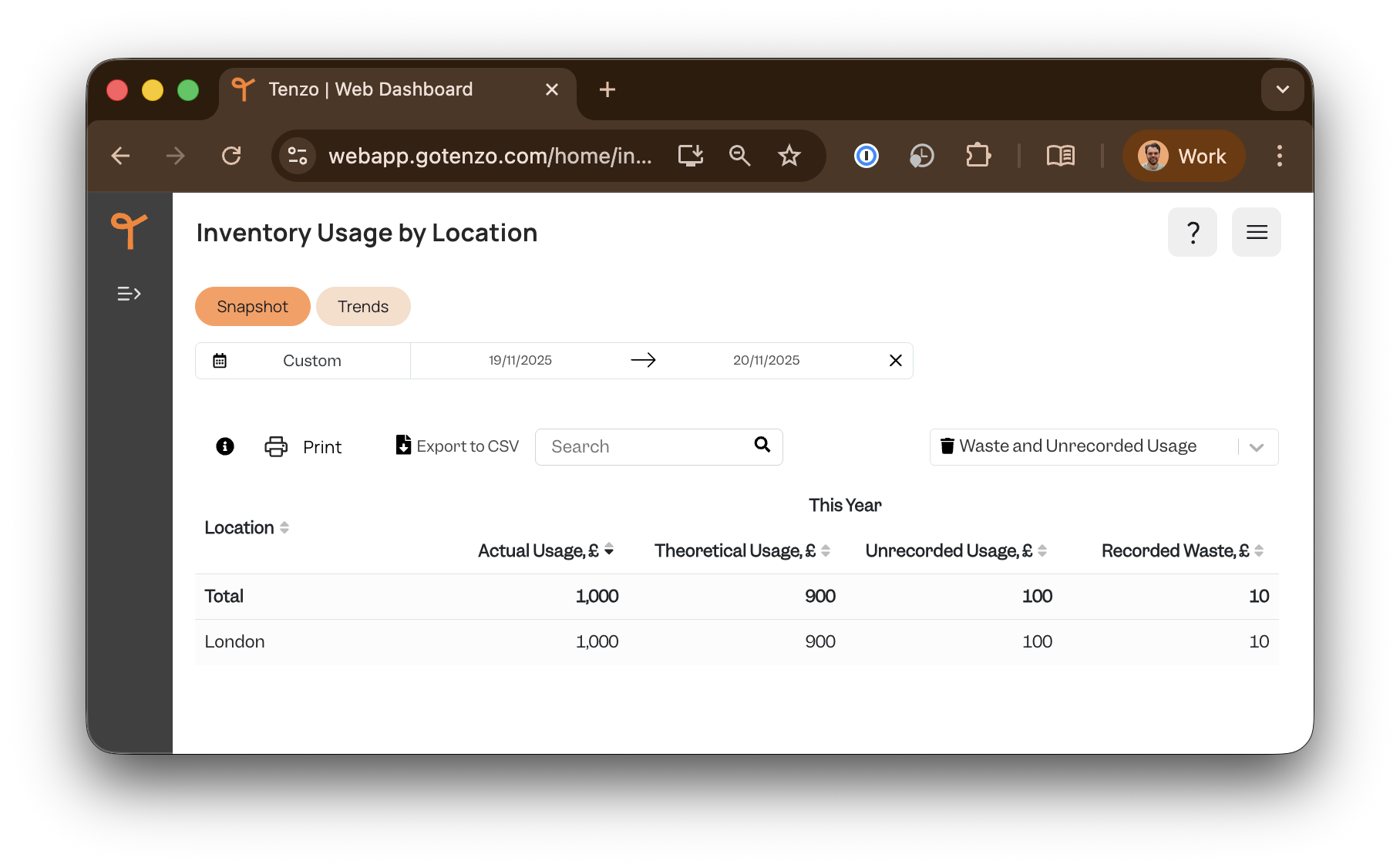
where:
- 'Actual Cost' in Supy is 'Actual Usage' in Tenzo.
- 'Sales Cost' in Supy is 'Theoretical Usage' in Tenzo.
- 'Wastage Cost' in Supy is 'Recorded Waste' in Tenzo.
- 'Uncontrolled Cost' in Supy is 'Unrecorded Usage' in Tenzo.
Purchases:
On Supy, go to Dashboard > Procurement:
- Choose location(s).
- Choose a date range, this should match the desired dates and the date range chosen on Tenzo.
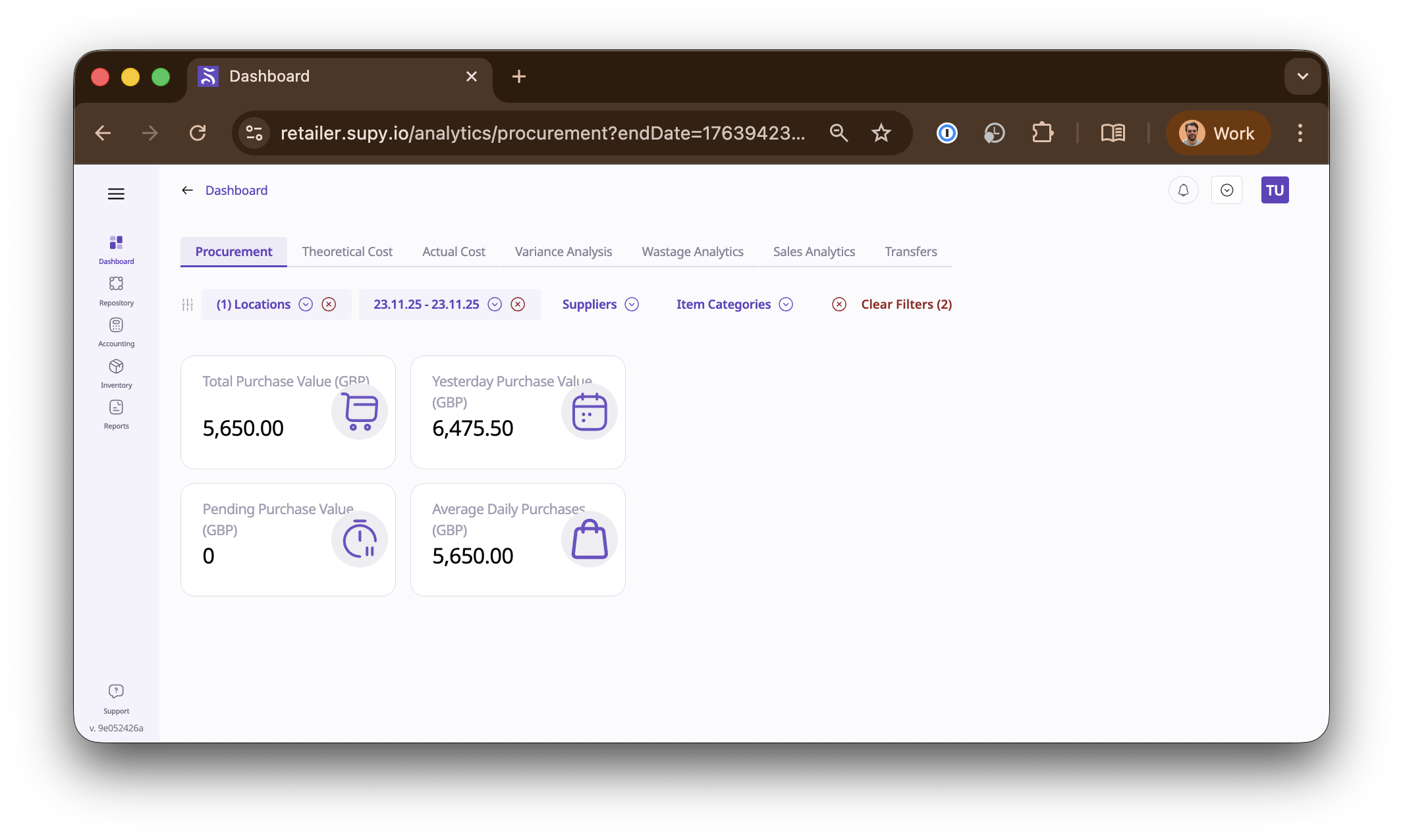
This can then be matched to Tenzo:
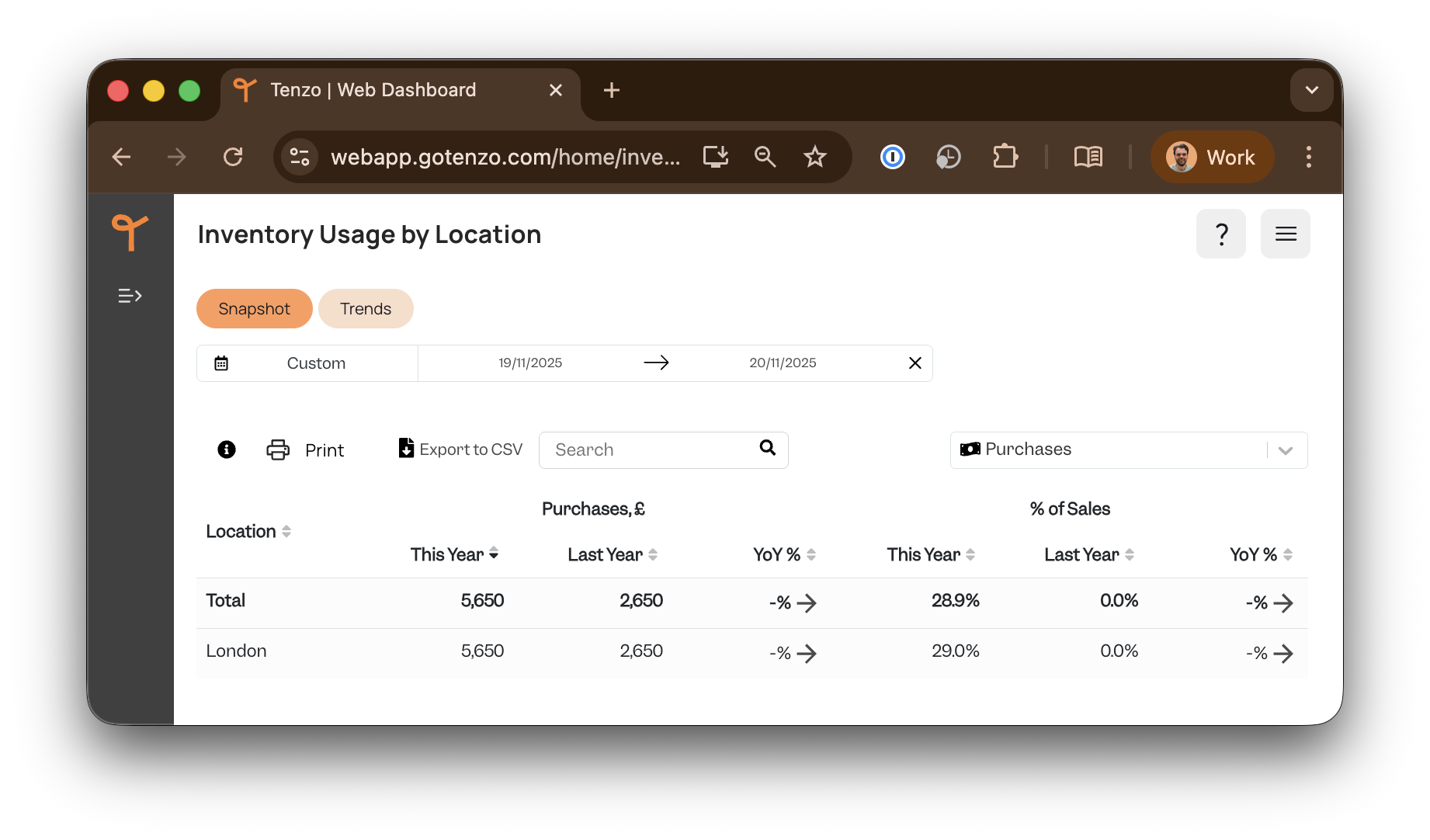
Note:
Transfers will appear in the Purchases, and will be a negative cost for a transfer out of a location and a positive cost for a transfer in to a location.