
Guide: S4labour
How Do Core Concepts Map to Tenzo?
Key: ✅ Supported 🚸 Work in Progress ❌ Not Supported
 |
|
|---|---|
| Location | ✅ Location |
| Shift (actual) | ✅ Payroll Shift |
| Shift (planned) | ✅ Forecast Shift |
| Hours | ✅ Hours |
| Salaried workers | ✅ Salaried workers |
| Employee | ✅ Employee |
| Role | ✅ Job Title |
| House Part | ✅ Area |
| Overheads | ✅ Calculated national insurance |
| Holiday | ✅ |
| Breaks | ❌ Not Supported |
| Overtime | 🚸 Overtime pay for weekly-paid staff is included in shift cost, but can't be separated out from base cost as its own hours or cost |
| Exception costs / one-off costs | ❌ Not Supported |
| Borrowed / loaned employees | ✅ |
| Pension | ❌ Not Supported |
Data Ingestion
| Real-time optionally available? | ❌ Not Supported |
| Default polling frequency | Every 8 hours |
| Data retrieved on each poll | 4 weeks back and 2 weeks forward |
| Historical data | From the 'Data start date' entered at setup |
How Do I Compare S4 Data to Data in Tenzo?
Matching Hours
Tenzo matches to the Rota page in S4. This can be found by clicking the Rota button, and then selecting the All category in the top right drop down:
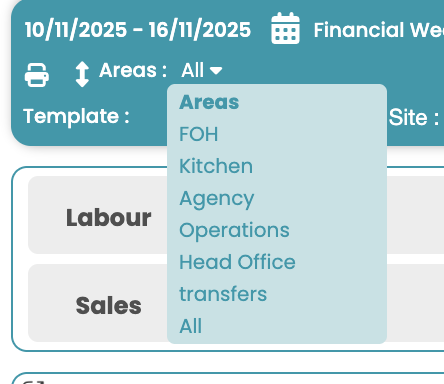
The hours will then be at the bottom of the page:
Matching Costs
To match cost on the Rota page as well. Follow the steps as above to get the daily cost, alternatively, you can go to the Summary page, using the pop out box in the top right of costs: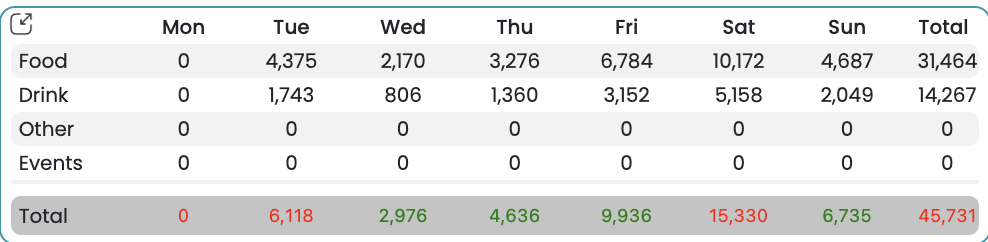
In here, scroll down to the Labour Costs section for a breakdown of all areas: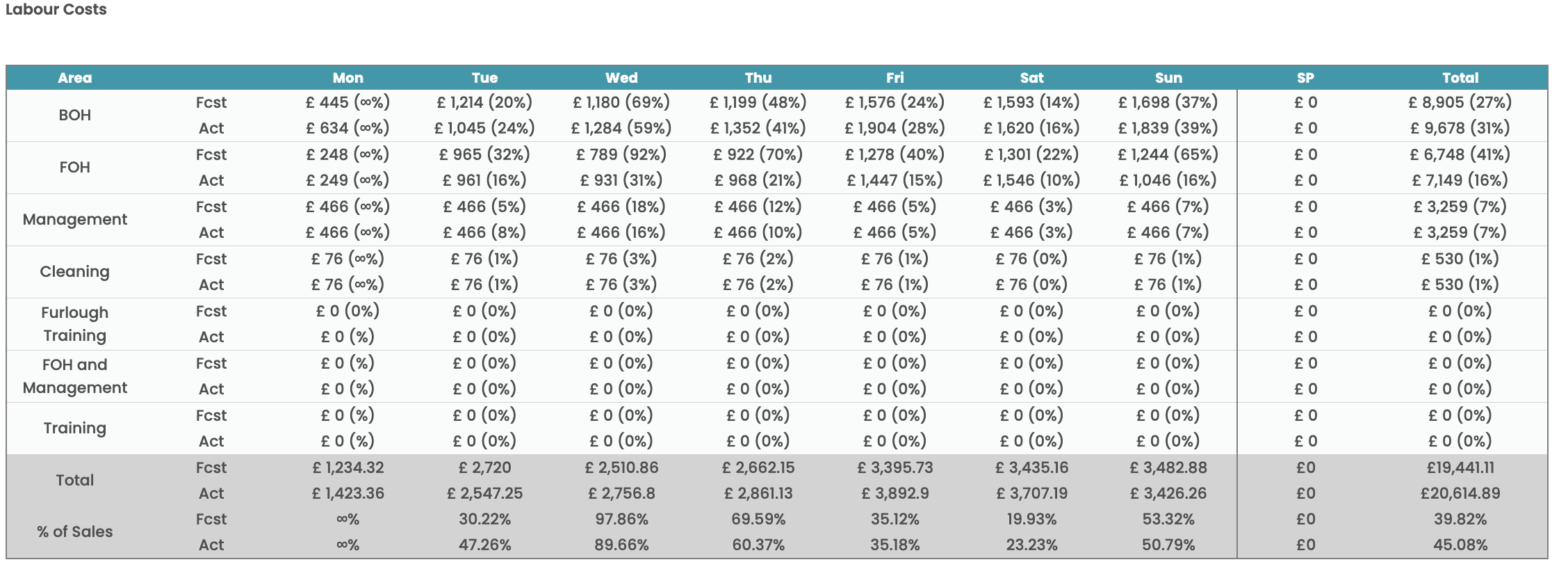
Too breakdown each individual employee, you will need to hover over the costs on the end on the rota page. A black box will appear with all overheads for that employee:
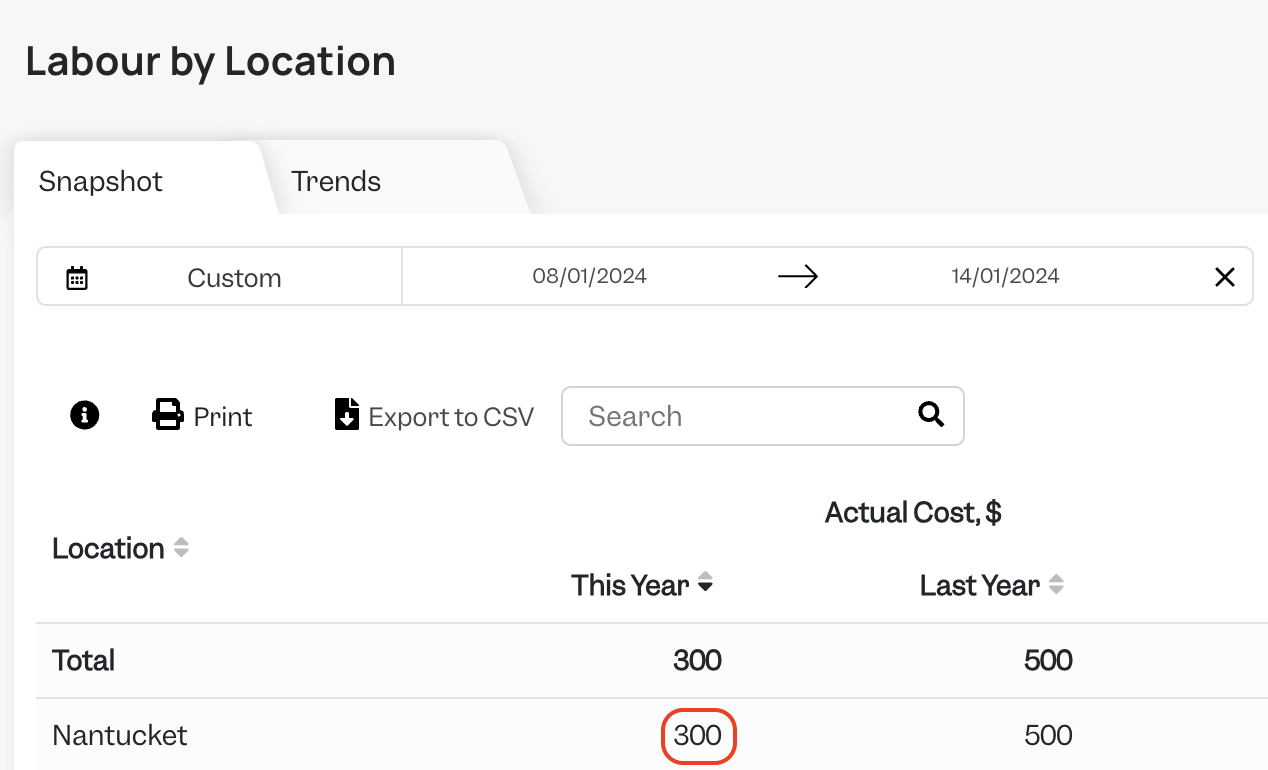
The 'Cost' column matches the Actual Labour Cost without overheads on Tenzo:
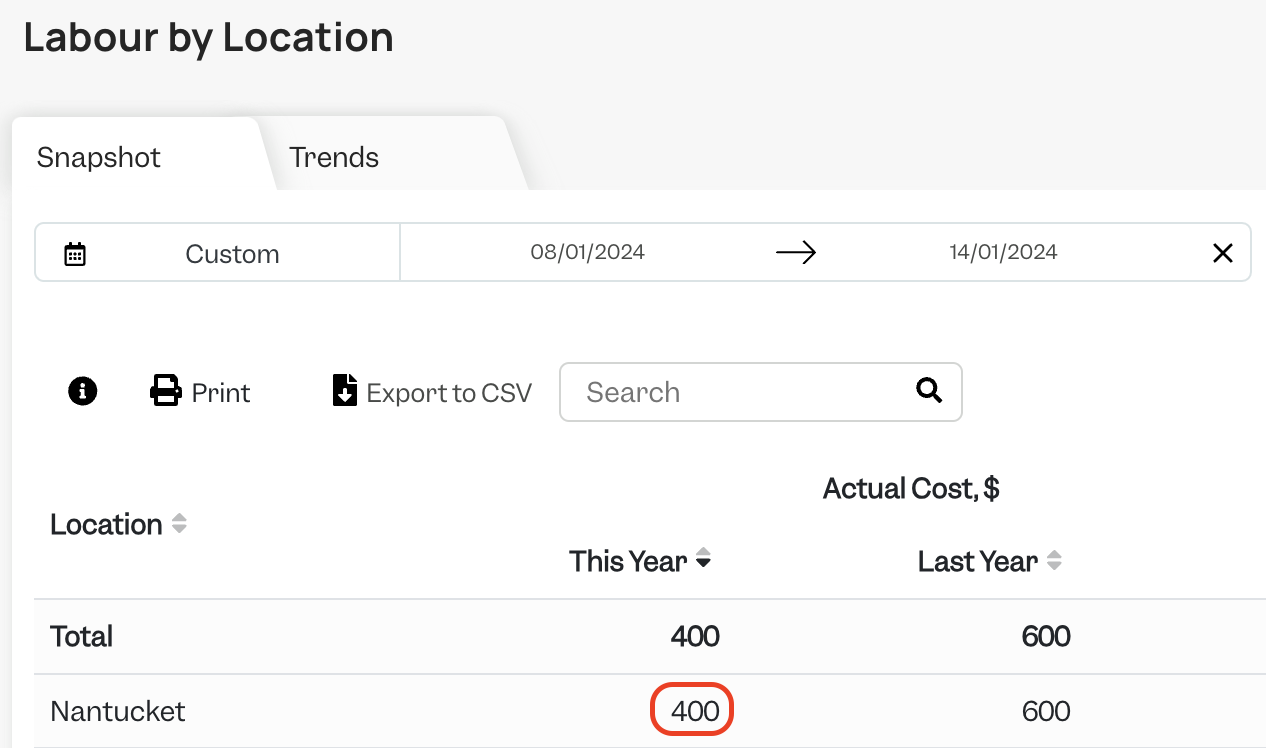
The 'Total' column on the right hand side of the screenshot above matches the Actual Labour Cost when the overheads setting is checked in Tenzo:
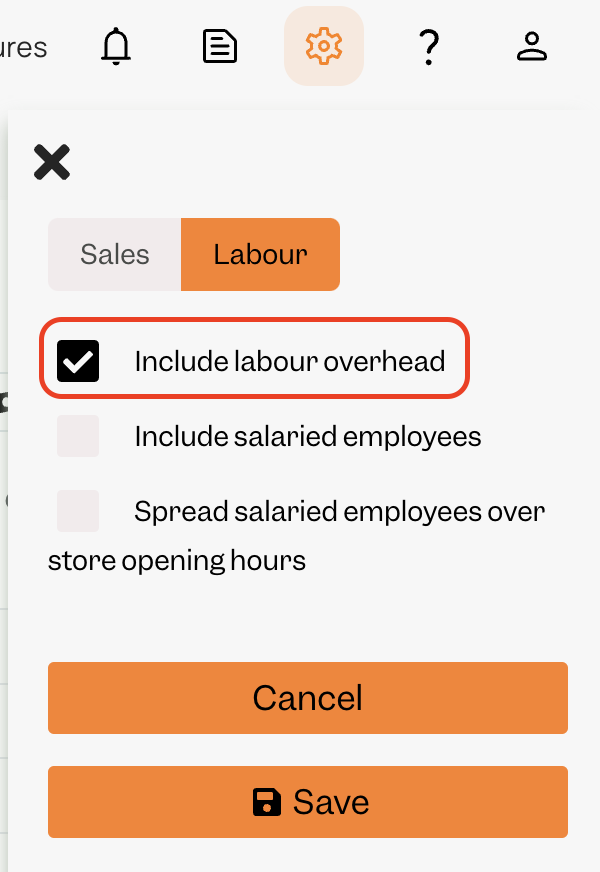
The overheads setting can be changed by clicking the cog in the top right hand corner:
Exceptions
- The API only returns data when a rota has been closed for payroll. More info from S4 can be found here, but essentially this means the 'Lock Week' button needs to be clicked.

- Agency staff. If you are using agency staff you need to download the 'Agency Report' from the Reports page in S4 and append this to the Accounts Export Report (see above).
- Overheads can sometimes mismatch because some employees in S4 will not have a P45 and therefore Tenzo can show a larger number because Tenzo will include national insurance cost from these employees.
- Sometimes there can be a mismatch between Tenzo and S4 due to National Insurance. In Tenzo this is always included when the 'Overheads' is switched on. However for National Insurance cost to appear on S4's reporting a P45 must have been uploaded to S4.
- The total cost on the rota on the S4 front-end can be slightly different than the sum of each employee's costs in rare cases. This happens when a salaried employees who is leaving does not have any shifts for that week but leaves mid-week (i.e. they get paid for those few days but did not do a shift so do not appear on the rota).
- Permissions need to be granted by the customer to allow access to the 'Labour Breakdown and Payroll Export' csv file. It's possible to see whether Tenzo has access to this on the 'Users' page of S4.
