

Guide: Workforce/Tanda
How Do Core Concepts Map to Tenzo?
Key: ✅ Supported 🚸 Work in Progress ❌ Not Supported
 |
|
|---|---|
| Location | ✅ Locations |
| Shift (actual) | ✅ Timesheets |
| Shift (planned) | ✅ Rotas |
| Hours | ✅ Hours |
| Salaried workers | ✅ Pay Rate (/year) |
| Employee | ✅ Users |
| Role | ✅ User Levels |
| House Part | ✅ Departments |
| Sales Forecast | ✅ Sales Forecast — optional |
| Overheads | ✅ Flat percent (National Insurance + Pension rate) |
| Holiday | ✅ Flat percent (leave accrual rate) |
| Breaks | ❌ Not Supported |
| Overtime | ❌ Not Supported |
| Exception costs / one-off costs | ❌ Not Supported |
| Borrowed / loaned employees | ❌ Not Supported |
Data Ingestion
| Real-time optionally available? | ✅ |
| Default polling frequency | Every 8 hours |
| Data retrieved on each poll | Back 30 Days Forward 30 Days |
| Historical data | All data since you started using the system |
Can I Pull Workforce/Tanda's Sales Forecast into Tenzo?
Yes. Workforce/Tanda produces its own sales forecast, and Tenzo can pull it in alongside your labour data.
- When you connect (or reconnect) Workforce/Tanda, authorise the extra datastream permission so Tenzo can read the forecast. Existing connections need to be re-authorised once to grant it.
- In the integration setup, tick Pull Tanda sales forecasts.
- You'll then be asked to map the Workforce/Tanda locations you want forecasts for to their Tenzo locations. Only mapped locations pull a forecast.
Forecasts arrive at Workforce/Tanda's native 15-minute granularity and can be compared against your actual and forecast sales in Tenzo.
How Do I Compare Workforce Data to Data in Tenzo?
From Reports in the top menu bar, navigate to Cost Reports, then Cost by Employees Report.
NOTE: If you can't find this report, it may be under 'Other Reports' at the bottom of the page.
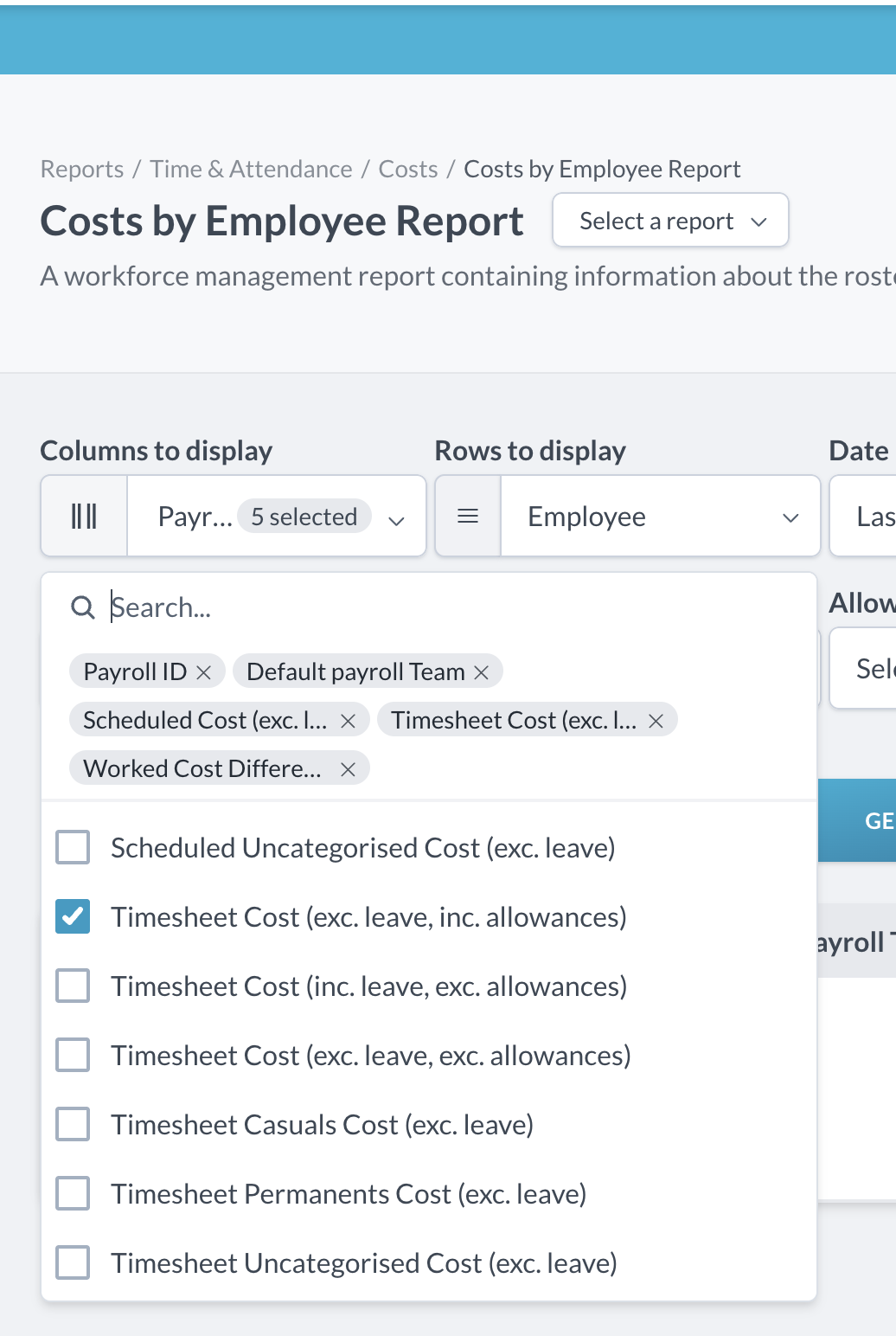
Pick dates, then select the columns, ensuring 'Timesheet Cost (exc Leave, inc Allowances' is selected.
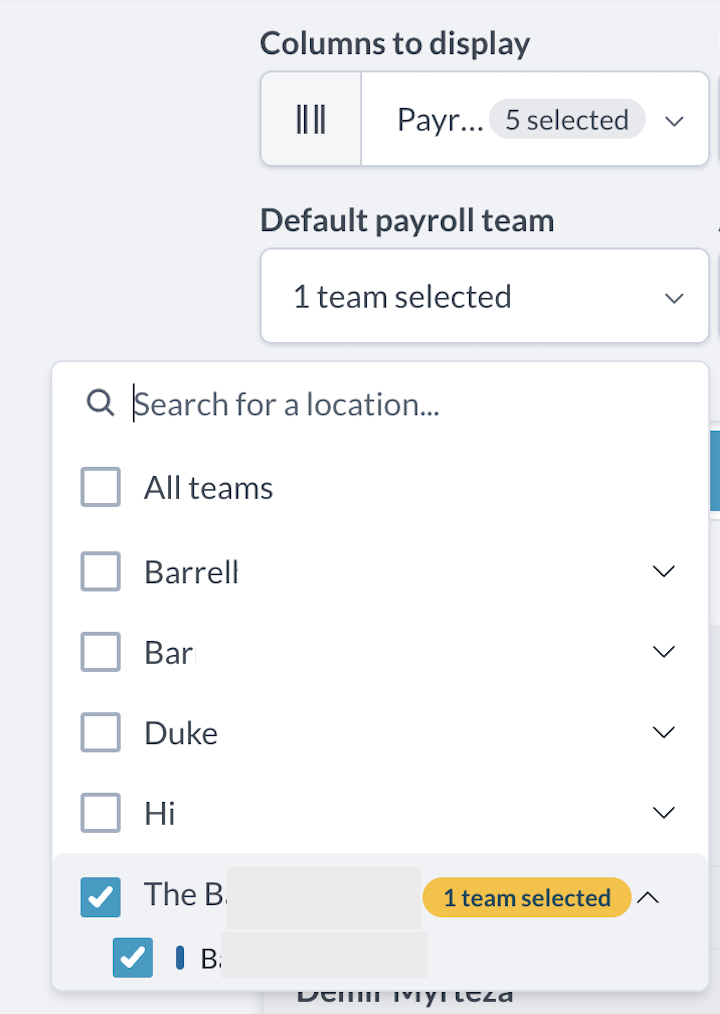
Then select the site you require from Default Payroll Team
Please note, for On-Costs, on the Tenzo side, the Holiday and WorkCover are included in the same breakdown.
Exceptions
- Sometimes a new wage can be applied to employees in Workforce/Tanda. This updates historical data in Workforce/Tanda but does not update in Tenzo because we do not believe that this new wage applies to past shifts. It will however be applied to the most recent 2 weeks and for future data in Tenzo.
- National Insurance may differ between Tenzo and Workforce. This is because Tenzo calculates it based on the Weekly Threshold, using shifts that have been worked for that week. Workforce calculates it based on the Monthly Threshold, by extrapolating the shifts worked over the entire month.