

Guide: Homebase
How Do Core Concepts Map to Tenzo?
Key: ✅ Supported 🚸 Work in Progress ❌ Not Supported
 |
|
|---|---|
| Location | ✅ Locations |
| Shift (actual) | ✅ Timesheet |
| Shift (planned) | ✅ Schedule Builder |
| Hours | ✅ Hours |
| Salaried workers | ✅ Salaried Employees |
| Employee | ✅ Employee |
| Role | ✅ Roles |
| House Part | ✅ Departments |
| Overheads | ✅ Flat percent |
| Holiday | ❌ Not Supported |
| Breaks | ✅ Breaks |
| Overtime | ✅ Overtime |
| Exception costs / one-off costs | ❌ Not Supported |
| Borrowed / loaned employees | ❌ Not Supported |
Data Ingestion
| Real-time optionally available? | ❌ |
| Default polling frequency | Every 8 hours |
| Data retrieved on each poll | Back two weeks, forward two weeks |
| Historical data | All data since your locations were created in Homebase |
How Do I Compare Homebase Data to Data in Tenzo?
1. Labour Cost
In Homebase, head to Reports > Labor Cost Summary
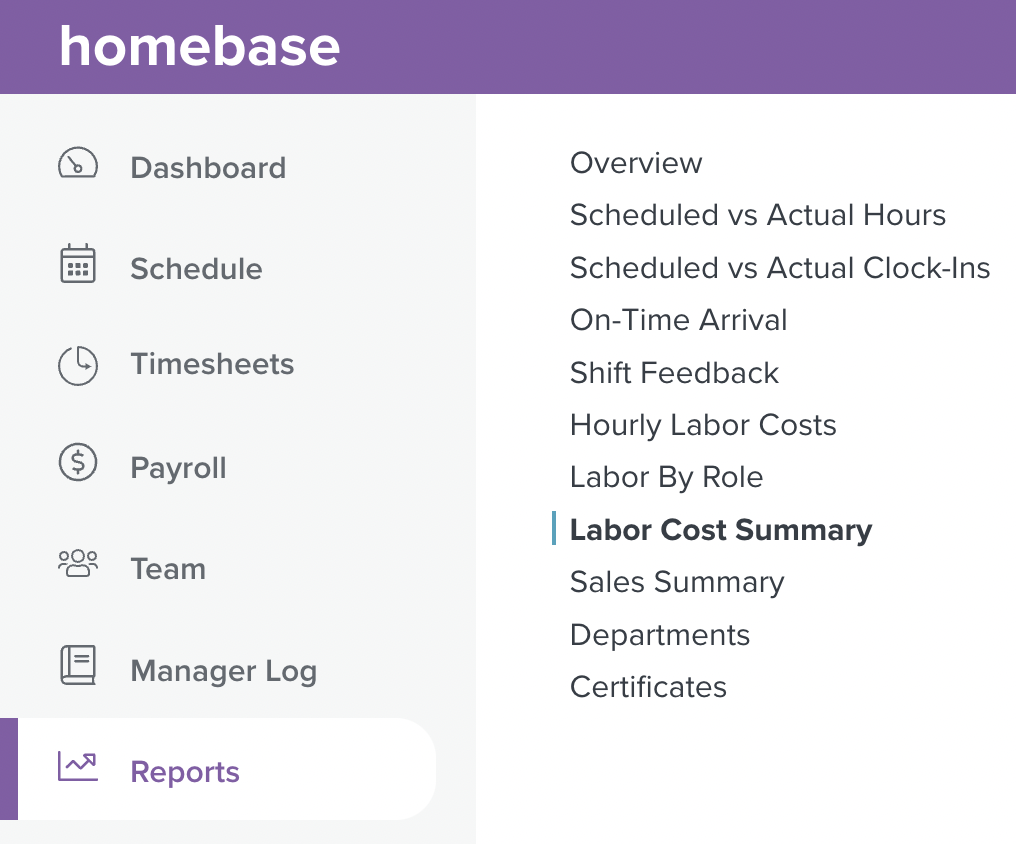
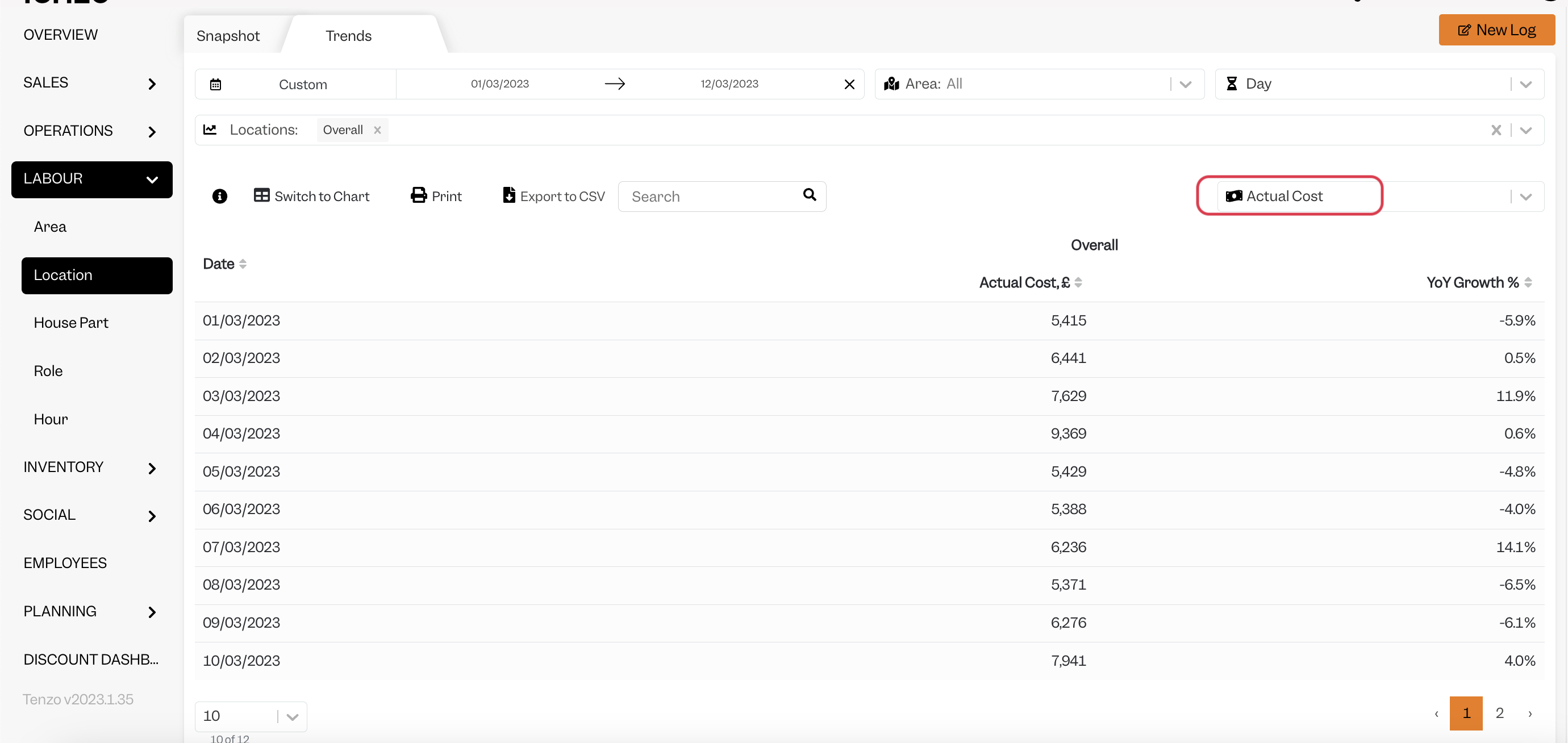
Compare the daily Cost in Homebase with Actual Cost in Tenzo:
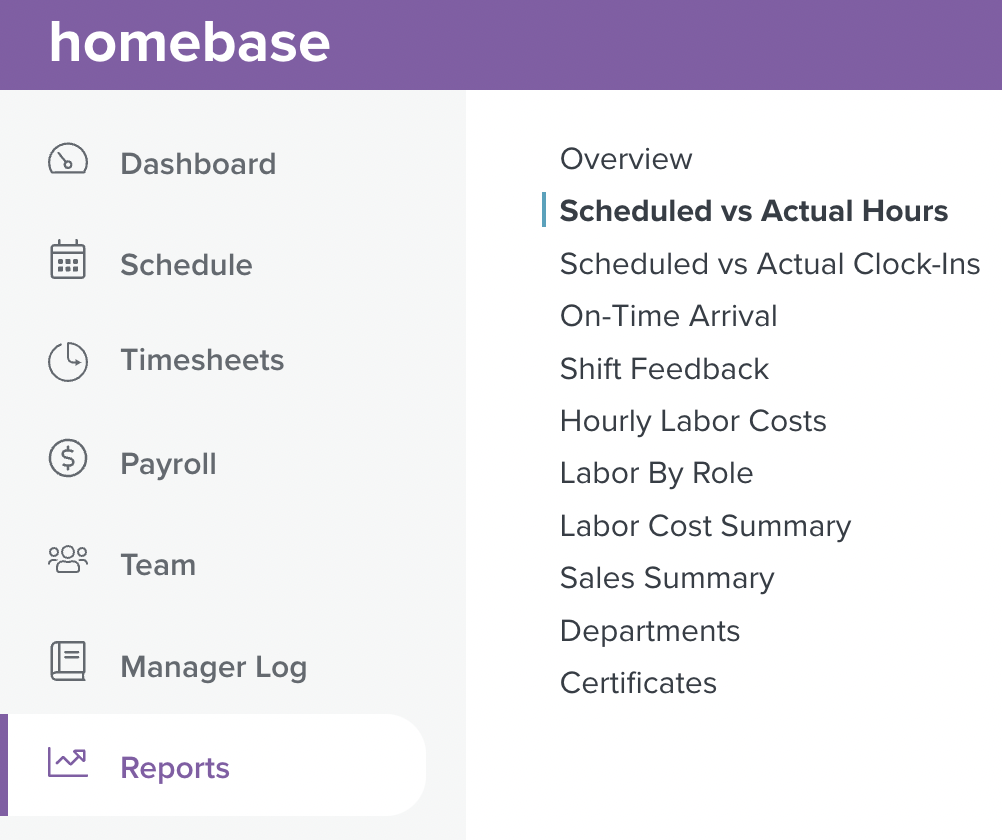
2. Actual Hours
In Homebase, head to Reports > Scheduled vs Actual Hours
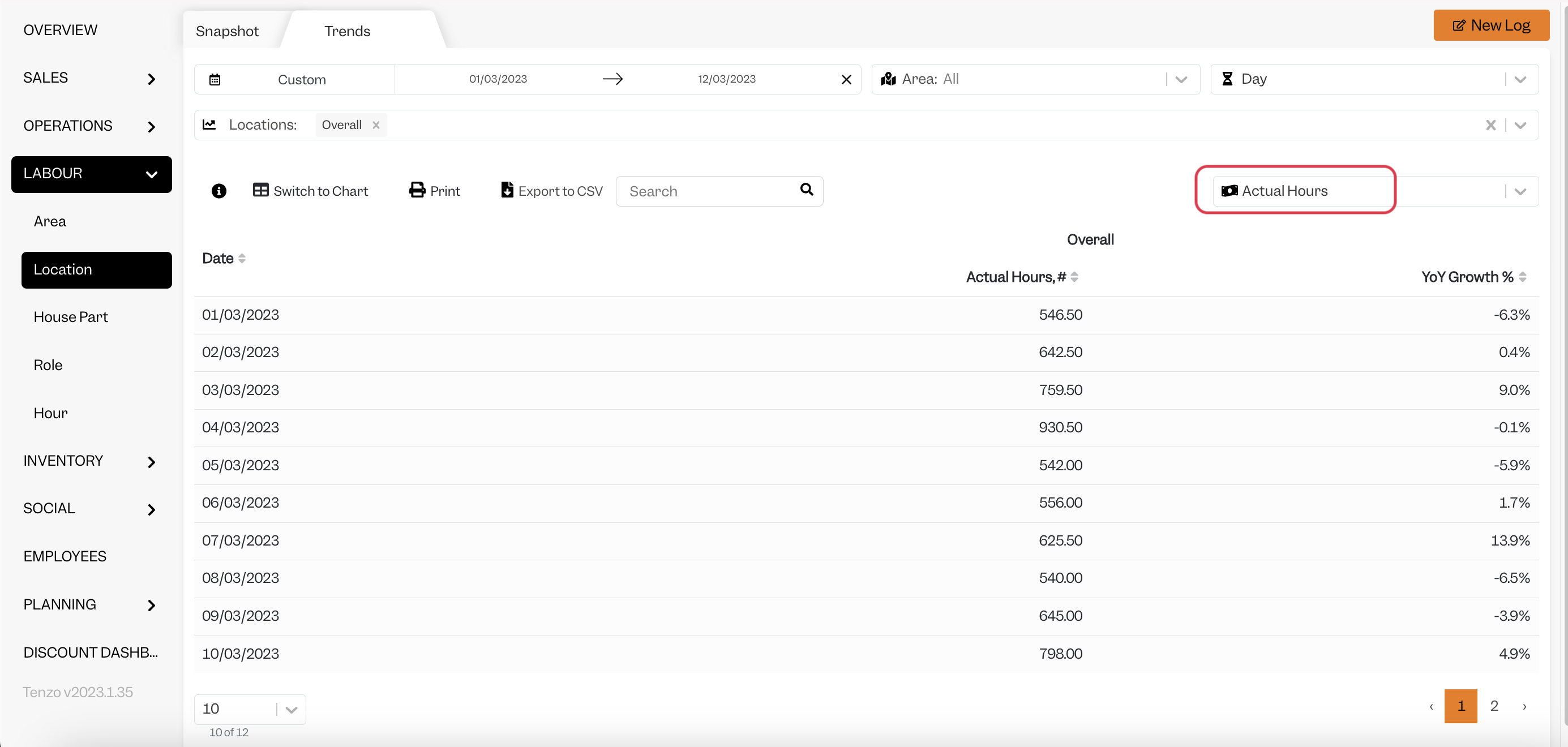
In Tenzo, compare to Actual Hours:
Exceptions
- When looking at Actual Hours, in Homebase you see the hours including breaks - in Tenzo, Actual Hours worked exclude breaks, as they are not paid.
- Employees must have an approved timecard for their hours and cost to appear in Tenzo.