

Guide: Sevenrooms Reservations (SFTP)
How Do Core Concepts Map to Tenzo?
Key: ✅ Supported 🚸 Work in Progress ❌ Not Supported
 |
|
|---|---|
| Reservation | ✅ Reservation or Booking |
| Number of Guests | ✅ Covers |
| No Show | ✅ No Show |
| Customer | ✅ User |
| Revenue Center | ✅ Seating Area |
| Status | ✅ |
| Reservation Paid | ❌ Not Supported |
Data Ingestion
| Real-time optionally available? | ❌ Data arrives on the SevenRooms export schedule |
| Default polling frequency | SevenRooms sends a scheduled export, typically once a day. Tenzo checks for new files every 20 minutes. |
| Data retrieved on each poll | All reservations in the export, loaded per day and venue. The date range is set in the SevenRooms export. |
| Historical data | 3 years |
How Do I Compare Sevenrooms Data to Data in Tenzo?
You can compare reservations in the Reporting → Reservation Summary within Sevenrooms:
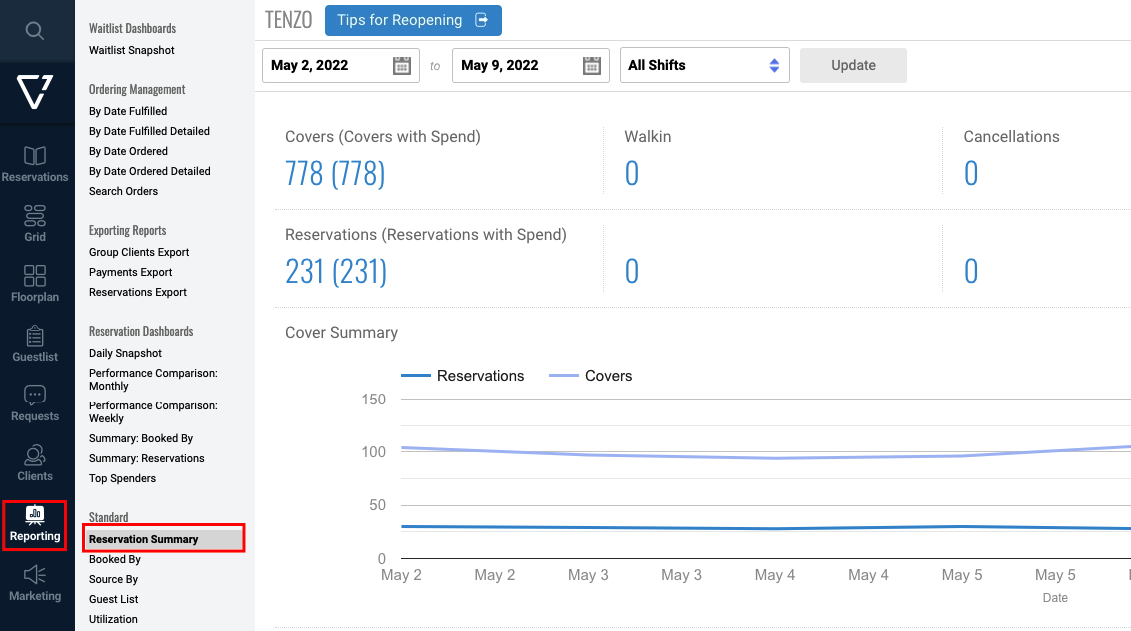
Reservations and reviews can be viewed on the Sevenrooms dashboard in Tenzo.