

Guide: Strobbo
How Do Core Concepts Map to Tenzo?
Key: ✅ Supported 🚸 Work in Progress ❌ Not Supported
 |
|
|---|---|
| Location | ✅ Workspace |
| Shift (actual) | ✅ Clocktimes |
| Shift (planned) | ✅ Planned shifts |
| Hours | ✅ Hours |
| Salaried workers | ❌ Not Supported |
| Employee | ✅ Employee |
| Role | ✅ Employee function |
| House Part | ✅ Clocktimes Work area |
| Overheads | ✅ Exact match / Flat percent |
| Holiday | ❌ Not Supported |
| Breaks | ✅ Planned shifts |
| Overtime | ❌ Not Supported |
| Exception costs / one-off costs | ❌ Not Supported |
| Borrowed / loaned employees | ❌ Not Supported |
Data Ingestion
| Real-time optionally available? | ❌ |
| Default polling frequency | Every 8 hours |
| Data retrieved on each poll | Two weeks on either side of selected date |
| Historical data | All data since you started using the system |
How Do I Compare Strobbo Data to Data in Tenzo?
Matching to Strobbo's Reporting Module
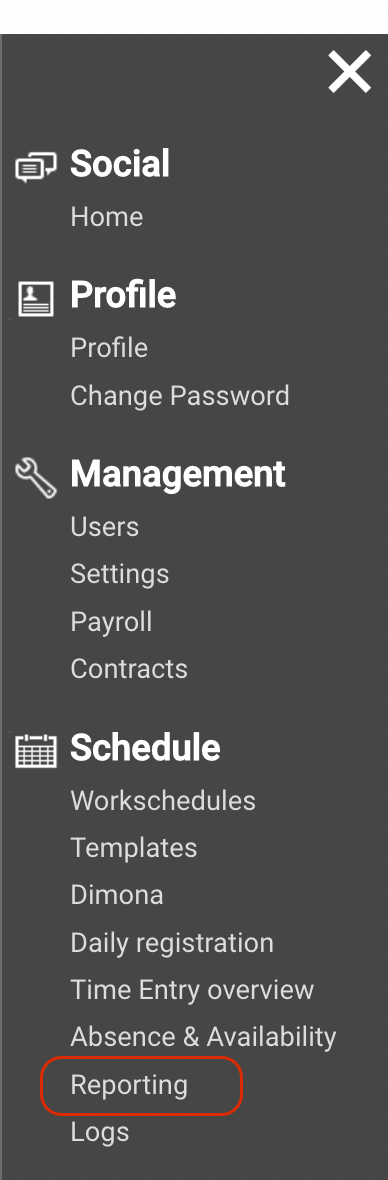
If you have access to Strobbo's Reporting Module, then go to the Left-side Menu > Reporting:
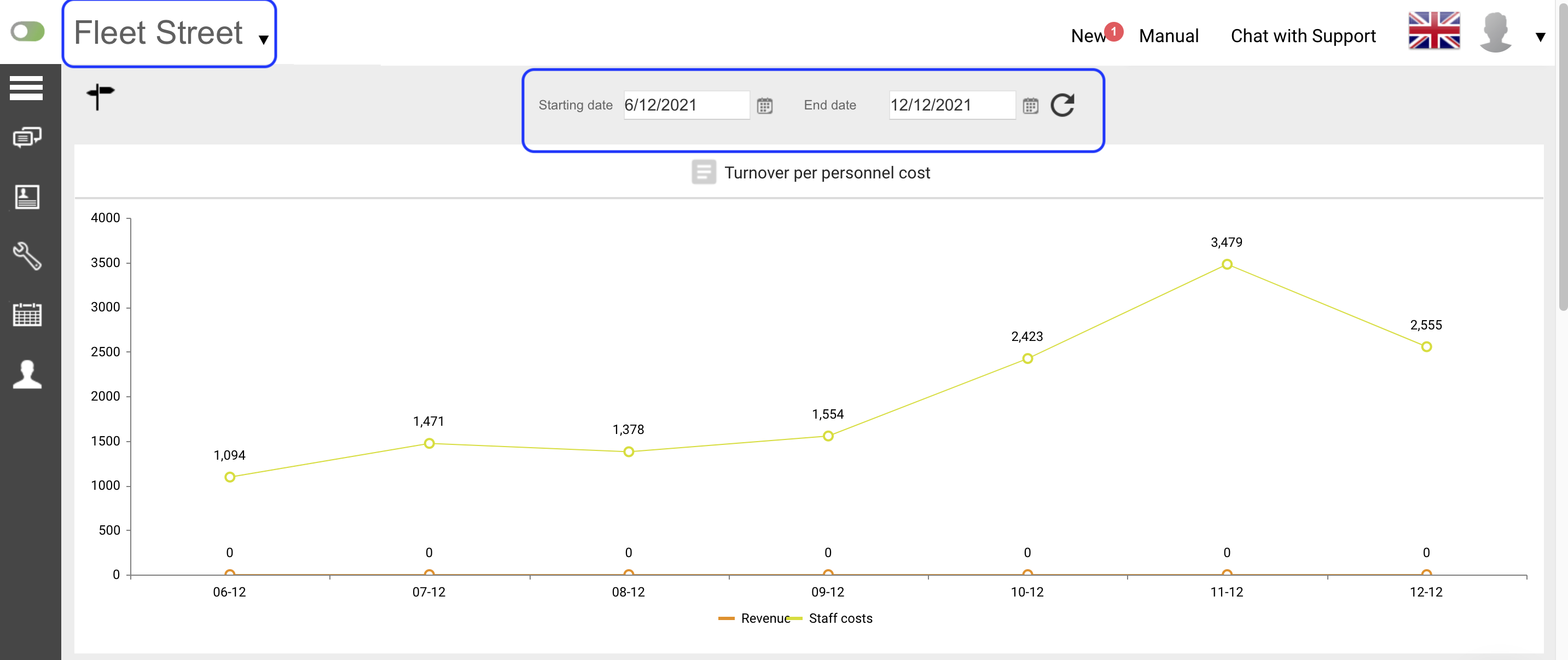
Select Location and Date Range > the first chart you will see is Turnover per personnel cost; here, refer to the line displaying "Staff costs":
In Tenzo, go to Labour > Location > Trends > Visualise by Day > select Location > select date range.
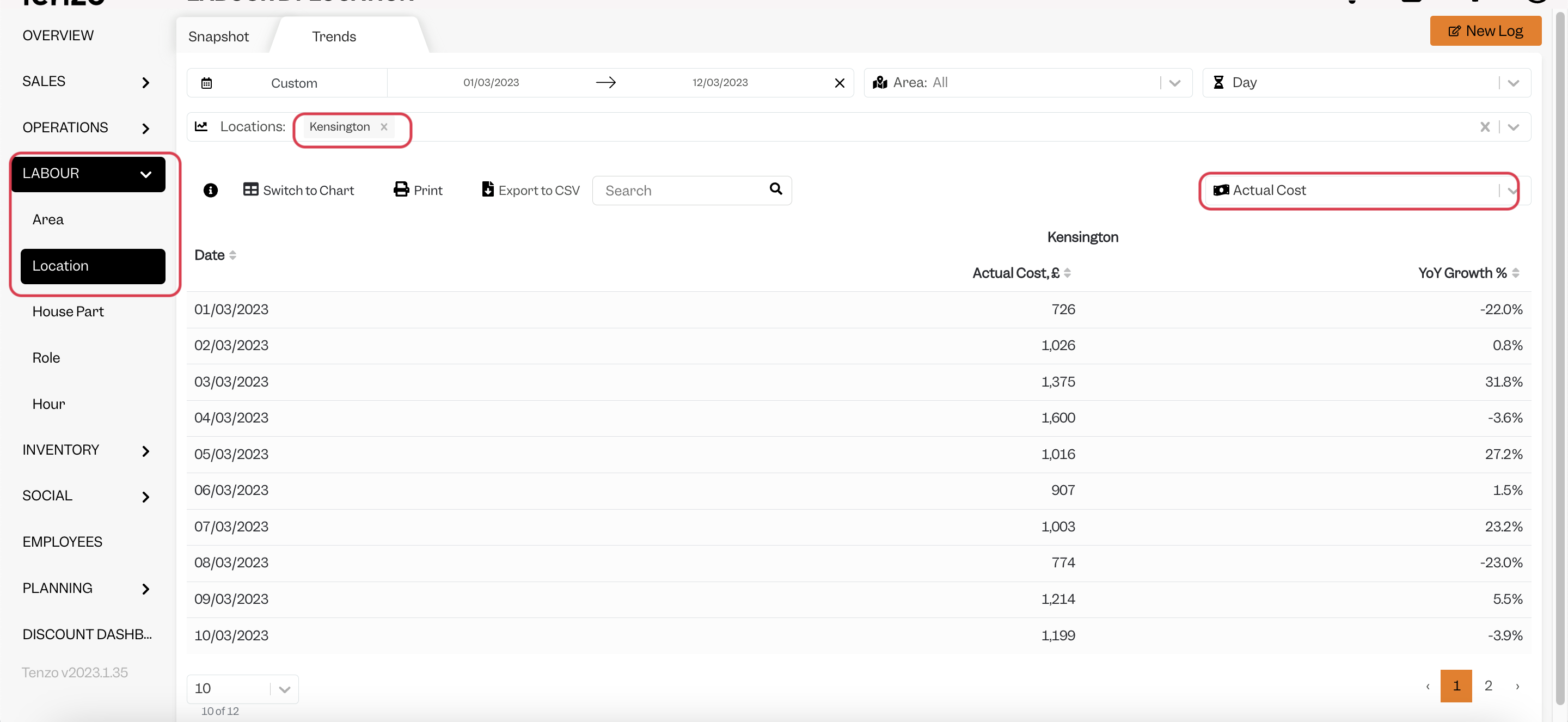
Strobbo's "Staff Costs" = Tenzo's "Actual Cost of Labour"
Matching to Strobbo's Planning Module
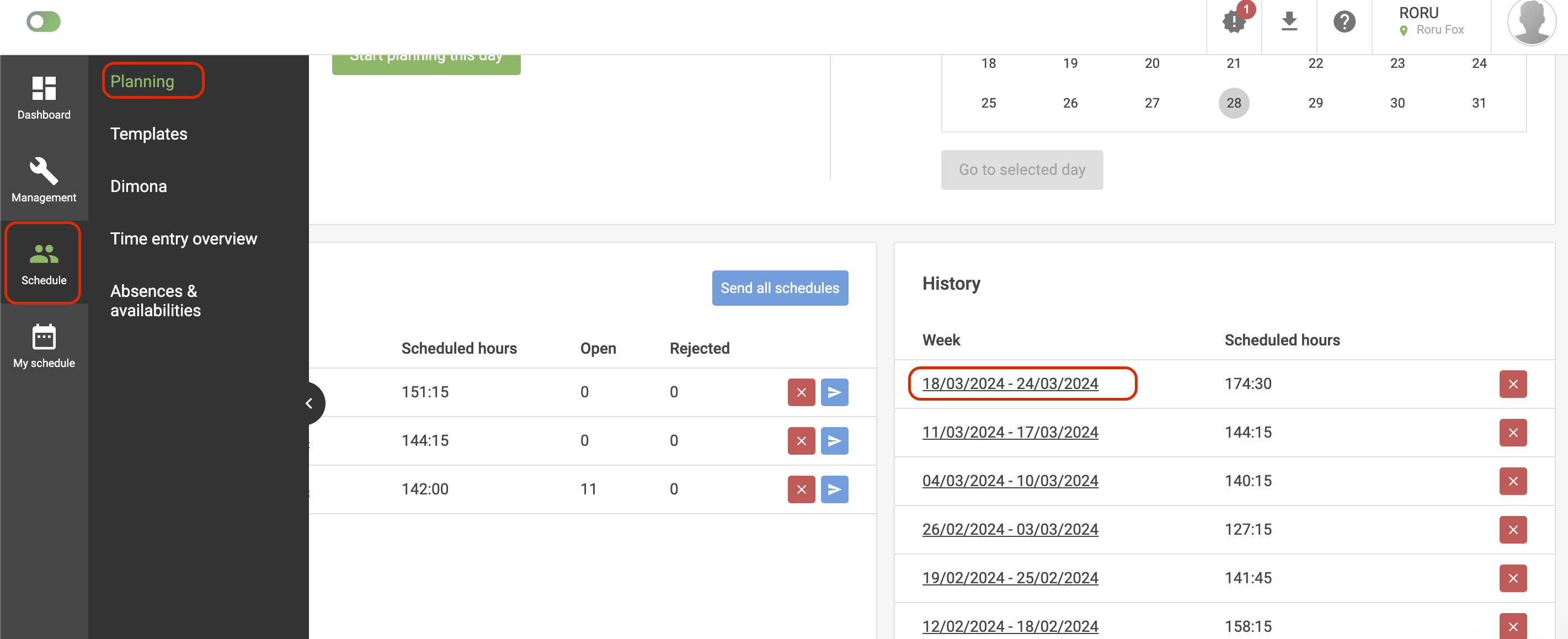
If you do not have access to Reporting, you can go to Schedule > Planning > Select the week you want:
Then click on the currency symbol on the right hand side, then select Verify against "Actual":
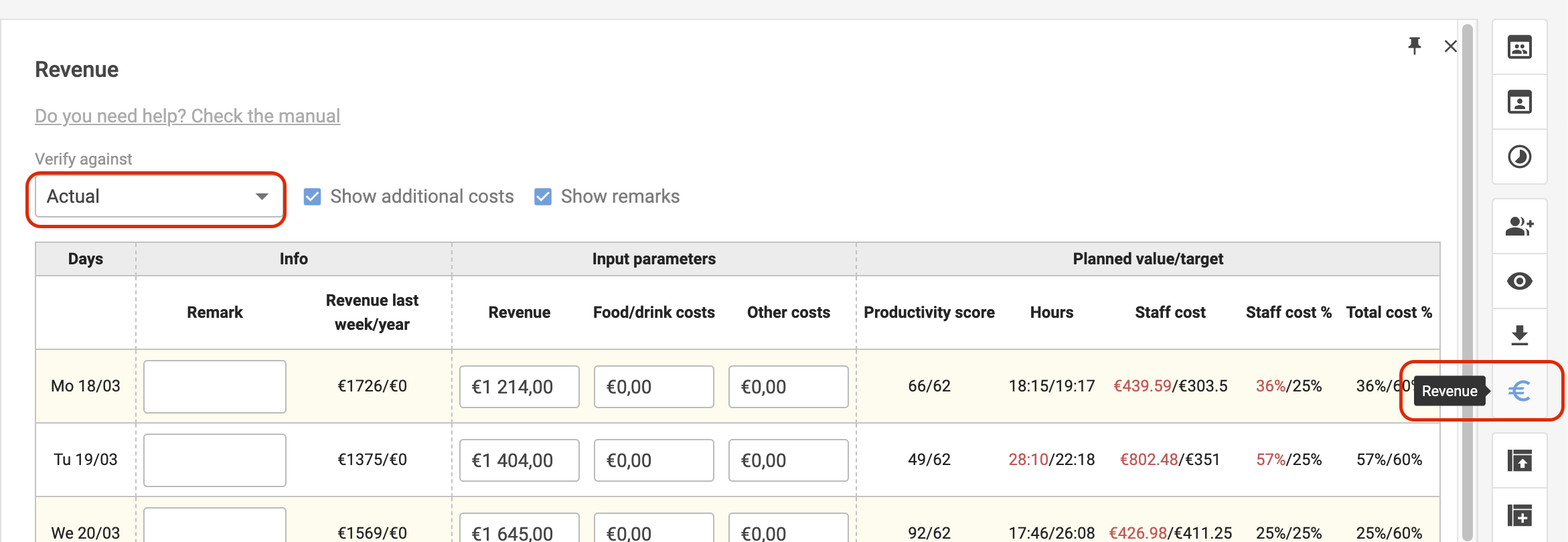
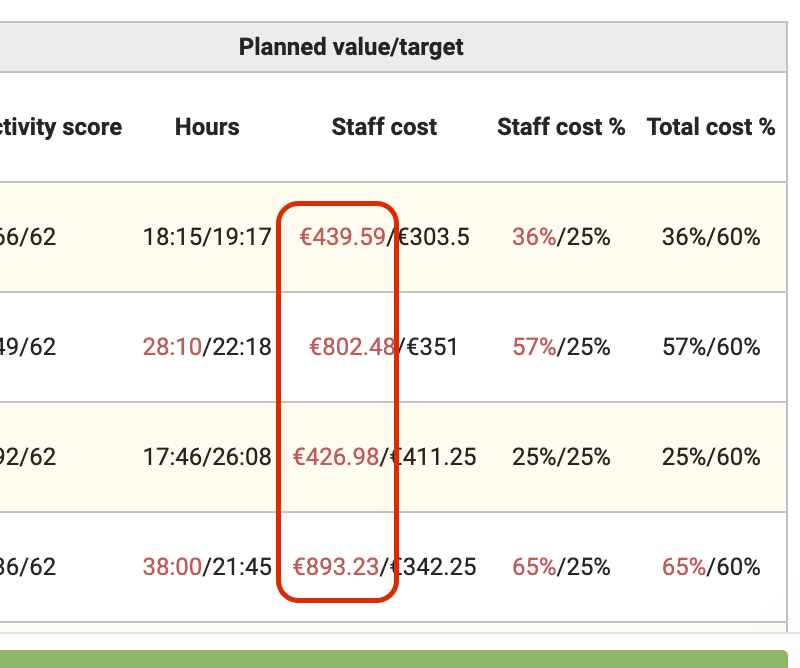
The numbers you should look at are the ones on the left-hand side of "Staff Cost":
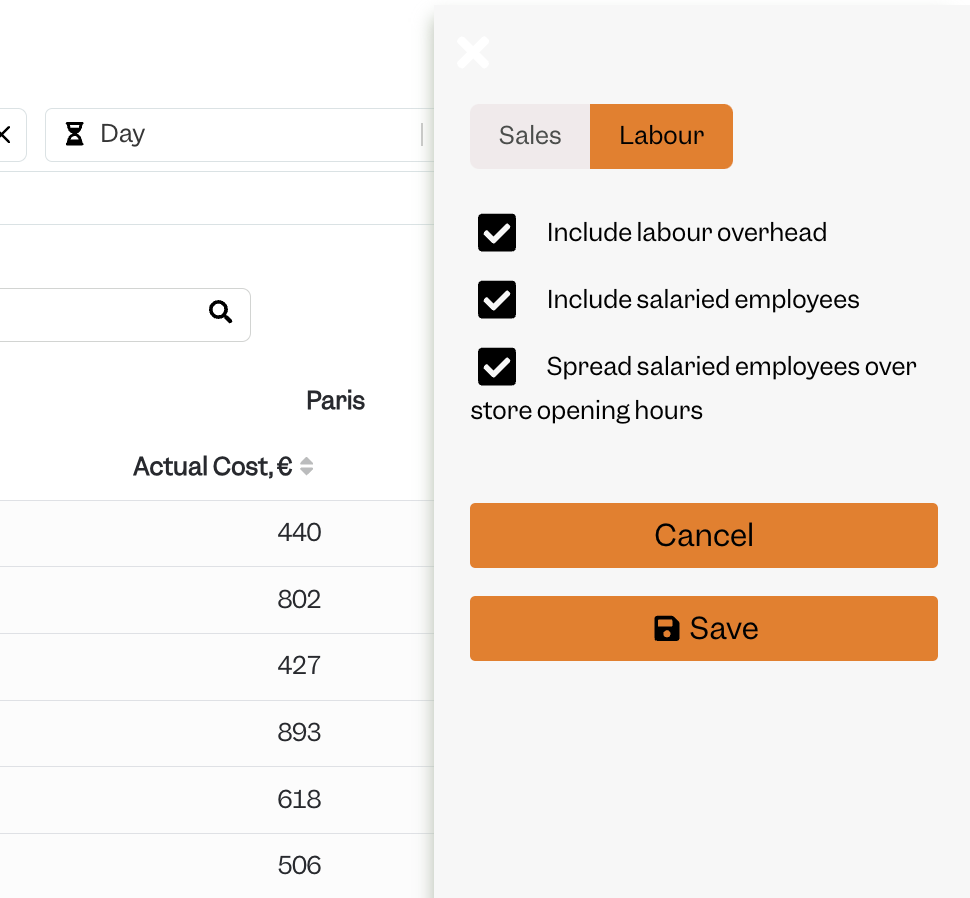
This matches to Tenzo with overheads and salaried employees included:
Exceptions
- If a change is made to the hourly pay rate then this change applies to the current week/future labour costs. However if you view past labour costs on the Reporting page on Strobbo, this page will re-calculate past labour costs using the current hourly pay rate. This re-calculated data then may not match with Tenzo.