

Guide: Nory Inventory Beta
How Do Core Concepts Map to Tenzo?
Key: ✅ Supported 🚸 Work in Progress ❌ Not Supported
 |
|
|---|---|
| Location | ✅ Branches |
| Vendor | ✅ Suppliers |
| Category | ✅ Categories |
| Item | ✅ Items |
| Purchases | ✅ Purchases (Invoice Date) — Orders |
| Actual Usage | ✅ Used Value |
| Theoretical Usage | ✅ Sales Value |
| Recorded Wastage | ✅ Waste Value |
| Menu Items | ✅ |
| Menu Item Costs | ✅ |
| Transfers | ❌ Not Supported |
Data Ingestion
| Real-time optionally available? | ❌ |
| Default polling frequency | Every 20 minutes for purchases, usage and menu item costs. Locations once a day |
| Data retrieved on each poll | Any new files Nory has sent since the last check. Purchases are dated by invoice date, and usage comes from Nory's weekly reconciliation report, split by day |
| Historical data | At Nory's discretion (depends on the history Nory sends) |
How Do I Compare Nory Data to Data in Tenzo?
- Usage:
-
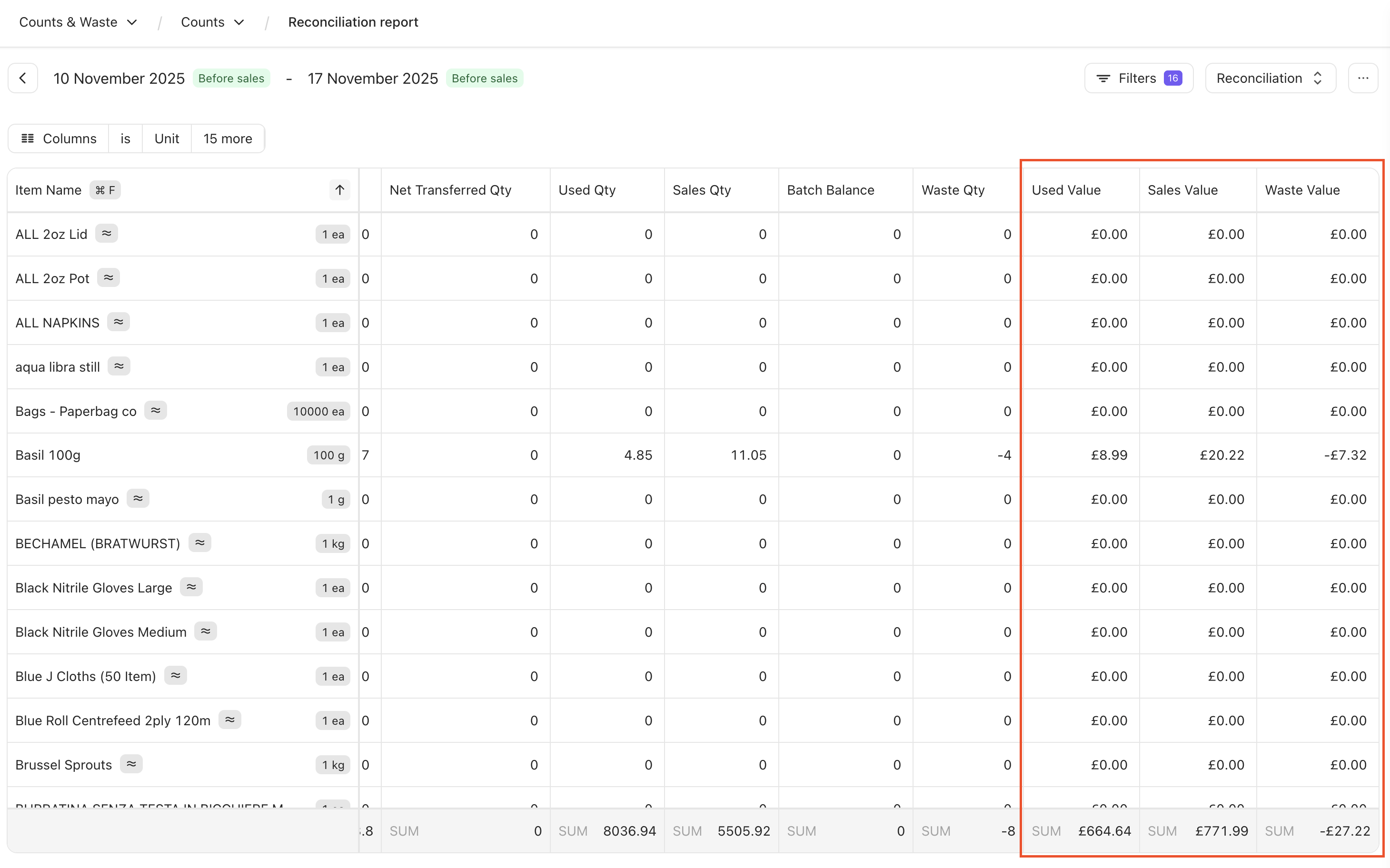
On Nory: Counts & Waste > Counts (You may need to add the columns listed below to the filters for them to be visible)
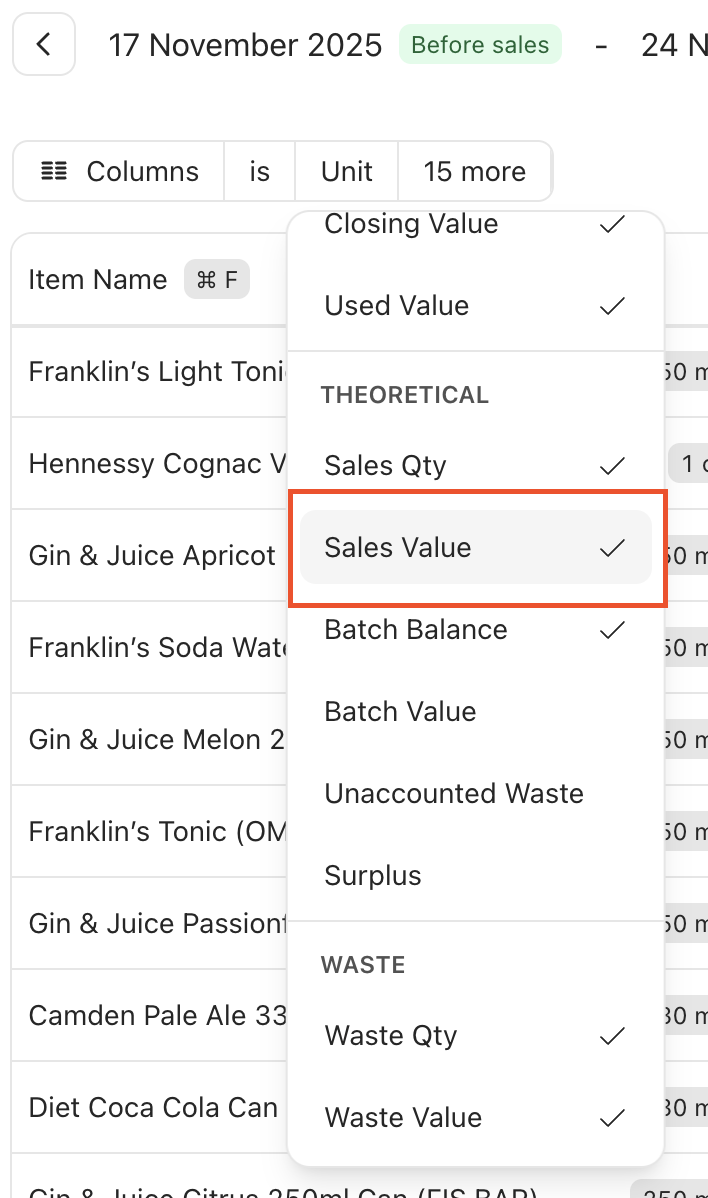
- Actual Usage: Used Value
- Theoretical Usage: Sales Value
- Wastage: Waste Value
-
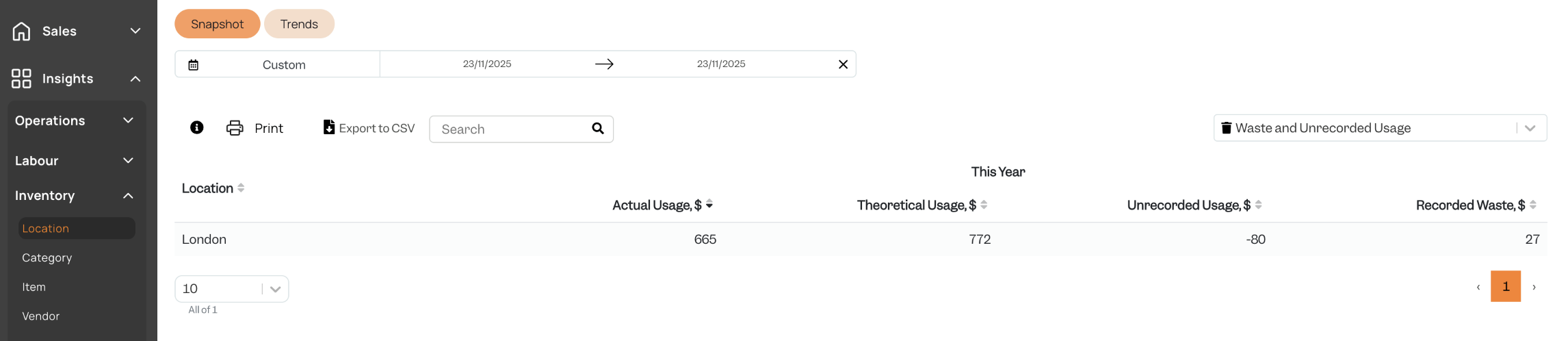
Tenzo: Inventory > Location > [Select Waste and Unrecorded Usage in right sided dropdown]
-
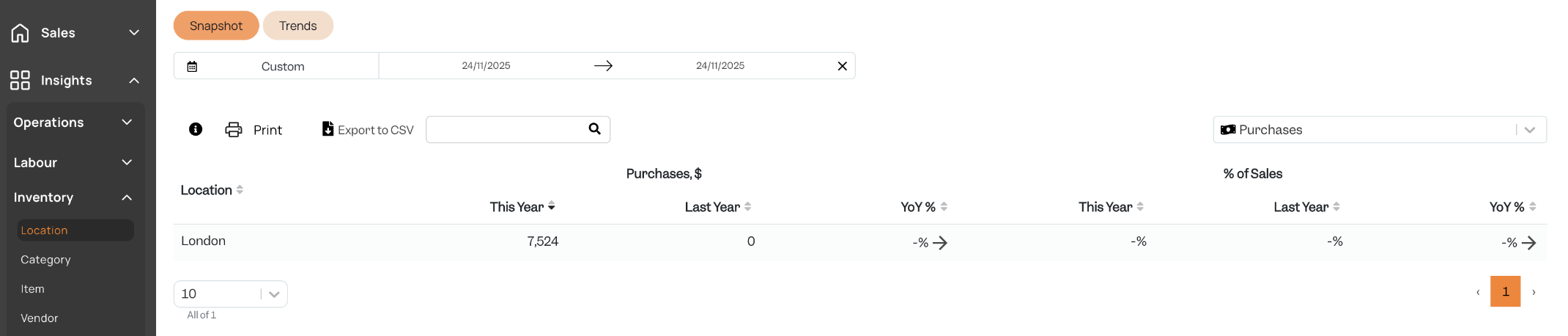
- Purchases:
- On Nory: Purchases > Orders > [Select Order]
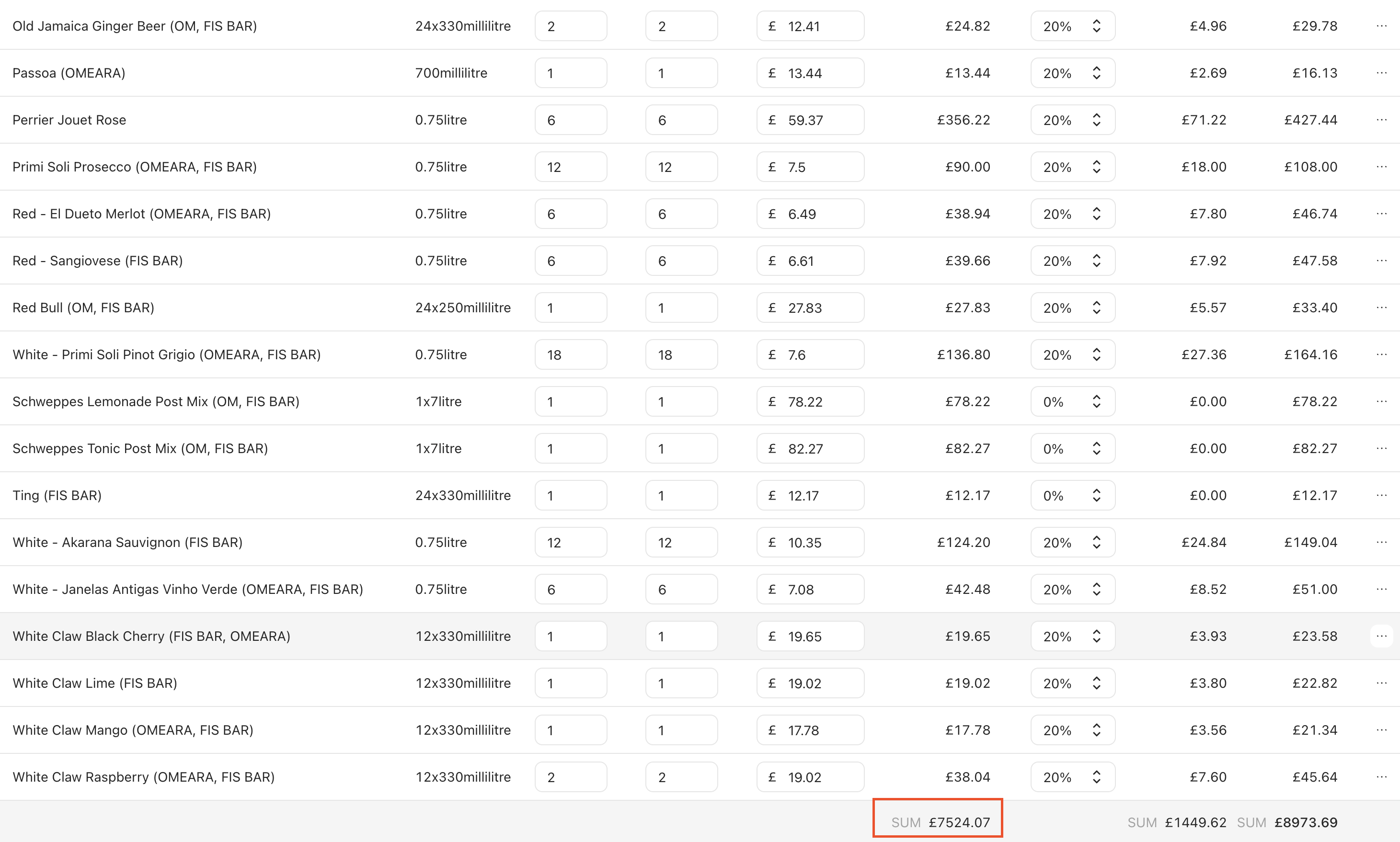
- On Tenzo: Inventory > Location > [Select Purchases in right sided dropdown]
- On Nory: Purchases > Orders > [Select Order]