Guide: Rotaking
How Do Core Concepts Map to Tenzo?
Key: ✅ Supported 🚸 Work in Progress ❌ Not Supported
 |
|
|---|---|
| Location | ✅ Locations |
| Shift (actual) | ✅ Worked shifts (approved or not) |
| Shift (planned) | ✅ Published shifts |
| Hours | ✅ Shift hours |
| Employee | ✅ Employees |
| Role | ✅ Job titles |
| House Part | ✅ Departments |
| Leave (holiday, sickness) | ✅ Sickness, annual leave & other paid leave — loaded as paid time off, kept separate from worked labour |
| Pension | ✅ Employer pension contribution |
| Salaried workers | ✅ Cost provided per shift by Rotaking |
| Shift cost | ✅ Provided per shift by Rotaking |
| Holiday accrual | ✅ Accrued on each worked shift (salaried absorbed into salary) |
| Breaks | ✅ Paid and unpaid break minutes |
| Employer taxes (NI) | ✅ Provided per shift by Rotaking |
| Labour additions | ✅ Daily labour additions, loaded as a "Labour Additions" line per location |
| Overtime | ❌ Not Supported |
| Overheads | ✅ Tag cost |
| Borrowed / loaned employees | ❌ Not Supported |
| Sales Forecast | ✅ Forecast sales (Financial screen) — optional |
Data Ingestion
| Real-time optionally available? | ❌ |
| Default polling frequency | Every 8 hours |
| Data retrieved on each poll | This week Forward two weeks Back two weeks |
| Historical data | From the start date entered at setup ("Earliest date to pull costings from") |
Importing Rotaking's Sales Forecast (Optional)
As well as labour data, Tenzo can pull Rotaking's own sales forecast in — the same effective forecast figure shown on Rotaking's Financial screen. Once a week is locked, that is the forecast adjustment rather than the original forecast, so Tenzo follows whatever Rotaking is currently working from.
It is off by default and opt-in per business. To enable it, tick "Pull Rotaking sales forecasts" during setup and map each Rotaking venue to its Tenzo location — only mapped venues are imported. The forecast comes through at daily granularity (one value per location per day, with every revenue stream Rotaking counts towards the venue total added together), and is refreshed daily for yesterday and the coming fortnight.
How Do I Compare Rotaking Data to Data in Tenzo?
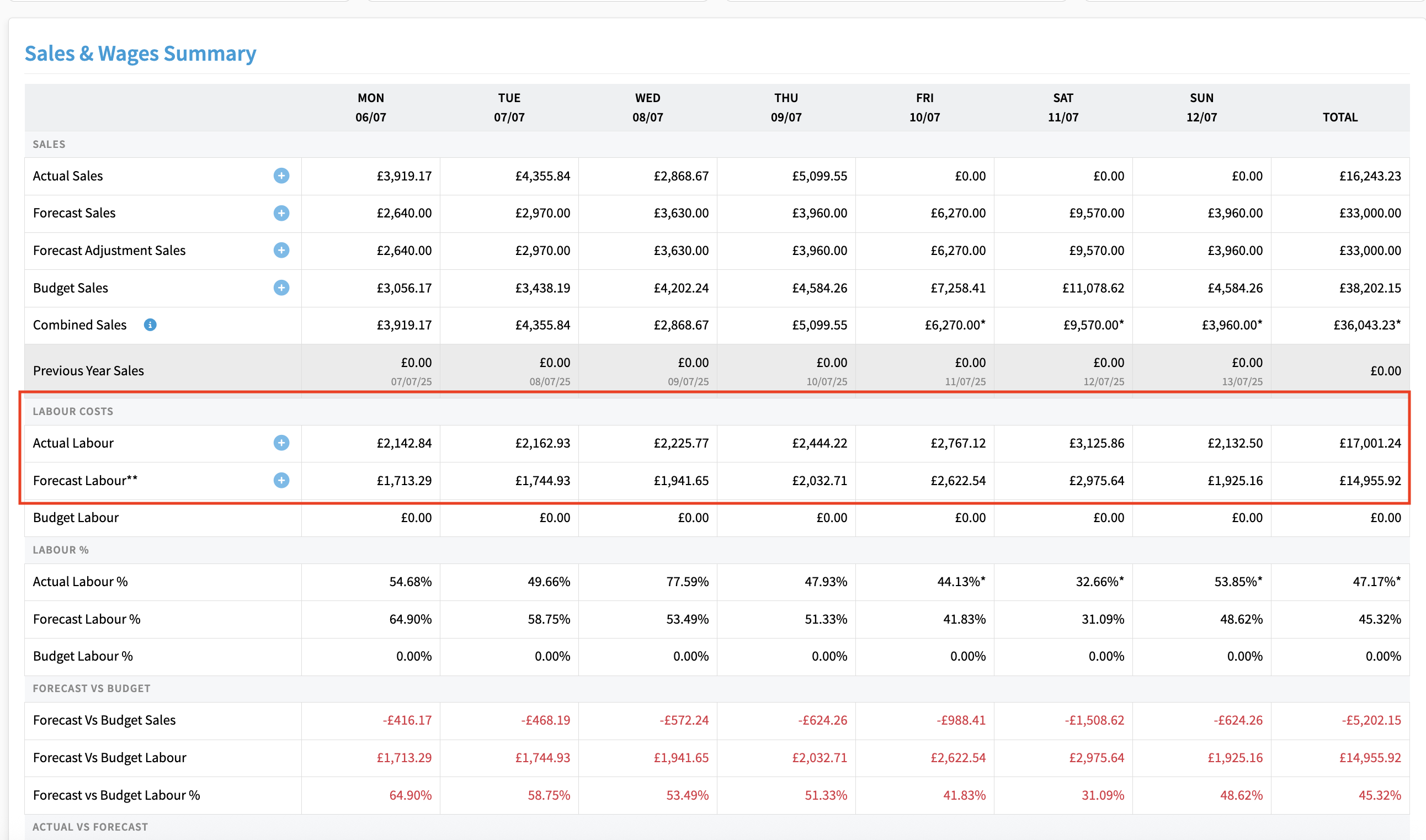
Compare against the Financial overview in Rotaking (the same figures shown on your Rotaking Financial page). Total worked hours should match closely.
Labour cost is provided per shift by Rotaking (wage, pension and employer National Insurance) and should match closely. Paid leave such as sickness is loaded as paid time off rather than worked labour, so it sits outside each department's worked labour cost. Paid holiday accrual for salaried staff is absorbed into their salary in Tenzo rather than added on top, so Tenzo's worked total can sit slightly below Rotaking's raw figure.
Rotaking's Actual Labour line is its costed labour plus any labour additions (daily amounts your finance team adds for costs the rota doesn't capture, such as central staff who split their time between sites). Tenzo brings each day's addition in as a zero-hour shift on a "Labour Additions" employee, role and house part, so it counts towards labour cost without adding hours. Forecast labour additions are loaded alongside published shifts, and actual additions appear once the day has started.
Note that shifts crossing midnight are attributed to the day they start in Tenzo, which can shift a small amount of time between days versus Rotaking's own view.
In Tenzo, the Labour by House Part view breaks worked hours and cost down by department (for example FOH and Kitchen), so you can compare each department against the equivalent split in Rotaking:

You can also compare actual labour against your forecast. Worked shifts in Rotaking load as Tenzo's actual labour and published shifts load as the forecast, so you can track worked labour against the planned schedule: