

Guide: Tenzo Data Importer (Google Sheets: Labour)
How Do Core Concepts Map to Tenzo?
Key: ✅ Supported 🚸 Work in Progress ❌ Not Supported
 |
|
|---|---|
| Location | ✅ Location |
| Shift (actual) | ✅ Shift Start Time, Shift End Time |
| Shift (planned) | ✅ Labor Planned tab, Shift Start Time, Shift End Time |
| Salaried workers | ✅ Pay Rate Type |
| Hours | ✅ Minutes |
| Employee | ✅ Employee Name |
| Role | ✅ Role |
| House Part | ✅ House Part |
| Actual Cost | ✅ Base Amount |
| Overheads | ✅ Fully Loaded Amount |
| Holiday | ❌ Not Supported |
| Breaks | ❌ Not Supported |
| Overtime | ✅ |
| Exception costs / one-off costs | ❌ Not Supported |
| Borrowed / loaned employees | ❌ Not Supported |
Data Ingestion
| Real-time optionally available? | ❌ |
| Default polling frequency | Once a day, overnight (between 12am and 4am) for the Labor and Labor Planned tabs; every 4 hours for the Sales and Daily Forecasts tabs |
| Data retrieved on each poll | All data in the sheet |
| Historical data | All data in the sheet |
How Do I Populate the Template?
Use this template.
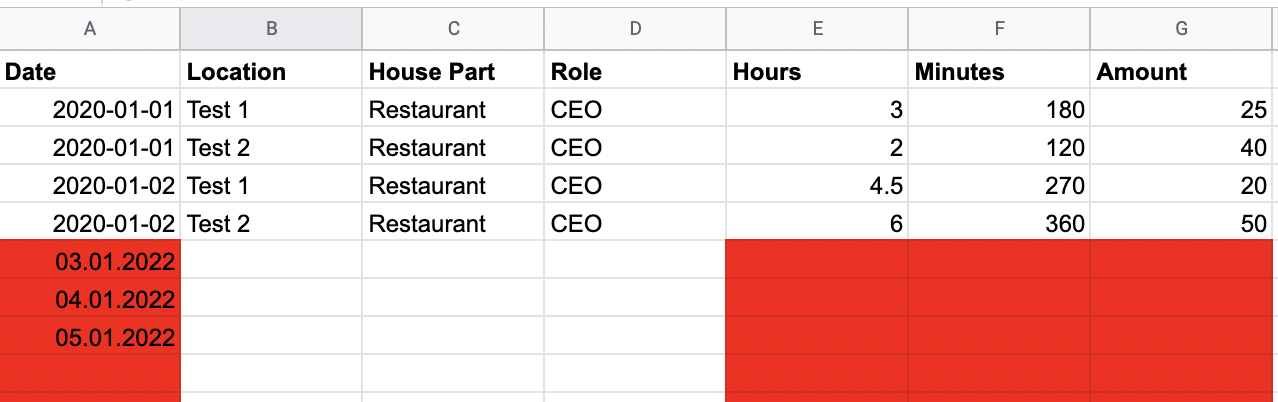
You can delete the columns that are not relevant for what you are uploading (e.g. house part, role, etc.) and just leave the ones you will be filling.
Please note that for the template to work, dates need to be in the same formatting you find at the top of the template, YYYY-MM-DD:
How Do I Compare G-Sheet Data to Data in Tenzo?
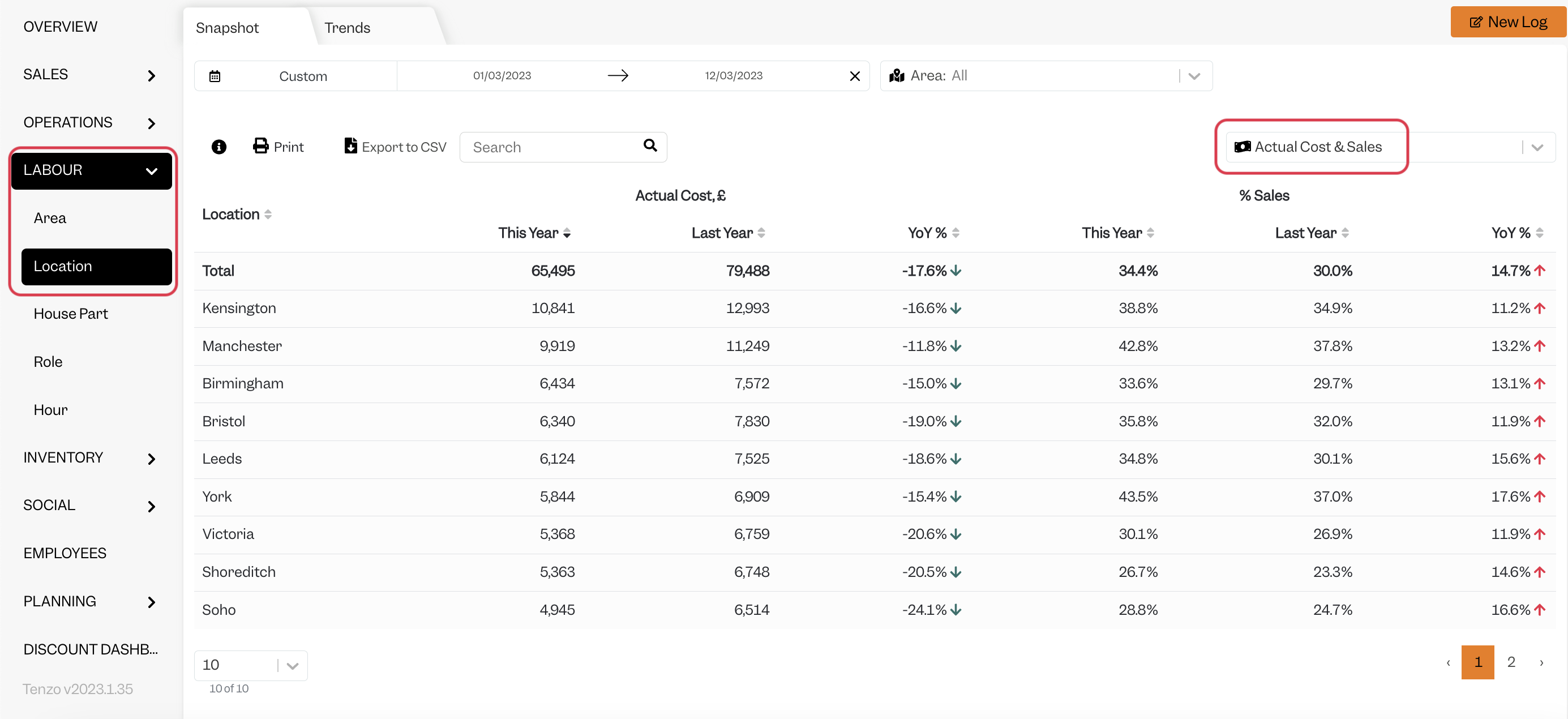
Access the GoogleSheet and compare the daily total by line.
You will then be able to see the same number by selecting one day within Tenzo’s “Labour by Location” view.
Exceptions
None
Other Ways to Send This Data to Tenzo
As well as a Google Sheet, Tenzo can receive data in the Tenzo Data Importer format by Email or as CSV files over SFTP. Talk to your Customer Success Manager if you would like to send your data one of these ways.