
Guide: Mews
How Do Core Concepts Map to Tenzo?
Key: ✅ Supported 🚸 Work in Progress ❌ Not Supported
 |
|
|---|---|
| Location | ✅ Property (Enterprise) |
| Order Type | ✅ Revenue Type |
| Revenue Center | ✅ Services (e.g. Restaurant, Bar, Room Service) |
| Product Item | ✅ Order Items (billing name / product) |
| Product Category | ✅ Accounting Categories |
| Product Division | ✅ Accounting Category Classification |
| Tender Type | ✅ Payment types |
| Discount | 🚸 Rebates (Night, Product/Order, Additional-Expense, Allowance, City-Tax) are named, but arrive as negative sales lines that are always included |
| Customer | ❌ Not Supported |
| Employee | ❌ Not Supported |
| Guest Count | ❌ Not Supported |
| Tips | ❌ Not Supported |
| Service Charge | ❌ Not Supported — service charges arrive as ordinary sales lines and are always included in sales |
| Modifiers | ❌ Not Supported |
| Table | ❌ Not Supported |
| Ticket Voids | ❌ Not Supported |
| Ticket Item Voids | ❌ Not Supported |
| KDS Bump Time | ❌ Not Supported |
| Price | ❌ Not Supported |
| Menu Item Visibility | ❌ Not Supported |
| Menu Item Size | ❌ Not Supported |
| Transaction Length | ✅ |
| Ticket Discounts (Amounts) | ❌ Not Supported |
| Ticket Item Discounts (Amounts) | ❌ Not Supported |
Data Ingestion
| Real-time optionally available? | ✅ |
| Default polling frequency | Every 1 hour |
| Data retrieved on each poll | Today and yesterday, plus a daily backfill of the last 4 weeks |
| Historical data | All data since your Mews Start Date (set when first connecting the integration) |
| Data received per day or continuous | Per day |
How Do I Compare Mews Data to Data in Tenzo?
Within Mews, open the reporting area and run a revenue report for the property and date of business you want to check.
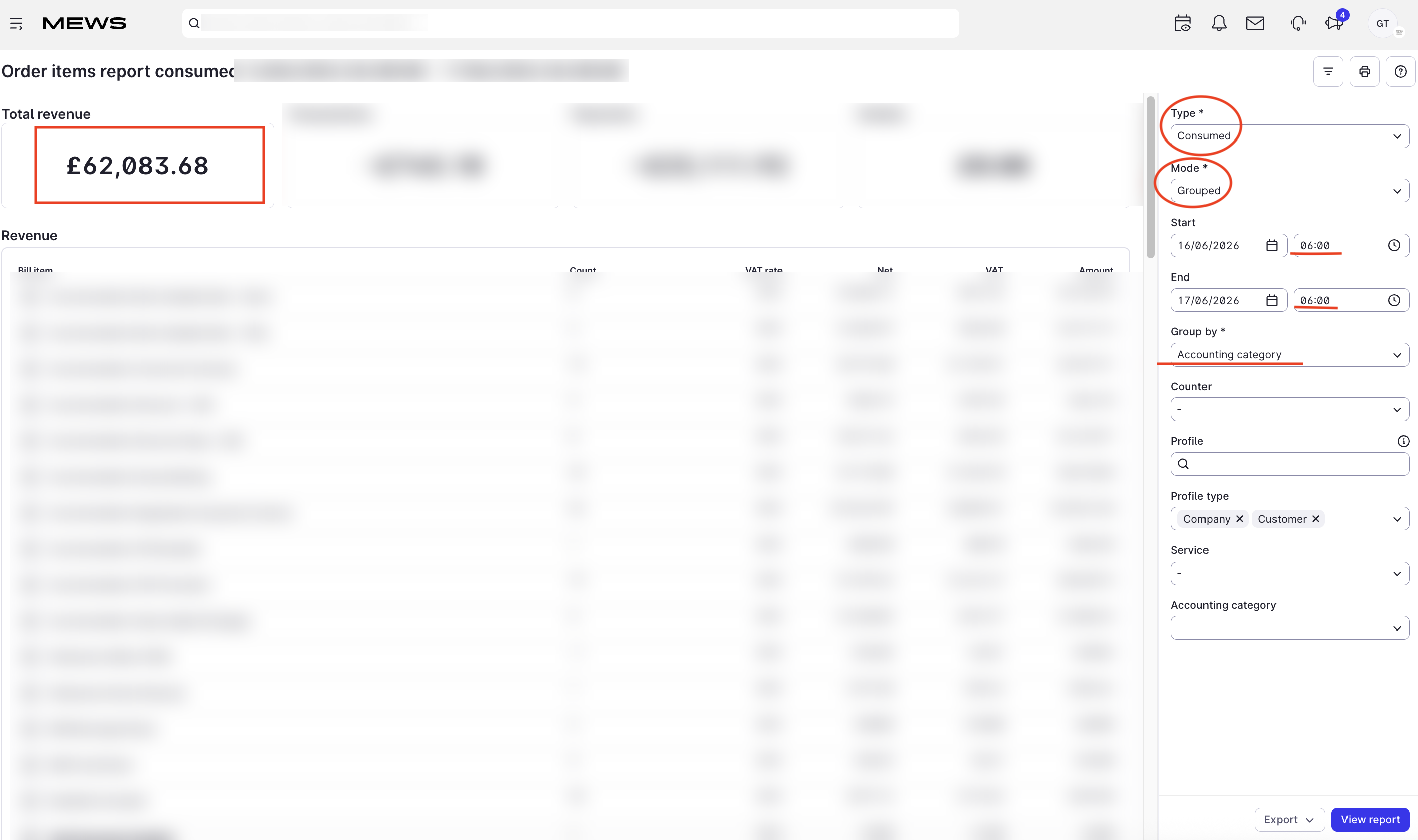
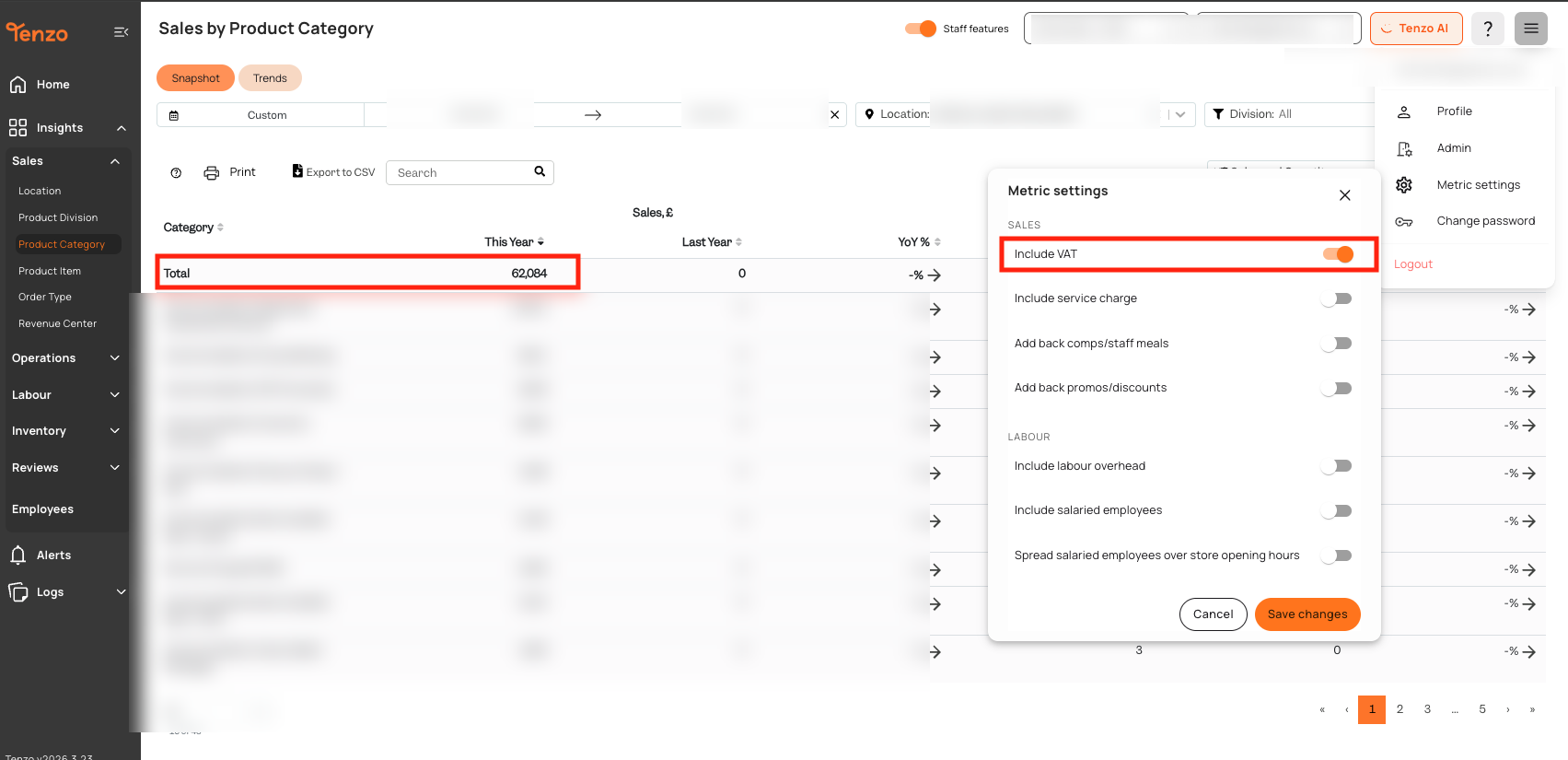
The total should match the same property and date of business in Tenzo's "Sales by Location" view. For Mews, the only toggle that affects the total is VAT — enable it to compare on a net basis, disable it to compare on a gross basis. The Discount and Service Charge toggles have no effect: Mews sends discounts and service charge through as line items, so they are always included in the figures regardless of those settings.
Exceptions
Mews bills can stay open for several days. While a bill is still open, its items are rolled into a synthetic per-day ticket so that revenue is reflected on the correct date of business. Once the bill closes, those items are reconciled onto the real bill by the daily 4-week backfill. This means very recent totals for open bills may shift slightly until the bill is closed.
#integrations