

Guide: Restoke Beta
How Do Core Concepts Map to Tenzo?
Key: ✅ Supported 🚸 Work in Progress ❌ Not Supported
 |
|
|---|---|
| Location | ✅ Venues |
| Vendor | ✅ Suppliers |
| Category | ✅ Product tags |
| Item | ✅ Products on invoice lines |
| Purchases | ✅ Purchasing Report invoice lines, including credit notes |
| Actual Usage | ❌ Stocktakes are not available from Restoke's API |
| Theoretical Usage | ❌ Not available from Restoke's API |
| Recorded Wastage | ❌ Waste Log is not available from Restoke's API |
| Transfers | ❌ Not available from Restoke's API |
| Menu Items | ✅ Recipes |
| Menu Item Costs | ✅ Recipe cost |
Data Ingestion
| Real-time optionally available? | ❌ |
| Default polling frequency | Purchases: daily. Recipe costs: hourly |
| Data retrieved on each poll | Purchases: last 30 days including today. Recipe costs: today's current cost |
| Historical data | Purchases: all data since you started using Restoke (up to two years). Recipe costs: from the day the connection is set up |
How Do I Compare Restoke Data to Data in Tenzo?
Compare purchases against the Purchasing Report in Restoke (Purchases → Purchasing Report), set to the same date range and venue. Tenzo's purchase spend for that range should match the report's Grand Total, and its totals by supplier type.
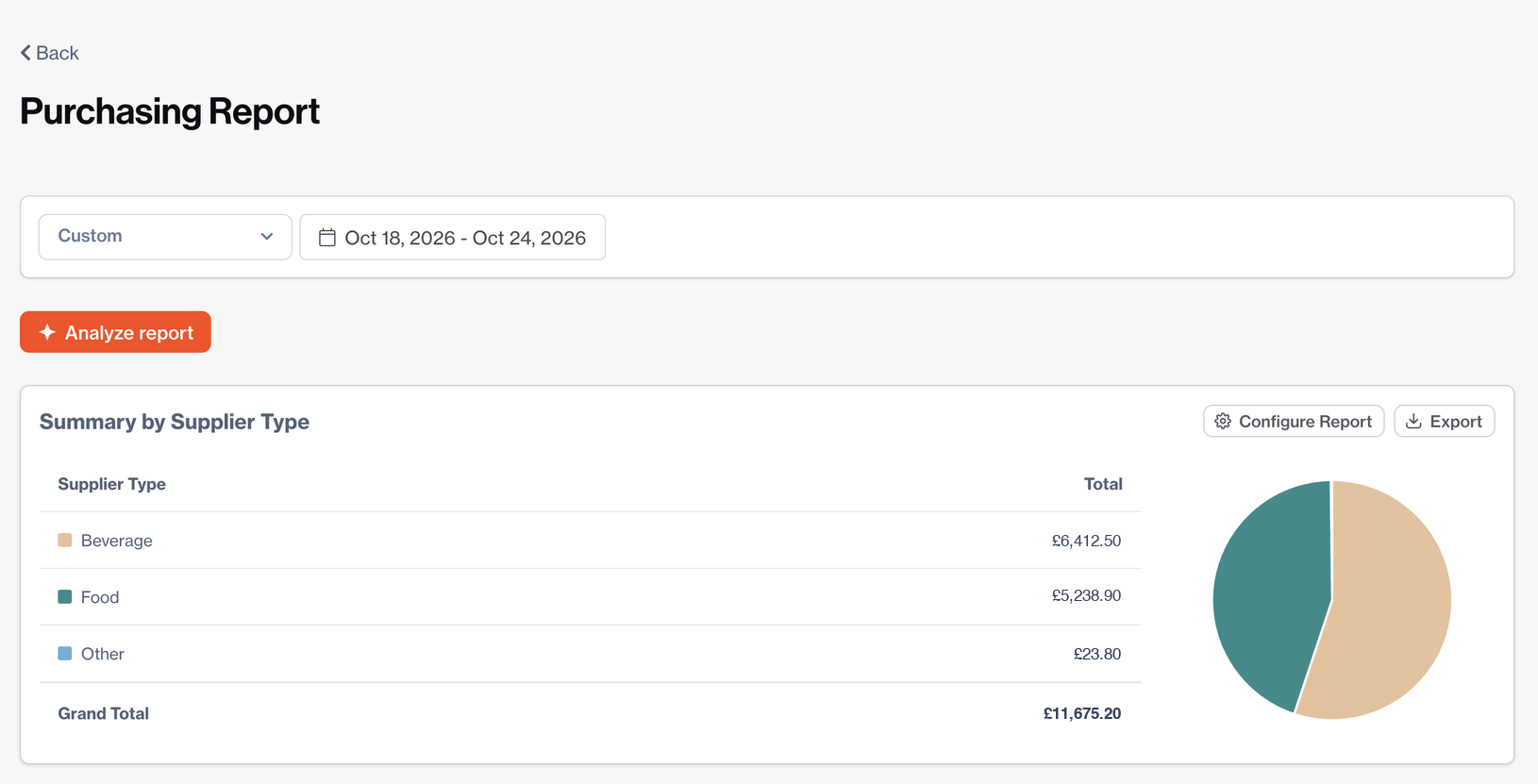
When comparing, keep in mind:
- Purchases are dated by invoice date, the same as the Purchasing Report, so a delivery received a few days after its invoice appears on the invoice date.
- Costs are excluding VAT, as in the Purchasing Report. Restoke does not share VAT per invoice line, so Tenzo's cost including tax shows the same ex-VAT figure.
- Credit notes reduce spend, and invoices that are not yet approved in Restoke are included, as they are in the report.
- Only Executive Managers and Administrators can see and export Restoke reports.
Compare recipe costs against the cost shown on each recipe in Restoke (Recipes → All Recipes). Recipes showing "Cost: N/A" are not imported.