

Guide: Host Staffing
How Do Core Concepts Map to Tenzo?
Key: ✅ Supported 🚸 Work in Progress ❌ Not Supported
 |
|
|---|---|
| Location | ✅ Venues |
| Shift (actual) | ✅ Timesheets with a recorded start and end time, whether or not they have been approved or processed yet |
| Shift (planned) | ✅ Booked shifts by role (no employee name), one planned shift per slot requested, including slots not yet filled |
| Hours | ✅ Recorded start and end times on the timesheet, less unpaid breaks |
| Labour cost | ✅ Hourly charge rate billed by Host Staffing for each shift, excluding VAT |
| Salaried workers | ❌ Not applicable: Host Staffing workers are all charged by the hour |
| Employee | ✅ Candidates (full name), on actual shifts only |
| Role | ✅ Positions (job titles on your pay rates) |
| House Part | ✅ Venue areas, when an area is set on the booking |
| Overheads | ❌ Not shown separately: NI and pension are already included in the agency charge rate |
| Holiday | ❌ Not shown separately: holiday pay is already included in the agency charge rate |
| Breaks | ✅ Unpaid breaks |
| Overtime | ❌ Not available: shifts are charged at a single hourly rate |
| Training shifts | ✅ Job titles you choose as training during setup |
| Leave and absence | ❌ Not applicable: Host Staffing only records worked bookings |
| Unapproved labour | ❌ Not Supported |
Data Ingestion
| Real-time optionally available? | ❌ |
| Default polling frequency | Every 8 hours |
| Data retrieved on each poll | Back two weeks and forward two weeks |
| Historical data | All data since you started using Host Staffing |
How Do I Compare Host Staffing Data to Data in Tenzo?
Tenzo shows two Host Staffing figures, and each compares to a different number in the Host Staffing client portal:
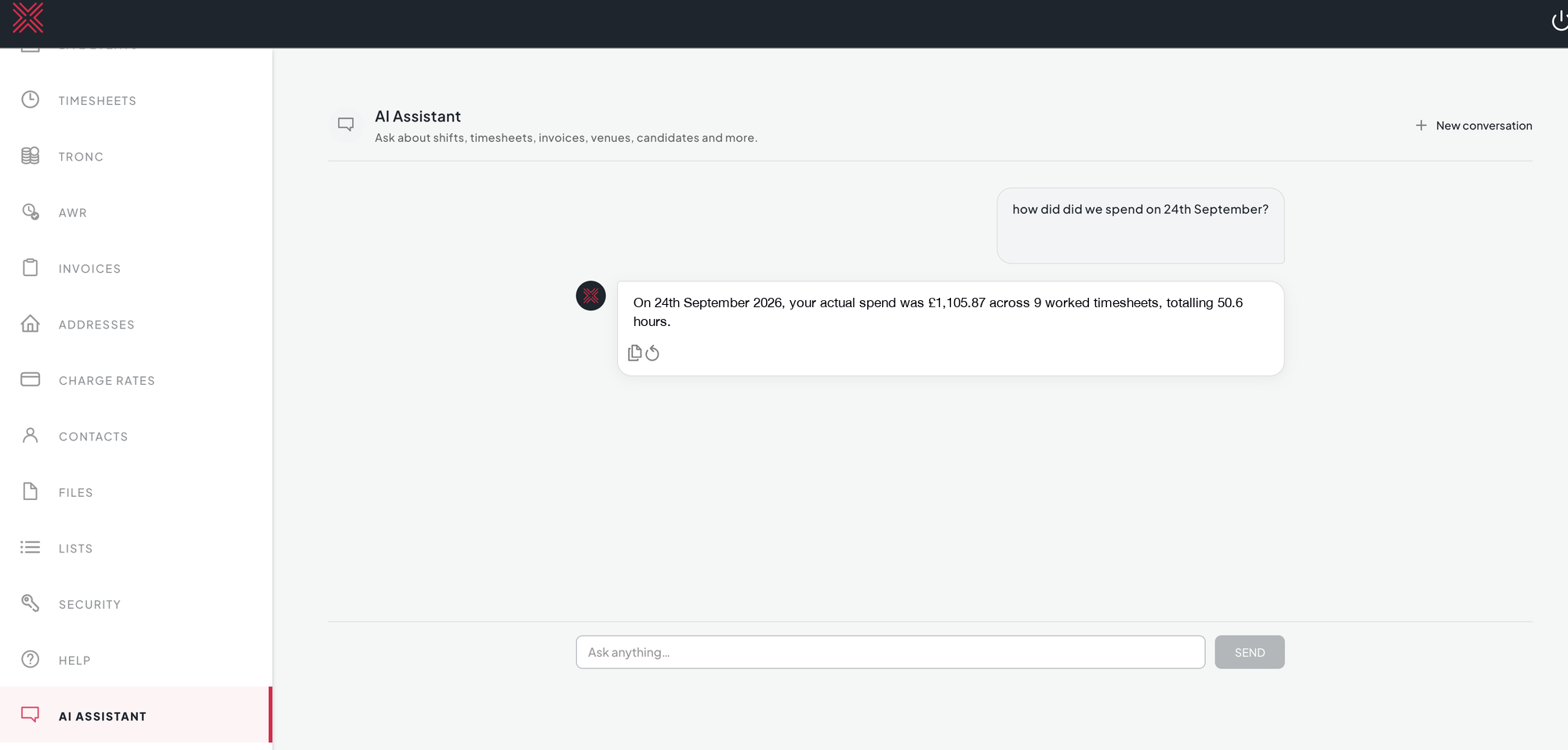
- Actual labour in Tenzo is the hours worked on your timesheets, costed at each shift's charge rate excluding VAT. For any day it should match the actual spend and hours Host Staffing reports for the same day, and the hours and net total on the invoice for that day.
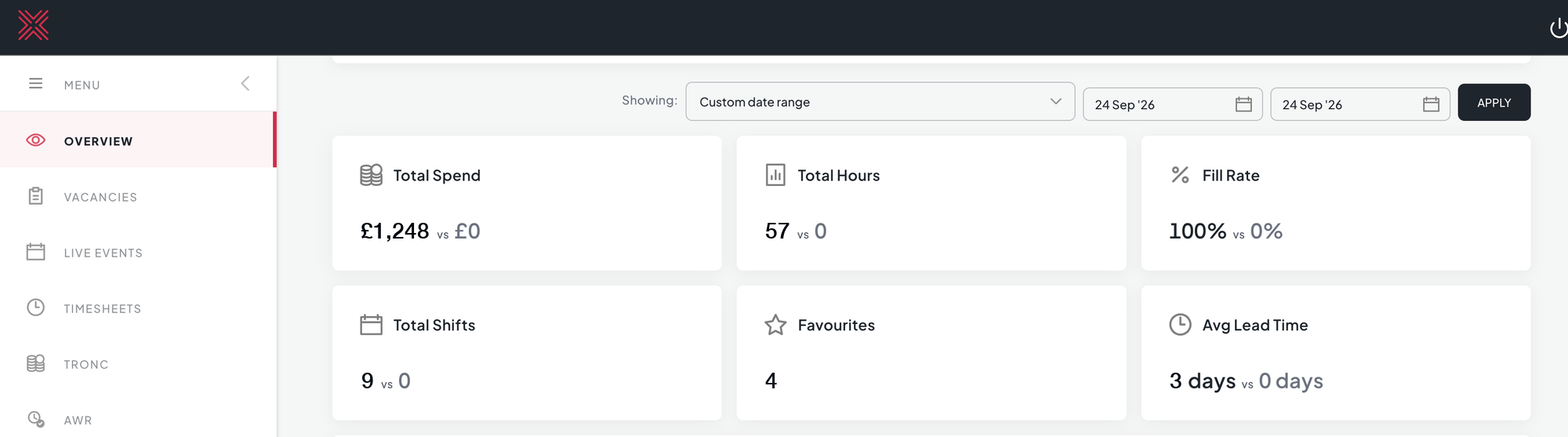
- Planned labour in Tenzo is what you booked. It compares to the Total Spend, Total Hours and Total Shifts on the Host Staffing dashboard, which count every slot you requested, including any that weren't filled.
Planned labour: the Host Staffing dashboard for a single day shows the booked spend, hours and shifts to compare with Tenzo's planned labour.
Actual labour: asking the Host Staffing AI Assistant for a day's spend returns the actual spend, worked timesheets and hours to compare with Tenzo's actual labour.
When comparing, keep in mind:
- Costs in Tenzo exclude VAT. Compare against invoice totals before VAT.
- To see a single day on the Host Staffing dashboard, you may need to set the end date of the date range to the following day.
- Host Staffing invoices round each line to the penny, so a day's total can differ from Tenzo by a penny or two.
- Planned shifts show the role that was booked, not an employee. Employee names only appear on actual shifts, which come from timesheets.
- Shifts only get a house part when an area is set on the booking. A booking with no area leaves the house part blank on both planned and actual shifts.
- Timesheets can still change until they are processed. Tenzo picks up changes from the last two weeks each time it refreshes, so very recent days may briefly differ from Host Staffing.